SpendLens
AI Receipts & Smart Budgets
Conçue pour iPhone, iPad, iPod touch
Gratuit · Achats intégrés
- Classification d’âge4+
- CatégorieFinance
- DéveloppeurWael Abdel Alim Hassan
- LanguesAnglais
- Taille26,1 Mo
Renvoie vers la page App Store officielle
Download.org n’héberge aucun fichier de SpendLens. Le bouton ouvre la page de l’application sur App Store, où Wael Abdel Alim Hassan la publie. Fiche vérifiée pour la dernière fois le 12/11/2026.
Captures d’écran
À propos
Le développeur n’a pas fourni ce texte dans votre langue.
A polished personal expense tracker that catches every little thing. Scan receipts, track budgets, watch your money flow in real time across multiple accounts and currencies — all on-device, so your data stays yours.
KEY FEATURES
— AI Receipt Scanner. Snap any receipt and SpendLens reads the merchant, amount, date, and category automatically. Powered by Claude.
— Multi-Currency Support. Live FX conversion for 25+ currencies including KWD, USD, EUR, GBP, SAR, AED, EGP, INR. Travel-ready.
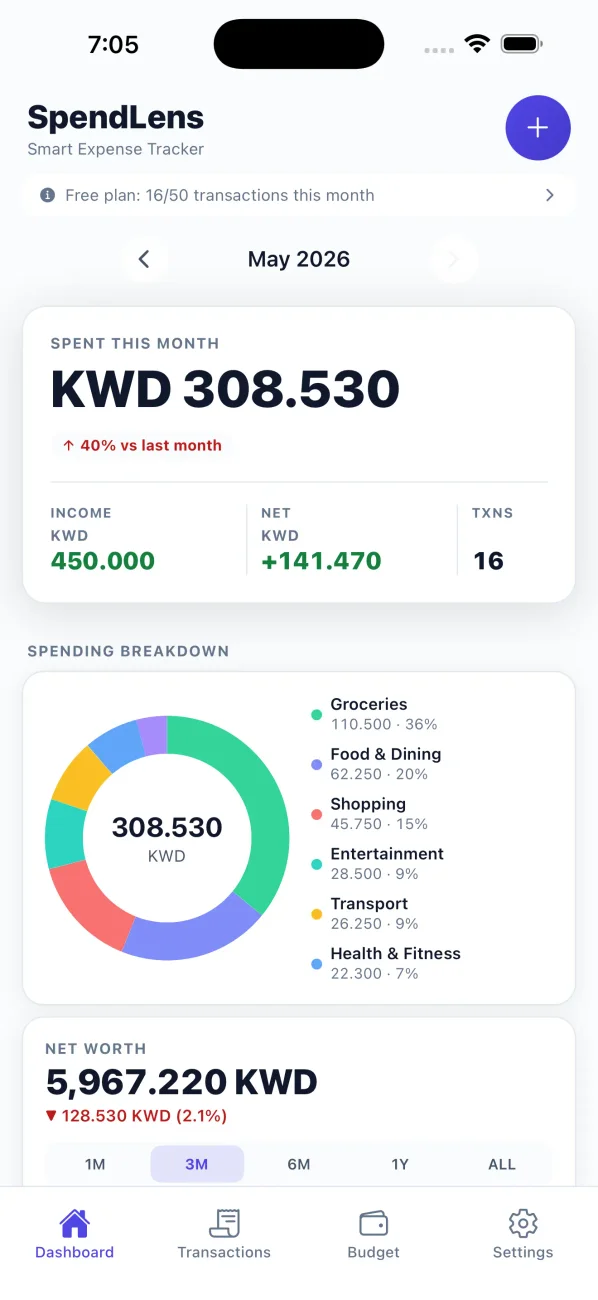
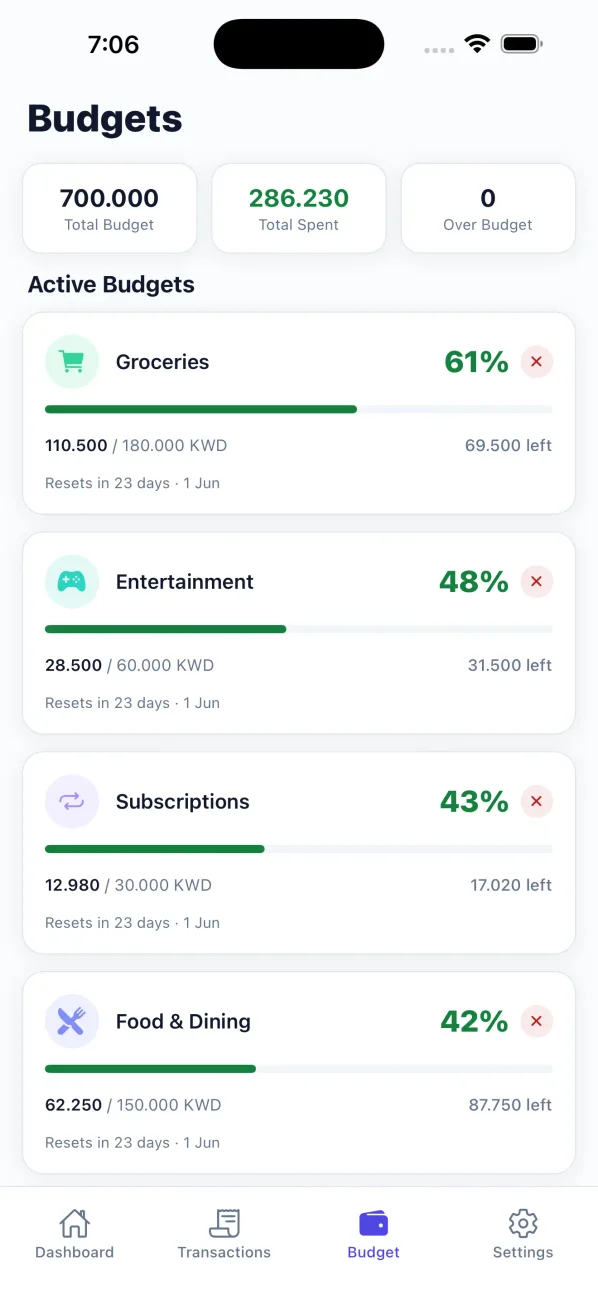
— Smart Budgets. Per-category monthly limits with foreign-currency budgets. Live progress bars and alerts at 80 percent and 100 percent.
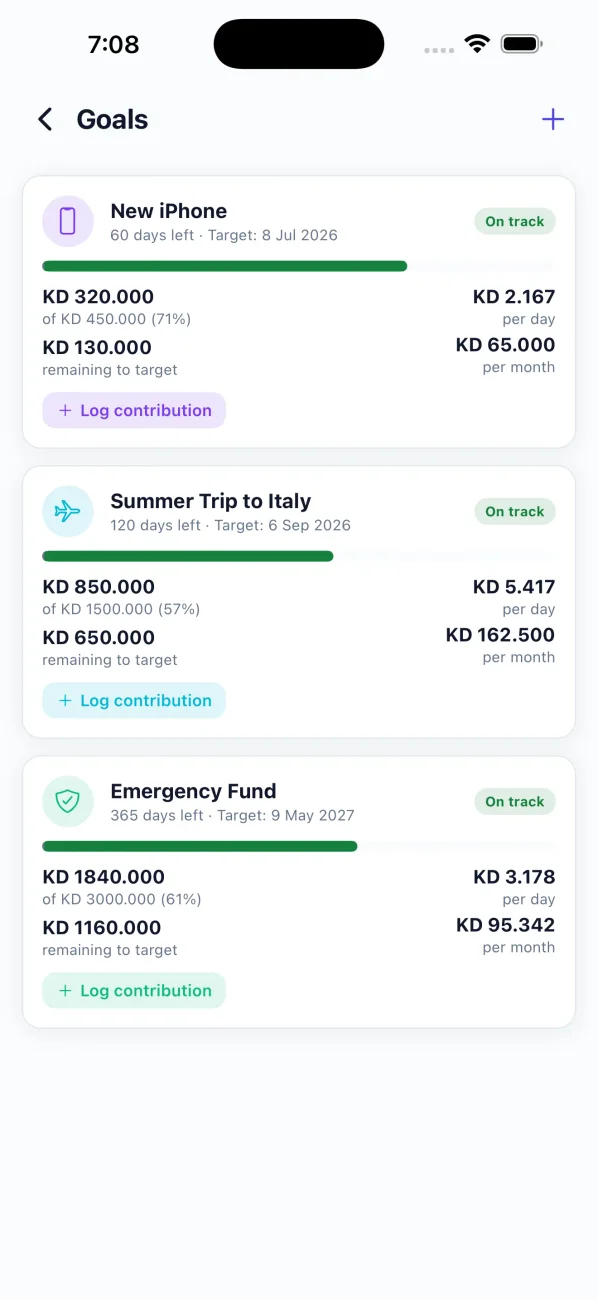
— Goals & Savings. Set savings or debt-payoff goals and link them to specific accounts. An allocation slider lets multiple goals share one account.
— AI Coach. Personalized insights powered by Claude. Ask where your money is going and get a clear, plain-English answer.
— Custom Recurring Transactions. Weekly, bi-weekly, monthly, quarterly, yearly, or custom schedules. End on a specific date or after N occurrences.
— Accounts & Wallets. Track separate balances for each bank, credit card, cash, or wallet. Apple Wallet-style cards on the dashboard.
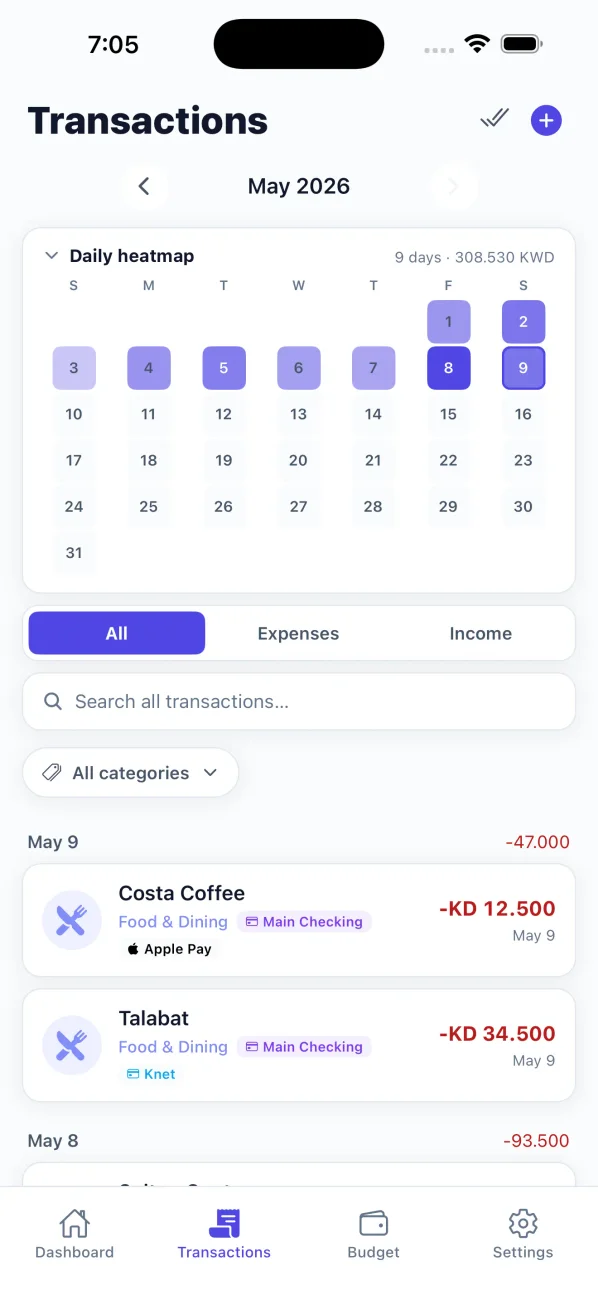
— Rich Analytics. Net-worth chart, daily heatmap, year-over-year comparison, top merchants, category donut, and per-merchant drill-down.
— Receipt Gallery. Browse every scanned receipt by month. Pinch to zoom, double-tap to fit, edit the linked transaction in one tap.
— Dark and Light Mode. Auto-switches with your system or pin a preference. Carefully tuned, accessible color system.
— Export & Backup. CSV and PDF exports with a built-in date-range picker. One-tap full backup and restore for moving to a new device.
— Privacy First. Everything stays on your device. No accounts, no servers required. Receipt OCR runs through Anthropic's API only when you choose to scan.
FREE & PRO
Your first 10 transactions are free. To keep tracking after that, subscribe to SpendLens Pro:
— SpendLens Pro Monthly — $4.99 / month
— SpendLens Pro Yearly — $39.99 / year (save ~33% vs. monthly)
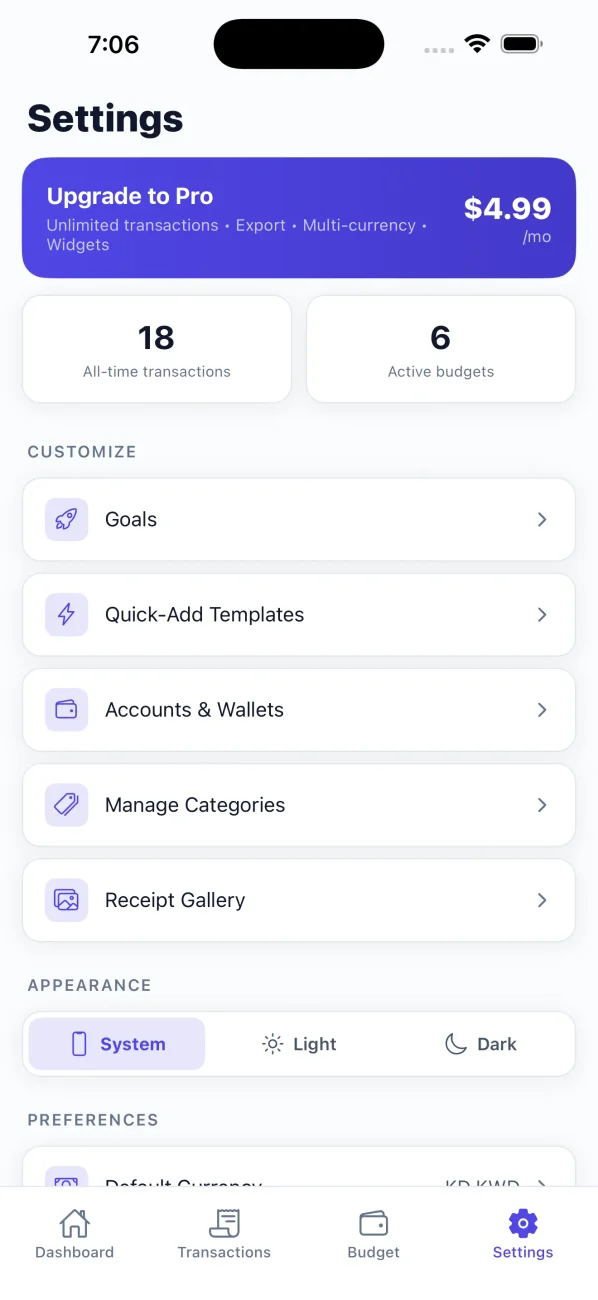
Pro unlocks unlimited transactions, CSV & PDF export, home-screen widgets, priority budget alerts, custom categories, and full multi-currency support.
SUBSCRIPTION TERMS
Payment will be charged to your Apple ID account at confirmation of purchase. Subscriptions automatically renew unless auto-renew is turned off at least 24 hours before the end of the current period. Your account will be charged for renewal within 24 hours prior to the end of the current period at the same price. Subscriptions can be managed and auto-renewal turned off in your Account Settings after purchase.
Privacy Policy: https://wzahran74.github.io/spendlens-pages/privacy
Terms of Use (EULA): https://www.apple.com/legal/internet-services/itunes/dev/stdeula/
Built for clarity, optimized for the way real people spend.
Nouveautés
Version 1.1.0 · 07/10/2026
NEW — Import receipts from your messages!
• Tap the new Import button on the Transactions screen to pull receipts from Messages, WhatsApp, Photos, or your clipboard.
• Bank and KNET SMS are parsed automatically — several transactions in one message are split into separate entries, each with its correct date.
• PDF e-receipts and receipt photos are supported too — you can also share them to SpendLens from any app's share sheet.
• Smart duplicate protection: SpendLens uses the remaining balance quoted in bank messages to catch accidental re-imports, while genuine repeat purchases are never falsely flagged.
• Review every imported transaction and confirm items one by one, or add them all at once.
NEW — Danger Zone in Settings
• Erase All Data wipes your transactions, budgets, accounts, goals and receipts but keeps your preferences.
• Reset App returns SpendLens to a fresh install. Your Pro subscription stays with your Apple ID — just tap Restore Purchases.
Plus: receipt photos are now stored permanently in your receipt gallery, improved compatibility with the latest iOS, and general bug fixes.
Confidentialité de l’application
Ce que Wael Abdel Alim Hassan déclare sur l’App Store au sujet du traitement des données par cette application.
-
Données n’établissant aucun lien avec vous
Peuvent être collectées, mais ne sont pas liées à votre identité.
- Informations financières
- Contenu utilisateur
Les pratiques en matière de confidentialité peuvent varier, notamment en fonction des fonctionnalités que vous utilisez ou de votre âge.
Informations
- Vendeur
- Wael Abdel Alim Hassan
- Catégorie
- Finance
- Version
- 1.1.0
- Mis à jour
- 07/10/2026
- Publié
- 04/07/2026
- Taille
- 26,1 Mo
- Nécessite
- iOS 15.1 ou version ultérieure
- Classification d’âge
- 4+
- Prix
- Gratuit
- Achats intégrés
- Oui
- Langues
- Anglais
- Copyright
- © 2026 Wael Zahran
Vous aimerez peut-être aussi
-
 SpendLens — Expense TrackerFinance
-
 WalletWhisper: Voice ExpenseFinance
-
 SpendLens : Budget enveloppesBudget par enveloppes, privé
-
 iSpend: AI Money ManagerFinance
-
 Subspace: SubscriptionsFinance
-
 KBL Digital RupeeFinance
-
 Gestion d’abonnement: SubIQSuivi, rappels et résiliation
-
 FinArt: AI Expense TrackerFinance
-
 NSE Live - Chart - RSI SignalsFinance