StitchWIP
Cross-Stitch Project Tracker
Conçue pour iPhone, iPad, iPod touch
Gratuit · Achats intégrés
- Classification d’âge4+
- CatégorieStyle de vie
- DéveloppeurJessica Kordon
- LanguesAnglais
- Taille44,8 Mo
Renvoie vers la page App Store officielle
Download.org n’héberge aucun fichier de StitchWIP. Le bouton ouvre la page de l’application sur App Store, où Jessica Kordon la publie. Fiche vérifiée pour la dernière fois le 27/11/2026.
Captures d’écran


À propos
Le développeur n’a pas fourni ce texte dans votre langue.
StitchWIP is a cross-stitch tracker for iPhone and iPad, built for stitchers who want their whole craft in one place. Track every WIP, log your stitching sessions (stats are calculated automatically), organize your floss stash, and hit your goals — whether you have one project or twenty.
TRACK YOUR PROJECTS
Log every WIP with stitch counts, fabric details, progress photos, and session logs. Set deadlines and let StitchWIP calculate your daily stitch pace automatically. Cataloging a whole pile of WIPs? Quick Add lets you enter each one with just a name and stitch count — and keep adding without leaving the screen. Track Stitch-A-Long (SAL) schedules with part tracking, release dates filled in from your schedule, and release date notifications. Record the designer and the artist behind each piece, and mark your full coverage projects. Crop and rotate your progress photos, and pinch to zoom in on your stitches. Record frog log entries when you rip out stitches so your progress history stays accurate. Every project gets its own stats too — sessions, hours, personal records, and a projected finish date.
LOG YOUR SESSIONS
Record every stitching session with time spent, stitch count, and notes. Correct or delete a past session at any time and your totals update automatically. The Session Tracker holds on to your count and timer if you step away.
MANAGE YOUR STASH
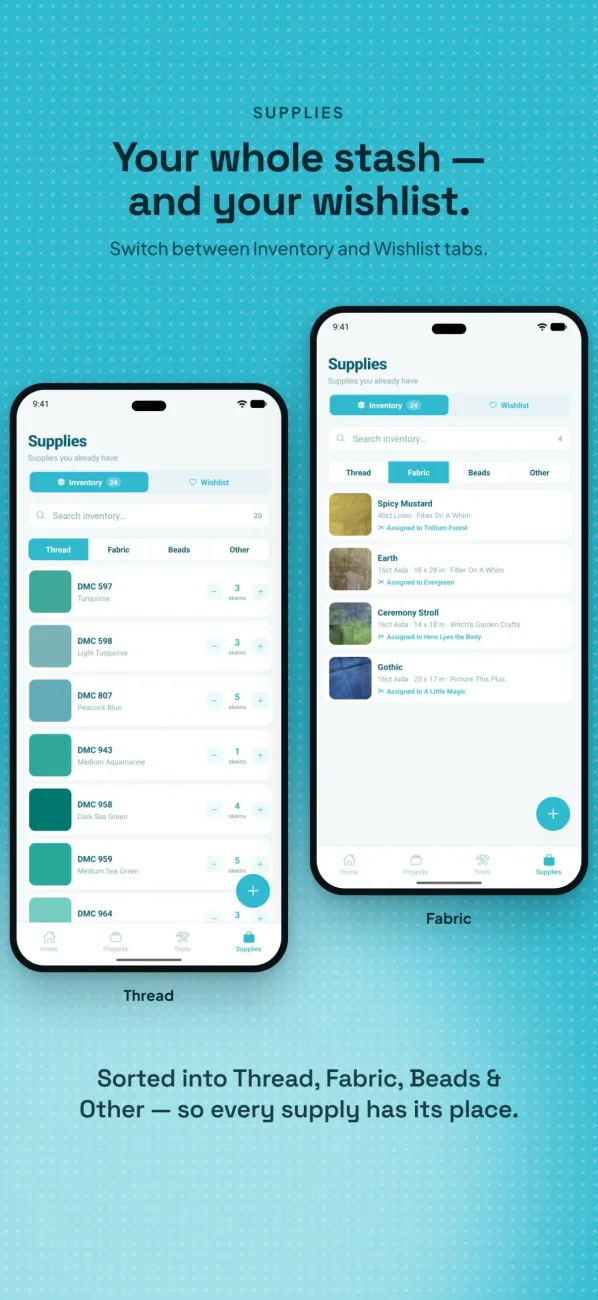
Organize your full stash — DMC threads by color number and quantity, fabric, needles, and other supplies. Adding several colors at once? Use Bulk Add. Save your pattern library. Build a wishlist so nothing you love slips through the cracks.
Your stash and projects work together. Give a project a thread list and it checks your stash: need 3, have 2, buy 1, with a shopping list ready to share. Stitch from one shared master set or kit each project: kitted floss goes to the project you started first, so later ones know what's spoken for. Fabric in your stash shows which project it's assigned to.
TOOLS FOR EVERY STITCHER
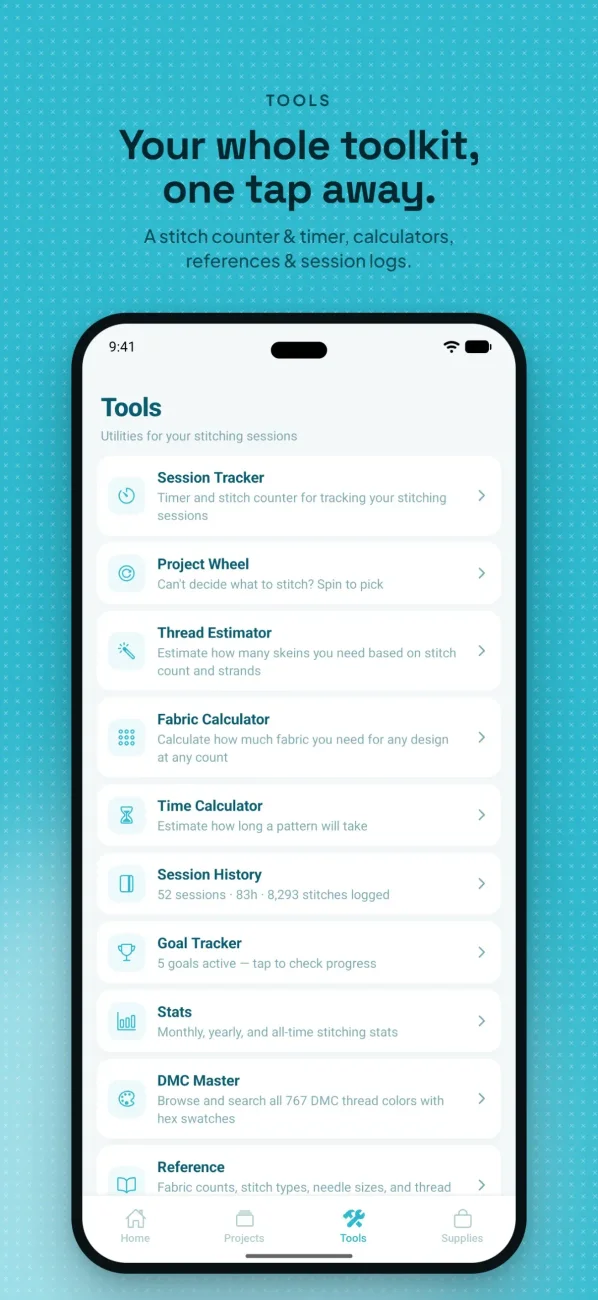
· Color Charts — browse the full DMC range and see which colors are already in your stash
· Session Tracker — tap to count stitches with a running session timer
· Fabric Calculator — calculate exact fabric size for any design at any count, including a border
· Thread Estimator — estimate skeins needed by stitch count and strands, then create a shopping list
· Time Calculator — see how long a pattern will take at your own stitching speed
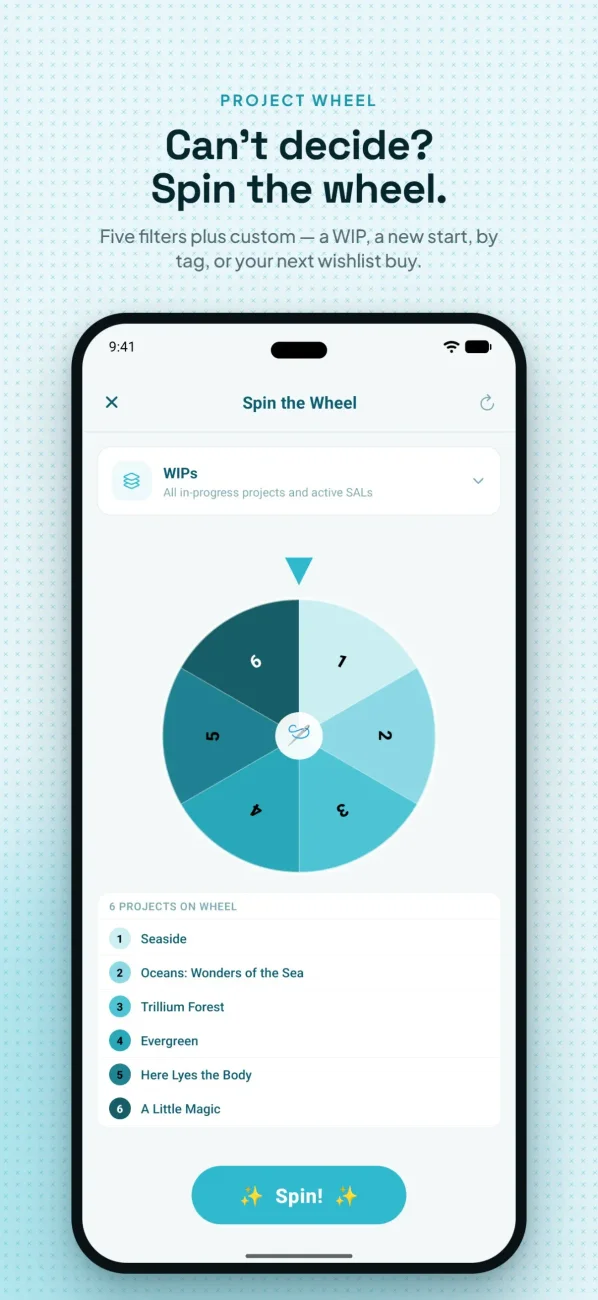
· Project Wheel — can't decide what to stitch next, what to start, or what to buy from your wishlist? Spin to pick
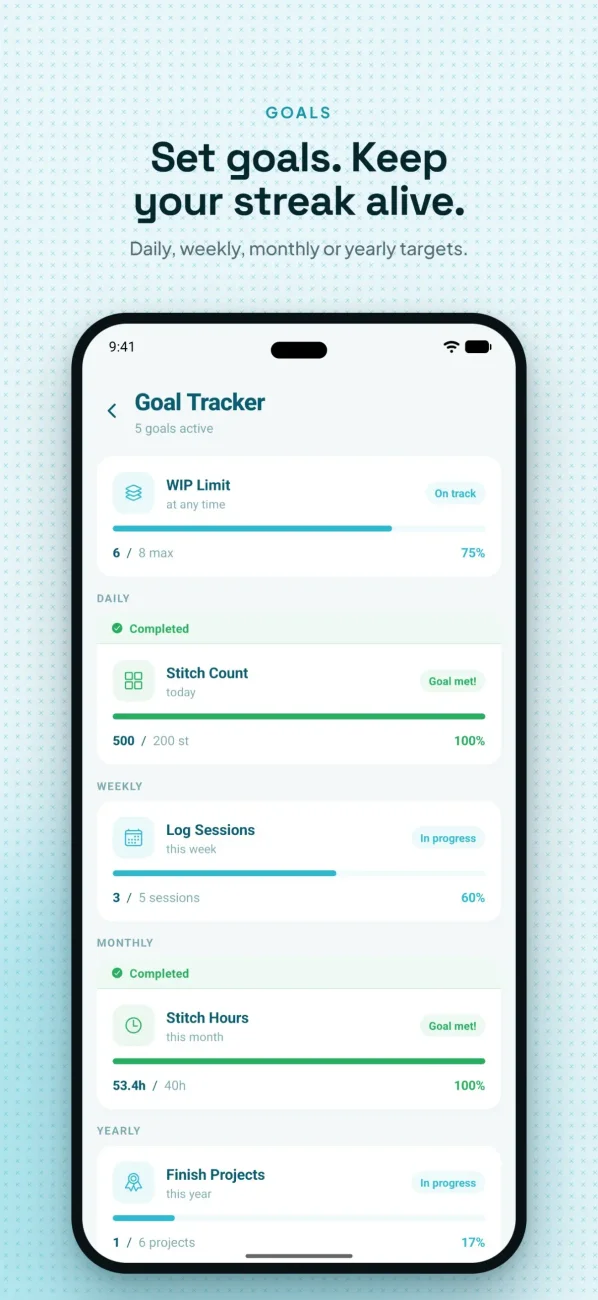
· Goal Tracker — daily, weekly, monthly, or yearly; set targets that update automatically from your projects and sessions
· Reference — fabric counts, stitch types, needle sizes, and thread tips all in one place
BEAUTIFUL STATS
Monthly, yearly, and all-time stats show your total sessions, hours stitched, stitch counts, streaks, and finish rate. Every past month opens out in full. Share any month as a stat card, or export your stats as a PDF to save, email, or print.
MADE FOR iPAD TOO
StitchWIP works on iPad in portrait or landscape, and you can keep it open in a window beside your chart while you stitch. Using an iPhone and an iPad? Export a backup on one and import it on the other: the sessions, photos, and edits from both are merged, and you see exactly what will change before anything does.
DESIGNED FOR YOUR CRAFT
StitchWIP is built specifically for cross-stitch — not a generic crafting app with cross-stitch added on. Designed by a stitcher (me) to match how stitchers actually work.
· Multiple themes including light and dark mode
· Deadline reminders and daily stitch pace notifications
· Works offline — your projects live right on your device
Free to use with up to 3 projects, 30 stash items, 10 wishlist items, and 5 patterns. StitchWIP Pro unlocks everything with a one-time unlock: pay once and it's yours. The first time you tap a Pro feature, you get a 7-day free trial.
Nouveautés
Version 1.1.3 · 31/10/2026
Added a Tip Jar in Settings: If you'd like to support StitchWIP, you can leave a tip.
Confidentialité de l’application
Ce que Jessica Kordon déclare sur l’App Store au sujet du traitement des données par cette application.
-
Données établissant un lien avec vous
Peuvent être collectées et liées à votre identité.
- Coordonnées
- Contenu utilisateur
- Identifiants
-
Données n’établissant aucun lien avec vous
Peuvent être collectées, mais ne sont pas liées à votre identité.
- Emplacement
- Données d’utilisation
- Diagnostic
Les pratiques en matière de confidentialité peuvent varier, notamment en fonction des fonctionnalités que vous utilisez ou de votre âge.
Informations
- Vendeur
- Jessica Kordon
- Catégorie
- Style de vie
- Version
- 1.1.3
- Mis à jour
- 31/10/2026
- Publié
- 30/06/2026
- Taille
- 44,8 Mo
- Nécessite
- iOS 15.1 ou version ultérieure
- Classification d’âge
- 4+
- Prix
- Gratuit
- Achats intégrés
- Oui
- Langues
- Anglais
- Copyright
- © 2026 StitchWIP Studio
Vous aimerez peut-être aussi
-
 X-Stitch Tracker: Cross StitchStyle de vie
-
 StitchStreakStyle de vie
-
 Stitchwork: Point de croixGrilles PDF · Achat unique
-
 Cross Stitch JournalStyle de vie
-
 Stitch OrganizerCross-stitch stash organizer
-
 StitchStash: Point de CroixDMC, Anchor & fil à broder
-
 Purl: Suivi Point de CroixGrilles PDF, tricot, crochet
-
 Hello CrossStitchStyle de vie
-
 StitchTracker: Cross StitchStyle de vie
-
 StitchPalStyle de vie