
StockDeck: Store Manager
WooCommerce orders & stock
Conçue pour iPhone, iPad
Gratuit
- Classification d’âge4+
- CatégorieÉconomie et entreprise
- DéveloppeurHung Cao
- LanguesAnglais
- Taille7,6 Mo
Renvoie vers la page App Store officielle
Download.org n’héberge aucun fichier de StockDeck: Store Manager. Le bouton ouvre la page de l’application sur App Store, où Hung Cao la publie. Fiche vérifiée pour la dernière fois le 18/11/2026.
Captures d’écran


À propos
Le développeur n’a pas fourni ce texte dans votre langue.
StockDeck is the staff app for WooCommerce stores — any kind of shop, from clothing and grocery to electronics and specialty retail. Connect your store once, then run orders and inventory from an iPhone or iPad: at the counter, in the stockroom or on the go.
ORDERS
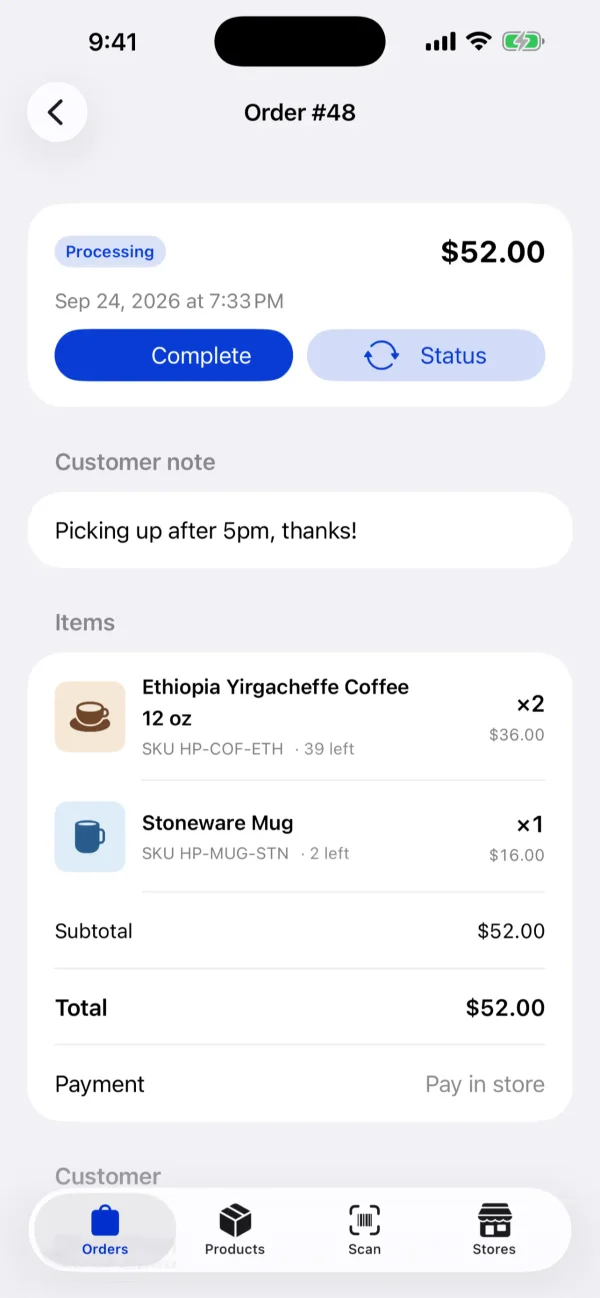
• A notification the moment a new order comes in
• See how many orders are waiting right on the Lock Screen and in the Dynamic Island, and add the Orders widget to your Home Screen or Lock Screen
• A to-do list of orders waiting on you
• Ready for pickup: one tap e-mails the customer, then text them from your phone with the message already written
• Full order details: items, customer note, contact info and address
• Mark orders complete or change their status, and add private or customer notes
ADD PRODUCTS FROM A PHOTO
• Take a picture of the product or its label
• StockDeck reads the name and details like size, weight or count — on your phone, nothing is uploaded until you save
• Misread words are corrected using your store's own product names
• The photo becomes the product's main image
PRODUCTS & STOCK
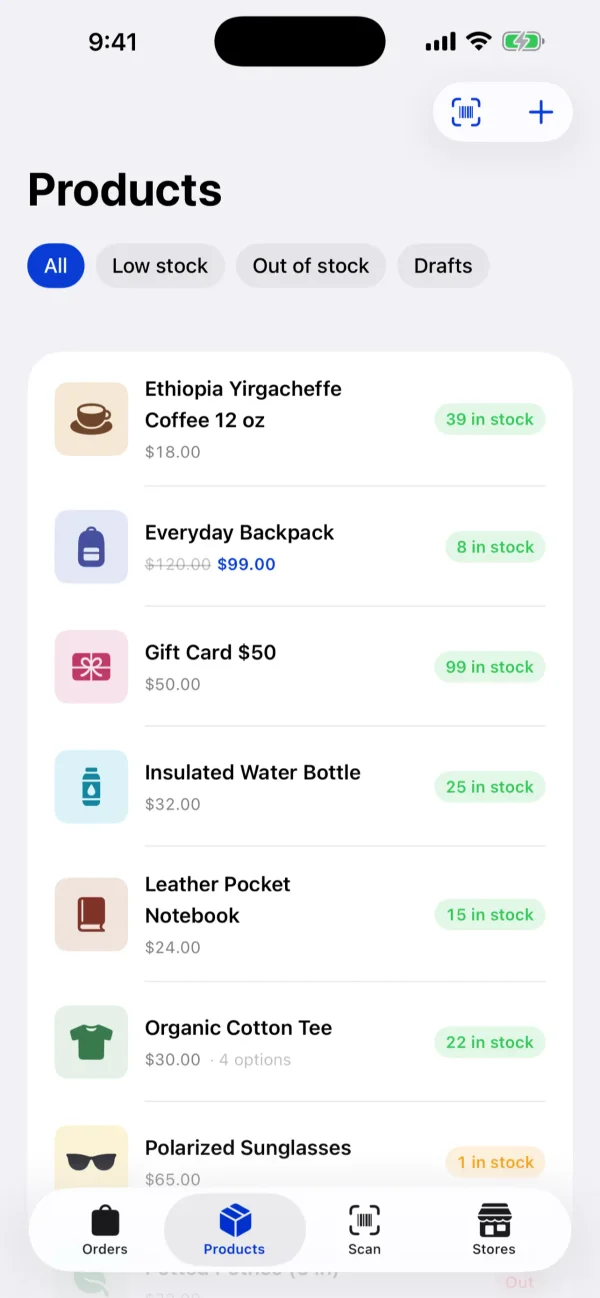
• Search by name, item code (SKU) or barcode
• Filter by category, low stock, out of stock and drafts
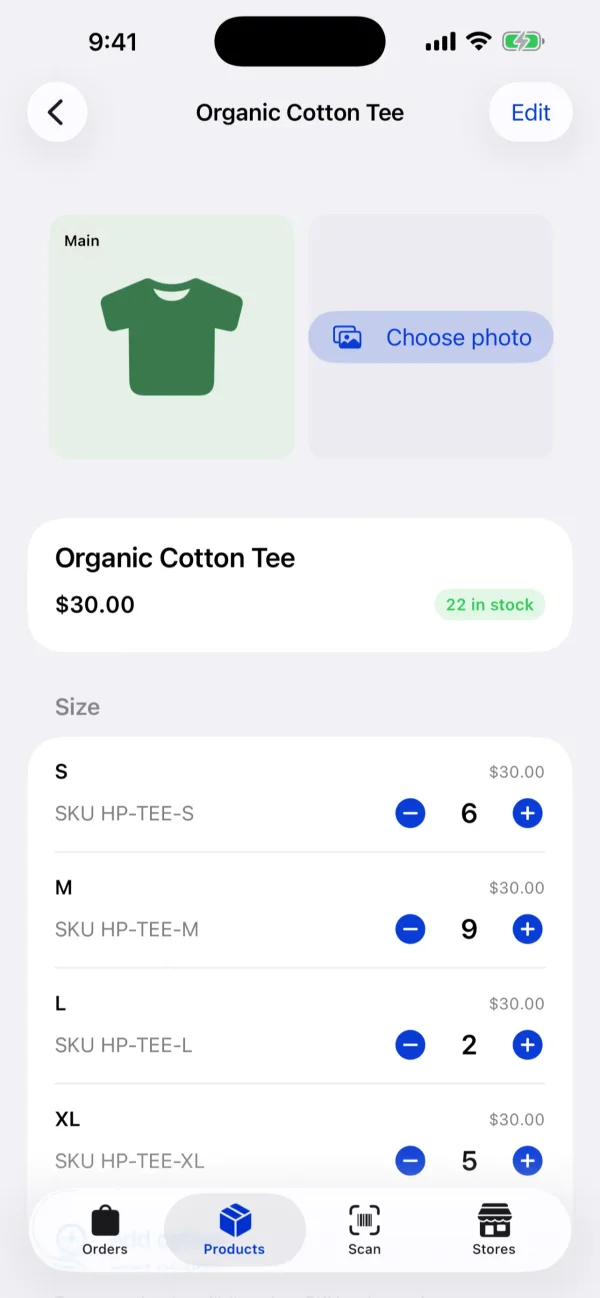
• Adjust stock with + and −, or tap the number to type the exact count — including each size, color or flavor option
• Edit prices, sale prices, item codes, barcodes and descriptions
• Add photos with the camera or from your library
BARCODE SCANNING
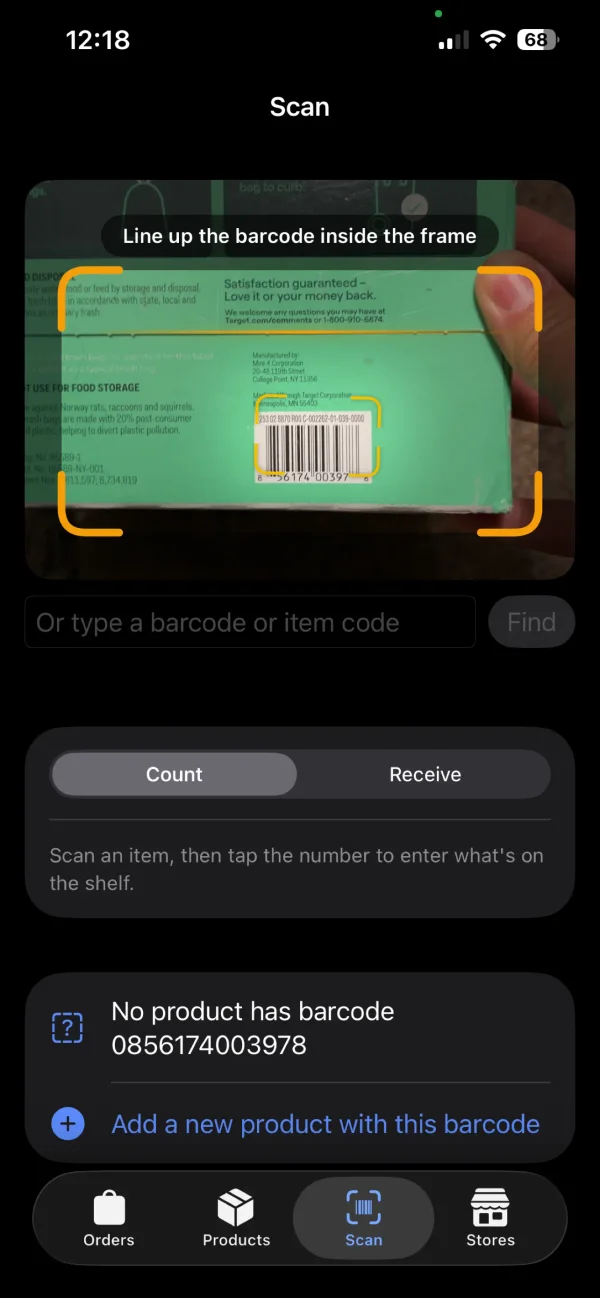
• Count: scan an item and enter what's on the shelf
• Receive: type how many arrived, scan, and it's added to stock
• Price check: scan any item to show its price and stock for every option in large type — nothing can be changed by mistake
• Scan a new item's barcode to create it with the code filled in
RESTOCK LIST
• Running low? Scan it or search, pick the exact size or flavor, tap Add — no counting needed
• One shared list for the whole team; if someone already asked for an item, your request is added instead of a duplicate
• Mark items Ordered and they leave the list; mark them Received when they arrive
• Store admins get low-stock suggestions and can track supplier orders and deliveries
BUILT FOR TEAMS
• Connect with a one-time QR code or 8-character code — no passwords stored in the app
• Each employee only sees what their store account allows
• A manager can disconnect any device at any time
• Several stores in one app
SQUARE
Stores that also sell in person with Square can link their products: products added and stock changed in StockDeck go to Square first, so the website and the register stay in step.
REQUIREMENTS
StockDeck works with WooCommerce stores that have the free StockDeck Connector plugin installed and an active StockDeck license. Your store's data stays on your own site: the app talks to your store directly.
Nouveautés
Version 1.2 · 22/10/2026
New: Restock list. Spot something running low? Scan it or search, pick the exact size or flavor, and add it — no counting needed. Everyone on the team sees one shared list, and anyone can mark items Ordered so they drop off it, then Received when they arrive. If someone already asked for an item, your request is added instead of a duplicate. Store admins also get low-stock suggestions and supplier delivery tracking.
Confidentialité de l’application
Ce que Hung Cao déclare sur l’App Store au sujet du traitement des données par cette application.
-
Données non collectées
Le développeur ne collecte aucune donnée à partir de cette application.
Les pratiques en matière de confidentialité peuvent varier, notamment en fonction des fonctionnalités que vous utilisez ou de votre âge.
Informations
- Vendeur
- Hung Cao
- Catégorie
- Économie et entreprise
- Version
- 1.2
- Mis à jour
- 22/10/2026
- Publié
- 04/10/2026
- Taille
- 7,6 Mo
- Nécessite
- iOS 17.0 ou version ultérieure
- Classification d’âge
- 4+
- Prix
- Gratuit
- Langues
- Anglais
- Copyright
- © 2026 Cao-Tech LLC
Vous aimerez peut-être aussi
-
 OnZone StoreÉconomie et entreprise
-
 City Store ManagerÉconomie et entreprise
-
 SyteSense - Construction AppÉconomie et entreprise
-
 Store Managers AppÉconomie et entreprise
-
 Anten Construction AppProductivité
-
 LeMarini Construction AppProductivité
-
 Punch ConstructionÉconomie et entreprise
-
 Kinetic DetectiveÉconomie et entreprise
-
 Marketing Plan AIÉconomie et entreprise
-
 Mesures de stores & devisVolets, moustiquaires, pose