
- Classification d’âge4+
- CatégorieProductivité
- DéveloppeurStance Hurst
- LanguesAnglais
- Taille21,8 Mo
Renvoie vers la page App Store officielle
Download.org n’héberge aucun fichier de StrataRead. Le bouton ouvre la page de l’application sur App Store, où Stance Hurst la publie. Fiche vérifiée pour la dernière fois le 18/11/2026.
Captures d’écran



À propos
Le développeur n’a pas fourni ce texte dans votre langue.
StrataRead is a research library and PDF reader for people who read closely, collect evidence, and write with sources.
Bring your papers, books, and reports into an organized workspace. Search your library, highlight important passages, capture notes, and carry your research into your writing without losing its connection to the original source.
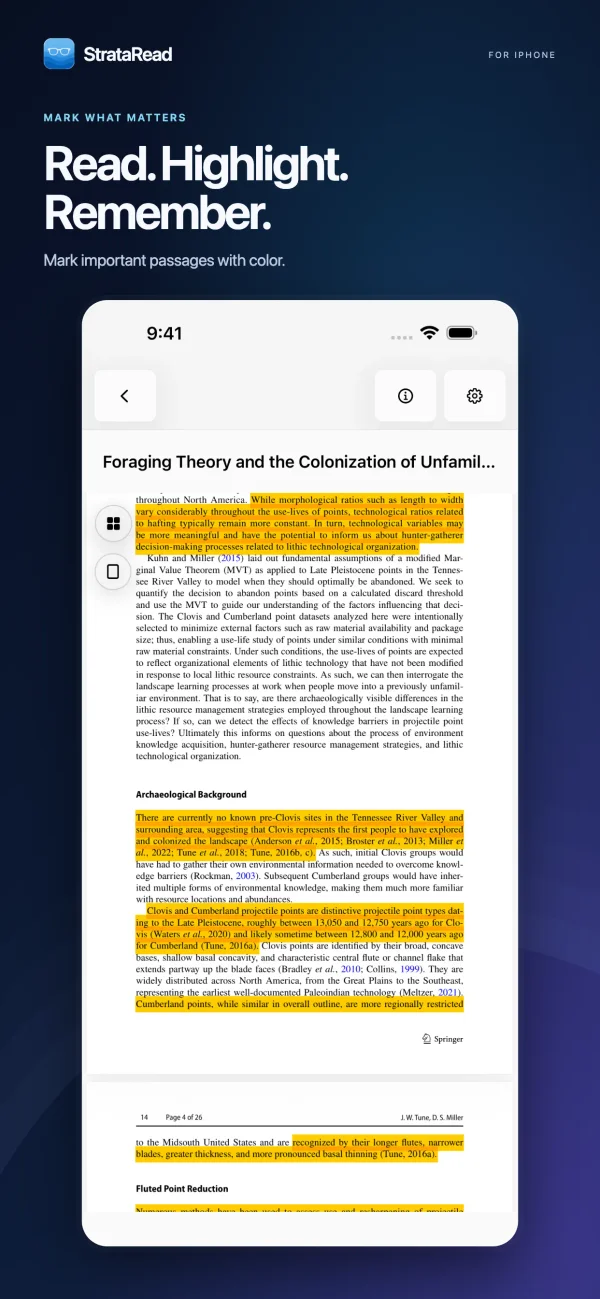
READ AND ANNOTATE
• Read PDFs with native rendering, zooming, and navigation.
• Highlight passages with color-coded annotations.
• Attach notes to the text you are reading.
• Review source information, notes, and extracts in the Inspector.
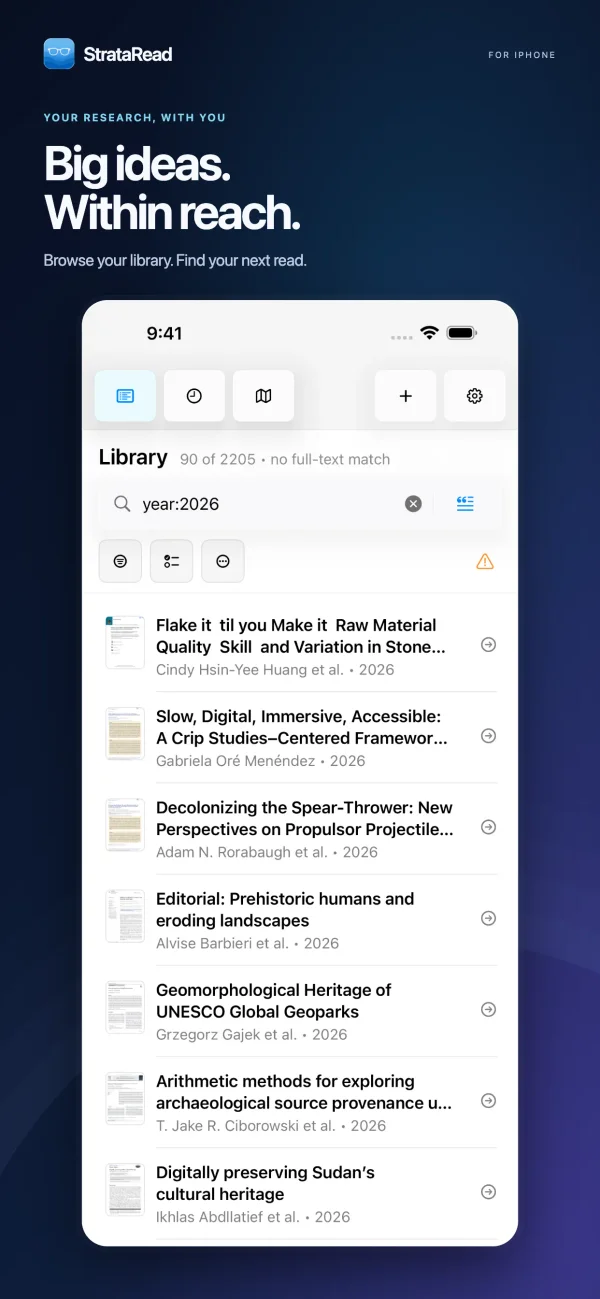
FIND INFORMATION ACROSS YOUR LIBRARY
• Search indexed PDF text as well as bibliographic metadata.
• Narrow searches by fields such as author, title, and year.
• Use quoted phrases and search-field autocomplete.
• Filter notes and extracts to focus on passages matching your search.
• Find and open sources through Spotlight and supported Siri and Shortcuts actions.
KEEP YOUR RESEARCH ORGANIZED
• Browse your sources in Library and return to recent reading.
• Organize sources with projects, keywords, and reading status.
• Explore projects, keywords, and source groups through the Library Map.
• On iPad, sort table columns and preview notes and extracts without opening each PDF.
• On iPhone, use a streamlined reading workspace with essential controls within reach.
CAPTURE AND REUSE YOUR NOTES
• Collect highlighted text and notes as source-linked extracts.
• Clean up common PDF text issues, including broken lines and hyphenation.
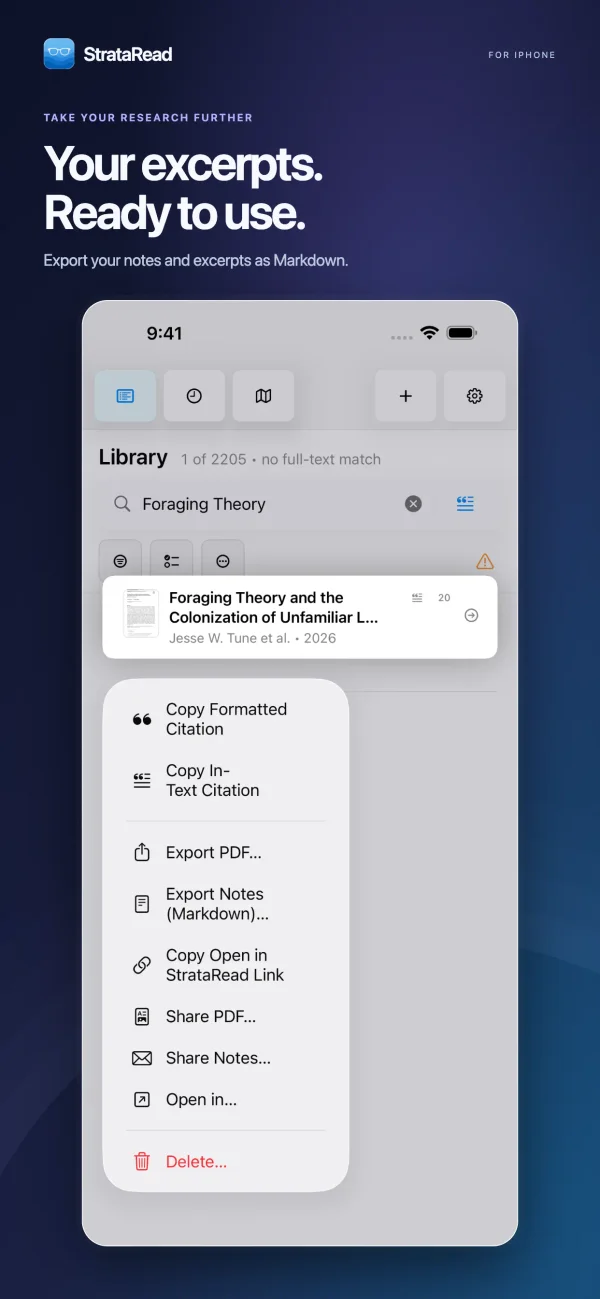
• Export notes and extracts as structured Markdown with citation information.
• Create a separate Markdown file for each source.
• Bring your research into StrataWrite, Obsidian, and other writing or knowledge-management tools.
BUILD BETTER REFERENCES
• Find bibliographic information using DOI, title, author, or ISBN.
• Manage details for journal articles, books, edited volumes, chapters, theses, dissertations, reports, and webpages.
• Copy formatted citations in supported styles, including APA and Chicago.
• Identify records with missing metadata and PDFs needing attention.
• Find open-access replacement PDFs when available.
KEEP YOUR LIBRARY WITH YOU
• Synchronize library records, notes, and PDFs through iCloud.
• Keep downloaded PDFs available for offline reading.
• Share PDFs and export your notes when it is time to collaborate or write.
PRIVACY AND CONTROL
Your PDFs and notes remain in your library, with iCloud synchronization available across your devices. Full-text search indexes stay on your device. Metadata lookups use online bibliographic services.
StrataRead contains no advertising, tracking, or developer analytics. Privacy & AI settings explain how the app handles your information.
Built for researchers, students, educators, and anyone who wants to turn careful reading into useful, well-organized knowledge.
Nouveautés
Version 4.0 · 28/09/2026
What’s New in StrataRead 4.0
A refreshed workspace and a smoother way to find, read, and organize your research.
• Refreshed design: Cleaner navigation between Library, Recent, Map, and the reader, with refined Liquid Glass styling.
• Faster search: More responsive typing and improved full-text searching for large libraries.
• More precise searches: Search specific metadata fields, use quoted phrases, and autocomplete search options.
• Focused notes and extracts: Filter your notes and excerpts to show passages matching your search.
• Improved metadata tools: Find missing bibliographic details using DOI, title, author, or ISBN, with expanded support for books, edited volumes, theses, dissertations, reports, and webpages.
• Easier citation sharing: Copy formatted citations and share PDFs and notes.
• PDF repair tools: Identify unavailable attachments, retry iCloud downloads, and find open-access replacements when available.
• Expanded Siri, Shortcuts, and Spotlight support for finding and opening sources.
• On iPad: Improved sortable Library tables with columns that adapt to available space. Source Preview moves alongside or below the table to suit your window.
• On iPhone: A simplified reading toolbar keeps Back, Inspector, and Settings within easy reach.
• Reliability improvements: Smoother scrolling, more reliable metadata saving, clearer indexing status, and numerous fixes throughout the app.
• Privacy information: New Privacy & AI settings explain how StrataRead handles your data.
Confidentialité de l’application
Ce que Stance Hurst déclare sur l’App Store au sujet du traitement des données par cette application.
-
Données non collectées
Le développeur ne collecte aucune donnée à partir de cette application.
Les pratiques en matière de confidentialité peuvent varier, notamment en fonction des fonctionnalités que vous utilisez ou de votre âge.
Informations
- Vendeur
- Stance Hurst
- Catégorie
- Productivité
- Version
- 4.0
- Mis à jour
- 28/09/2026
- Publié
- 08/01/2026
- Taille
- 21,8 Mo
- Nécessite
- iOS 26.0 ou version ultérieure
- Classification d’âge
- 4+
- Prix
- 9,99 €
- Langues
- Anglais
- Copyright
- © Dr. Stance Hurst
Vous aimerez peut-être aussi
-
 Nudge - Writer's CompanionProductivité
-
 Epoch NotesProductivité
-
 Toile d'Idée - Carte MentaleOrganisez, Visualisez
-
 Secret Notes – Private NotepadProductivité
-
 VisualRecordProductivité
-
 Smart PDF+ EditorProductivité
-
 Markdown+ Text & Code EditorProductivité
-
 Untold Novel - Story PlannerPlanifiez et écrivez
-
 GTW - Markdown & Text EditorProductivité
-
 Mindz Pro - Carte MentalePlan, Tableau & Editor