
- Classification d’âge4+
- CatégorieProductivité
- DéveloppeurStance Hurst
- LanguesAnglais
- Taille146,8 Mo
Renvoie vers la page App Store officielle
Download.org n’héberge aucun fichier de StrataWrite. Le bouton ouvre la page de l’application sur App Store, où Stance Hurst la publie. Fiche vérifiée pour la dernière fois le 20/11/2026.
Captures d’écran
À propos
Le développeur n’a pas fourni ce texte dans votre langue.
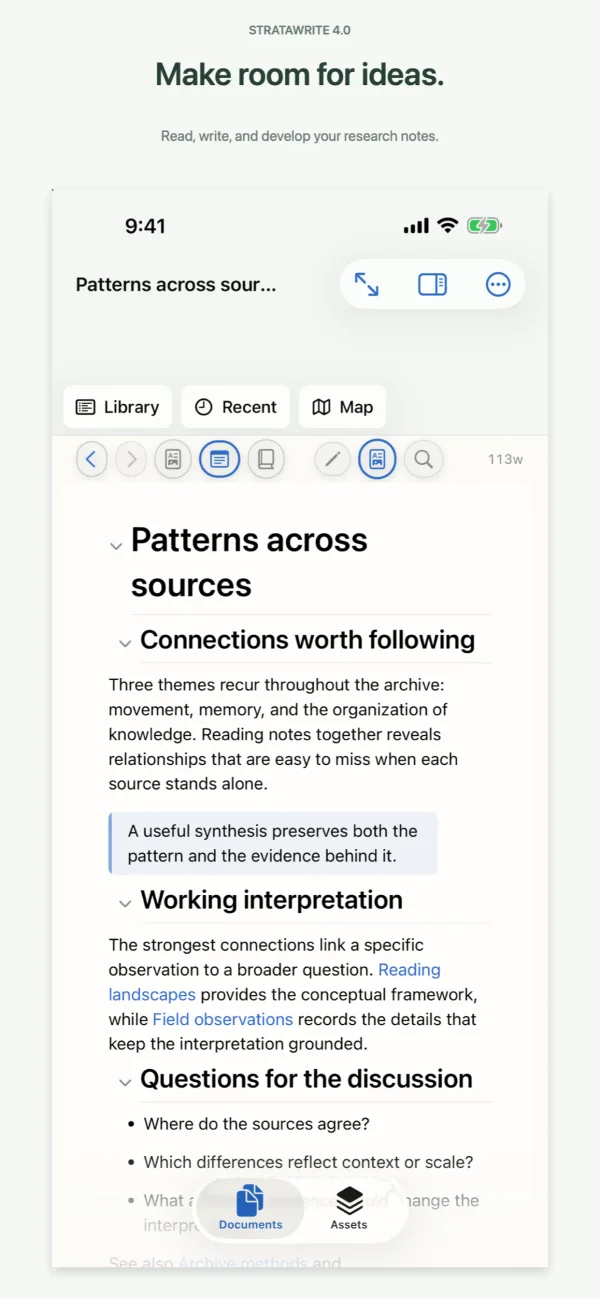
StrataWrite is a research-first writing app designed for scholars, researchers, and serious writers who need more than just a blank page. Built with Apple’s native frameworks, StrataWrite unites structured note-taking and manuscript drafting in a clean, focused environment that helps you organize complex projects and keep your ideas connected.
StrataWrite is for text only. No Table or Image support. StrataWrite is about getting the words out and not formatting.
StratWrite is the first step in writing up your research. Get the words out in either Notes or Manuscript Views. When the first draft of your writing is complete, export to Plaintext or Markdown and import it into your favorite Word Processor for formatting.
Whether you are preparing a dissertation, drafting a grant proposal, or developing a book chapter, StrataWrite provides a workspace designed to keep your research structured and your writing clear.
Research-Driven Writing
StrataWrite is built for projects that demand more than linear word processing:
• Structured Notes – Capture and organize your research with tags, categories, and backlinks. Notes connect into a system that grows as your ideas develop.
• Manuscript Drafting – Write in a distraction-free workspace with daily word count goals, progress tracking, and export options for Markdown, or TXT.
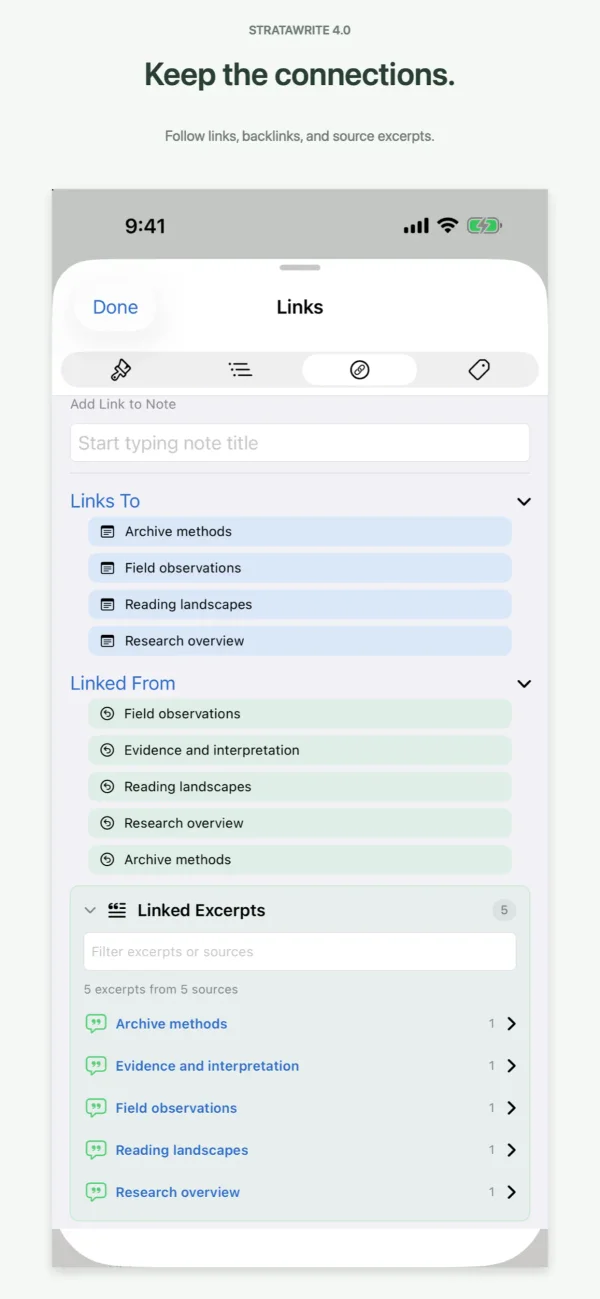
• Linking Ideas – Create bidirectional links between notes and manuscripts, building a network of connections that keeps your sources and insights close at hand.
Native Apple Experience
StrataWrite is built with SwiftUI and designed to feel at home across macOS and iPadOS:
• Universal App – Switch seamlessly between Mac and iPad. StrataWrite adapts to your workflow, wherever you are writing.
• CloudKit Sync – Keep your notes and manuscripts securely up to date across devices.
• Clean, Distraction-Free Interface – A modern, lightweight design emphasizes your writing while keeping structure available when you need it.
Designed for Focus & Clarity
StrataWrite emphasizes research structure without unnecessary complexity. Notes and manuscripts are part of the same system, allowing ideas to move fluidly between your research base and your drafts. By connecting thoughts through links and tracking progress as you write, StrataWrite helps you transform research into finished work with confidence.
Made for Scholars and Writers
If your projects depend on clarity, depth, and organization, StrataWrite was built for you. Graduate students writing theses, researchers assembling journal articles, and professionals developing long-form work will all find a workspace that supports rigorous thinking and clear writing.
Nouveautés
Version 4.0 · 28/09/2026
StrataWrite 4.0 brings your research and writing together in a redesigned workspace for iPhone and iPad.
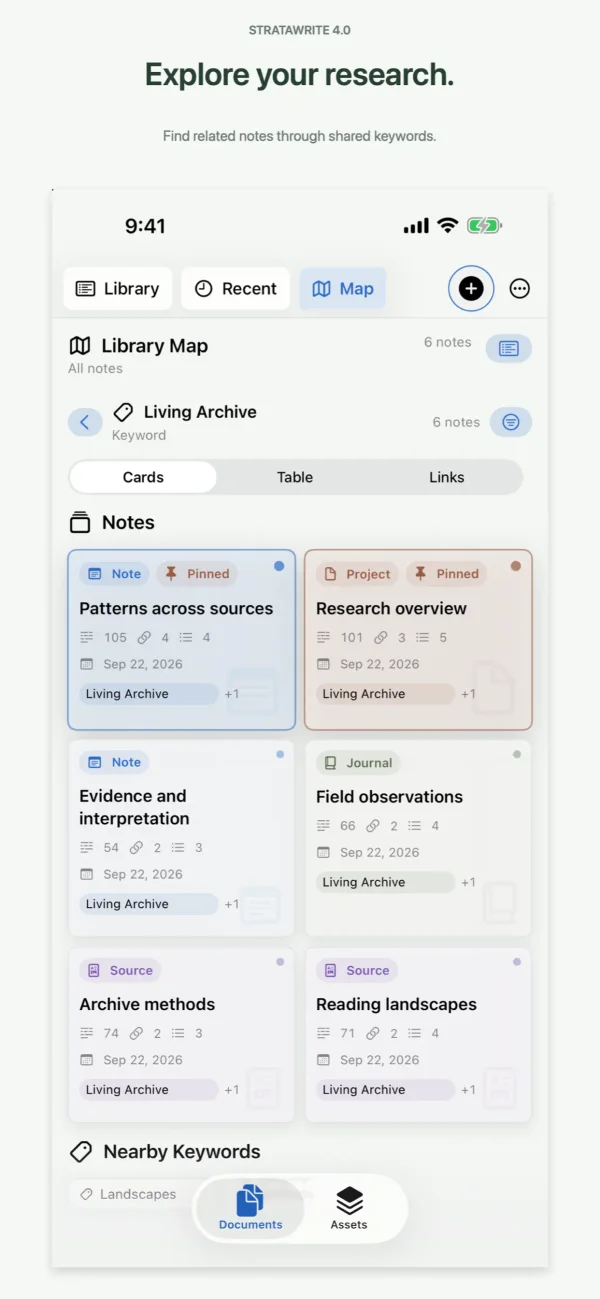
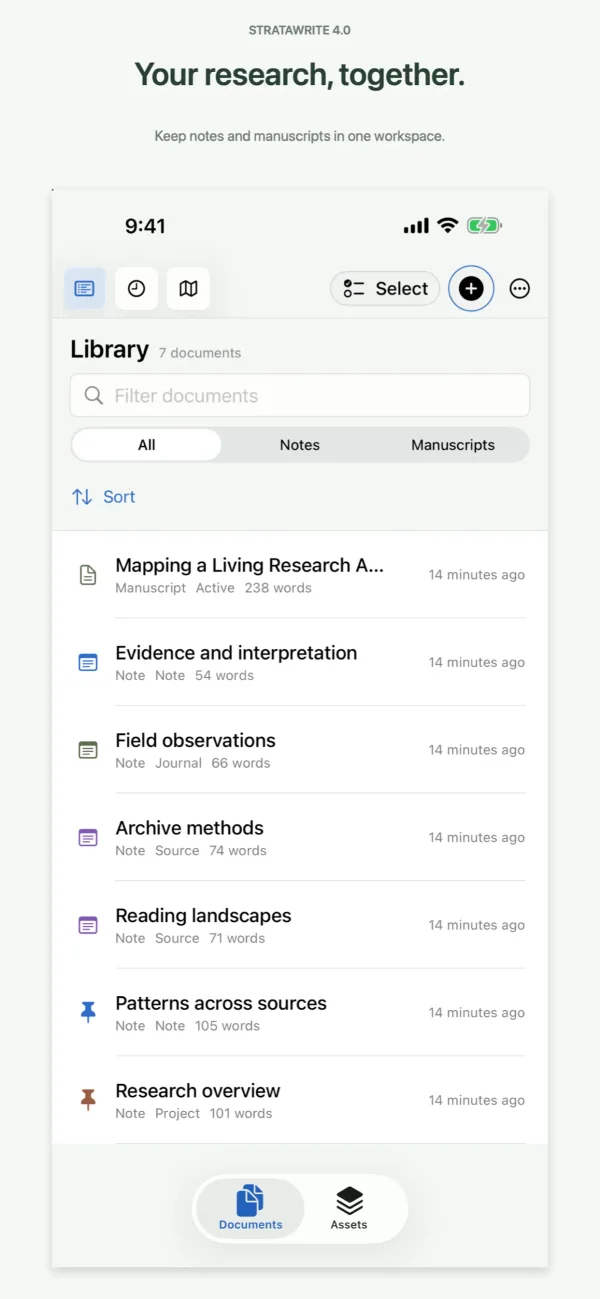
• A unified library: Browse notes and manuscripts together, with quick access to recent work and your Library Map.
• Siri, Shortcuts, and Apple Intelligence: Search your library, open documents, and create notes or manuscripts through Siri and Shortcuts. On supported devices with Apple Intelligence enabled, ask questions about your research and summarize library items.
• Ask your library: Explore questions using material from across your research collection.
• More connected research: Browse by keyword and follow links, backlinks, and source excerpts as your ideas develop.
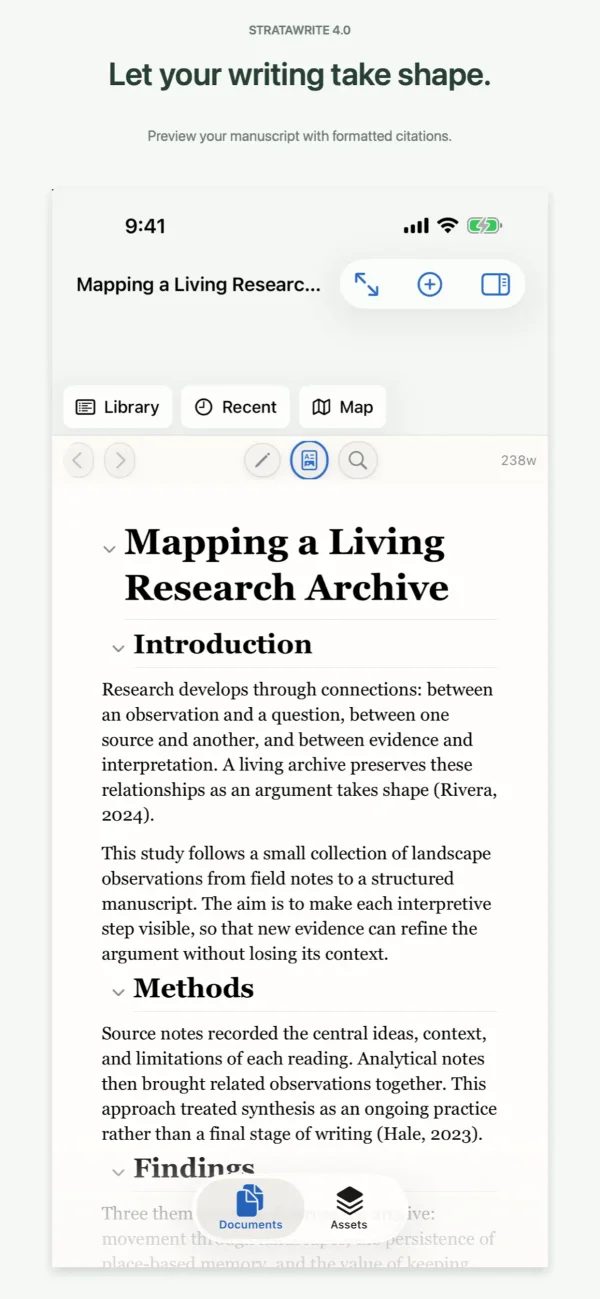
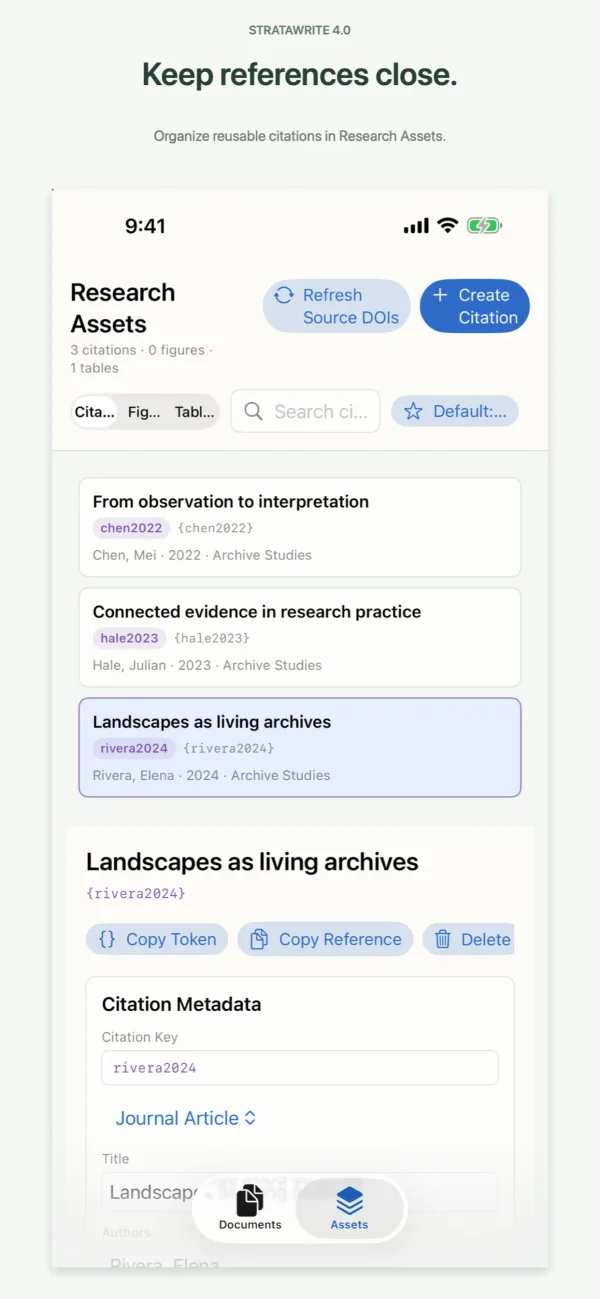
• Refined writing tools: Enjoy improvements to manuscript editing, formatted previews, citations, and Research Assets.
• Faster keyboard navigation on iPad: Use Quick Open (⌘K) with an external keyboard to jump to notes, manuscripts, citations, figures, and tables.
This release also improves Spotlight indexing, editor layouts, and navigation throughout the app.
Confidentialité de l’application
Ce que Stance Hurst déclare sur l’App Store au sujet du traitement des données par cette application.
-
Données non collectées
Le développeur ne collecte aucune donnée à partir de cette application.
Les pratiques en matière de confidentialité peuvent varier, notamment en fonction des fonctionnalités que vous utilisez ou de votre âge.
Informations
- Vendeur
- Stance Hurst
- Catégorie
- Productivité
- Version
- 4.0
- Mis à jour
- 28/09/2026
- Publié
- 25/09/2025
- Taille
- 146,8 Mo
- Nécessite
- iOS 26.0 ou version ultérieure
- Classification d’âge
- 4+
- Prix
- 9,99 €
- Langues
- Anglais
- Copyright
- © Dr. Stance Hurst
Vous aimerez peut-être aussi
-
 LemonizeCapturez vers vos notes
-
 Listen Later: Text to PodcastProductivité
-
 abcNotes Full VersionToDo, Checklists and Stickers
-
 Inkiostro : Éditeur MarkdownNotes, écriture visuelle, PDF
-
 SelfNoteRappels dans votre boite mail
-
 Craft Web ClipperProductivité
-
 ZoomNotesNotetake, Sketch, PDF, Present
-
 Yoink - Improved Drag and DropYour Files and Snippet Shelf
-
 DEVONthink To Go 4Productivité
-
 Parchment: Agenda & Daily NoteProductivité