SyncNote - Focus Planner
Planner to Avoid Distractions
Conçue pour iPhone, iPod touch
Gratuit · Achats intégrés
- Classification d’âge4+
- CatégorieStyle de vie
- DéveloppeurKenya Ikeda
- LanguesAnglais
- Taille48,0 Mo
Renvoie vers la page App Store officielle
Download.org n’héberge aucun fichier de SyncNote - Focus Planner. Le bouton ouvre la page de l’application sur App Store, où Kenya Ikeda la publie. Fiche vérifiée pour la dernière fois le 26/11/2026.
Captures d’écran
À propos
Le développeur n’a pas fourni ce texte dans votre langue.
A planning app with everything you need for managing your day, built for people who don't want their phone to be a distraction.
Do you pick up your phone to check something and end up scrolling social media or videos?
You have things to do, but every time you open your phone, you end up in unrelated apps.
The developer struggled with this same procrastination problem, and that's how SyncNote was born.
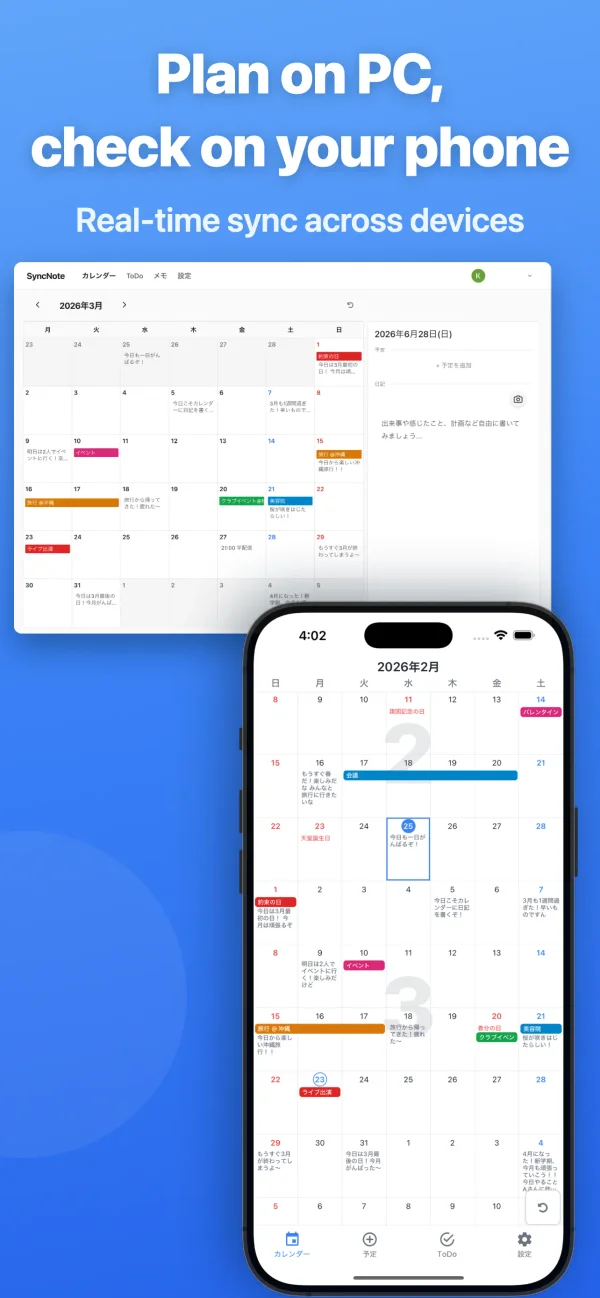
SyncNote connects your PC and phone through a web browser, reducing the reasons to open your phone and the chances of getting distracted.
It's designed so you can plan on your PC and use your phone mainly for checking and quick input when you're out.
Every detail of the UI and interactions has been carefully crafted so you can check what you need and close the app right away.
SyncNote includes all the simple features you need for managing your day.
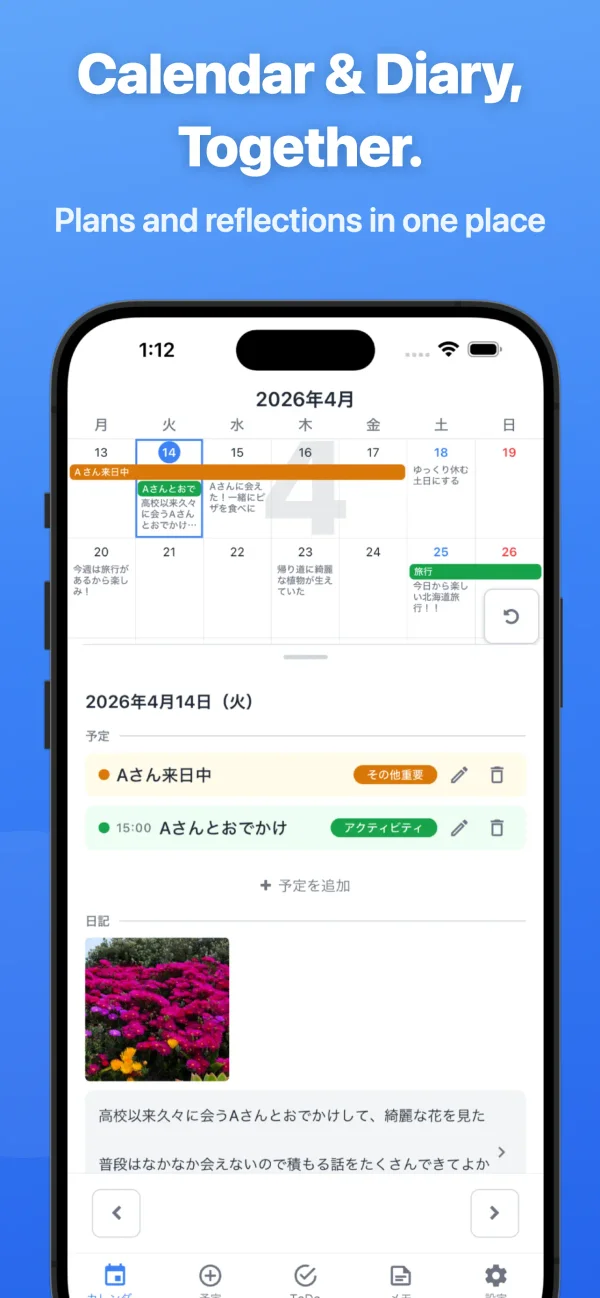
- Calendar: Set up categories to manage your schedule and see what you need to do today
- Diary: A calendar-linked diary where you can record and reflect on each day
- TODO List: Simple task management to organize what needs to be done and get started without hesitation
- Memo: Write down ideas and thoughts before you forget them
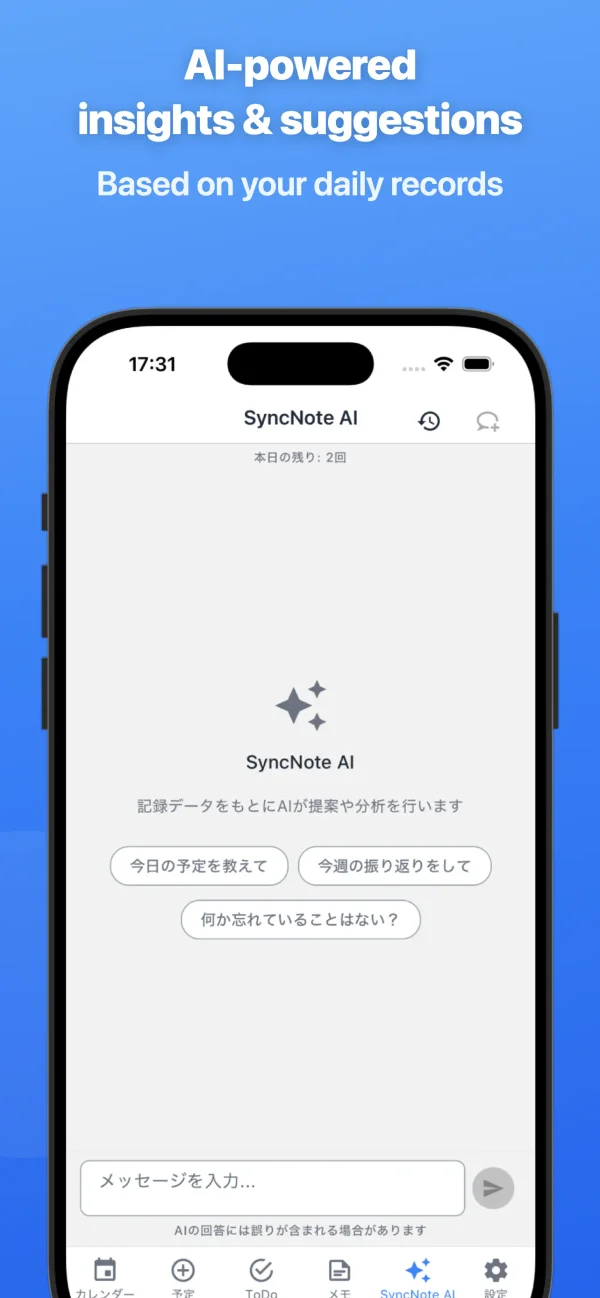
- SyncNote AI (AI Assistant): AI can check your calendar, diary, and memo for anything you might be overlooking (available when enabled in settings)
- SyncNote API: Your AI agent can read and write your events, diary, TODOs, and memos (API tokens are created in the settings of the web version)
[Perfect for you if...]
- You pick up your phone and end up opening unrelated apps
- You make plans but forget them, or can't decide where to start
- "I'll do it later" keeps piling up and you never look back
- Switching between calendar, TODO, and notes apps is a hassle
- You want AI to help you stay on top of your schedule
- You want the AI agent you already use to check and add events for you
[Why SyncNote helps you focus]
- You can plan on your PC and check or input on your phone when you're out. You can open it, check, and close it right away
- A refined, simple design that doesn't distract you with unnecessary elements
- Calendar, diary, TODO, and memo are all in one place, so you don't need to switch between apps
[Key Features]
- Calendar – Manage your schedule with daily and monthly views
- Diary – Record reflections right alongside your schedule
- SyncNote AI (AI Assistant) – Ask AI if you're forgetting anything (available when enabled in settings)
- SyncNote API – Ask your AI agent to check and add events or add TODO items (API tokens are created in the settings of the web version)
- Real-Time Sync – Your PC and phone stay in sync instantly
- TODO List – Organize what needs to be done and get started without overthinking
- Memo – Write down thoughts before they slip away
- Dark Mode – Switch to an eye-friendly night mode
- SSO Sign In – Log in with email, or use your Google or Apple account
- Multi-language – Japanese and English
Terms of Use: https://sync-note.com/terms/
Nouveautés
Version 2.2.0 · 25/11/2026
・You can now receive notifications for your events. You get a reminder before an event starts and a summary on days with events. Open Settings > Notifications to get started.
・Diary entries now support Markdown. Headings, bullet lists, bold text, and more are shown with formatting.
・You can now add checklists to your diary. Tap a checkbox to switch between not started, in progress, and done.
・You can now reorder list items in your diary by long-pressing and dragging them.
Confidentialité de l’application
Ce que Kenya Ikeda déclare sur l’App Store au sujet du traitement des données par cette application.
-
Données établissant un lien avec vous
Peuvent être collectées et liées à votre identité.
- Autres données
Les pratiques en matière de confidentialité peuvent varier, notamment en fonction des fonctionnalités que vous utilisez ou de votre âge.
Informations
- Vendeur
- Kenya Ikeda
- Catégorie
- Style de vie
- Version
- 2.2.0
- Mis à jour
- 25/11/2026
- Publié
- 24/03/2026
- Taille
- 48,0 Mo
- Nécessite
- iOS 15.1 ou version ultérieure
- Classification d’âge
- 4+
- Prix
- Gratuit
- Achats intégrés
- Oui
- Langues
- Anglais
- Copyright
- © 2026 Kenya Ikeda