
- Classification d’âge4+
- CatégoriePhoto et vidéo
- Développeur桐槿 周
- LanguesJaponais+ 3 de plus
- Taille6,3 Mo
Tabby Picks n’est peut-être pas disponible sur App Store pour le moment
La fiche de la boutique était inaccessible lors de notre dernière vérification. Le lien mène toujours à la page App Store officielle.
Captures d’écran
À propos
Le développeur n’a pas fourni ce texte dans votre langue.
Trips, concerts, parties, the kids, the cat—you fire off a few hundred in one go, the same pose or scene over and over. Then you want to post a few right away and end up scrolling forever: the blurry ones, the blown-out ones, the same smile eight times. Choosing is its own chore.
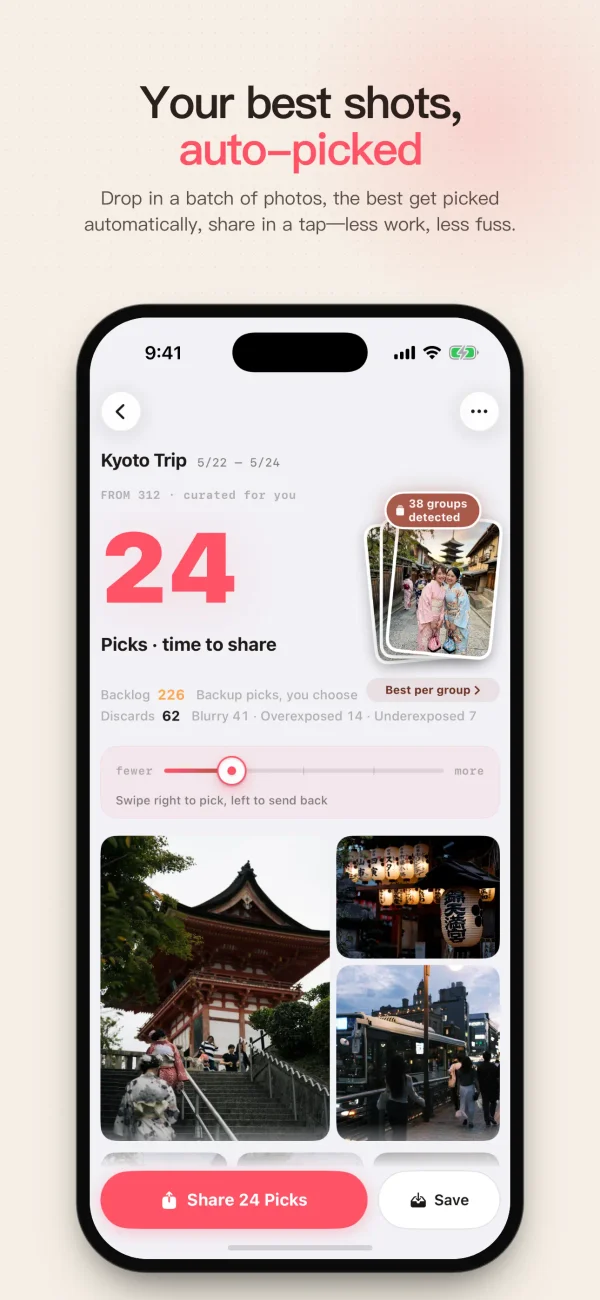
Tabby does the sorting for you. Hand it a batch of photos and the cat quietly surfaces your best shots—ready to post right away, or saved into their own album to edit later.
What Tabby does for you
• Surfaces your best — automatically pulls out the strongest, share-ready shots, so you're not comparing them one by one.
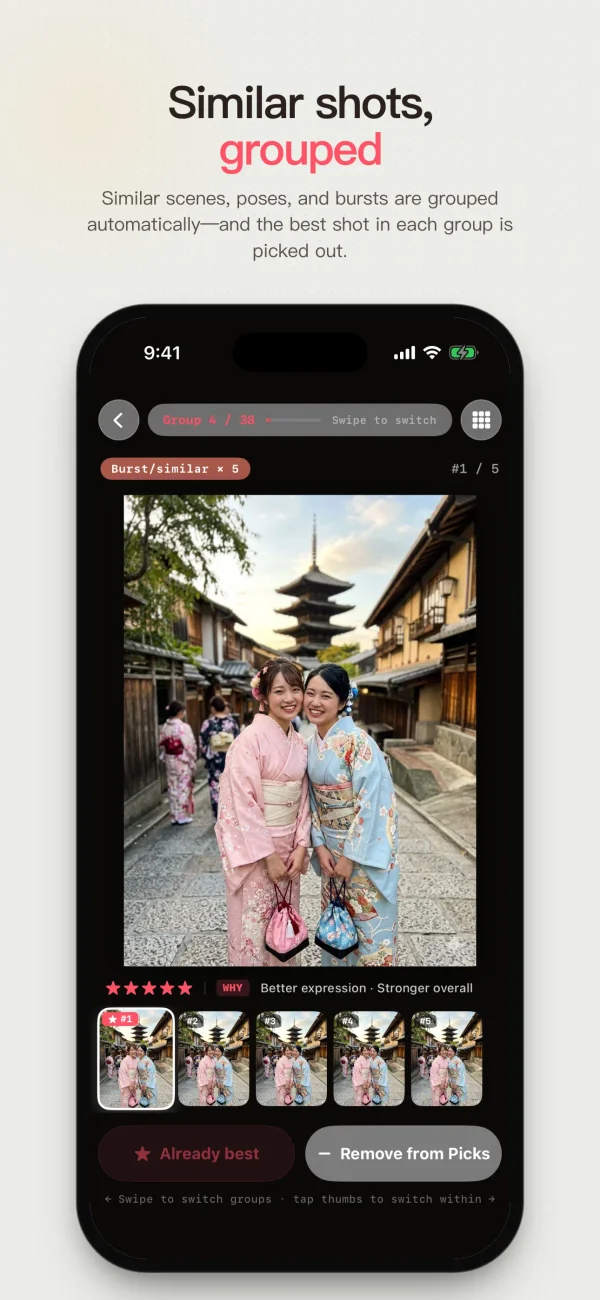
• Groups look-alikes, keeps the best — the same pose or the same scene shot over and over (not just camera bursts) gets grouped, and Tabby keeps the best one. The rest tuck underneath—swap anytime.
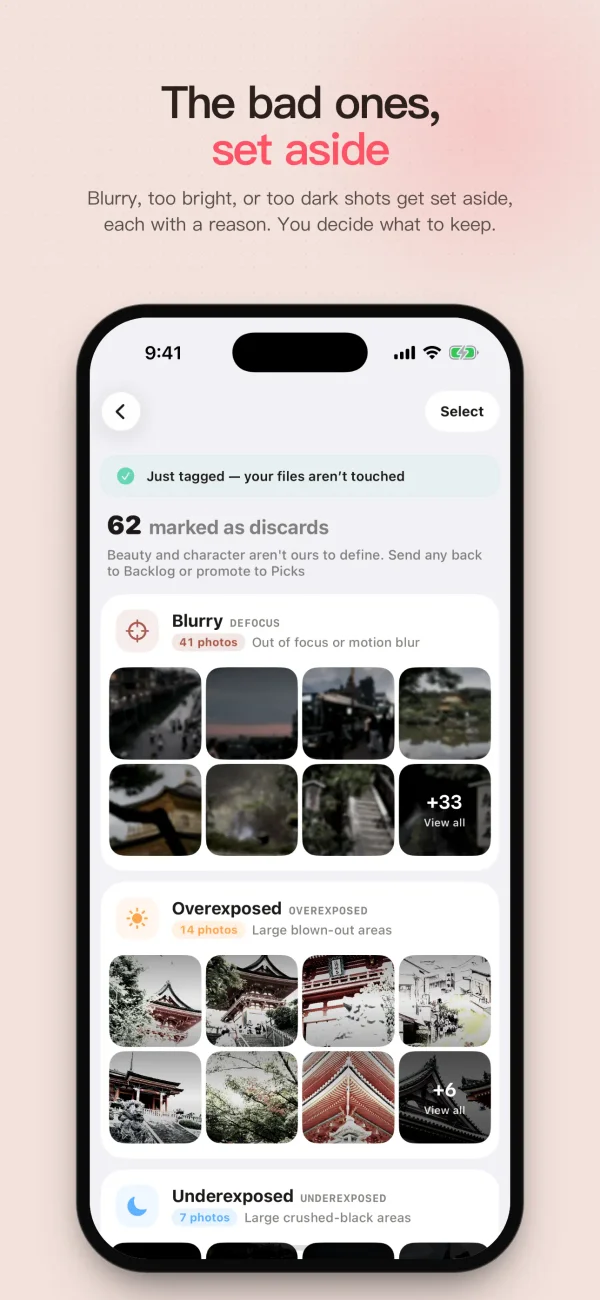
• Sets the rejects aside — handshake blur, too dark, too bright: moved out of the way. Flagged and grouped only, never deleted. Bring any back with one tap.
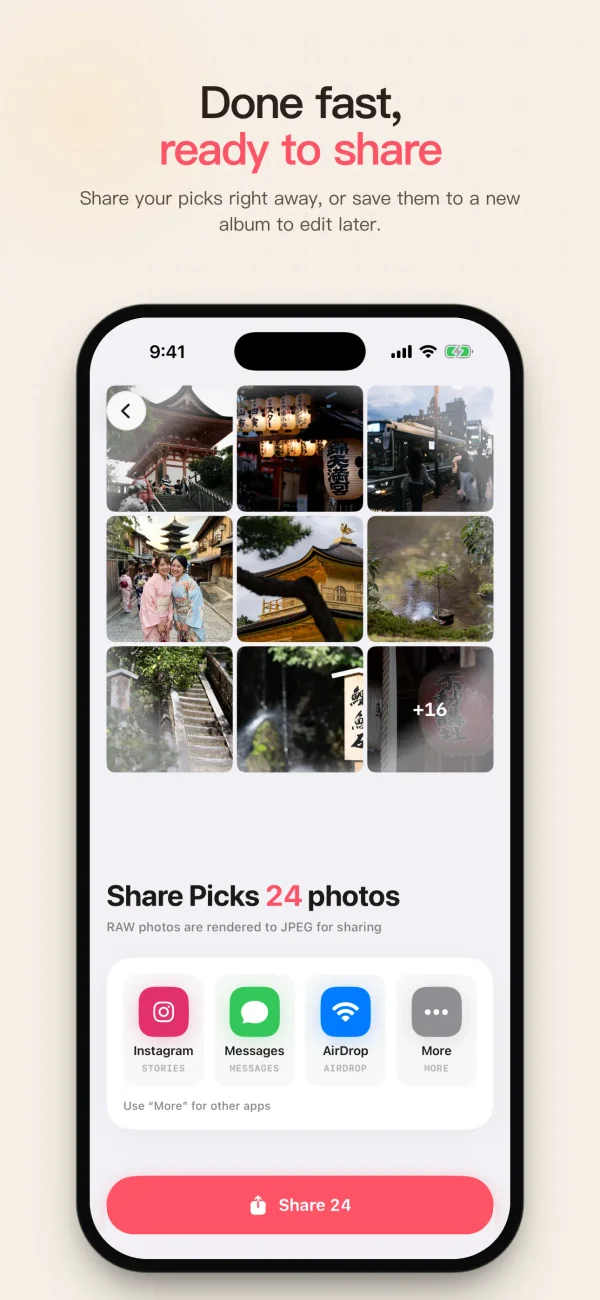
• Share in a tap — post, message, or AirDrop straight from your picks.
• Saves to its own album — your picks land in a dedicated album in Photos, created for you. No making an album by hand and adding shots one at a time. Open it anytime to edit or share.
Tabby also handles
• Full RAW support — RAW from CCD, DSLR and mirrorless cameras is read and culled like anything else. Keep originals as-is, or convert to JPEG for easy sharing—your call.
• Import straight from a card — connect a reader to your iPhone and import; once it's done, pull the card and go. Import only—your originals are never touched.
• More or fewer, on a slider — too many keepers, or too few? Drag the slider to widen or narrow the selection. No hand-picking.
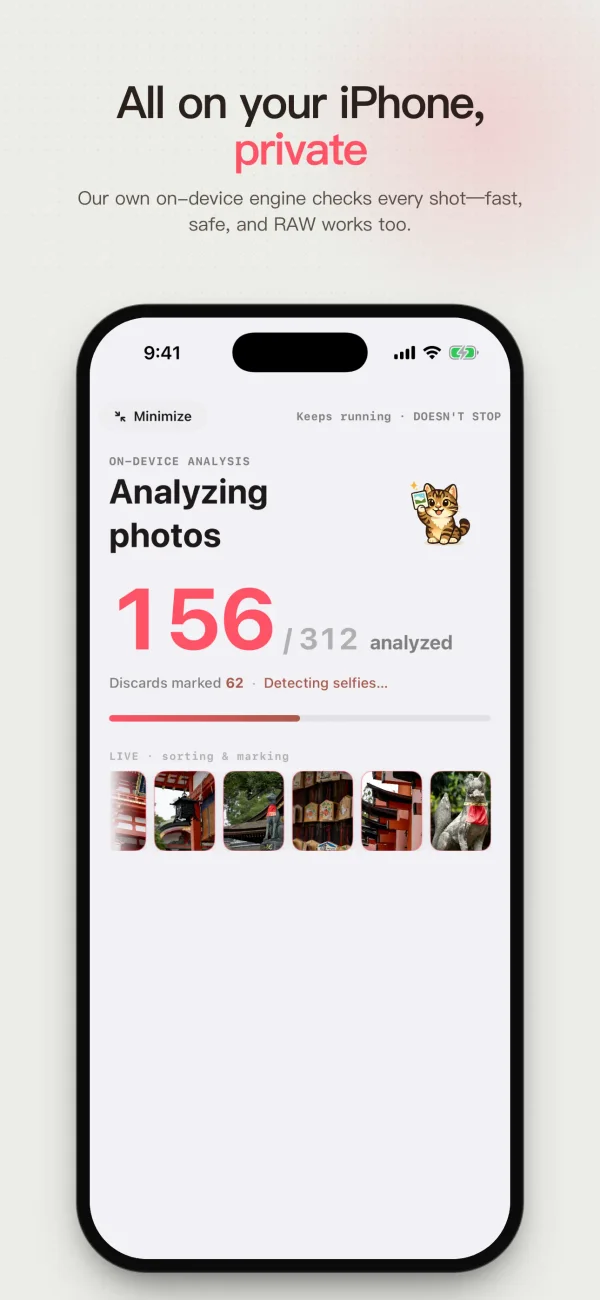
• Runs in the background — a big batch of large files to chew through? Let it run while you use your iPhone for something else.
Three steps
Import — from your iPhone library, or from external storage (a camera card, a portable drive, a USB stick—anything that connects to your iPhone).
Let it sort — the good ones come to the front, look-alikes group together, the misses move aside.
You decide — drag the slider for more or fewer, bring back anything misjudged with one tap, then share or save.
How Tabby does it
Good photos can't be defined—but they can be measured. On top of iPhone's powerful on-device image analysis, Tabby adds a culling engine built for one job: choosing. It reads each frame—focus and sharpness, exposure and highlight/shadow detail, composition and overall appeal—and compares perceptual fingerprints to find look-alikes, grouping bursts and repeated scenes. Every photo is judged against one consistent standard and gets a clear verdict: a keeper, a look-alike, or a miss. That standard is tuned on a large body of real photos, and it all runs on your iPhone.
Your photos never leave your iPhone
Everything runs 100% on your device: no uploads, no network, no cloud, no extra backups, no tracking. It even works in Airplane Mode—your privacy is absolute.
What it doesn't do
• No editing, no color grading — it only chooses. Leave retouching to the tools you already love.
• It won't delete your photos — it flags and groups; deleting is up to you.
• It won't decide for you — a fast, sharp first pass; which shots make the cut is your call.
Hand the tedious part to Tabby. Sort in minutes, and get back to what you'd rather be doing.
Nouveautés
Version 1.2.5 · 09/06/2026
Polished a few interface and interaction details for a smoother overall experience.
Confidentialité de l’application
Ce que 桐槿 周 déclare sur l’App Store au sujet du traitement des données par cette application.
-
Données non collectées
Le développeur ne collecte aucune donnée à partir de cette application.
Les pratiques en matière de confidentialité peuvent varier, notamment en fonction des fonctionnalités que vous utilisez ou de votre âge.
Informations
- Vendeur
- 桐槿 周
- Catégorie
- Photo et vidéo
- Version
- 1.2.5
- Mis à jour
- 09/06/2026
- Publié
- 02/06/2026
- Taille
- 6,3 Mo
- Nécessite
- iOS 18.0 ou version ultérieure
- Classification d’âge
- 4+
- Langues
- Japonais, Chinois simplifié, Anglais, Coréen
- Copyright
- © 2026 JoJo Zhou
Vous aimerez peut-être aussi
-
 ordoo photosPhoto et vidéo
-
 Pickr: Tri Photos & StockageCompresser et libérer l'espace
-
 ClariPic - Smart Photo ManagerPhoto et vidéo
-
 Photato - Clean Photos StoragePhoto et vidéo
-
 SimiPhotos: Le MeilleurIA: Comparez et Organisez
-
 Meowmories: Photo ButlerPhoto et vidéo
-
 BridgeLitePhoto et vidéo
-
 Youxu - Photo Date & Baby AgePhoto et vidéo
-
 VinciPhoto: Nettoyeur photoSupprimez doublons et captures