- Classification d’âge4+
- CatégorieProductivité
- DéveloppeurAdrian Hill
- LanguesAnglais
- Taille46,4 Mo
Task Optimist n’est peut-être pas disponible sur App Store pour le moment
La fiche de la boutique était inaccessible lors de notre dernière vérification. Le lien mène toujours à la page App Store officielle.
Captures d’écran
À propos
Le développeur n’a pas fourni ce texte dans votre langue.
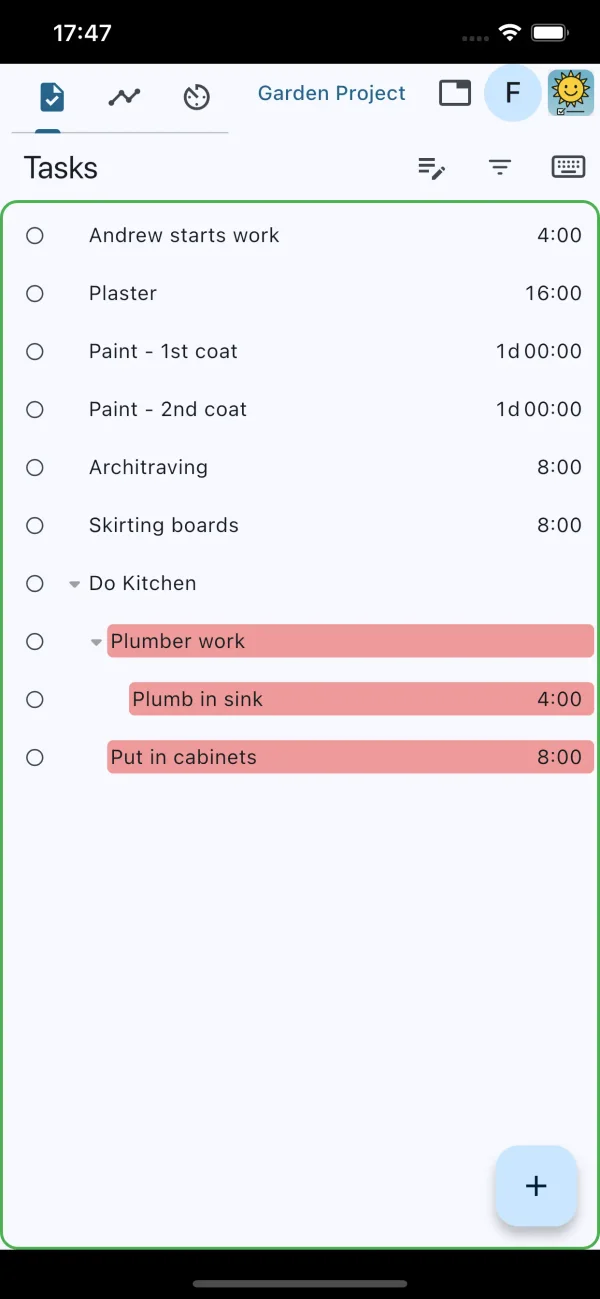
Task Optimist is a different but powerful and simple project management tool.
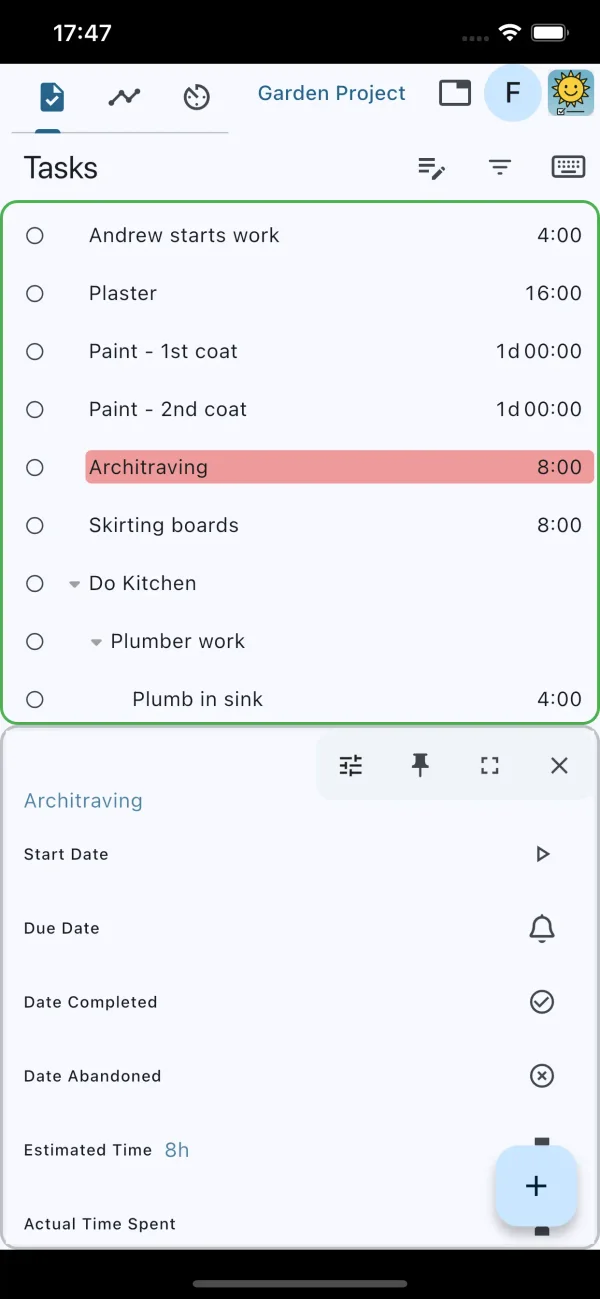
You input your tasks, deadlines, times and priorities.
Task Optimist intelligently curates your agenda.
If something takes longer than expected, Task Optimist automatically reschedules your remaining tasks.
If a new task comes in, Task Optimist finds the best place for it in your schedule.
If a deadline changes, Task Optimist adjusts your plan accordingly.
Key features:
Smart Scheduling – Tasks are automatically placed into your calendar so you never miss a deadline.
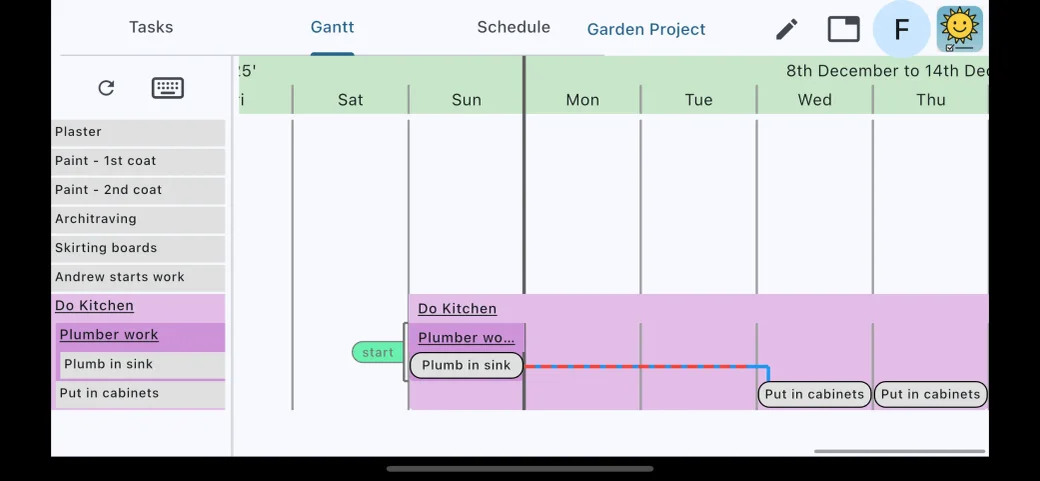
Gantt Charts – Visualise your projects with dependencies, milestones, and progress tracking.
Flexible Task Management – Create, edit, and organise tasks and priorities.
Dependencies – Link tasks together so your workflow follows real-world order.
Clean macOS Experience – Designed for focus and productivity on your Mac.
Task Optimist is built for makers, freelancers, and teams who want to get more done without drowning in complexity. It gives you clarity, focus, and the peace of mind that your schedule is always optimised.
Nouveautés
Version 1.2.1 · 28/05/2026
Task Optimist 1.2.1 adds major scheduling and workflow improvements. Gantt now supports richer timeline editing, task creation, dependency editing, drag/drop scheduling, row ordering, resize controls, better future-task handling, and clearer scheduling issue warnings. Agenda editing and drag/drop actions are more capable, with improved task panels, undo actions, edge scrolling, and schedule refresh animations. Projects can now use Simple List mode, split scheduling controls, configurable closed-task archiving/history windows, and stronger project data verification/repair tools. This update also improves schedule horizon controls, Work Now behaviour, fixed appointments, task deletion, dependency cleanup, startup/loading stability, navigation-panel behaviour, App Store/web links, and many UI polish and bug fixes.
Confidentialité de l’application
Ce que Adrian Hill déclare sur l’App Store au sujet du traitement des données par cette application.
-
Données non collectées
Le développeur ne collecte aucune donnée à partir de cette application.
Les pratiques en matière de confidentialité peuvent varier, notamment en fonction des fonctionnalités que vous utilisez ou de votre âge.
Informations
- Vendeur
- Adrian Hill
- Catégorie
- Productivité
- Version
- 1.2.1
- Mis à jour
- 28/05/2026
- Publié
- 28/05/2026
- Taille
- 46,4 Mo
- Nécessite
- iOS 15.6 ou version ultérieure
- Classification d’âge
- 4+
- Langues
- Anglais
- Copyright
- © Adrian Hill
Vous aimerez peut-être aussi
-
 Jott: Before You ForgetProductivité
-
 LocalVoiceNoteProductivité
-
 *scratch*Productivité
-
 TaskView: ToDo List & TasksProductivité
-
 Sisyphus TasksProductivité
-
 Keepsay: Voice RecorderProductivité
-
 Pagi - Morning Pages & DiaryFocus Journal & Text Editor
-
 Flick Planner: CalendrierListe de tâches et blocs
-
 Chrono d Focus Sablier PixelPomodoro Étude HIIT Compteur
-
 Keep It MobileProductivité