- Classification d’âge4+
- CatégorieProductivité
- DéveloppeurEdward Marno
- LanguesAnglais
- Taille86,7 Mo
TaskAnt: Recurring Tasks n’est peut-être pas disponible sur App Store pour le moment
La fiche de la boutique était inaccessible lors de notre dernière vérification. Le lien mène toujours à la page App Store officielle.
Captures d’écran
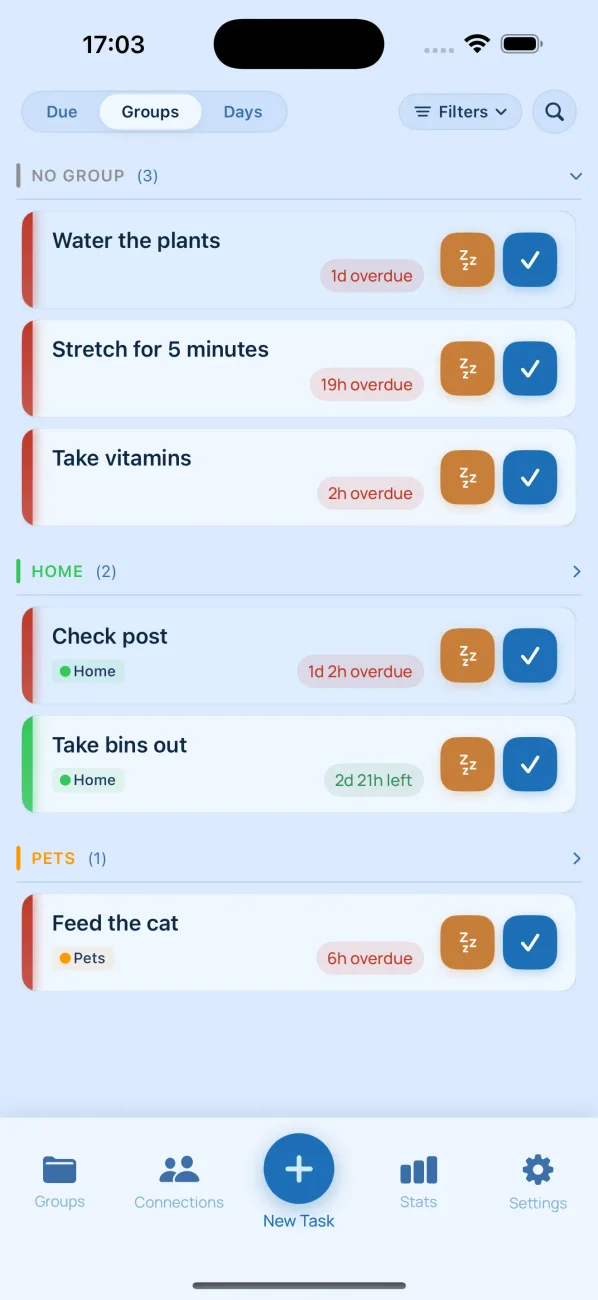
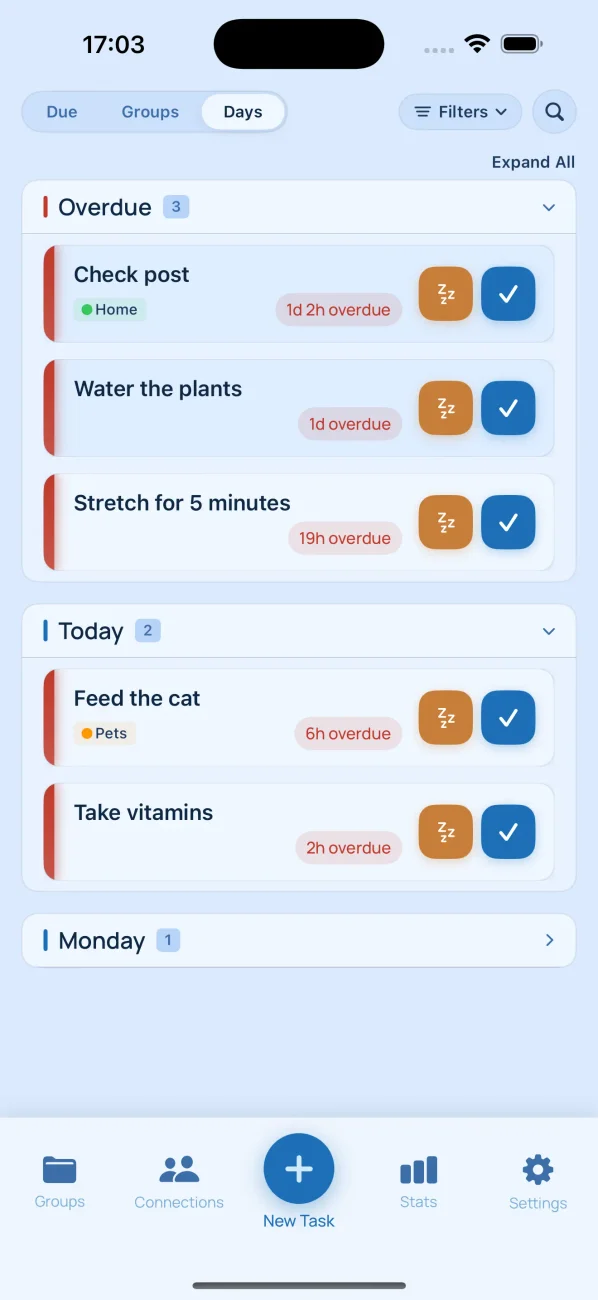
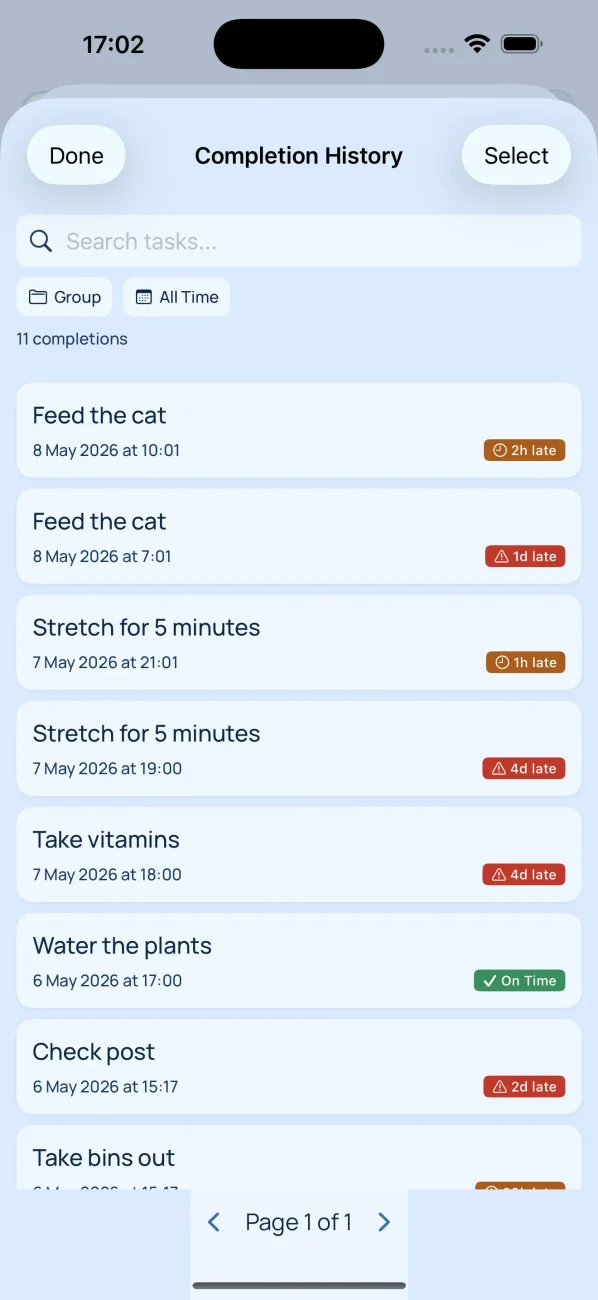
À propos
Le développeur n’a pas fourni ce texte dans votre langue.
Most to-do apps forget that life repeats, and that you don't do it alone. TaskAnt doesn't.
Set a task once, share it with the people you live with, and tick it off. It comes back exactly when it should, and everyone can see what's due, who's on it and when it was done. Feed the cat, take your tablets, water the plants, put the bins out: TaskAnt keeps the whole household in step.
SHARE THE LOAD
• Connect with partners, family or housemates using a simple code
• Share a single task, or a whole group like Home or Pets, including every task you add to it later
• Assign tasks to one person or to everyone
• See who completed what, and when, in the shared history
• Changes appear instantly on everyone's phones
• Everyone sharing a task gets its reminders, so it never depends on one person remembering
• View-only or edit rights, your choice
NEW: COUNTDOWN TIMERS
Put the washing on, tap the timer, and TaskAnt tells you when it's done. Share it and whoever's home gets the "Time's up" reminder.
• Start a timer from the app or with one tap on the Countdown timers widget
• Pause it, add or take off time, or change what's left
• Time Sensitive reminders that get through Focus, then every 10 minutes until it's done
• Repeatable or one-off: tap + New timer on the widget for a quick one
SEE WHAT NEEDS DOING
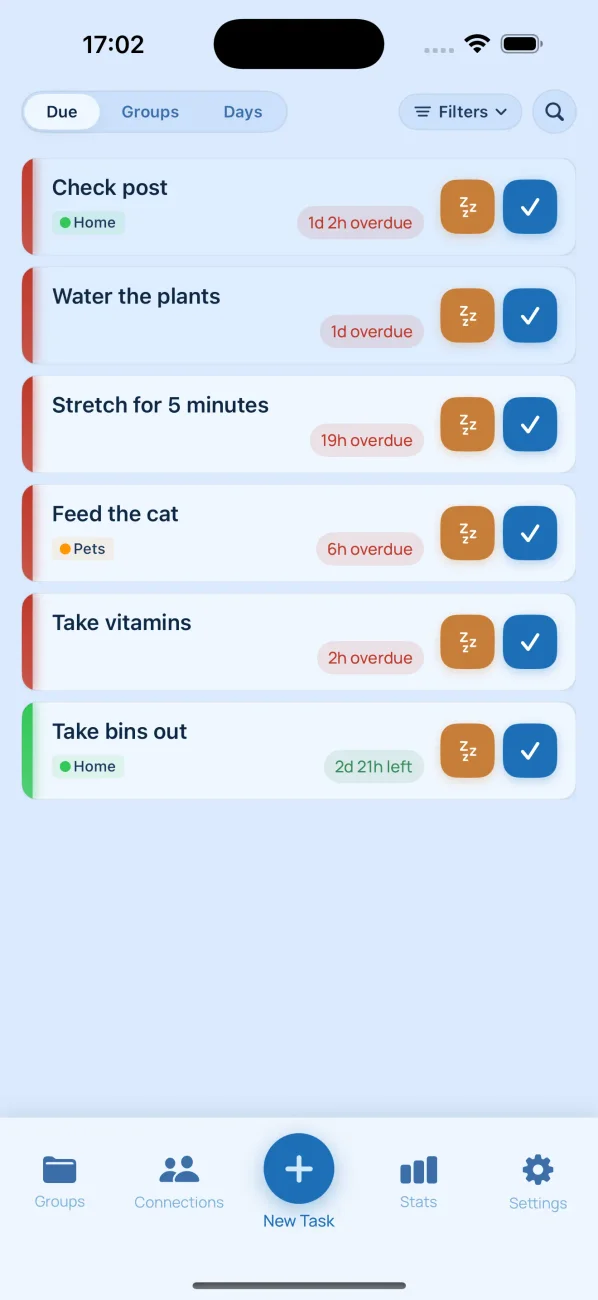
• Overdue, due now and coming up, at a glance
• Due, Groups, Days and Timers views, plus search and filters
• Paused tasks wait quietly until you need them
SCHEDULES THAT FIT REAL LIFE
• "Every 3 days after I last did it", or a fixed schedule: daily, weekly, monthly or yearly
• Pick the time and time zone
• One-off tasks for everything else
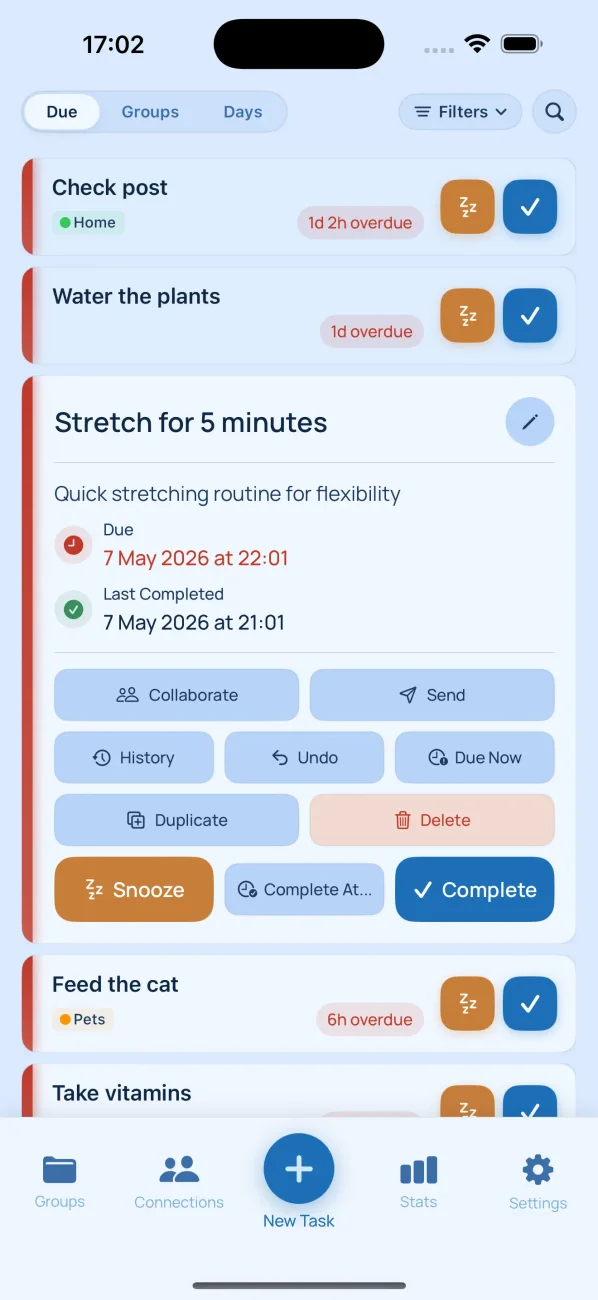
• Snooze when life gets in the way
LINKED TASKS
Cleaning the litter tray also means scooping it? Link tasks so finishing one completes the other.
WIDGETS YOU CAN TRUST
Tick tasks off or start timers right from your home screen. A ticked row says "tap to undo" and records the exact time you tapped it.
UNDO FOR EVERYTHING
Completed the wrong thing? Snoozed too far? Every action shows what happened, with Undo right there.
REMINDERS THAT HELP
• Notifications when tasks are due, with Complete and Snooze right in the notification
• Optional sync with Apple Reminders
• The app icon badge shows how many tasks are overdue
KEEP TRACK
• Full completion history, with notes
• Today, this week, streak and on-time stats
• Works offline and syncs when you're back online
• Export and import your tasks
Your household, in sync. Download TaskAnt, share your first task, and stop being the only one who remembers.
Nouveautés
Version 3.1.2 · 18/11/2026
ONE WIDGET FOR EVERYTHING
The Repeating tasks and Countdown timers widgets are now one TaskAnt widget. Each setup is a List or a Grid, and both can show tasks and timers.
• List: what's due, with a tick and Snooze. Running timers count down with Pause, and waiting ones have Start
• Grid: a big button for each task or timer you pick
• Ticked-off tasks now clear from the widget after 10 seconds, so the list keeps up with you
• Had a Countdown timers widget? If it stops responding, remove it and add the TaskAnt widget with the same setup
COMPLETE FROM YOUR APPLE WATCH
Reminders on Apple Watch now have Complete, as well as Snooze and Dismiss. Completing from a reminder no longer opens the app on your iPhone.
DONE AT
Did it earlier and forgot to tick it off? Tap a task, then Done at, to complete it at the time you actually did it.
ALSO
• Help improve TaskAnt, if you'd like to: share anonymous usage data and crash reports. Nothing is sent unless you say yes, and you can change your mind in the You tab, under Privacy
• Timer fixes, including alerts coming back when you undo a Complete on the widget
• Snoozing a task that repeats every few days or weeks no longer shifts its pattern
• Ticking a recurring task's Apple reminder only counts for its current due date
• Opening TaskAnt from a reminder or a Home Screen quick action is more reliable
Confidentialité de l’application
Ce que Edward Marno déclare sur l’App Store au sujet du traitement des données par cette application.
-
Données établissant un lien avec vous
Peuvent être collectées et liées à votre identité.
- Coordonnées
- Contenu utilisateur
- Identifiants
- Données d’utilisation
-
Données n’établissant aucun lien avec vous
Peuvent être collectées, mais ne sont pas liées à votre identité.
- Identifiants
- Données d’utilisation
- Diagnostic
Les pratiques en matière de confidentialité peuvent varier, notamment en fonction des fonctionnalités que vous utilisez ou de votre âge.
Informations
- Vendeur
- Edward Marno
- Catégorie
- Productivité
- Version
- 3.1.2
- Mis à jour
- 18/11/2026
- Publié
- 01/04/2026
- Taille
- 86,7 Mo
- Nécessite
- iOS 17.0 ou version ultérieure
- Classification d’âge
- 4+
- Langues
- Anglais
- Copyright
- © 2026 Edward Marno
Vous aimerez peut-être aussi
-
 Againday : tâches récurrentesMénage et entretien en famille
-
 LidgetMinimaLIST widget
-
 DoDoneProductivité
-
 Love a ListProductivité
-
 VaultziProductivité
-
 Widget Vault: WidgetsHorloge, Météo, Agenda, Rappel
-
 Last TimeProductivité
-
 Swish : Dossiers De TâchesWidget, Alarme & Activité Live
-
 Weekr : Planning hebdomadaireHabitudes, tâches et minuteur
-
 Plnnr AI: Daily PlannerProductivité