
TaskGate: Focus & App Blocker
Stop Scrolling, Build Habits
Conçue pour iPhone, iPad, iPod touch
Gratuit · Achats intégrés
- Classification d’âge4+
- CatégorieProductivité
- DéveloppeurYosuke Sakurai
- LanguesAnglais
- Taille115,9 Mo
Renvoie vers la page App Store officielle
Download.org n’héberge aucun fichier de TaskGate: Focus & App Blocker. Le bouton ouvre la page de l’application sur App Store, où Yosuke Sakurai la publie. Fiche vérifiée pour la dernière fois le 18/11/2026.
Captures d’écran

À propos
Le développeur n’a pas fourni ce texte dans votre langue.
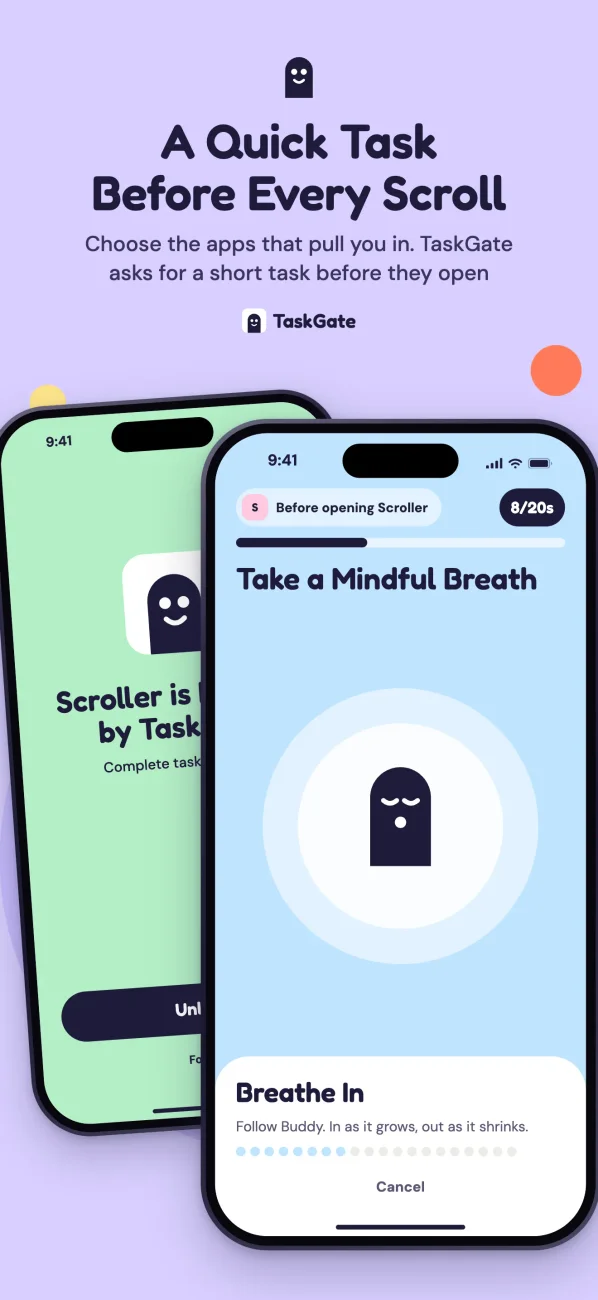
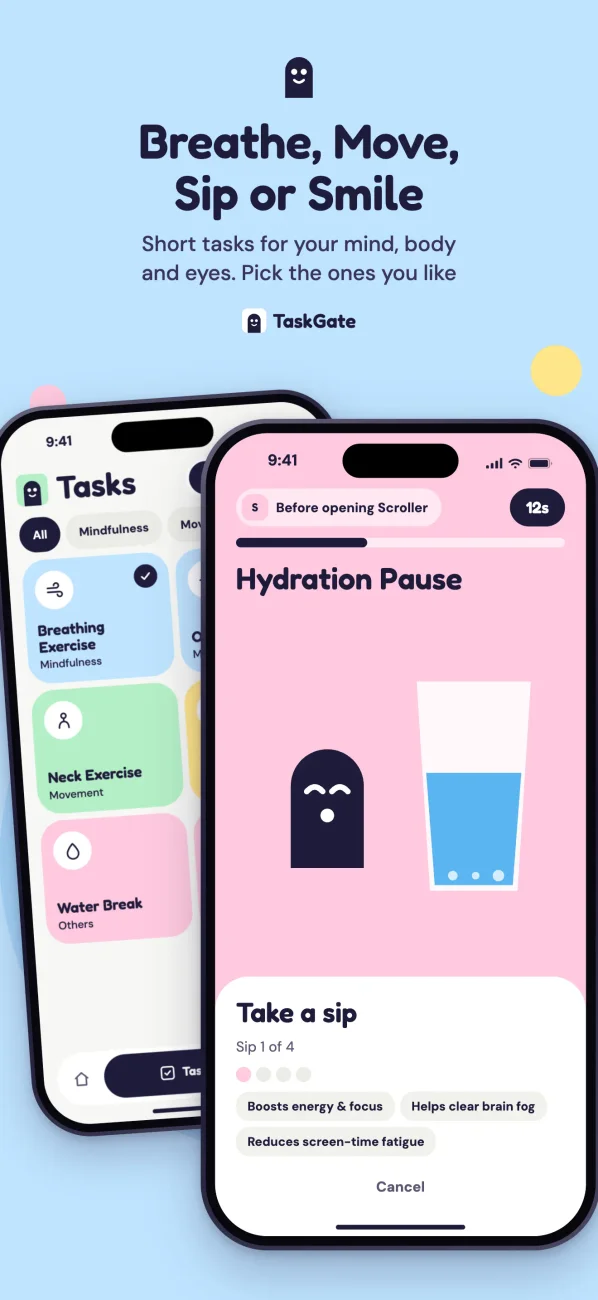
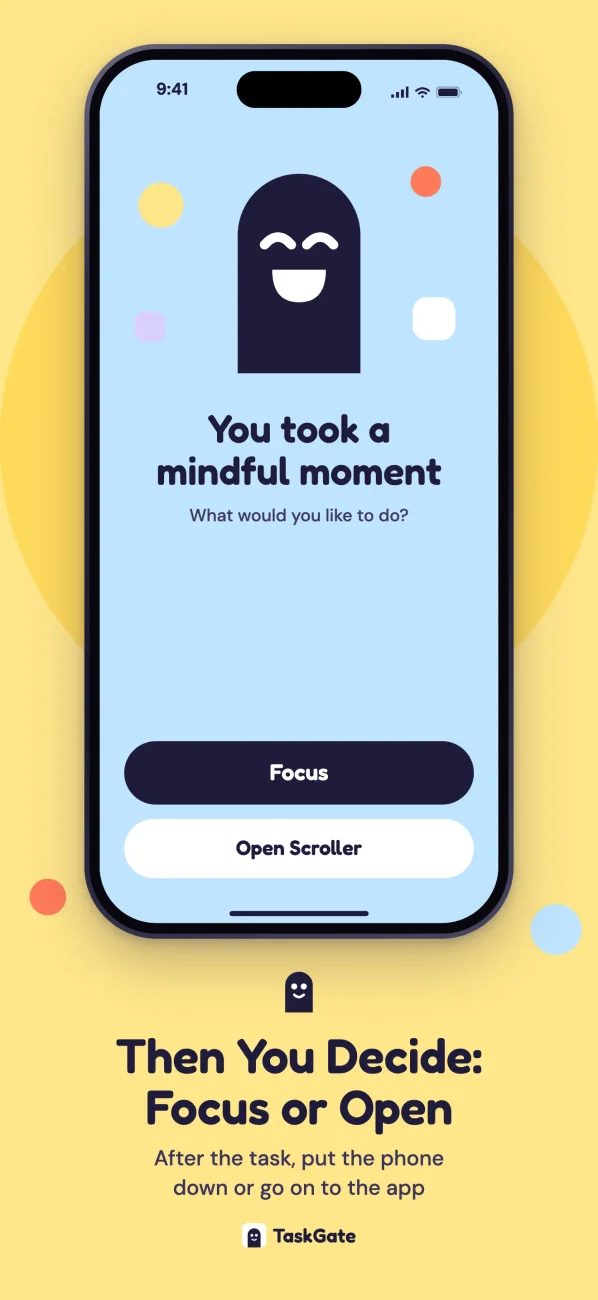
TaskGate puts a short task between you and the apps you open without thinking. Before a social app or a game opens, you take a breath, move, drink some water or smile. Then you decide: put the phone down, or go on to the app.
How it works
1. Choose the apps you want to slow down.
2. When you open one, TaskGate shows a short task first.
3. Finish the task, then tap Focus to put the phone down, or Open to go on to the app.
Tasks
Breathing, quick meditation, neck and shoulder exercises, a posture check, eye rest, a water break, a smile exercise, a quick walk, affirmations, a mindful check-in, a body check and a usage check. Gate Buddy, TaskGate's mascot, appears in each one. Partner apps add their own tasks, starting with LoA.
Schedules
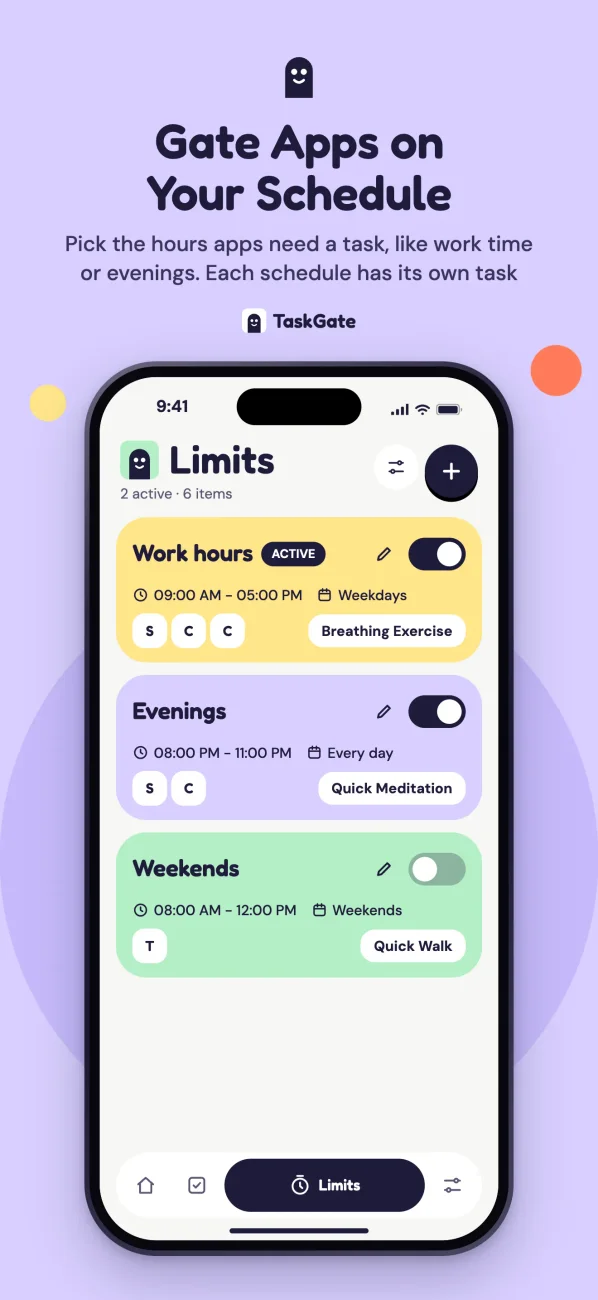
Set the hours an app needs a task, like work time or evenings, and give each schedule its own task and color. Add an open limit to cap how many times an app can open per day, week or month, or keep it closed while the schedule runs.
Stats
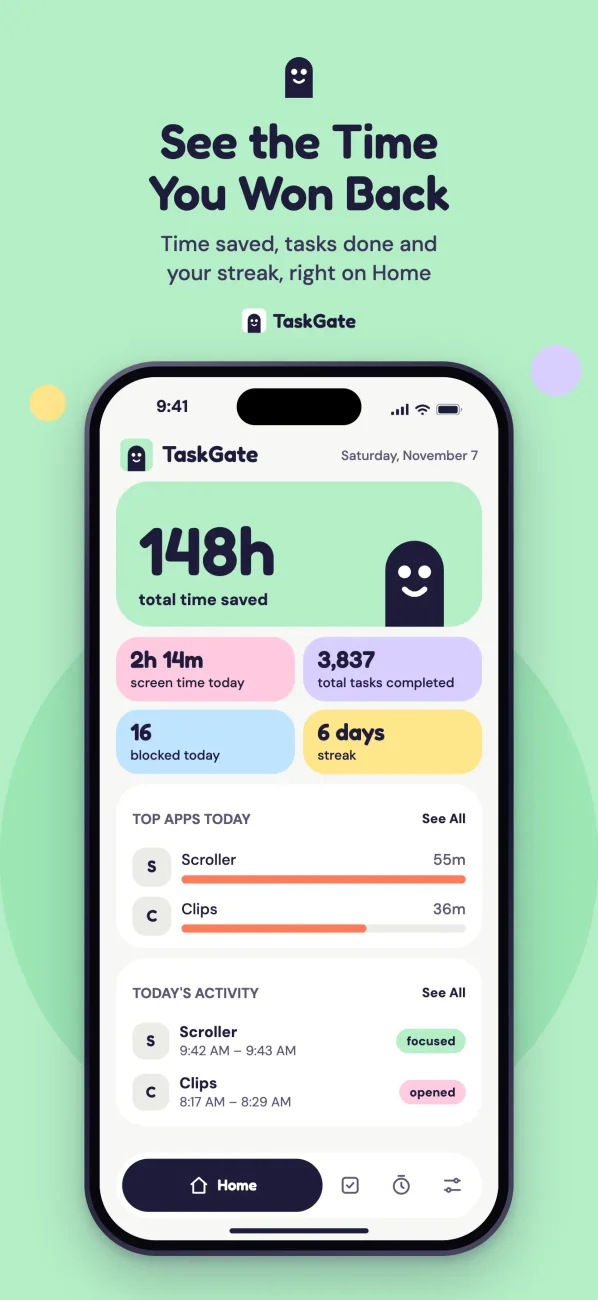
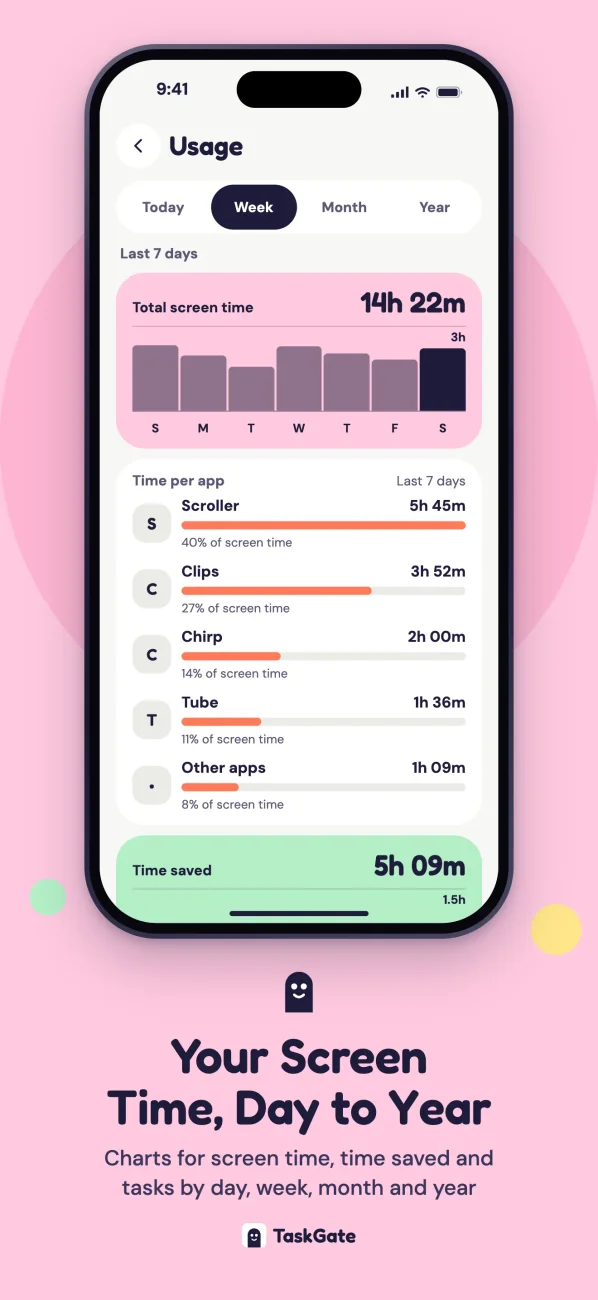
Home shows time saved, tasks completed, app opens blocked today and your streak. The Usage screen charts screen time, time saved and tasks by day, week, month and year, with time per app. Time saved is estimated at 3 minutes per blocked open.
TaskGate is free, and there's no account to make.
Screen Time
TaskGate uses Apple's Screen Time framework to gate the apps you pick. It can't see what you do inside them.
Privacy Policy: https://www.taskgate.co/privacy-policy
Terms and Conditions: https://www.taskgate.co/terms-and-conditions
Nouveautés
Version 1.3.1 · 10/11/2026
Fixed: after updating from an earlier version, Home could show "Could not load your stats" and new activity wasn't saved. Your stats and earlier history are back, and new activity is saved again.
If Screen Time access is off, TaskGate now opens its welcome setup when you open the app, so you can turn it back on.
Confidentialité de l’application
Ce que Yosuke Sakurai déclare sur l’App Store au sujet du traitement des données par cette application.
-
Données n’établissant aucun lien avec vous
Peuvent être collectées, mais ne sont pas liées à votre identité.
- Emplacement
- Contenu utilisateur
- Identifiants
- Données d’utilisation
- Diagnostic
Les pratiques en matière de confidentialité peuvent varier, notamment en fonction des fonctionnalités que vous utilisez ou de votre âge.
Informations
- Vendeur
- Yosuke Sakurai
- Catégorie
- Productivité
- Version
- 1.3.1
- Mis à jour
- 10/11/2026
- Publié
- 13/12/2025
- Taille
- 115,9 Mo
- Nécessite
- iOS 15.5 ou version ultérieure
- Classification d’âge
- 4+
- Prix
- Gratuit
- Achats intégrés
- Oui
- Langues
- Anglais
- Copyright
- © 2025 TaskGate. All Rights Reserved
Vous aimerez peut-être aussi
-
 TaskGate: Bloqueur d'appsTermine tes tâches, débloque
-
 Lock In: Habits FirstProductivité
-
 Temps d'écran en couple : BurnApps bloquées et tâches à deux
-
 Well Earned : Temps d'écranHabitudes & Bloqueur apps
-
 Quizwall: Bloqueur apps focusDébloquez apps avec quiz
-
 Task GateProductivité
-
 Rival : Vous contre hierObjectifs, habitudes, progrès
-
 Anchor App BlockerProductivité
-
 Dayli: Earn Your TimeProductivité
-
 BrainWins: App BlockerProductivité