
TaskStamp: Timestamp Camera
GPS Photo, Date & Work Proof
Conçue pour iPhone
Gratuit · Achats intégrés
- Classification d’âge4+
- CatégoriePhoto et vidéo
- DéveloppeurSHUWN YUAN TEE
- LanguesAnglais+ 1 de plus
- Taille20,1 Mo
Renvoie vers la page App Store officielle
Download.org n’héberge aucun fichier de TaskStamp: Timestamp Camera. Le bouton ouvre la page de l’application sur App Store, où SHUWN YUAN TEE la publie. Fiche vérifiée pour la dernière fois le 25/11/2026.
Captures d’écran


À propos
Le développeur n’a pas fourni ce texte dans votre langue.
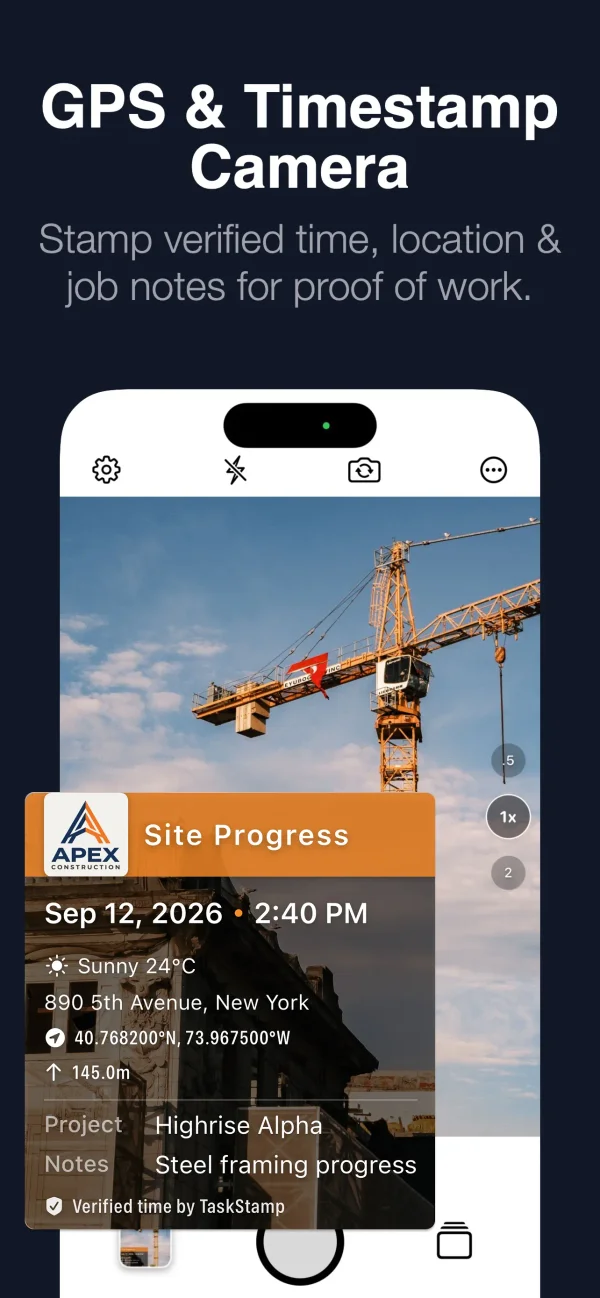
TaskStamp is the professional timestamp camera built for contractors, property managers, and field service teams. Capture verifiable proof of work with accurate time, GPS location, a live street GPS map, weather data, and your custom company logo stamped directly onto every photo.
Need to share your work with a client or manager? Select your job photos and export a clean, branded A4 PDF report—complete with side-by-side metadata tables, summary notes, and clickable Google Maps links—in seconds.
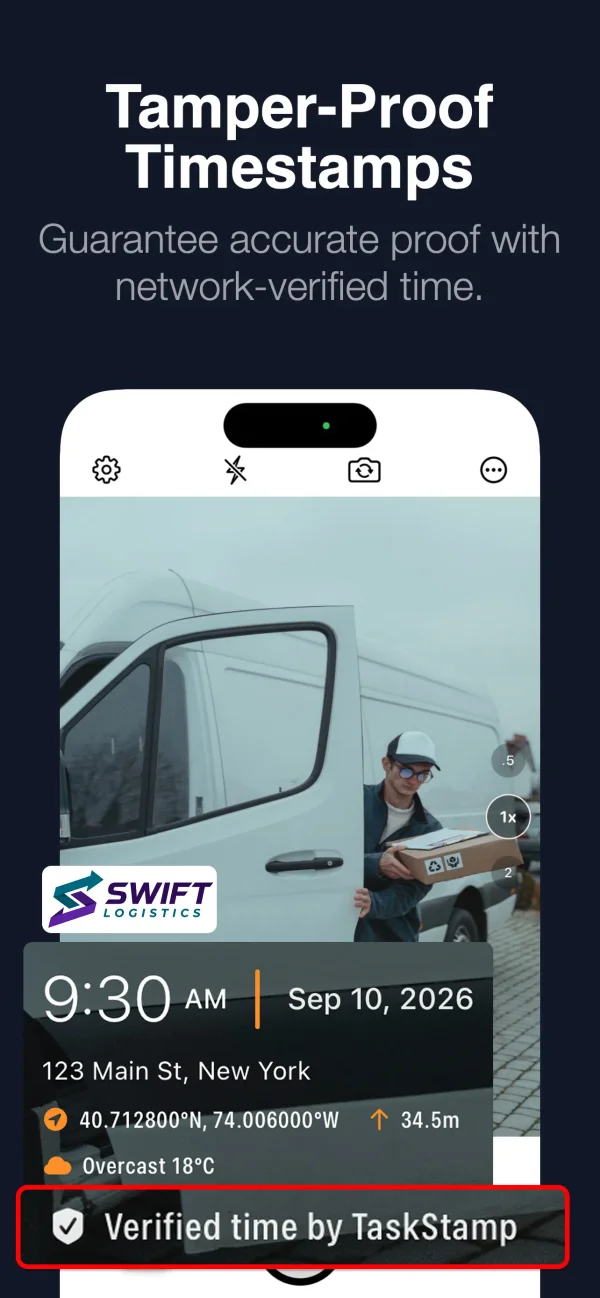
Unlike standard camera apps that rely on the phone's editable clock, TaskStamp verifies capture times against network server time—so changing the device clock won't alter the timestamp on your photos.
KEY FEATURES
• Instant PDF Client Reports: Select job photos by date and generate branded A4 PDF reports with side-by-side metadata tables, summary notes, and clickable Google Maps links.
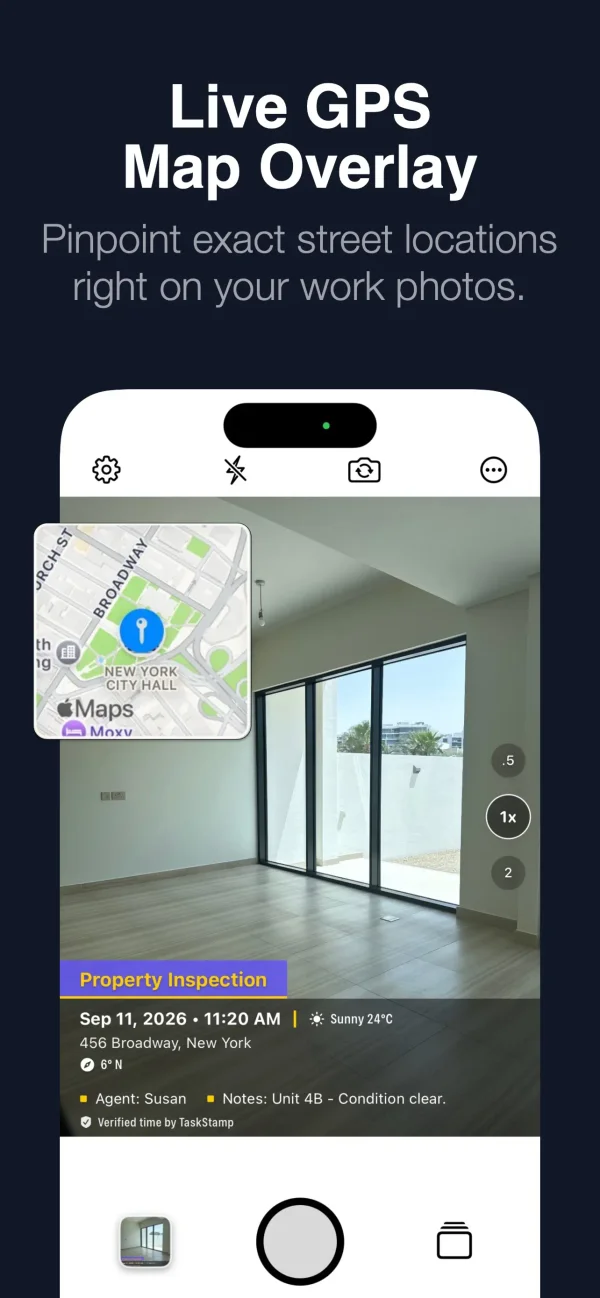
• Live GPS Map Overlay: Stamp a street-level GPS map with a precise location pin directly onto your photo corner for instant visual verification.
• Custom Company Logos: Upload your business logo to automatically stamp it onto photo watermarks and PDF reports for professional client deliverables.
• Tamper-Proof Time Verification: Timestamps are verified against network server time rather than relying on the phone's editable clock.
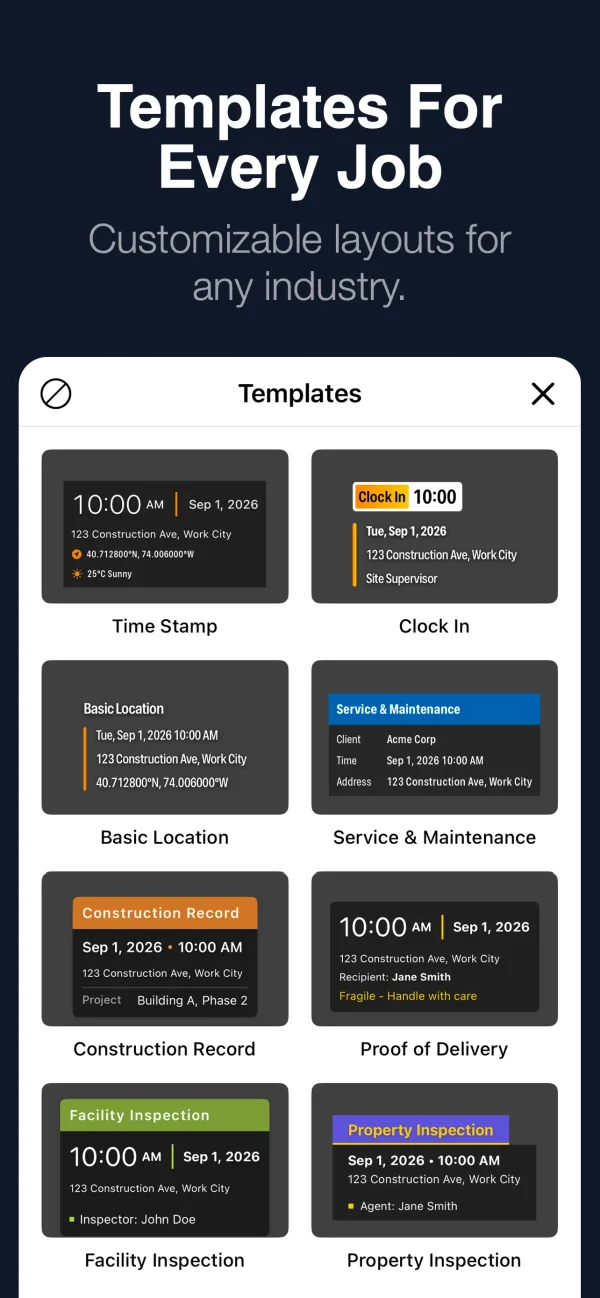
• Industry-Specific Templates: Choose from professional watermark layouts designed for construction, field services (HVAC/plumbing), property management, and delivery.
• Comprehensive Data Tags: Automatically overlay exact GPS coordinates, street addresses, altitude, compass direction, and live weather data onto your photos.
• Editable & Draggable Watermarks: Add project names, client details, or custom notes, and drag the watermark anywhere on screen so it never blocks key photo details.
• Offline Mode Reliability: Works seamlessly with zero cell service, stamping time and GPS location data even when offline.
PERFECT FOR:
• Property Management & Inspections: Document move-ins, move-outs, and maintenance issues with verified timestamps and PDF inspection reports.
• Construction & Contracting: Track site progress, weather conditions, and daily logs with branded photo reports.
• Field Services & HVAC: Provide professional, branded service records with verified timestamps to support your invoices.
• Security & Patrols: Verified check-ins for security routes.
• Delivery & Logistics: Unalterable proof of delivery (POD) at the exact location and time.
Capture unlimited verified timestamp and GPS photos for free with our 3 core templates, or upgrade to TaskStamp Pro to unlock PDF report exports, custom company logos, live GPS map overlays, weather data, and all industry templates.
Privacy Policy: https://almond-arch-18a.notion.site/Privacy-Policy-for-TaskStamp-3df6b906c6f580cf9e34fa391e6fba91
Terms of Use: https://almond-arch-18a.notion.site/Terms-of-Use-for-TaskStamp-3df6b906c6f58043a235efee12fa7fe1
Nouveautés
Version 1.15 · 25/11/2026
• PDF reports: choose the photo order, oldest or newest first. Reports now start with the first photo of the job.
• New: keep a clean copy of every photo. Turn on "Also save original photo" in Settings to also save each photo without the stamp to your Photos app (Pro).
• Bug fixes and improvements.
Confidentialité de l’application
Ce que SHUWN YUAN TEE déclare sur l’App Store au sujet du traitement des données par cette application.
-
Données n’établissant aucun lien avec vous
Peuvent être collectées, mais ne sont pas liées à votre identité.
- Achats
- Identifiants
- Données d’utilisation
Les pratiques en matière de confidentialité peuvent varier, notamment en fonction des fonctionnalités que vous utilisez ou de votre âge.
Informations
- Vendeur
- SHUWN YUAN TEE
- Catégorie
- Photo et vidéo
- Version
- 1.15
- Mis à jour
- 25/11/2026
- Publié
- 12/10/2026
- Taille
- 20,1 Mo
- Nécessite
- iOS 16.4 ou version ultérieure
- Classification d’âge
- 4+
- Prix
- Gratuit
- Achats intégrés
- Oui
- Langues
- Anglais, Chinois traditionnel
- Copyright
- © 2026 Shuwnyuan
Vous aimerez peut-être aussi
-
 Timestamp Camera – AgeStampVos photos avec âge et date
-
 Appareil photo : FiligranePreuves photo GPS, rapports
-
 geoTag CamPhoto et vidéo
-
 TimerCamera+ Retardateur PhotoAppareil Photo Rafale & Date
-
 Recast AIPhoto et vidéo
-
 GPS Camera: Timestamp & GeotagPhoto et vidéo
-
 GeoSnapr - Tampon Photo GPSCaméra horodatage & rapports
-
 GeoProof: GPS Work CameraPhoto et vidéo
-
 JunCam - GPS Timestamp CameraPhoto et vidéo
-
 GPS Camera - Photo GPSGéotaguez vos photos