Teleprompter: Auto Scroll
Video Recorder & Script Reader
Conçue pour iPhone, iPod touch
Gratuit · Achats intégrés
- Classification d’âge4+
- CatégorieUtilitaires
- DéveloppeurKinor Studio
- LanguesAnglais
- Taille41,6 Mo
Renvoie vers la page App Store officielle
Download.org n’héberge aucun fichier de Teleprompter: Auto Scroll. Le bouton ouvre la page de l’application sur App Store, où Kinor Studio la publie. Fiche vérifiée pour la dernière fois le 15/11/2026.
Captures d’écran
À propos
Le développeur n’a pas fourni ce texte dans votre langue.
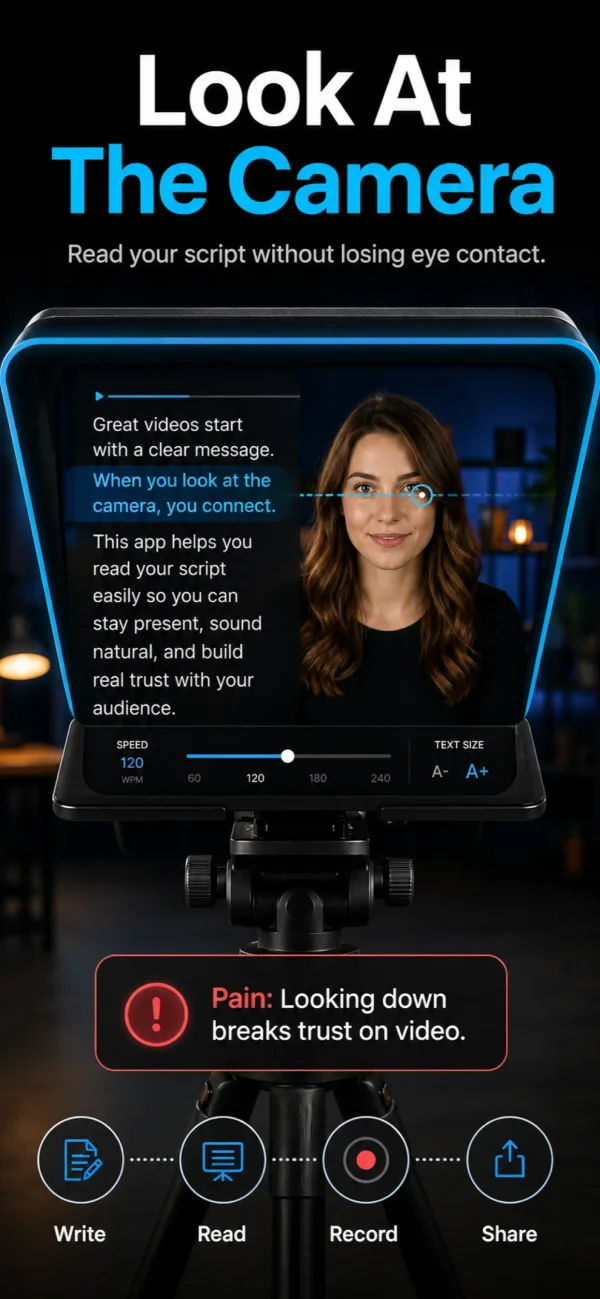
Stop looking down at notes when the camera starts.
Teleprompter: Video Recorder keeps your active line close to the lens, helping you stay on message, maintain natural eye contact, and finish polished videos with fewer awkward pauses and restarts.
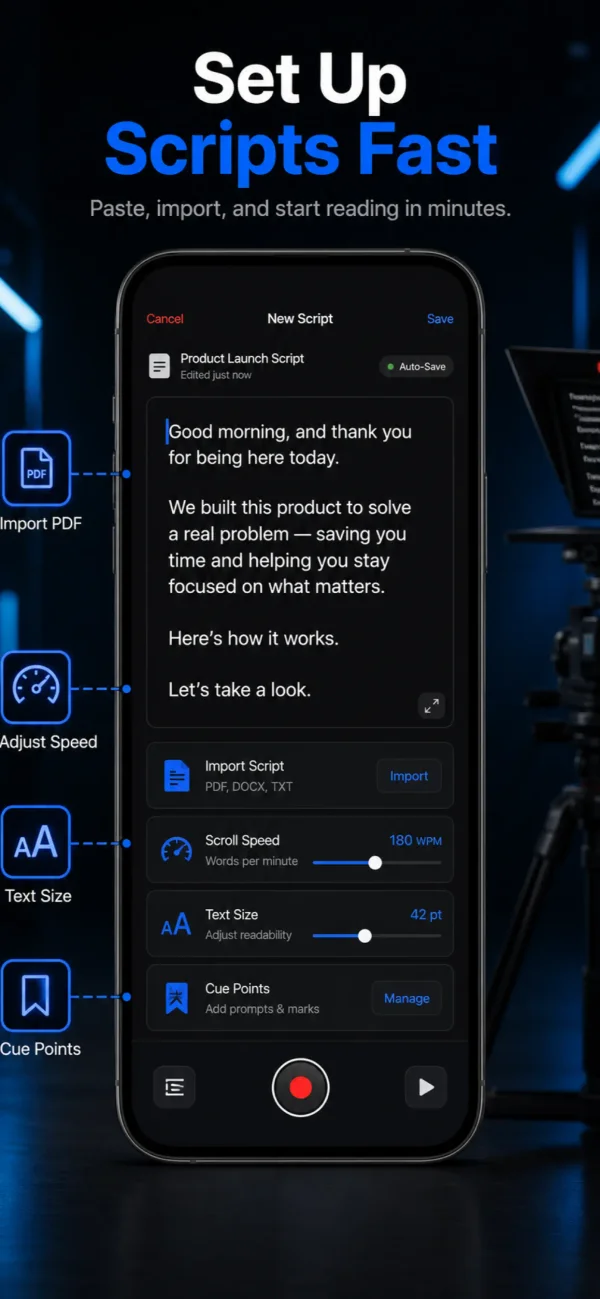
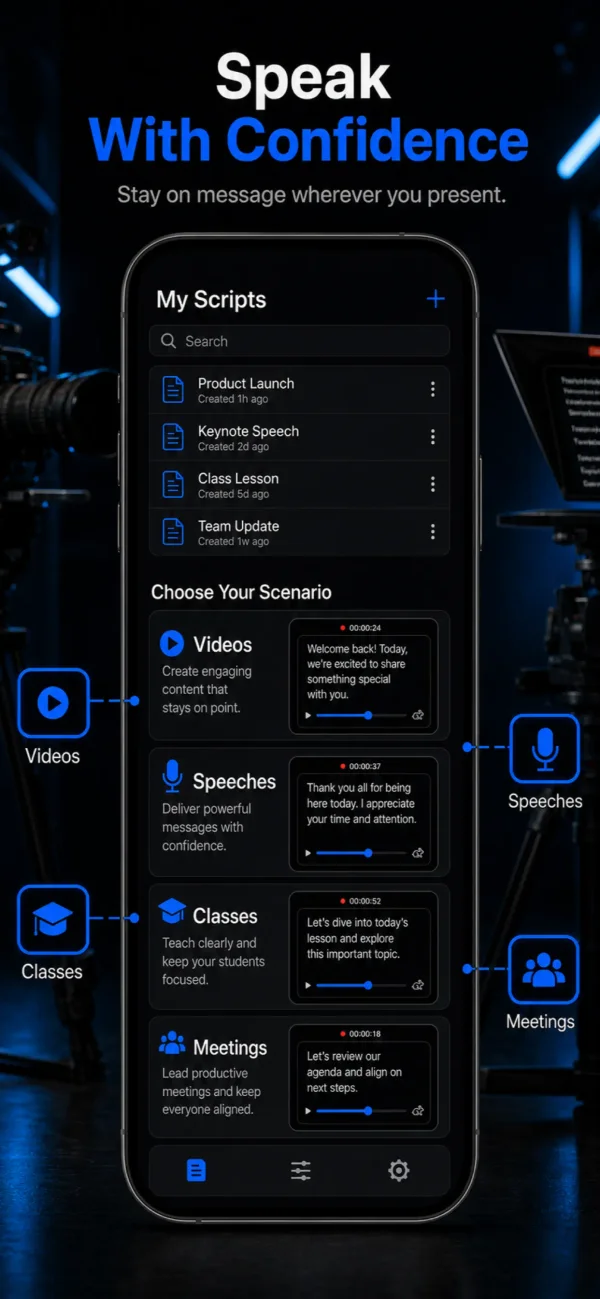
CREATE YOUR SCRIPT FAST
· Write or paste a script in seconds
· Import supported PDF, DOCX, and TXT files
· Organize scripts and return to recent work
· Add cue marks to important moments
SPEAK AT YOUR OWN PACE
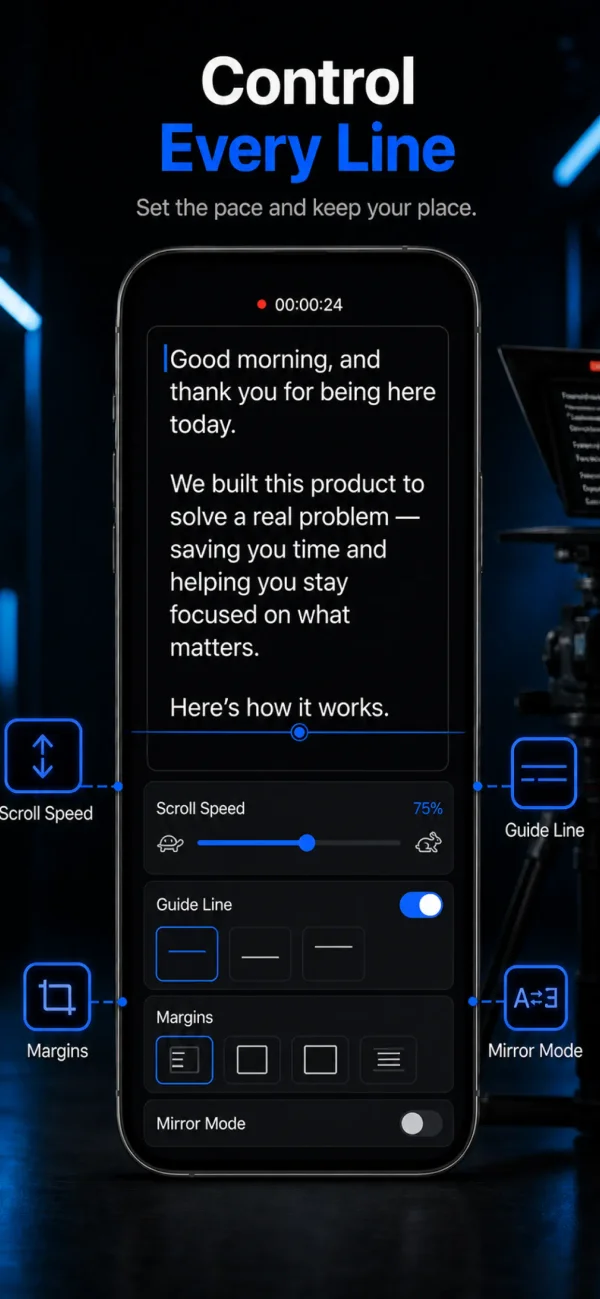
· Let voice-paced scrolling follow the way you speak
· Pause naturally without watching the script run away
· Switch to precise manual speed whenever you prefer
· Adjust type size, line spacing, margins, colors, and focus guide
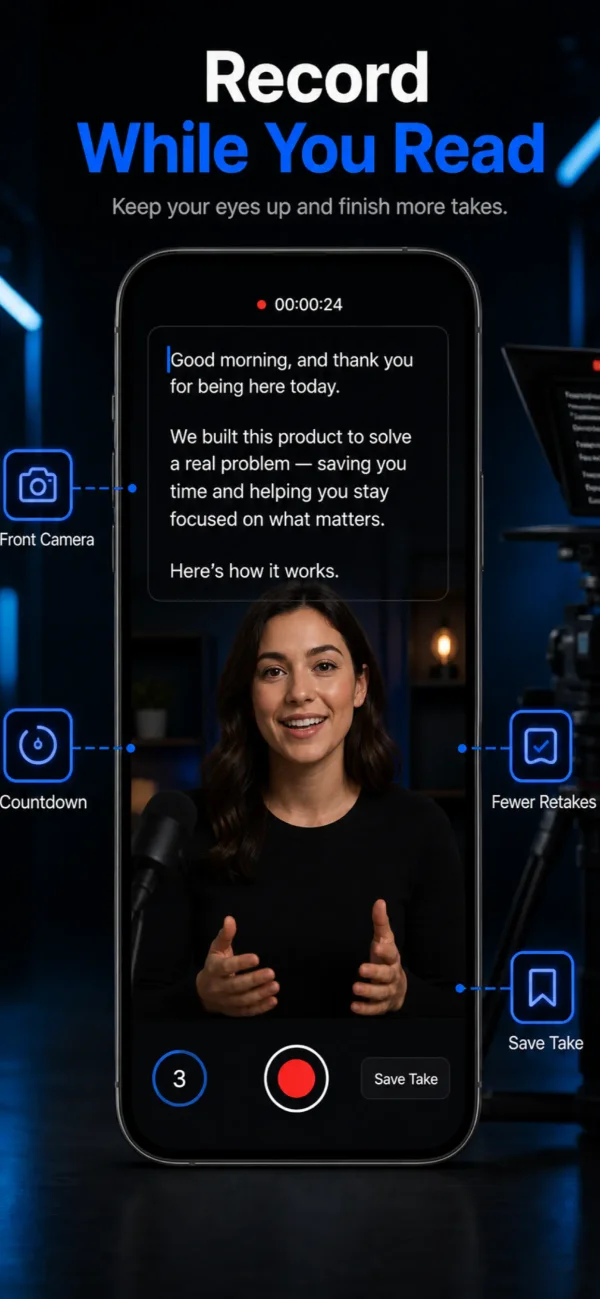
READ WHILE YOU RECORD
· Keep the active words close to the camera lens
· Record in portrait or landscape
· Use a countdown before each take
· Resume from a cue mark when you need another take
· Save finished takes to your library
CONTROL YOUR SETUP
· Mirror text for compatible teleprompter rigs
· Use supported keyboards, Bluetooth remotes, and foot pedals
· Start, pause, and change pace without breaking eye contact
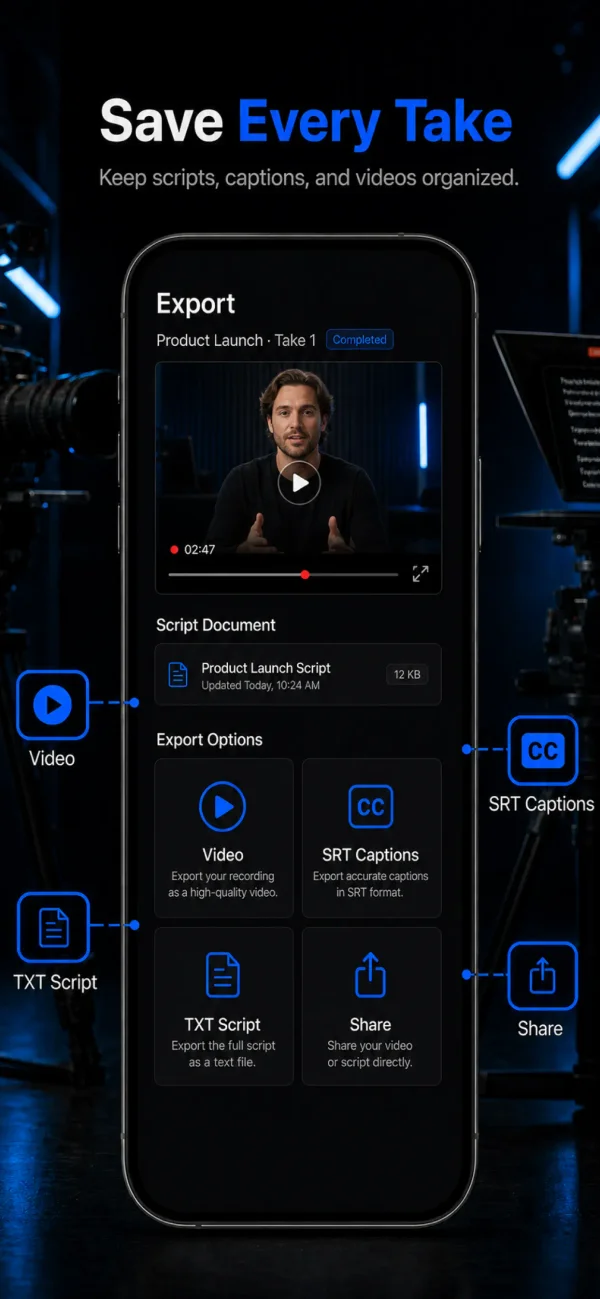
FINISH CONTENT THAT IS READY TO SHARE
· Generate captions for supported recordings
· Export captions or scripts in supported formats
· Create talking-head videos, lessons, presentations, pitches, self-tapes, interviews, and speeches
Create your first script and speak to the camera with confidence.
Premium Subscription
Unlock unlimited access to premium measurement tools and project management features.
Subscription Plans
· Month Plan — $19.99/month
· Annual Plan — $89.99/year
Payment will be charged to your Apple ID account at confirmation of purchase.
Subscriptions automatically renew unless auto-renew is turned off at least 24 hours before the end of the current billing period.
Your account will be charged for renewal within 24 hours prior to the end of the current subscription period.
You can manage subscriptions and turn off auto-renewal anytime in your App Store account settings after purchase.
Privacy Policy:https://jp.sdoc.ink/web/#/p/b30bbe1bcf87d0f2c8cef32b64fef8a1
Terms of Use:https://jp.sdoc.ink/web/#/p/647e68844e1f9e0fe6271fc61154ce83
Payment Agreement:https://jp.sdoc.ink/web/#/p/f18c1f78770a2a1a7d5d23ddba11a5b9
Confidentialité de l’application
Ce que Kinor Studio déclare sur l’App Store au sujet du traitement des données par cette application.
-
Données utilisées pour vous suivre
Peuvent être utilisées pour vous suivre sur des applications et des sites web appartenant à d’autres sociétés.
- Identifiants
-
Données n’établissant aucun lien avec vous
Peuvent être collectées, mais ne sont pas liées à votre identité.
- Identifiants
- Données d’utilisation
Les pratiques en matière de confidentialité peuvent varier, notamment en fonction des fonctionnalités que vous utilisez ou de votre âge.
Informations
- Vendeur
- Taiyuan Junnuo Xiaoxiang Technology Co., Ltd
- Catégorie
- Utilitaires
- Version
- 1.0
- Mis à jour
- 18/08/2026
- Publié
- 17/08/2026
- Taille
- 41,6 Mo
- Nécessite
- iOS 15.0 ou version ultérieure
- Classification d’âge
- 4+
- Prix
- Gratuit
- Achats intégrés
- Oui
- Langues
- Anglais
- Copyright
- ©️Kinor Studio
Vous aimerez peut-être aussi
-
 Just Roll: Teleprompter CameraUtilitaires
-
 Teleprompter - Floating CueUtilitaires
-
 Téléprompteur MaîtreIncitateur de script flottant
-
 Traduco: Clavier TraducteurTraduction IA de vos messages
-
 SentronEasy pH / EC measurement
-
 BEST RANDOMUtilitaires
-
 Générateur de hashtag - IATrouvez les meilleurs
-
 FlinkCounterUtilitaires
-
 Conversion Vidéo en MP3MP4 en MP3 M4A AAC WAV
-
 TextreamUtilitaires