
Teleprompter: Script Video
Auto-Scroll by Voice & Record
Conçue pour iPhone, iPad
Gratuit · Achats intégrés
- Classification d’âge4+
- CatégoriePhoto et vidéo
- Développeurdowhiletrue s.r.o
- LanguesAnglais+ 4 de plus
- Taille31,2 Mo
Renvoie vers la page App Store officielle
Download.org n’héberge aucun fichier de Teleprompter: Script Video. Le bouton ouvre la page de l’application sur App Store, où dowhiletrue s.r.o la publie. Fiche vérifiée pour la dernière fois le 13/11/2026.
Captures d’écran
À propos
Le développeur n’a pas fourni ce texte dans votre langue.
Say it right on the first take.
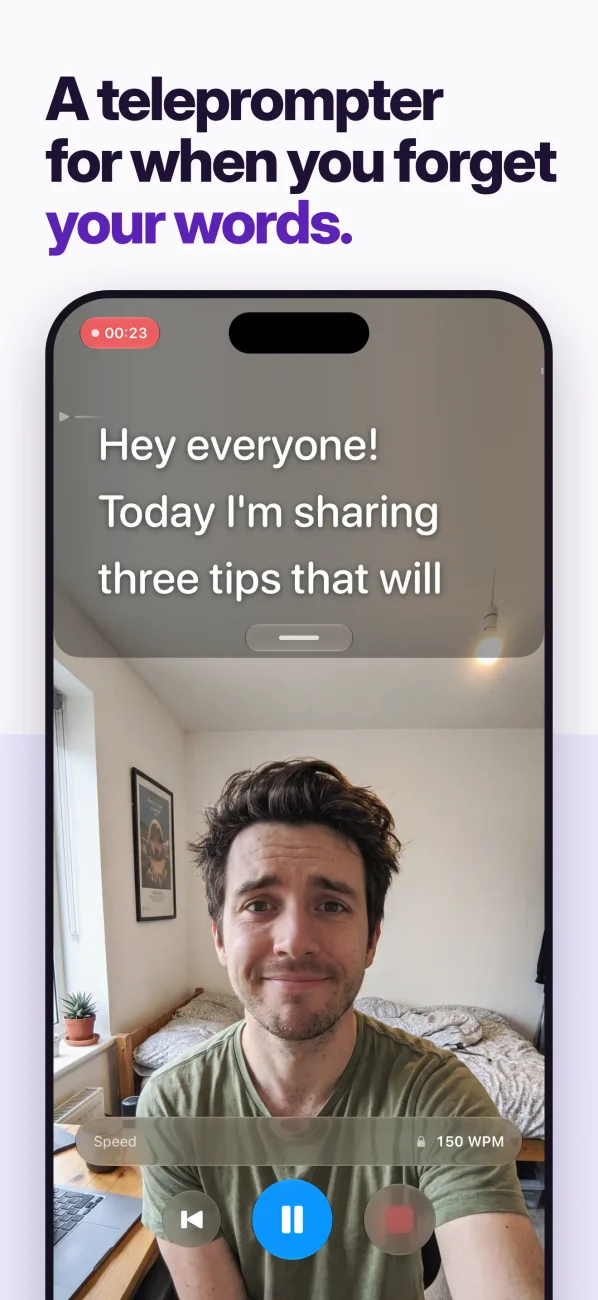
Script Video Teleprompter records while you read, with the first line of your script right under the front camera. Viewers see eye contact; you never lose your place.
FREE FOR YOUR FIRST WEEK
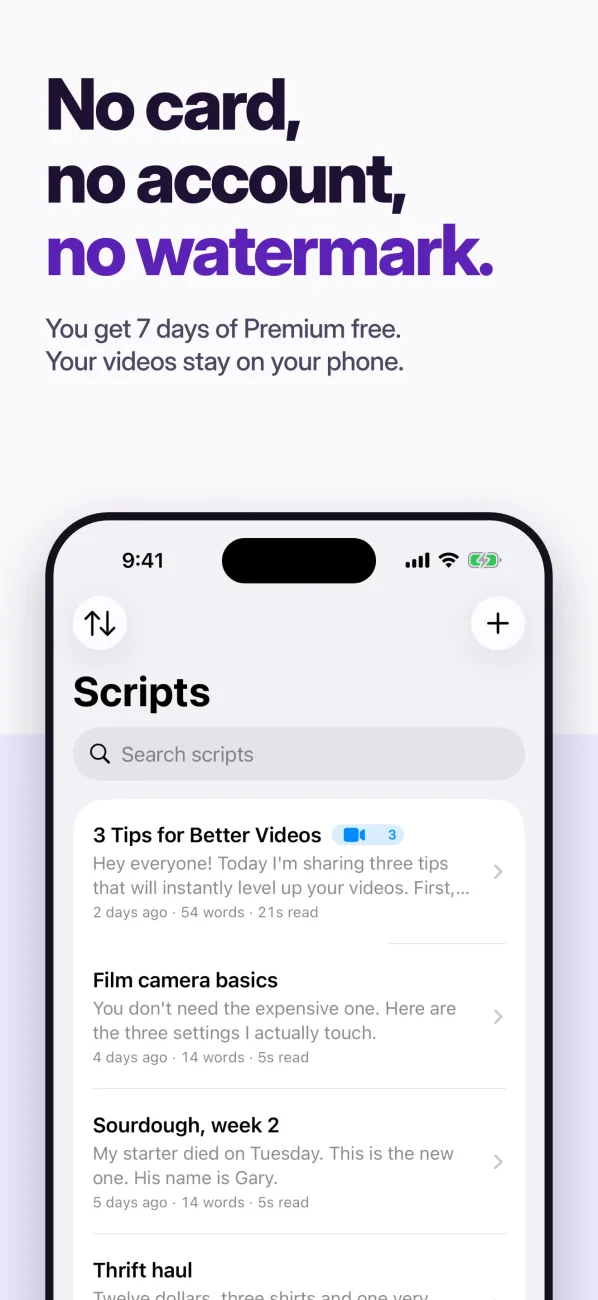
Every new user gets 7 days of all Premium features. No card needed, nothing to cancel.
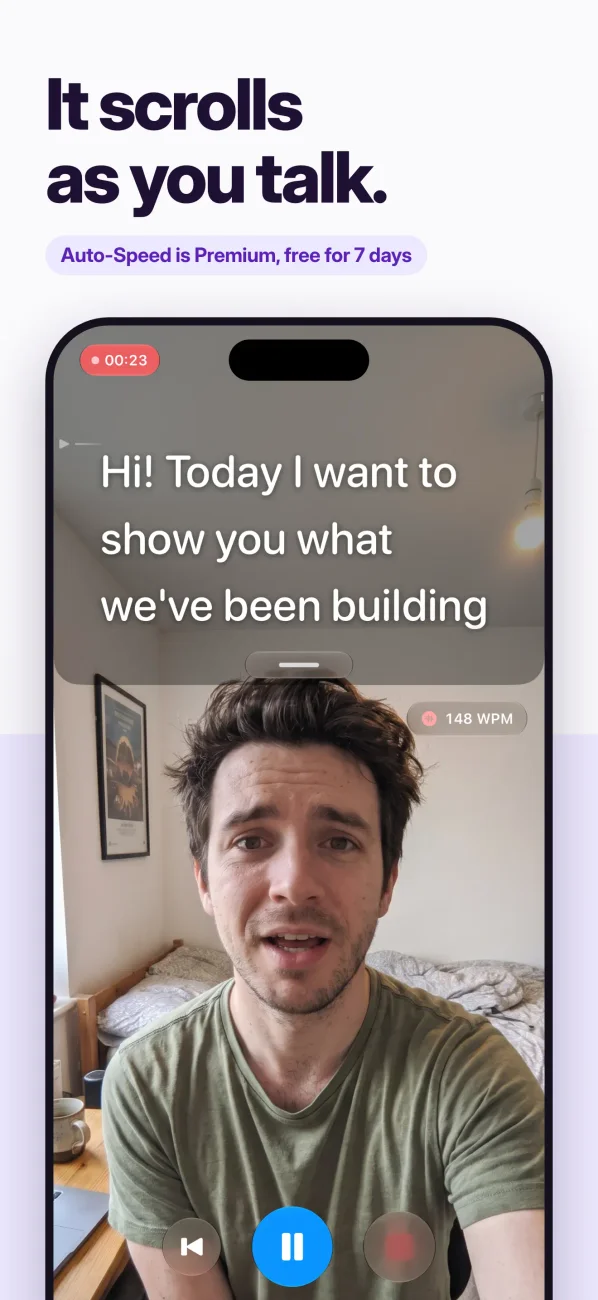
AUTO-SPEED FOLLOWS YOUR VOICE
Teleprompters built into social apps scroll at a set speed, so you end up chasing the text. Auto-Speed listens to your voice and scrolls with you: faster when you speed up, slower when you slow down, and it waits when you pause to breathe or think. Use it for videos you shoot anywhere, then post them wherever you like.
Auto-Speed works in English, Japanese, Korean, German, Slovak and more, using Apple's new on-device speech engine.
MADE FOR
• Real estate agents, coaches and consultants who post every week
• Course creators, teachers and webinar hosts
• Sales teams, founders and video messages to clients
• YouTube, TikTok and Instagram creators filming talking-head videos
• Speeches, presentations, sermons and interview practice
HOW IT WORKS
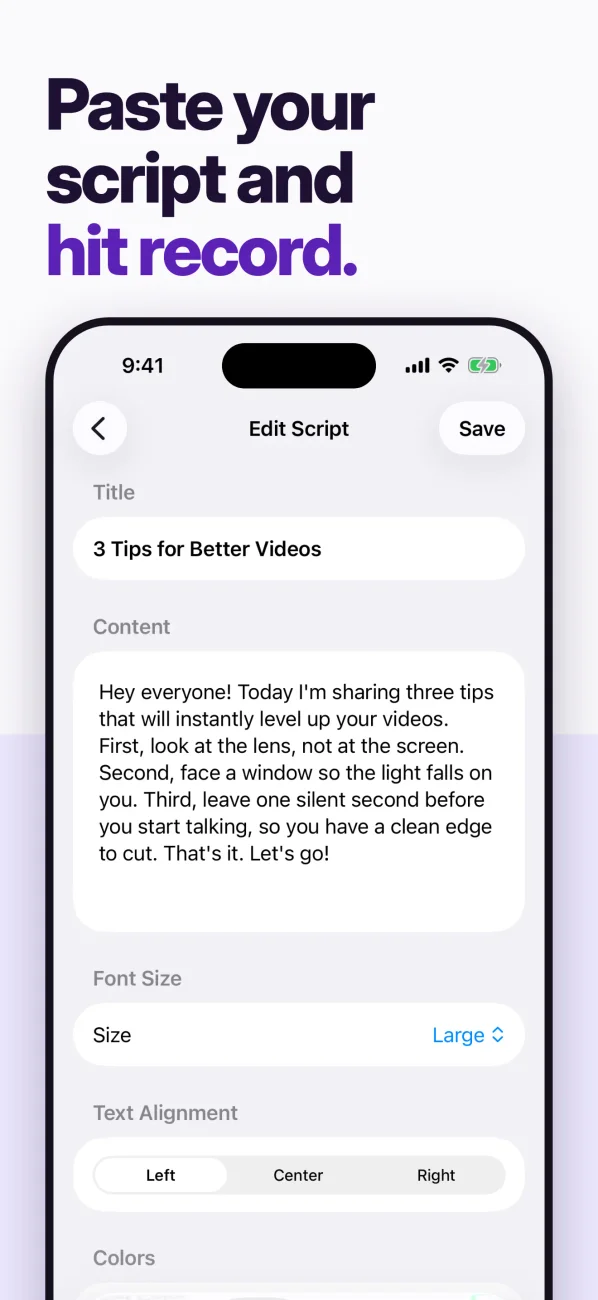
1. Write or paste your script, or import it from Word, PDF or TXT.
2. Set the font, colors and text area, or just tap record.
3. Speak. The script follows you. Share your take in one tap.
FEATURES
• Auto-Speed voice-follow scrolling
• Manual speed control when you prefer it
• Recording in up to 4K, front or back camera
• Optional 3-2-1 countdown where you read, so you start the take looking at the lens
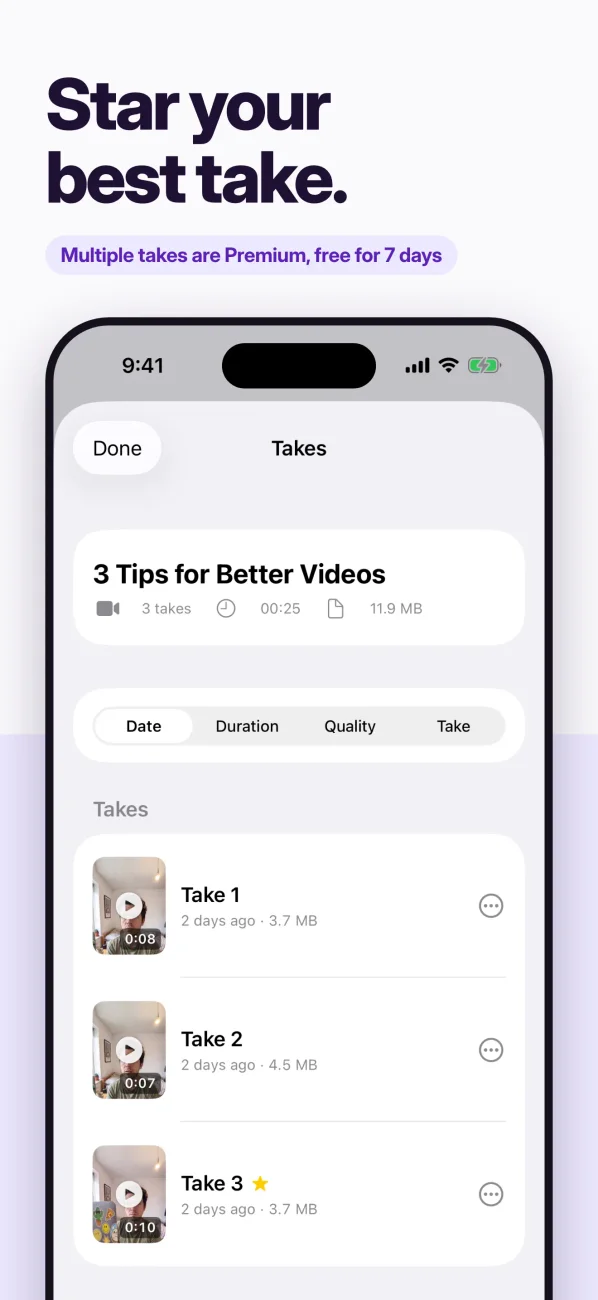
• Multiple takes with automatic numbering
• Word (DOCX), PDF and TXT import
• Folders, favorites and search for your scripts
• Mirror mode for teleprompter rigs
• Loop mode to rehearse a script on repeat
• Font size, colors, alignment and background
• Made for iPhone, iPad and iPhone Duo (on Duo the script follows the camera as you fold and unfold)
• Works offline, no account needed
PRIVATE BY DESIGN
Scripts and videos never leave your device. No account, no sign-up.
FREE PLAN AND PREMIUM
After your free week, keep using the teleprompter for free: 2-minute recordings in 720p, 3 saved scripts and 5 saved recordings.
Premium unlocks unlimited recording length, 1080p and 4K, unlimited scripts and takes, Auto-Speed, and mirror and loop modes. Choose a weekly or yearly plan; the yearly plan includes a 7-day free trial.
SUBSCRIPTION TERMS
Premium is an auto-renewable subscription. Payment is charged to your Apple ID at confirmation of purchase. It renews automatically unless canceled at least 24 hours before the end of the current period. Manage or cancel anytime in Settings > Apple ID > Subscriptions.
Terms of Use (EULA): https://www.apple.com/legal/internet-services/itunes/dev/stdeula/
Questions or ideas: info@scriptvideoteleprompter.com
Nouveautés
Version 1.9.0 · 12/11/2026
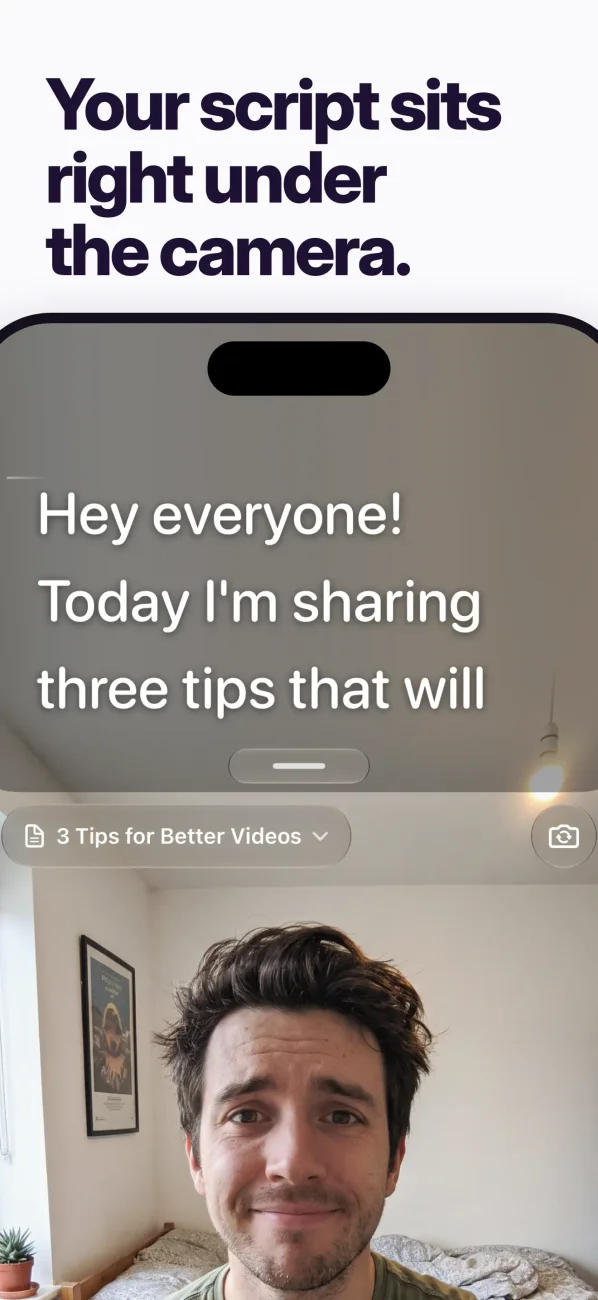
Your script now starts right under the front camera. The bar that used to sit between the lens and your first line is gone, so your eyes stay close to the lens while you read. The script picker and camera flip are now just below the script.
• On iPhones with a Dynamic Island, the recording timer sits next to the island. The controls now use Apple's Liquid Glass look.
• The 3-2-1 countdown runs where you read, so you are already looking at the lens when the take starts.
• On iPhone Duo the script follows the camera. Unfold it and hold it wide, and the text moves under the inner camera. Half open like a book, the script and the controls stay on the camera's half, so no line bends over the fold.
• The app also works in resizable iPad windows. When you fold, rotate or resize, your place in the script stays put.
• While you read with Auto-Speed, a small chip shows your pace in words per minute. The tab bar hides while you record.
• If you have an offer code, tap Redeem Code on the Premium screen or in Settings.
• Fixed: Play inside a group of takes opens the video again. Starting a take no longer stalls the screen for a moment.
Confidentialité de l’application
Ce que dowhiletrue s.r.o déclare sur l’App Store au sujet du traitement des données par cette application.
-
Données n’établissant aucun lien avec vous
Peuvent être collectées, mais ne sont pas liées à votre identité.
- Identifiants
- Données d’utilisation
- Diagnostic
Les pratiques en matière de confidentialité peuvent varier, notamment en fonction des fonctionnalités que vous utilisez ou de votre âge.
Informations
- Vendeur
- dowhiletrue s. r. o.
- Catégorie
- Photo et vidéo
- Version
- 1.9.0
- Mis à jour
- 12/11/2026
- Publié
- 30/10/2025
- Taille
- 31,2 Mo
- Nécessite
- iOS 26.0 ou version ultérieure
- Classification d’âge
- 4+
- Prix
- Gratuit
- Achats intégrés
- Oui
- Langues
- Anglais, Allemand, Japonais, Coréen, Slovaque
- Copyright
- © 2026 dowhiletrue s.r.o.
Vous aimerez peut-être aussi
-
 Téléprompteur TelecapLire script & filmer vidéo
-
 Teleprompter-Read scriptPhoto et vidéo
-
 Parrot TeleprompterPhoto et vidéo
-
 Téléprompteur - Caption AITeleprompter Vidéo, Sous Titre
-
 Capzy: AI CaptionPhoto et vidéo
-
 Teleprompter AutomaticTeleprompteur pour la vidéo
-
 Téléprompteur - pour la VidéoPrompt & Script AI prompter
-
 Zeemo : vidéo IA et image IAPhoto en vidéo et sous-titres
-
 Captiono: AI SubtitlesPhoto et vidéo
-
 Téléprompteur: flottantsPrompteur AI, Scénario&Autocue