
TermLink: SSH for AI Coding
Claude Code & Codex over tmux
Conçue pour iPhone
Achats intégrés
- Classification d’âge4+
- CatégorieOutils de développement
- DéveloppeurKenichi Nagamatsu
- LanguesAnglais+ 2 de plus
- Taille21,1 Mo
TermLink: SSH for AI Coding n’est peut-être pas disponible sur App Store pour le moment
La fiche de la boutique était inaccessible lors de notre dernière vérification. Le lien mène toujours à la page App Store officielle.
Captures d’écran
À propos
Le développeur n’a pas fourni ce texte dans votre langue.
TermLink turns your iPhone into a compact SSH companion for AI coding, server checks, and remote file handoff.
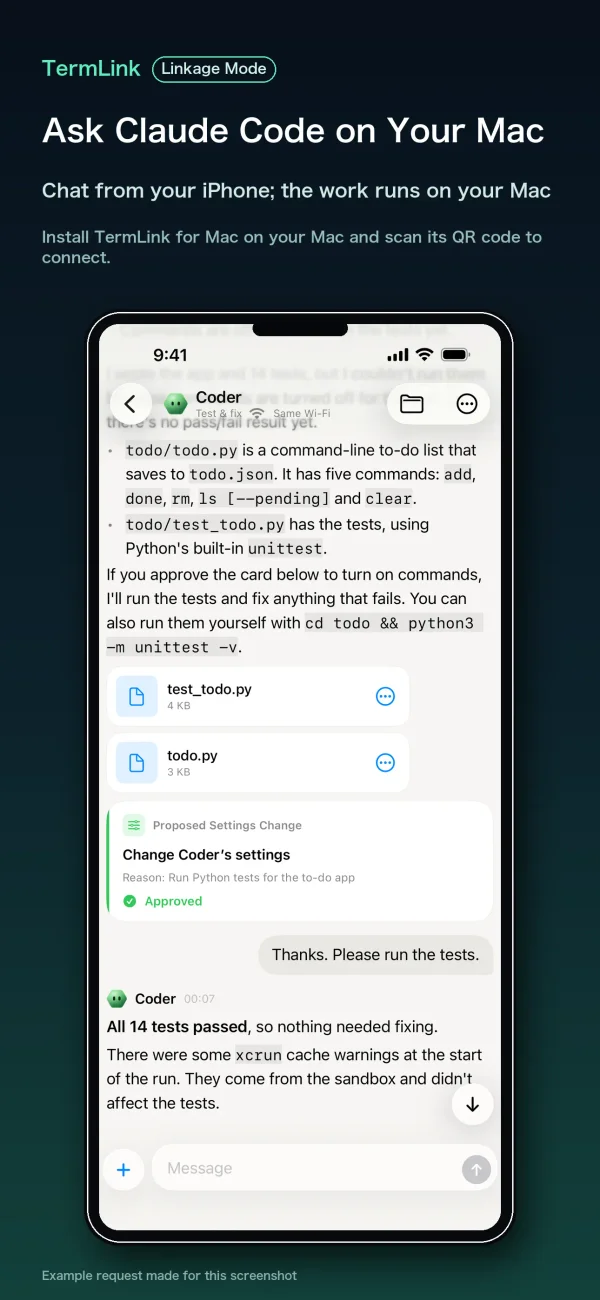
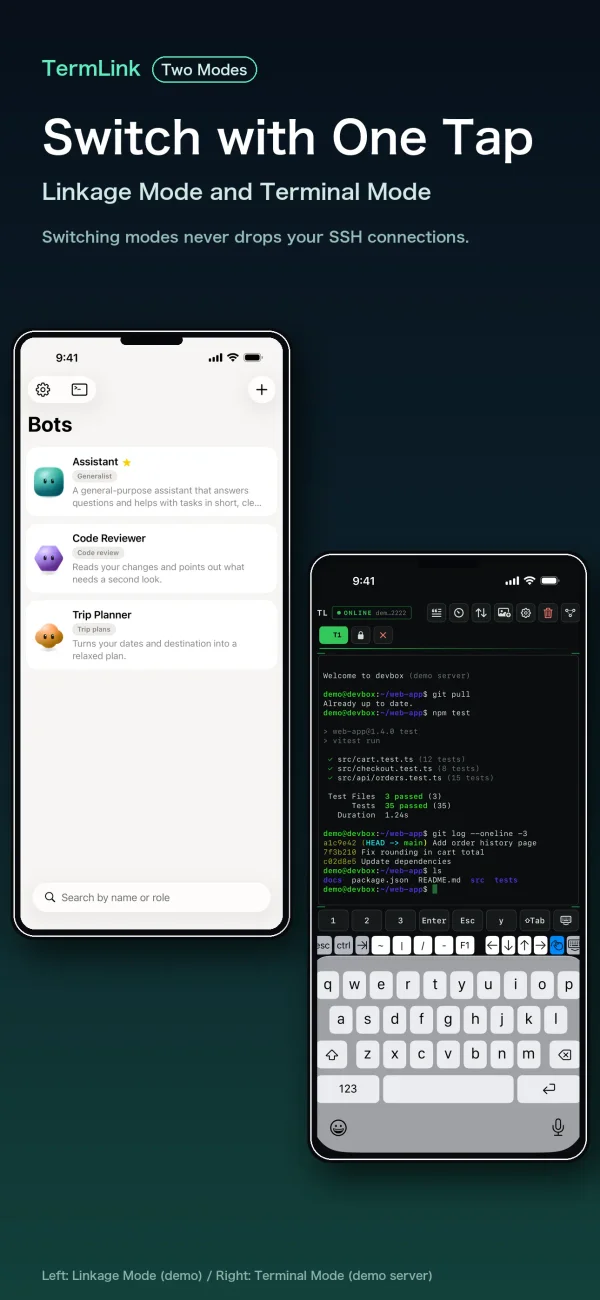
New in 2.0: Linkage Mode. Chat with bots powered by Claude Code (by Anthropic) running on your own Mac. Switch between Terminal Mode and Linkage Mode at any time from the header icon or Settings; switching never drops your SSH connections.
Linkage Mode:
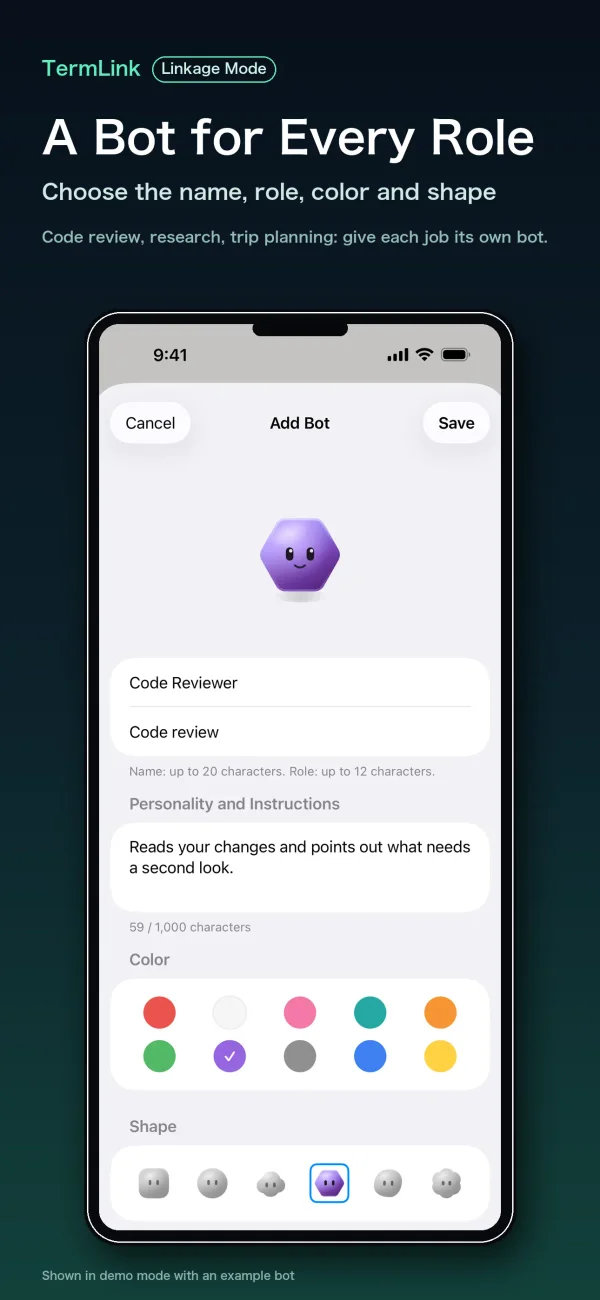
- Create bots with different roles, send them photos and files (also from the share sheet), and download the files they make
- Per-bot permissions on your Mac (folders, web, Bash commands, network); when Claude Code or a bot asks for more, nothing happens until you approve
- Memory for each conversation, an activity log of what bots did on your Mac, and clearing or summarizing a conversation
- Routines: requests that run at set times, with notifications for the results
- Away from home: reach your Mac through your own iCloud (the same Apple Account), end-to-end encrypted
- A Face ID vault for logins, cards and notes that stays on this iPhone; copied values clear after 60 seconds
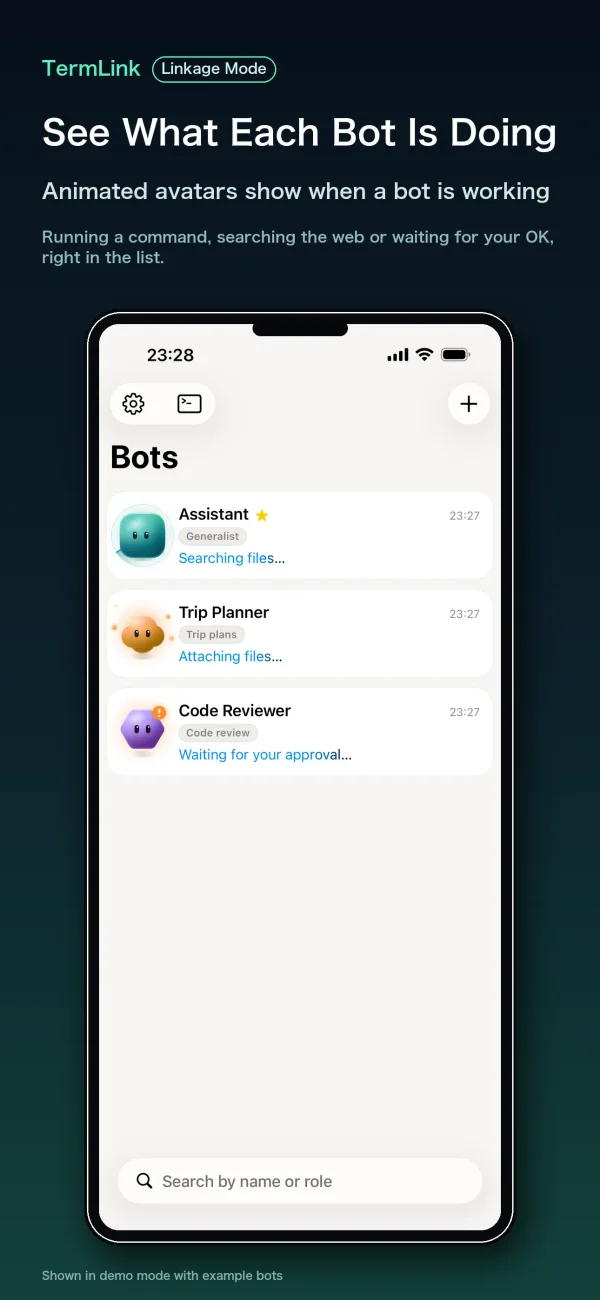
- Animated bot avatars that show when a bot is thinking or working
- A demo mode that works without a Mac (fixed replies, nothing is sent)
Getting started:
1. Install Claude Code on your Mac and log in with your own account (a Claude subscription is required).
2. Install the free TermLink for Mac (macOS 14 or later): https://keito-na.app/apps/term-link/mac/
3. Choose Add iPhone in its menu, then tap Pair with Mac in Linkage Mode and scan the QR code.
Pair on the same Wi-Fi; if both are signed in to iCloud with the same Apple Account, it then works away from home too. After you agree to the privacy explanation, your messages and attachments go to your Mac, where Claude Code writes the replies: over HTTPS to the Mac confirmed by its QR code, or away from home through your own iCloud, encrypted on your devices so neither Apple nor the developer can read them. No developer server sits in between, TermLink never sees your Claude login, and AI usage counts toward your own Claude plan.
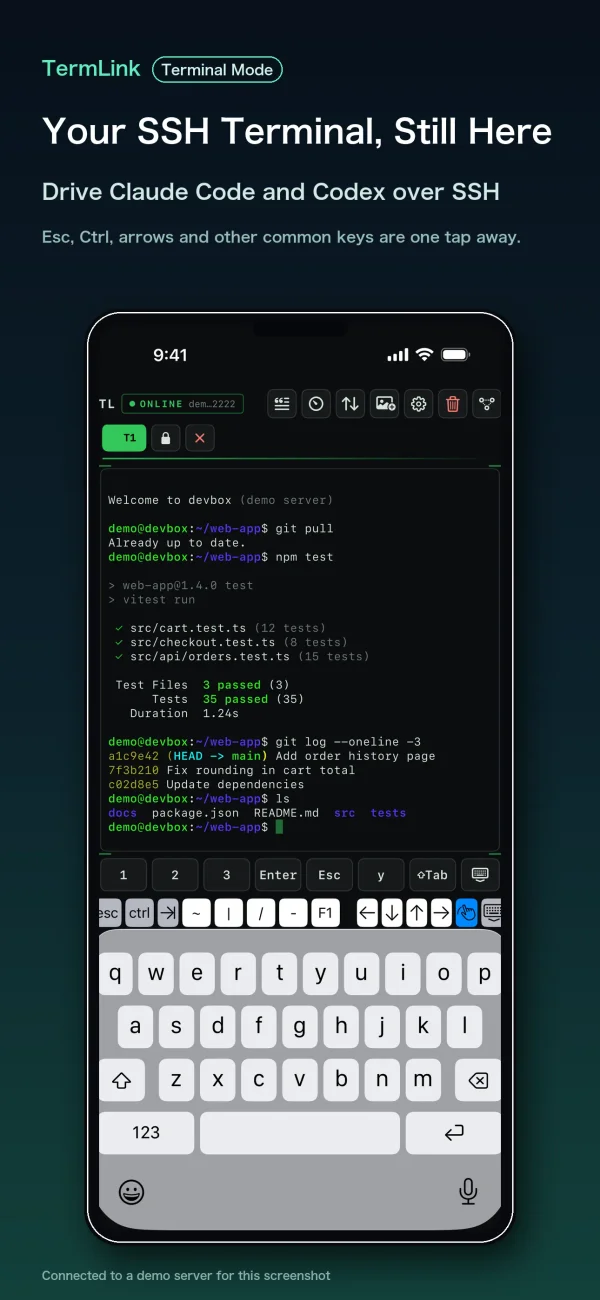
Your Mac's terminal: once paired with TermLink for Mac, Terminal Mode opens a tab with your Mac's shell whenever you're on the same Wi-Fi. No SSH or Remote Login setup needed (you can turn it off in Settings).
Connect to your own SSH host with a password, an imported ed25519/ECDSA key, or a key generated in the app. Upload screenshots or photos over SCP, then pass the remote path to Codex, Claude Code, or another AI coding workflow without retyping it.
The local workspace stays inside the iOS app sandbox. Built-in commands cover file navigation, JSON formatting, Base64 encode/decode, and JavaScriptCore-backed Node-compatible snippets.
Key features:
- SSH profile setup: password authentication (stored only in this device's Keychain), import of existing OpenSSH ed25519/ECDSA private keys, or in-app ed25519 key generation
- Optional Face ID / Touch ID protection for private keys and saved passwords
- SCP image upload and remote path handoff
- Snippets for frequent SSH commands and AI prompts
- Sandboxed local files and bundled command shims
- Japanese IME support and app language switching
- Adjustable terminal font size
- Optional Pro themes, multiple tabs, multiple SSH profiles, multiple snippets, and remote path insertion
- Pro also unlocks unlimited bots (up to three for free), bots asking other bots, and routines in Linkage Mode (the vault and other security features are free)
RSA keys and passphrase-protected keys are not supported yet. Password authentication requires PasswordAuthentication to be enabled on the server. For real replies, Linkage Mode needs a Mac (macOS 14 or later) with TermLink for Mac and Claude Code logged in. Requires iOS 17 or later.
TermLink is built as an SSH companion, a command-line learning tool, and an AI coding handoff surface. It is not a native package manager, an external code store, or a way to run downloaded native executables after review.
Nouveautés
Version 2.0.0 · 04/11/2026
- New Linkage Mode: chat with bots powered by Claude Code (by Anthropic) on your own Mac. Switch with Terminal Mode at any time from the header icon or Settings (SSH connections stay open).
- Easy setup: install the free TermLink for Mac (https://keito-na.app/apps/term-link/mac/), choose Add iPhone in its menu, and scan the QR code with Pair with Mac on your iPhone. Keep both on the same Wi-Fi while you pair.
- Away from home too: if your iPhone and Mac are signed in to iCloud with the same Apple Account, TermLink reaches your Mac through iCloud, with no extra setup. Messages are encrypted on this device before they’re stored for a moment in your own iCloud, so neither Apple nor the developer can read them. Replies and confirmations can notify you through iCloud (notifications are optional).
- You install Claude Code on your Mac and log in with your own account; AI usage counts toward your own Claude plan. TermLink never sees your Claude login.
- Terminal Mode too: on the same Wi-Fi as your paired Mac, a tab with your Mac's shell opens by itself (no SSH setup)
- Animated bot avatars that show when a bot is thinking or working
- Photo and file attachments, sending from the share sheet, and per-bot permissions with approvals
- Memory for each conversation, an activity log, and clearing or summarizing a conversation
- Routines (requests at set times) with notifications for the results
- A vault protected by Face ID that stays on this iPhone
- A demo mode you can try without a Mac
- Up to three bots for free, unlimited with TermLink Pro (see the difference in Linkage Mode settings)
- Requires iOS 17 or later
Confidentialité de l’application
Ce que Kenichi Nagamatsu déclare sur l’App Store au sujet du traitement des données par cette application.
-
Données non collectées
Le développeur ne collecte aucune donnée à partir de cette application.
Les pratiques en matière de confidentialité peuvent varier, notamment en fonction des fonctionnalités que vous utilisez ou de votre âge.
Informations
- Vendeur
- Kenichi Nagamatsu
- Catégorie
- Outils de développement
- Version
- 2.0.0
- Mis à jour
- 04/11/2026
- Publié
- 02/06/2026
- Taille
- 21,1 Mo
- Nécessite
- iOS 17.0 ou version ultérieure
- Classification d’âge
- 4+
- Achats intégrés
- Oui
- Langues
- Anglais, Japonais, Chinois simplifié
- Copyright
- © 2026 Keito-na App
Vous aimerez peut-être aussi
-
 Paneshell - SSH TerminalOutils de développement
-
 a+TerminalOutils de développement
-
 CodeShowcaseOutils de développement
-
 SF TabBar for SwiftUIOutils de développement
-
 Snippets StudioOutils de développement
-
 MT - Mosh TerminalOutils de développement
-
 NeutralLMOutils de développement
-
 FL ChartOutils de développement
-
 ServerCC - Claude Code & CodexRemote Coding · SSH · tmux
-
 Diagramme ER AIER faciles grâce à l’IA