
Text Editor App
Document word processor
Conçue pour iPhone, iPad, iPod touch
Gratuit
- Classification d’âge4+
- CatégorieProductivité
- DéveloppeurChromaticApp Ltd
- LanguesAnglais
- Taille26,4 Mo
Renvoie vers la page App Store officielle
Download.org n’héberge aucun fichier de Text Editor App. Le bouton ouvre la page de l’application sur App Store, où ChromaticApp Ltd la publie. Fiche vérifiée pour la dernière fois le 13/11/2026.
Captures d’écran
À propos
Le développeur n’a pas fourni ce texte dans votre langue.
Text Editor: The All-in-One Text Editor for iOS
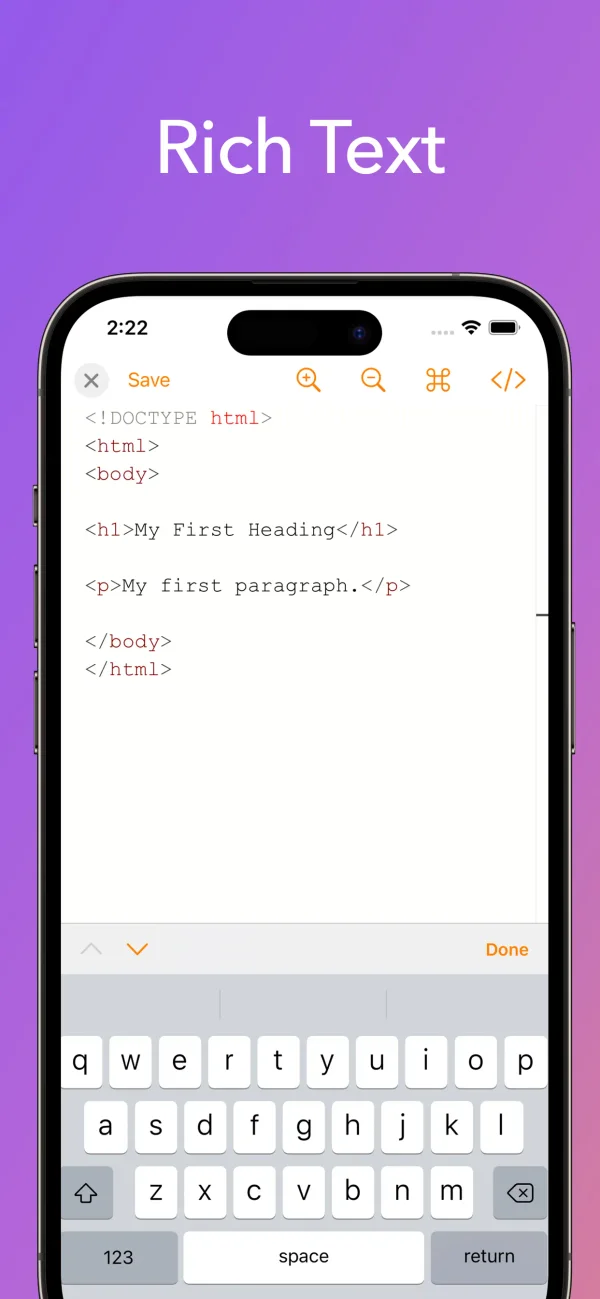
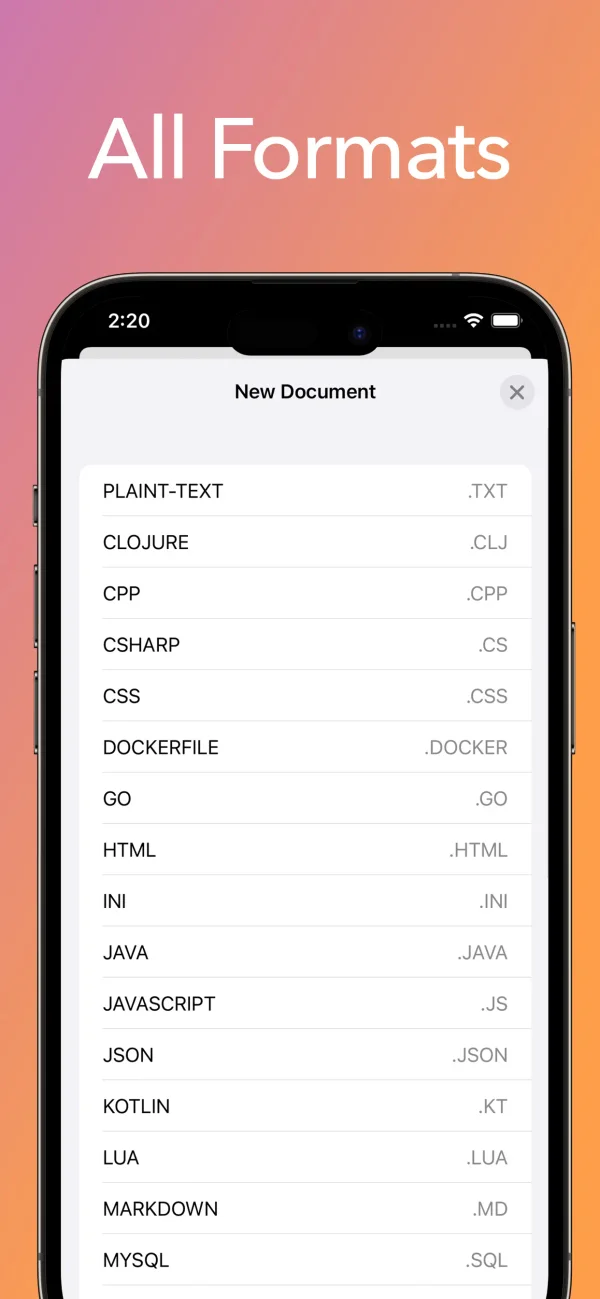
Text Editor is a powerful and feature-rich text editor app designed for iOS and MacOS that allows you to edit any format with ease. Whether you're working with JavaScript, TypeScript, HTML, CSS, Clojure, C++, C#, Dockerfile, Go, GraphQL, INI, Java, JSON, Kotlin, Lua, Markdown, MySQL, Objective-C, Pascal, Perl, PostgreSQL, PHP, Plain Text, PowerShell, Pug, Python, Redis, Ruby, Rust, Scala, Shell, SQL, Swift, Visual Basic, XML, YAML, or any other format, Text Editor has got you covered.
Key Features:
Auto-Save: Never lose your work again. Text Editor automatically saves your changes in real-time, ensuring that your progress is continuously preserved.
Share Content: Easily share your edited files with others. Text Editor provides seamless sharing options, allowing you to send your content via email, messaging apps, or cloud storage platforms.
Document Browser: Access and manage your files effortlessly using the built-in document browser. Navigate through your file system, organize your documents into folders, and locate your files quickly.
Rename, Delete, and Create Files: Text Editor gives you full control over your files. Rename, delete, and create new files directly within the app, streamlining your file management process.
Font Size Customization: Customize the font size to ensure optimal readability. Text Editor lets you adjust the font size according to your preferences, enhancing your editing experience.
Line Numbers: Keep track of your code structure with line numbers. Text Editor displays line numbers for easy reference and navigation within your files.
Minimalistic Interface: Enjoy a distraction-free editing environment with Text Editor minimalistic interface. Focus solely on your content without unnecessary clutter or distractions.
Themes: Personalize your editing experience with different themes. Text Editor offers a selection of themes, allowing you to choose the one that suits your style and preference.
Zoom In/Out: Text Editor provides zoom functionality, enabling you to zoom in or out to focus on specific sections of your code or text.
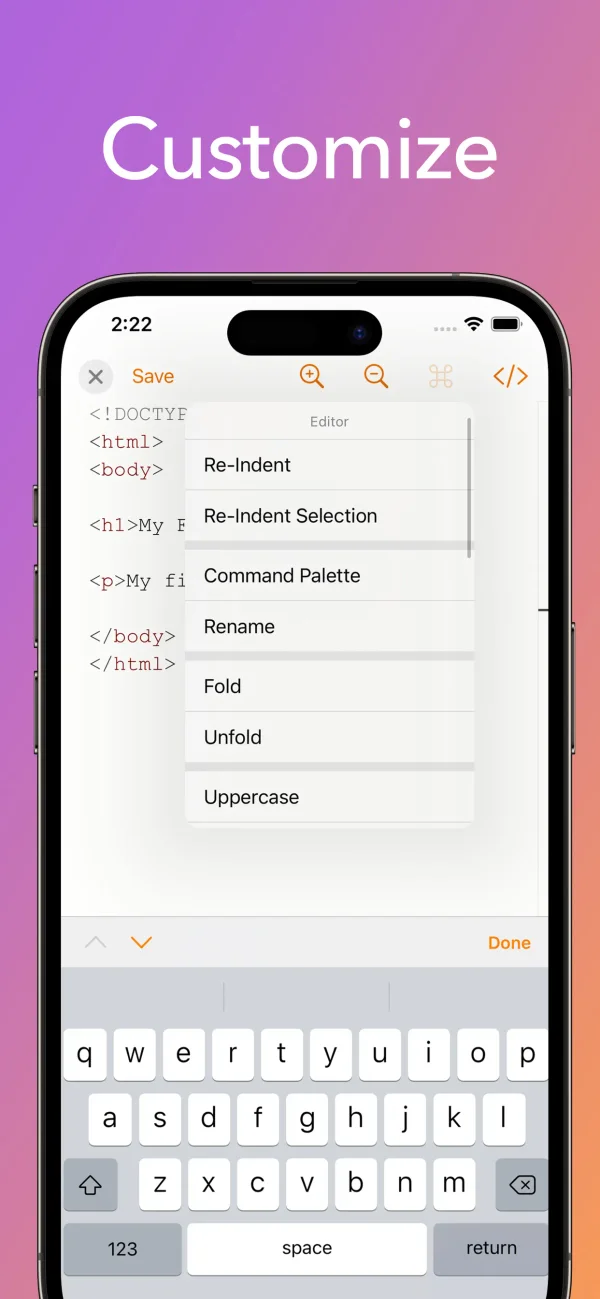
Re-Indentation: Maintain consistent code formatting with Text Editor's re-indentation feature. Easily adjust the indentation of your code blocks, ensuring clean and organized code.
Wonderful Command Palette: Access Powerful Features with Ease
The text editor comes equipped with a fantastic command palette that provides quick access to a wide range of powerful features and functionalities. With just a few keystrokes, you can effortlessly execute commands, search for actions, navigate through menus, and customize your editing experience. The command palette enhances productivity by offering a streamlined way to perform tasks, saving you time and effort in finding and utilizing the editor's capabilities.
Text Editor is the go-to text editor for iOS users who require a comprehensive solution for editing any format. With its robust feature set, including auto-save, sharing options, document browser, file management capabilities, font customization, line numbers, minimal interface, themes, zoom, and re-indentation, Text Editor empowers you to edit your files with efficiency and precision. Experience the power of Text Editor and take your text editing to new heights.
Confidentialité de l’application
Ce que ChromaticApp Ltd déclare sur l’App Store au sujet du traitement des données par cette application.
-
Données non collectées
Le développeur ne collecte aucune donnée à partir de cette application.
Les pratiques en matière de confidentialité peuvent varier, notamment en fonction des fonctionnalités que vous utilisez ou de votre âge.
Informations
- Vendeur
- ChromaticApp Ltd
- Catégorie
- Productivité
- Version
- 1.0
- Mis à jour
- 23/05/2024
- Publié
- 23/05/2024
- Taille
- 26,4 Mo
- Nécessite
- iOS 14.0 ou version ultérieure
- Classification d’âge
- 4+
- Prix
- Gratuit
- Langues
- Anglais
- Copyright
- © CR
Vous aimerez peut-être aussi
-
 Typepad EditorProductivité
-
 uFocusProductivité
-
 EZText - Text EditorProductivité
-
 Editor - Markdown NotesProductivité
-
 Lightweight Text EditorProductivité
-
 Inkblot (Minimalist Notes)Productivité
-
 CarryLinksGestionnaire de favoris
-
 Text Editor NeoProductivité
-
 Text Editor PlusProductivité
-
 Private AI : NivonLLM, hors ligne et sécurisé