Threshold: Screen Time Pause
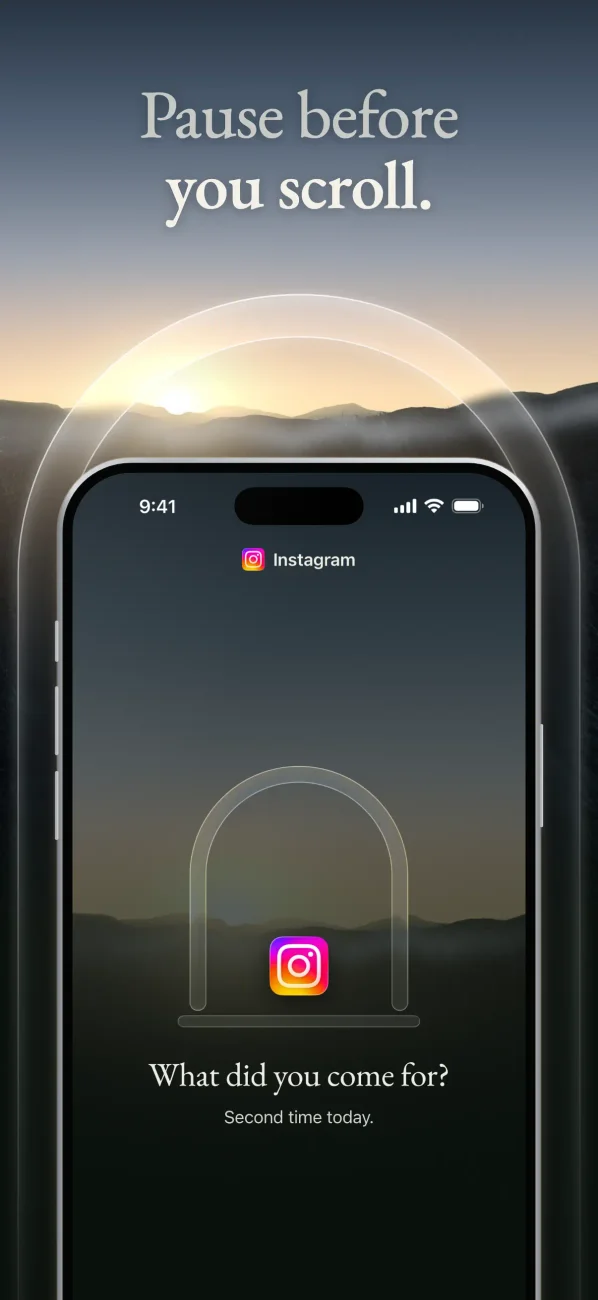
Pause before you scroll.
Conçue pour iPhone
Gratuit
- Classification d’âge4+
- CatégorieProductivité
- DéveloppeurBoston Children's Hospital
- LanguesAnglais
- Taille25,6 Mo
Renvoie vers la page App Store officielle
Download.org n’héberge aucun fichier de Threshold: Screen Time Pause. Le bouton ouvre la page de l’application sur App Store, où Boston Children's Hospital la publie. Fiche vérifiée pour la dernière fois le 21/11/2026.
Captures d’écran
À propos
Le développeur n’a pas fourni ce texte dans votre langue.
Threshold puts a short pause in front of the apps you choose, so opening one is a decision again instead of a reflex. It isn't a blocker that locks you out. It asks one question, and that's often enough to put the phone down sooner.
There's research behind the idea. In a six-week study published in PNAS in 2023, people using a different pause app opened the apps it covered 57% less often. That study didn't test Threshold. It tested the same idea: a short wait before the app opens, and the choice to close it.
How it works
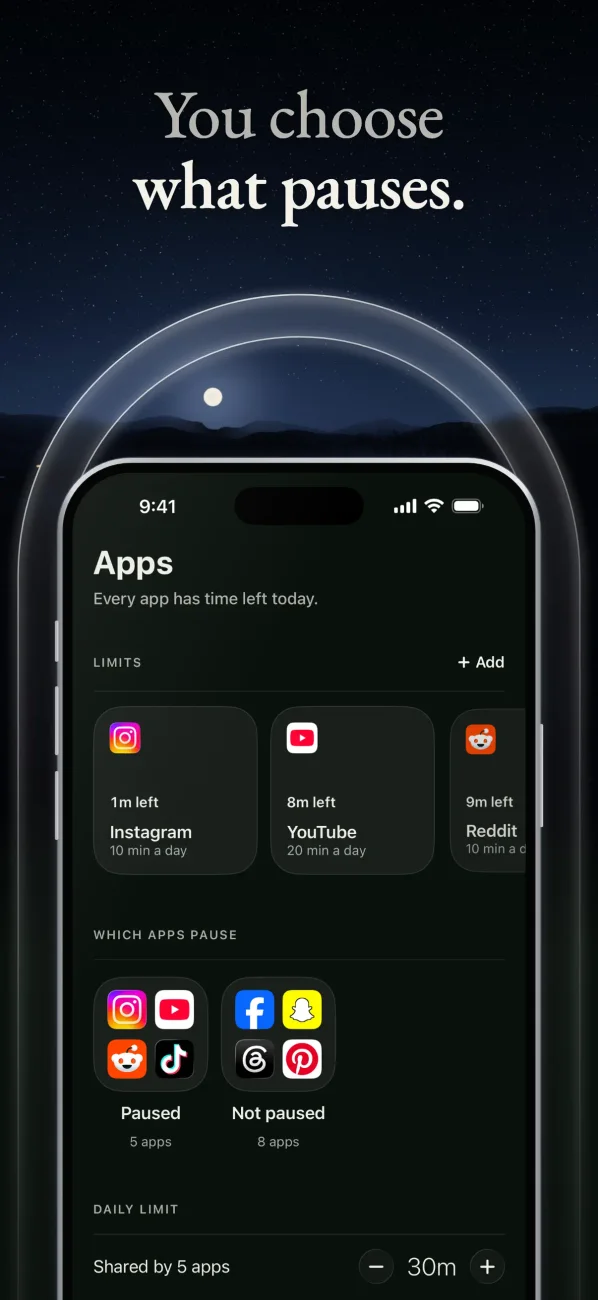
• Pick the apps that pause from Apple's Screen Time list.
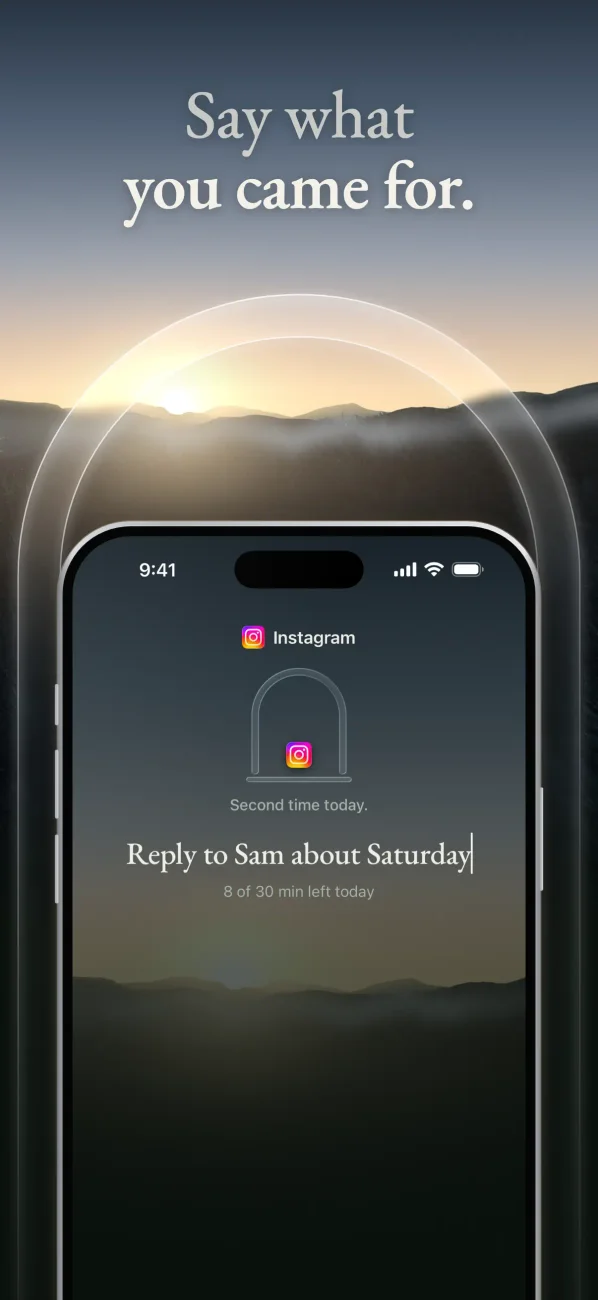
• When you open one, Threshold's question covers it. Close the app, or say what you came for.
• Choose your minutes. The choices change with how much of your daily limit is left.
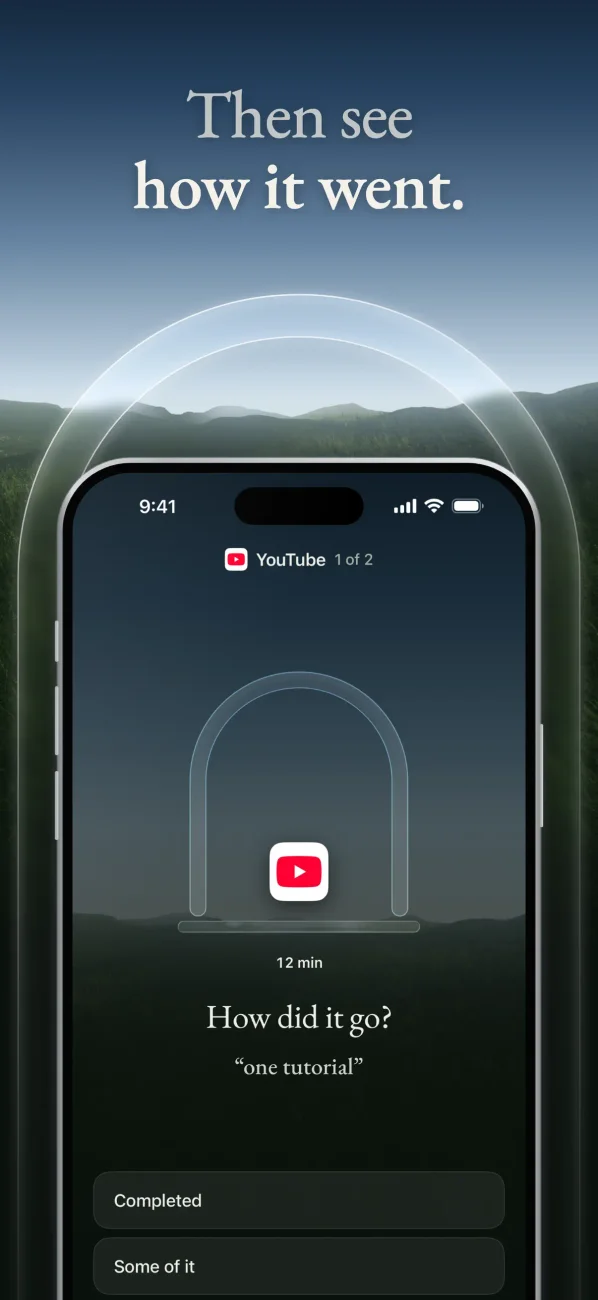
• When time's up, answer in a tap: Completed, Some of it, or Not this time.
Back for the same thing? On iOS 26.4 and later, a reason you got done last time is waiting on the screen over the app, so one tap starts the full pause. Anything else, you write out again.
The pause
It starts at ten seconds, and you can set it from 5 to 30. Complete three visits in a row in an app, and that app's pause gets shorter. Each time you close an app at the pause, Threshold counts it as changing your mind.
Your day
• One daily limit shared by the apps you pick, and a limit for each app if you want one.
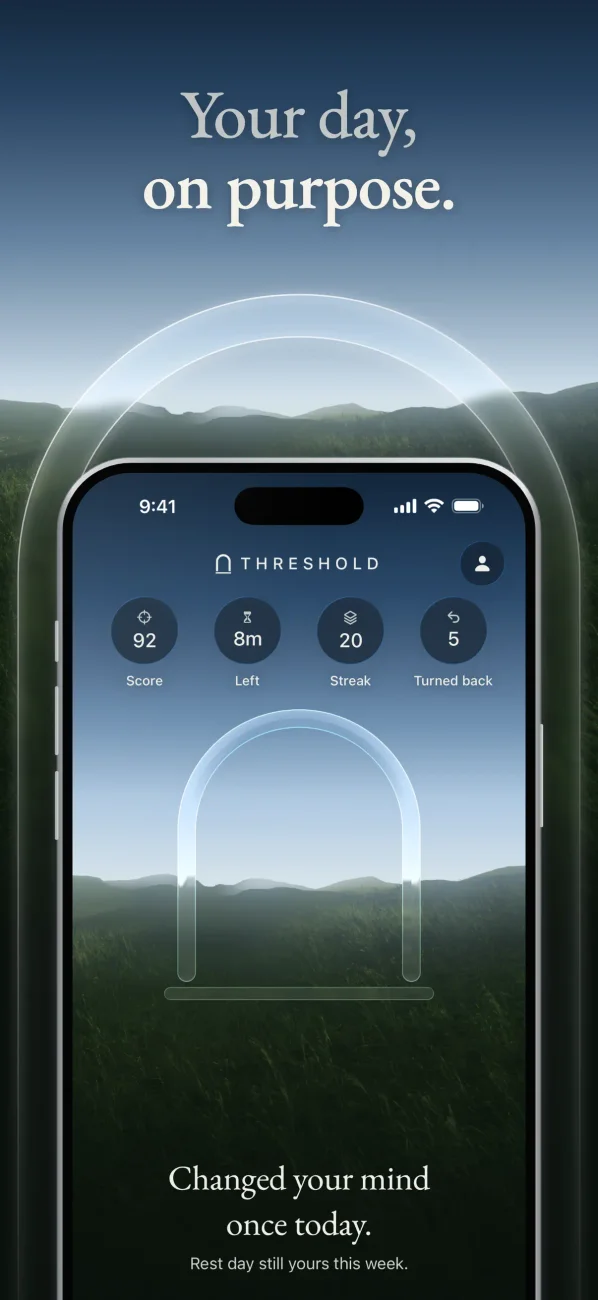
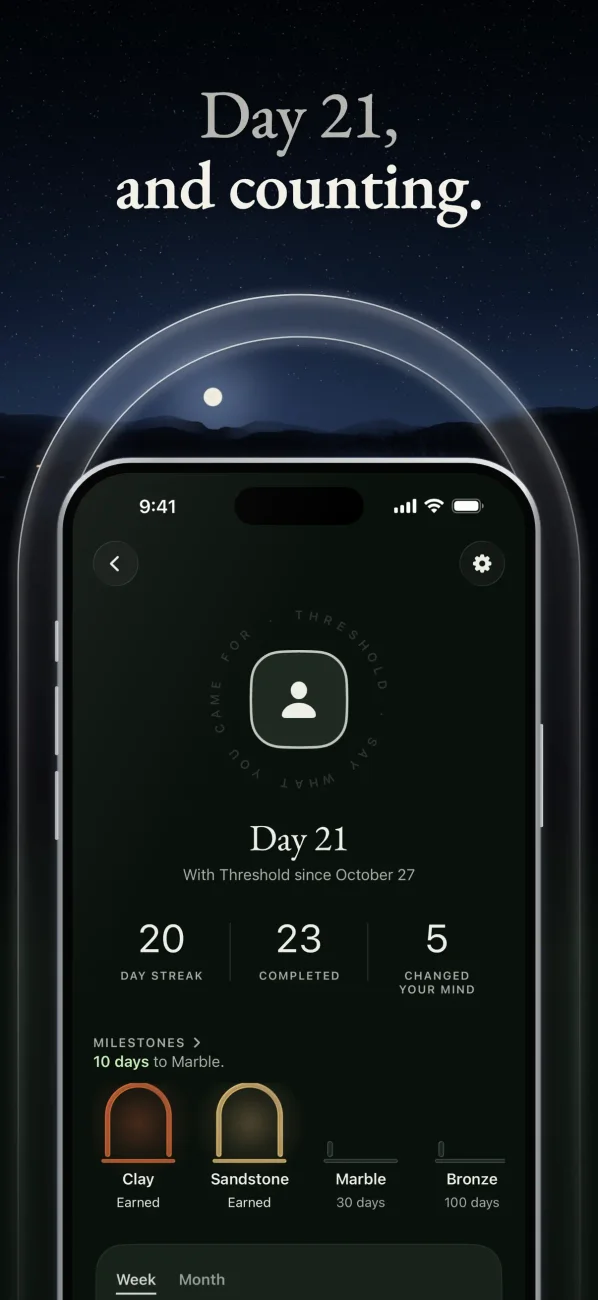
• Home shows the minutes you have left, your streak, and your intention score: how often you did what you came for over the last two weeks.
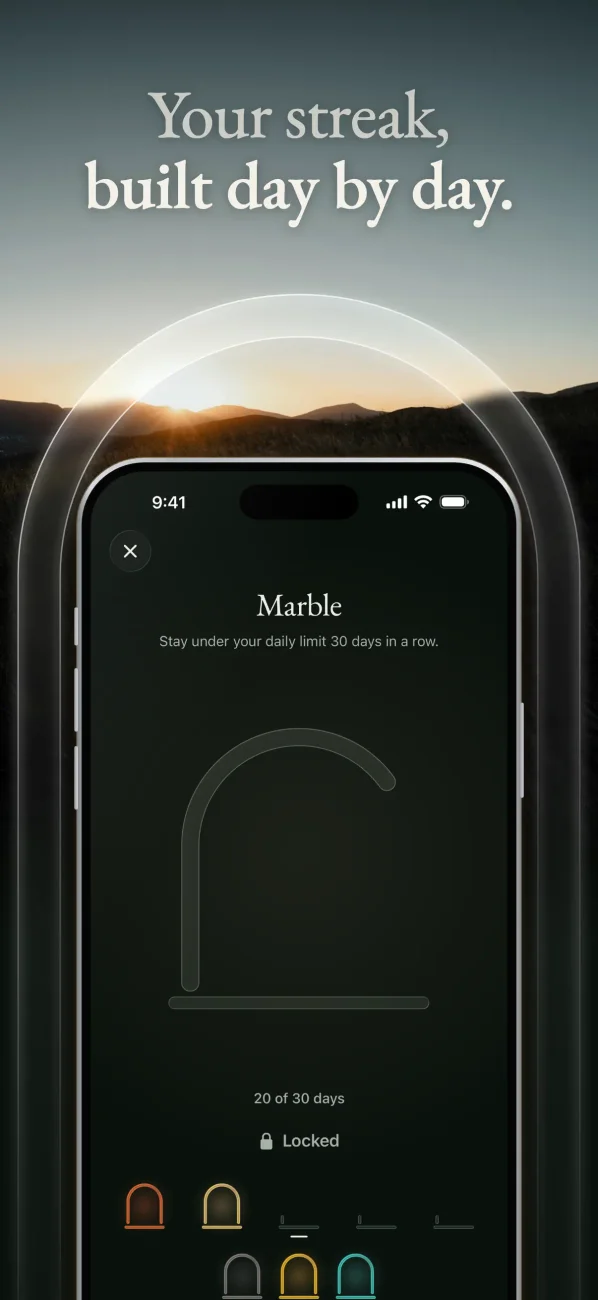
• Your streak counts the days in a row you stay under your limit. The first day over each week is a rest day and doesn't end it.
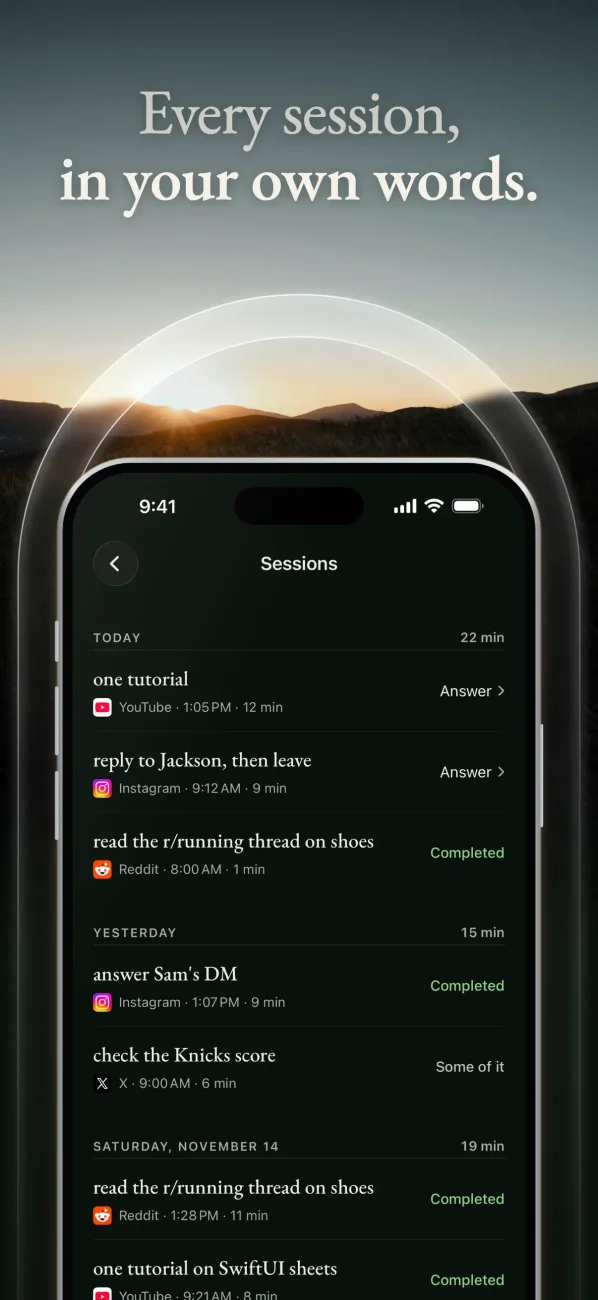
• Sessions lists every visit: what you came for, how long the session ran, and how it went.
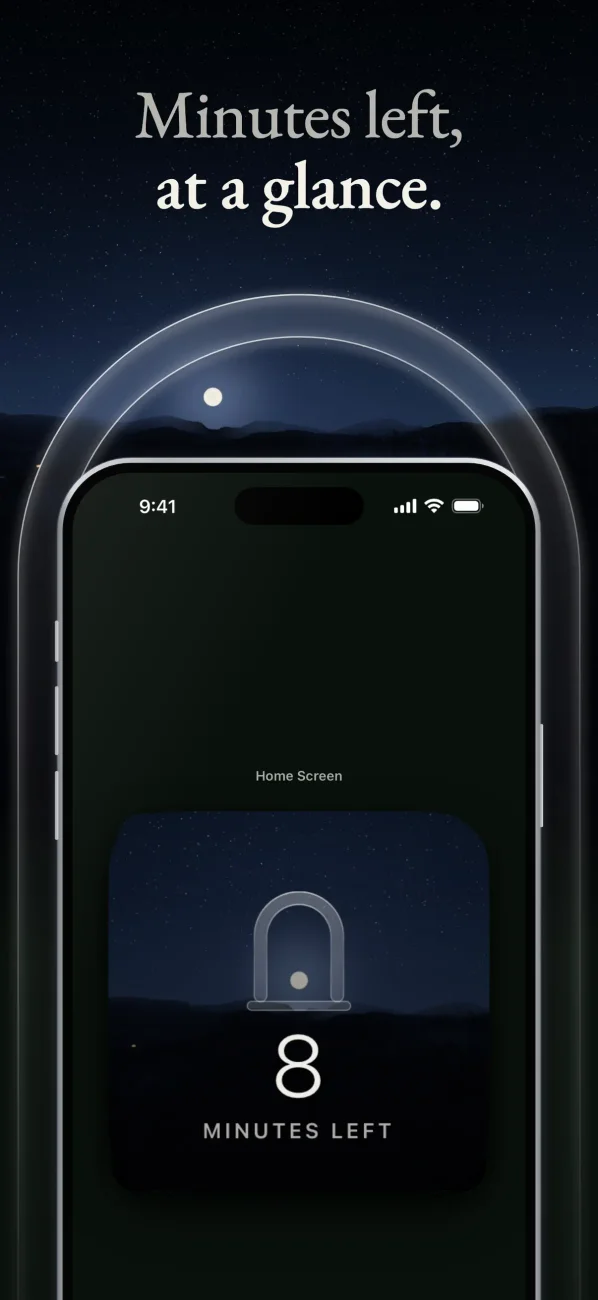
• Widgets for the Home Screen and Lock Screen show your minutes left, and a Live Activity keeps your reason on the Lock Screen while you're in an app.
Stone you earn
The arch in Threshold is built from stone you earn by staying under your limit: clay at 3 days in a row, sandstone at 7, marble at 30, bronze at 100, and alabaster at 365.
Breaks
Need a day off? Take a break until tomorrow, until Monday, or for a week, and the apps open without the pause until it ends.
Privacy
Threshold uses Apple's Screen Time, which keeps the apps you pick private. There's no account and there are no ads. Threshold makes no network requests, so what you write stays yours.
Threshold needs iOS 17 or later and your permission to use Screen Time.
Nouveautés
Version 1.1 · 19/11/2026
A new look, and a streak worth keeping.
• Home opens on hills that follow your day, from sunrise to the moon, with the arch in clear glass and your minutes, score and streak across the top.
• A new app icon: the arch in clear glass on black.
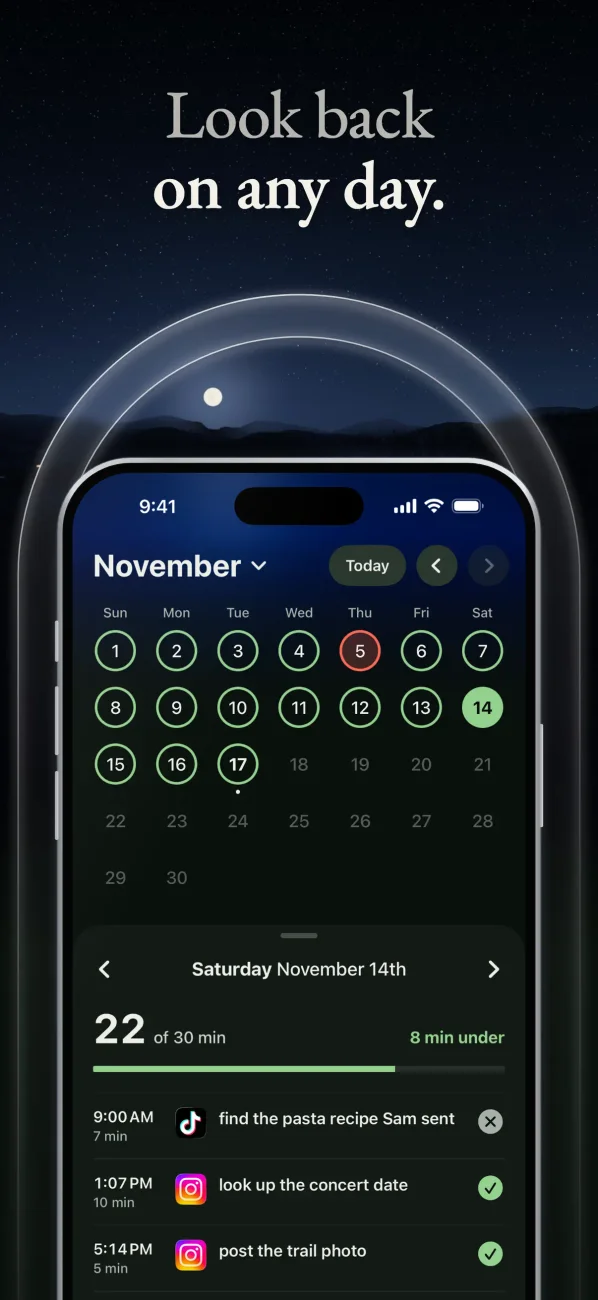
• A new Calendar tab circles each day green when you stayed under your limit and red when you went over. Tap a day to see its minutes and its sessions.
• Your sessions read like a journal: what you came for, in your own words, and how it went.
• Your score has its own page, showing what goes into it.
• When the wait at the pause is over, you'll feel it unlock.
• The Screen Time pause and your widgets now match the app, in the same hills and glass.
• Your streak shows at the pause, so you see what's at stake before you open the app.
• Lose a long run, and three days under your limit can earn it back. Home tells you whether this week's rest day is still yours.
• Every day is judged by the limit it had. A looser limit starts tomorrow, and a break holds your streak.
• Home shows how many days to your next stone.
• Earn a stone and make it your app icon. There are 11 to choose from.
• Six secret arches to find, each in its own onyx.
• Close an app at the pause and your Lock Screen and Home Screen widgets count it right away.
• Each answer to "How did it go?" feels different, so only Completed lands like a win.
• Thinking of turning Threshold off? Take a break instead. Your apps and limits stay set and the pause comes back by itself.
• The pause comes back reliably after a visit, even with your phone locked.
Confidentialité de l’application
Ce que Boston Children's Hospital déclare sur l’App Store au sujet du traitement des données par cette application.
-
Données non collectées
Le développeur ne collecte aucune donnée à partir de cette application.
Les pratiques en matière de confidentialité peuvent varier, notamment en fonction des fonctionnalités que vous utilisez ou de votre âge.
Informations
- Vendeur
- Children's Hospital Corporation
- Catégorie
- Productivité
- Version
- 1.1
- Mis à jour
- 19/11/2026
- Publié
- 29/10/2026
- Taille
- 25,6 Mo
- Nécessite
- iOS 17.0 ou version ultérieure
- Classification d’âge
- 4+
- Prix
- Gratuit
- Langues
- Anglais
- Copyright
- © 2026 Boston Children's Hospital