
Tilely: Time Tracker
Study Timer, Log & Timeline
Conçue pour iPhone, iPad
Gratuit · Achats intégrés
- Classification d’âge4+
- CatégorieProductivité
- Développeurjintao LV
- LanguesAnglais+ 1 de plus
- Taille18,7 Mo
Renvoie vers la page App Store officielle
Download.org n’héberge aucun fichier de Tilely: Time Tracker. Le bouton ouvre la page de l’application sur App Store, où jintao LV la publie. Fiche vérifiée pour la dernière fois le 18/11/2026.
Captures d’écran

À propos
Le développeur n’a pas fourni ce texte dans votre langue.
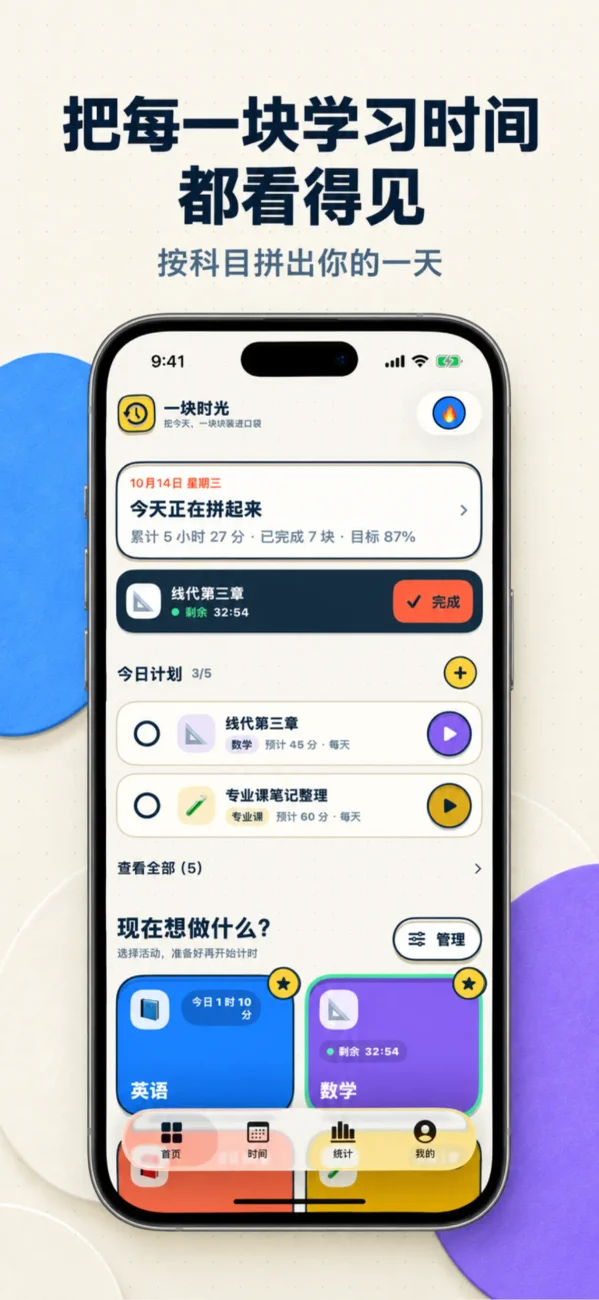
Tilely is a study timer and time tracker for students and anyone preparing for exams. Focus with a Pomodoro-style countdown or a stopwatch, watch each block land on a clear timeline by subject, and review your days with a calendar and trends.
You don't need to plan every minute first. Pick a subject or activity, start when you're ready, pause when life interrupts, and add optional photos or notes when you finish. At the end of the day you can see where your time went — and what you got done.
WHAT YOU CAN DO
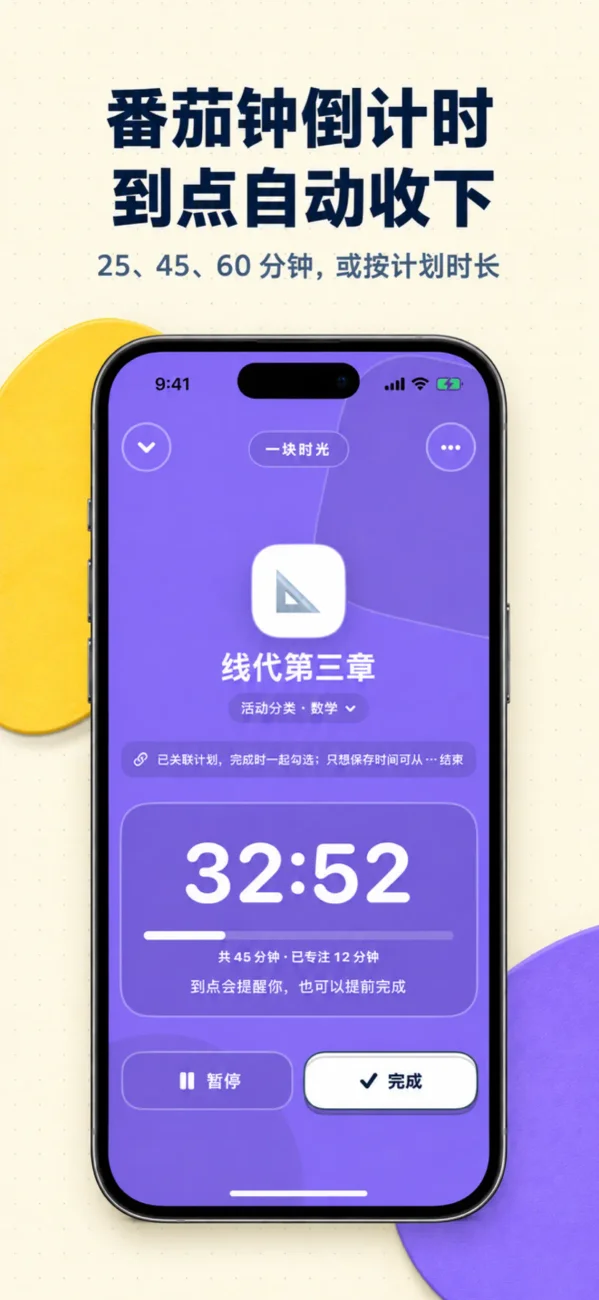
• Focus countdown: 25, 45, or 60 minutes, or the plan's estimated time; get a reminder and the block is saved automatically
• Stopwatch: Tap Done when you finish to log the actual time
• Break right after: Start a 5-minute break in one tap when a countdown ends, or pick 10 or 20 minutes or a free break
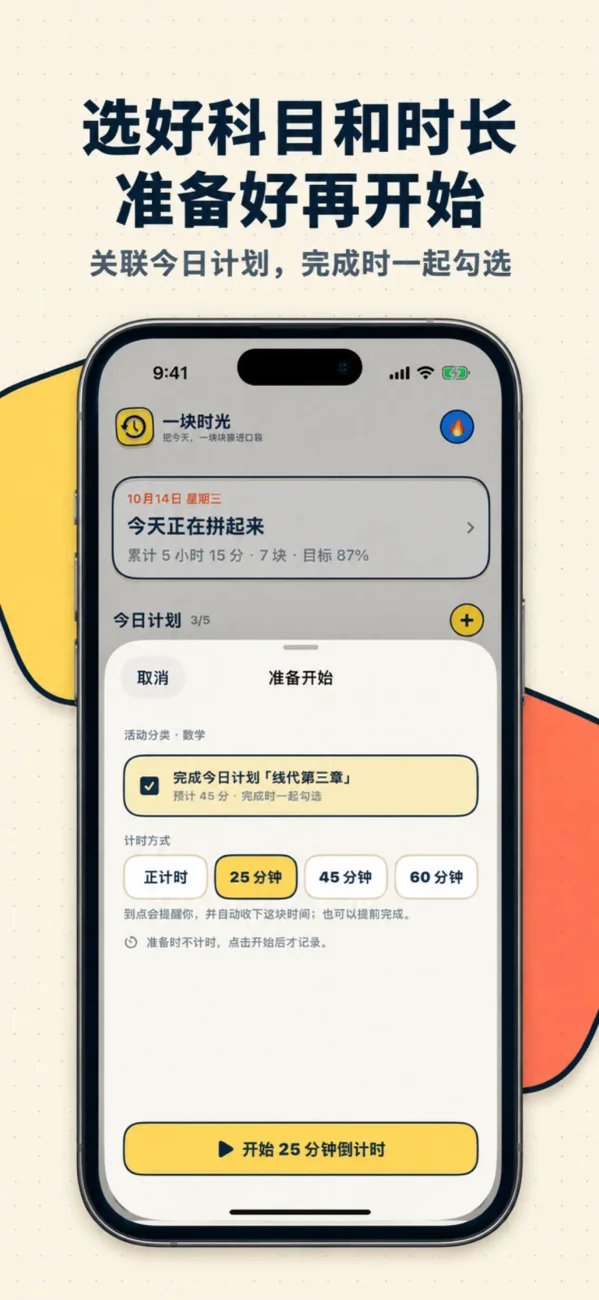
• Plan today: Add one-time or repeating items, start a timer from a plan, and check it off when you finish
• Subjects and activities: Templates for exam prep, university, school, and work — rename, recolor, and change icons
• Daily goal: Set a goal that fits your stage, with 4, 6, or 8 hours for exam prep, and see progress on Home
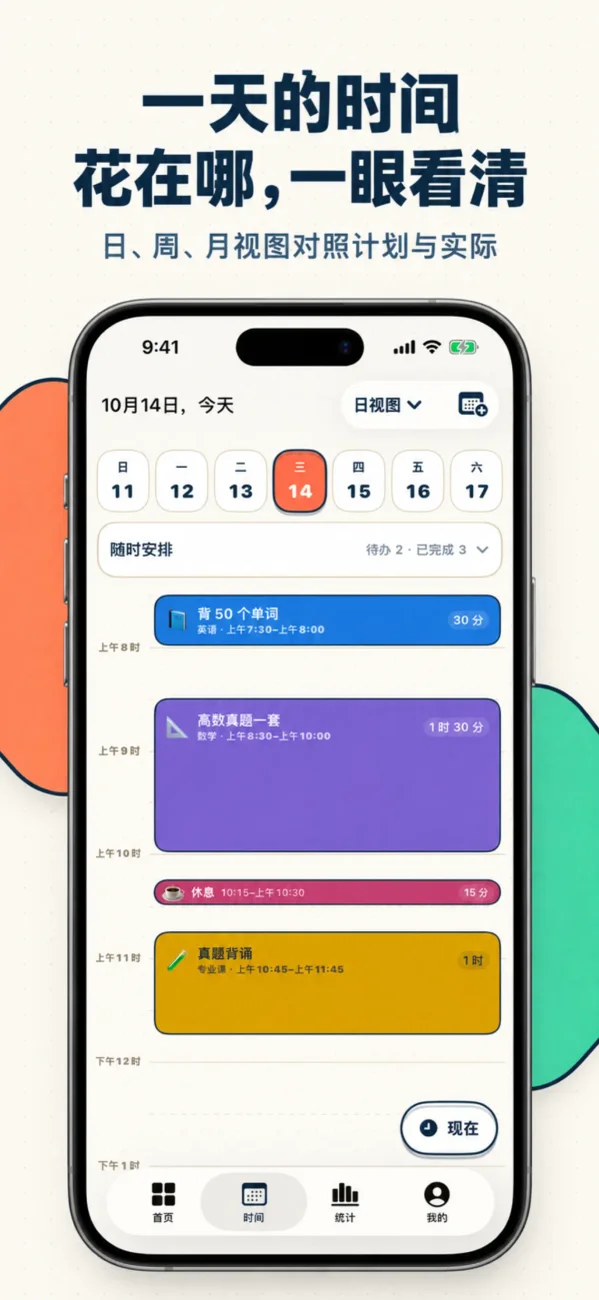
• See your time: Compare plans with actual time in day, week, and month views
• Fix missed entries: Add records later and adjust their start or end time
• Keep a visual journal: Attach photos and notes to completed blocks
• Review your rhythm: Subject rankings, trends, and period comparisons
• Lock Screen and Dynamic Island: Live Activities show time left and progress, with pause and finish
• Night timer: The timer screen dims automatically when your iPhone is in Dark Mode
• Apple Watch: Check today's total and quickly start favorite activities
• Export your data: Create JSON, CSV, and media exports whenever you want
• iCloud sync (Pro): Sync with your own Apple Account
• Distraction-free: No ads or third-party analytics
The free version includes the complete timer and break flow, up to 12 visible activities, all timeline history, basic 7-day and 30-day reports, and permanent access to detailed records you created.
Tilely Pro offers a lifetime purchase, with annual and monthly subscriptions also available. Every Pro option unlocks task insights, custom date ranges, plan and actual time comparisons, customizable PDF reports, unlimited activities, and iCloud sync. Subscriptions can be managed from your Apple Account, the lifetime option does not renew, and Apple handles payments and purchase restoration.
Your data is stored on your device first. With sync turned on, it is saved through Apple CloudKit to your private iCloud database. Detailed photos currently remain on your device.
Build your day, one tile at a time.
Terms of Use: https://www.apple.com/legal/internet-services/itunes/dev/stdeula/
Privacy Policy: https://jacklv-coder.github.io/tilely-site/privacy/
Nouveautés
Version 1.0.6 · 15/10/2026
Countdowns for study sessions
• Before you start, choose a stopwatch or a 25, 45, or 60-minute countdown — or count down a linked plan's estimated time
• When a countdown ends, start a 5-minute break in one tap; finishing early now asks first, so a stray tap won't end your session
• Starting from an activity can link today's matching plan and check it off when you finish
• New 4, 6, and 8-hour goals for exam prep, with today's progress on Home
• The timer screen switches to night colors when your iPhone is in Dark Mode
• Lock Screen Live Activities now show countdown progress and a Done button
• The timeline follows your 12- or 24-hour clock setting, plus many small copy and display fixes
Confidentialité de l’application
Ce que jintao LV déclare sur l’App Store au sujet du traitement des données par cette application.
-
Données non collectées
Le développeur ne collecte aucune donnée à partir de cette application.
Les pratiques en matière de confidentialité peuvent varier, notamment en fonction des fonctionnalités que vous utilisez ou de votre âge.
Informations
- Vendeur
- jintao LV
- Catégorie
- Productivité
- Version
- 1.0.6
- Mis à jour
- 15/10/2026
- Publié
- 02/09/2026
- Taille
- 18,7 Mo
- Nécessite
- iOS 17.0 ou version ultérieure
- Classification d’âge
- 4+
- Prix
- Gratuit
- Achats intégrés
- Oui
- Langues
- Anglais, Chinois simplifié
- Copyright
- © 2026 lv jintao
Vous aimerez peut-être aussi
-
 Intention: Focus & Screen TimeProductivité
-
 CopoHub : GitHub TrendingClient, notes & radar
-
 Logline : Journal et NotesTout, au fil de la journée
-
 ReadTrace ProProductivité
-
 订阅酱Productivité
-
 LittleThing - 最重要的小事记,纪念日倒计时提醒Productivité
-
 棱镜时光Productivité
-
 Flip Phone FocusProductivité
-
 Tornleaf: Junk JournalNotes comme écrites à la main
-
 Multica Go: Agent TeamsProductivité