Time Shifter Plus
Time tracking, quotas & sync
Conçue pour iPhone, iPad, Mac
Gratuit · Achats intégrés
- Classification d’âge4+
- CatégorieProductivité
- DéveloppeurVladyslav Lishafai
- Taille6,2 Mo
Renvoie vers la page App Store officielle
Download.org n’héberge aucun fichier de Time Shifter Plus. Le bouton ouvre la page de l’application sur App Store, où Vladyslav Lishafai la publie. Fiche vérifiée pour la dernière fois le 11/11/2026.
Captures d’écran

À propos
Le développeur n’a pas fourni ce texte dans votre langue.
Know where your time goes, wherever you work.
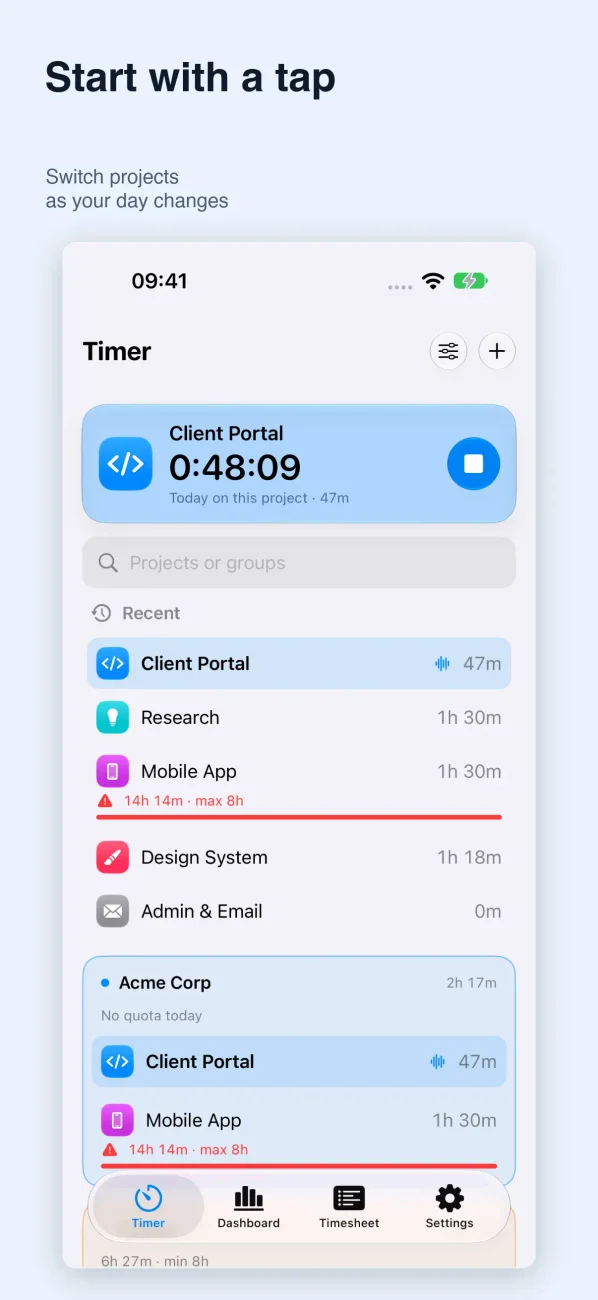
Time Shifter is a lightweight, native time tracker for iPhone, iPad and Mac. Start a project with a tap, switch as your day changes, and turn your work into clear timesheets and reports. A modern Liquid Glass interface, light and dark themes, and colorful project icons make your day easy to scan.
Keep your devices in step
Use private iCloud sync to share projects, groups, quotas, time entries and timer state across your devices. Your data is saved locally, so you can keep working offline and sync when your connection returns. No separate Time Shifter account is needed.
Made for iPhone Duo and iPad
On wider displays, see your project timer and full Dashboard side by side. The layout adapts to the available space, with compact views for smaller screens and windows. Track on the go or spread out to review your day.
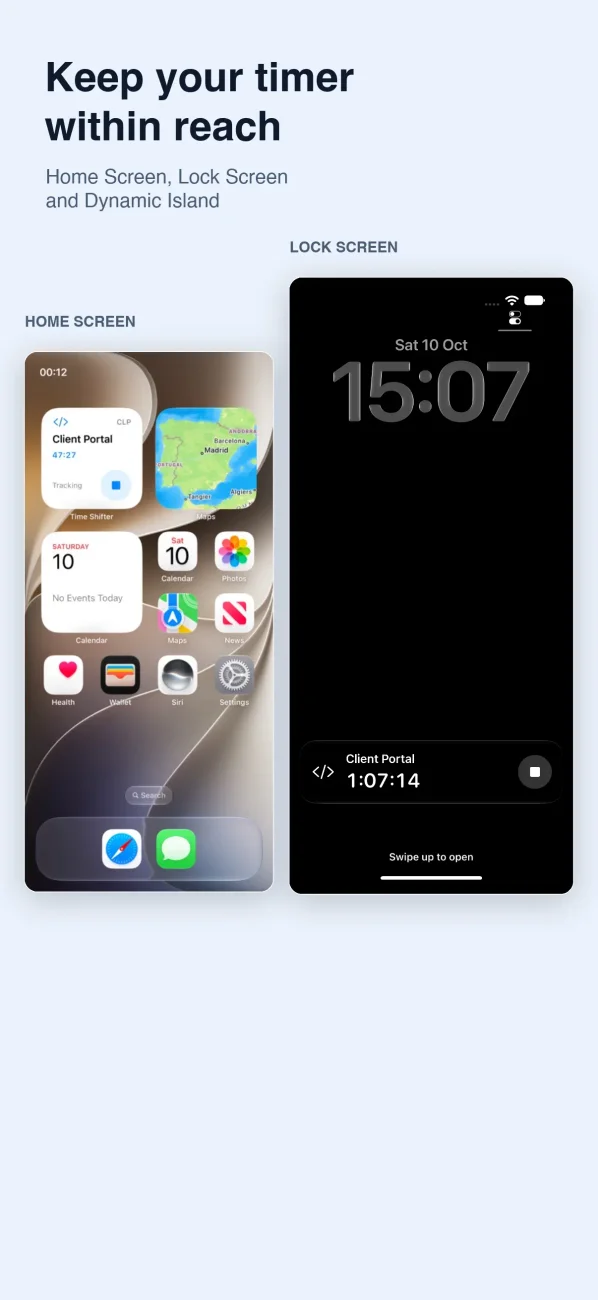
Your timer within reach
Use interactive Home Screen and Lock Screen widgets to control tracking. Follow a running session in a Live Activity on the Lock Screen and in Dynamic Island.
Set targets and boundaries
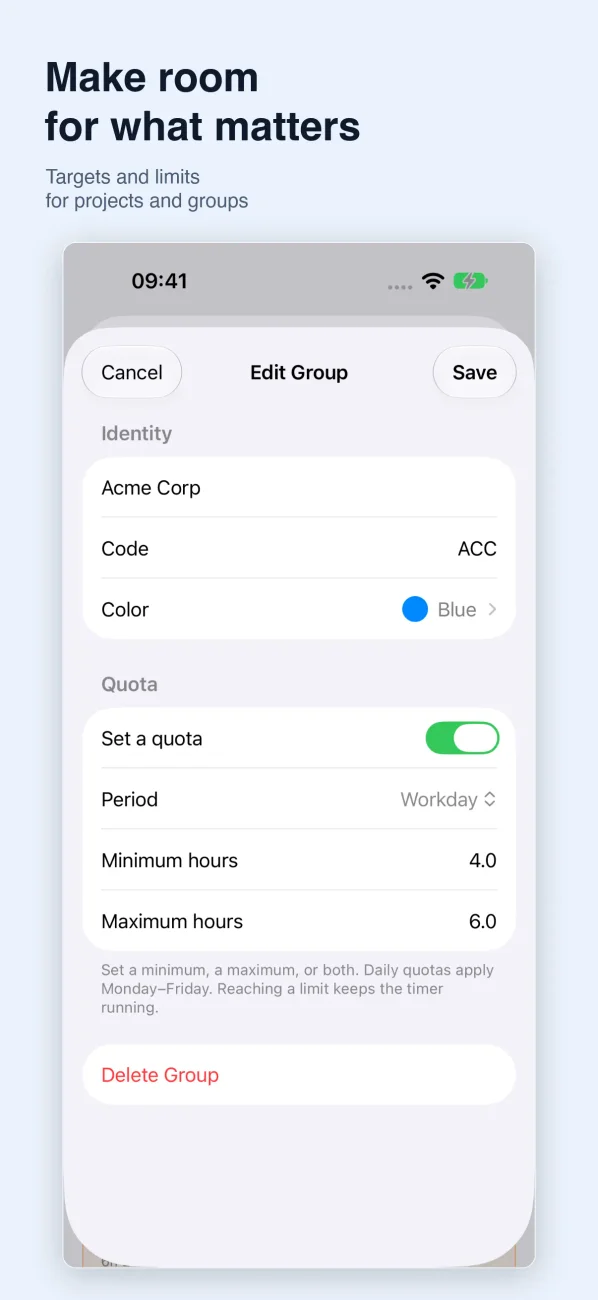
Give projects and groups minimum or maximum time quotas per workday, week or month. See your progress at a glance and receive alerts as quotas are reached.
Turn time into useful reports
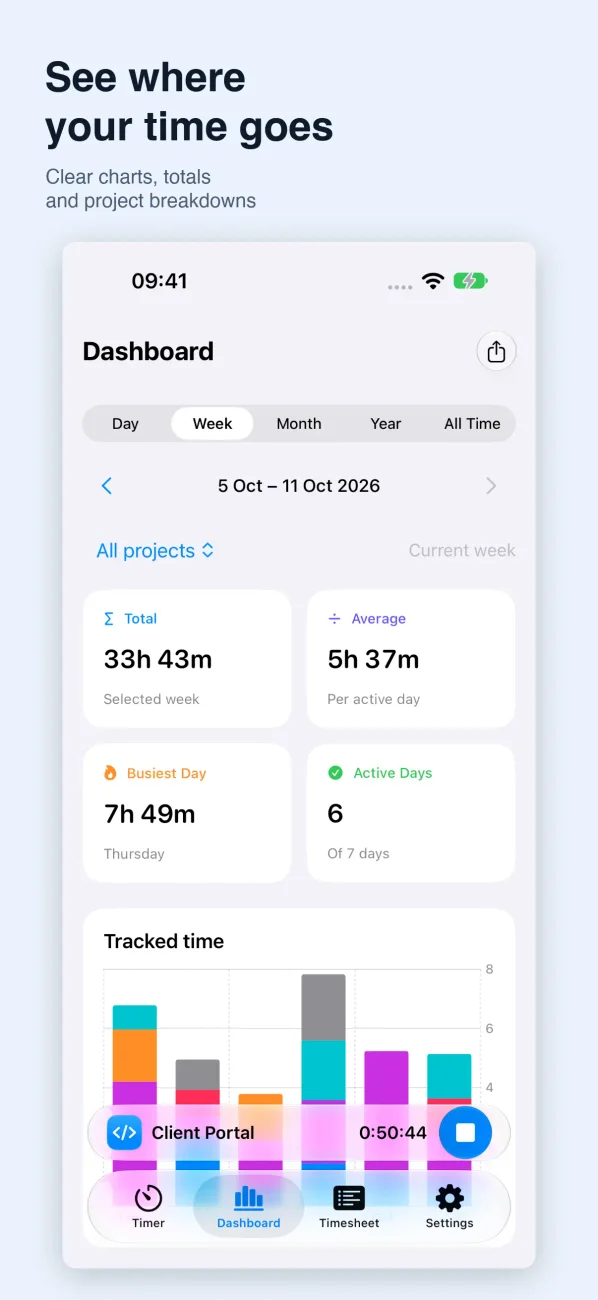
Explore daily, weekly, monthly, yearly and all-time totals. Filter by group, review project breakdowns, edit entries, add time you forgot to track, and export CSV files for your spreadsheets and reporting.
Lightweight by design
Native Apple technologies, local storage and sync that responds to changes keep everyday tracking lean.
Choose the access that suits you
Monthly, annual and lifetime purchases unlock the same full access across iPhone, iPad and Mac. Eligible subscriptions include a seven-day free trial. Tracking requires an active subscription or a lifetime purchase; existing history remains available to view and export when subscription access ends.
Monthly and annual subscriptions renew automatically unless canceled. Manage or cancel them in your Apple Account settings. Prices and billing periods are shown before purchase.
Requires iOS 27.0 or later. iCloud sync requires the same Apple Account on your devices.
Terms of Use: https://www.apple.com/legal/internet-services/itunes/dev/stdeula/
Privacy Policy: https://otcsoft.com/timeshifter-privacy-policy.html
Nouveautés
Version 1.0.1 · 16/10/2026
This update makes tracking and reporting easier:
• Add comments to time records and review group subtotals in timesheets.
• Export separate group, project and entry totals, with overtime shown for the relevant project or group quota.
• Select multiple project groups in Dashboard and CSV export, and tap chart columns for details.
• Use project-code icons, more standard symbols, a searchable emoji picker and the native custom color picker.
• Improved widget timer consistency and grouped project selection when adding time.
Confidentialité de l’application
Ce que Vladyslav Lishafai déclare sur l’App Store au sujet du traitement des données par cette application.
-
Données non collectées
Le développeur ne collecte aucune donnée à partir de cette application.
Les pratiques en matière de confidentialité peuvent varier, notamment en fonction des fonctionnalités que vous utilisez ou de votre âge.
Informations
- Vendeur
- Vladyslav Lishafai
- Catégorie
- Productivité
- Version
- 1.0.1
- Mis à jour
- 16/10/2026
- Publié
- 14/10/2026
- Taille
- 6,2 Mo
- Nécessite
- iOS 27.0 ou version ultérieure
- Classification d’âge
- 4+
- Prix
- Gratuit
- Achats intégrés
- Oui
- Copyright
- © 2026 OTC Soft