- Classification d’âge4+
- CatégorieMusique
- DéveloppeurKEISUKE TONE
- LanguesAnglais
- Taille3,7 Mo
Renvoie vers la page App Store officielle
Download.org n’héberge aucun fichier de TinyTone. Le bouton ouvre la page de l’application sur App Store, où KEISUKE TONE la publie. Fiche vérifiée pour la dernière fois le 12/11/2026.
Captures d’écran

À propos
Le développeur n’a pas fourni ce texte dans votre langue.
TinyTone is a full-featured synthesizer sound source for iPhone sound design, stage performance, and recording. Using the on-screen controllers and a MIDI keyboard, you can design and monitor professional synth patches in real time.
In addition to standalone app use, ToneEditor can also be loaded as an AUv3 Audio Unit into DAWs such as GarageBand and used as a sound source. It also works as a sound editor for its sister app, TinyTone, allowing you to reproduce consistent sounds with the same sound engine.
<Features>
・Powerful Synthesizer Engine
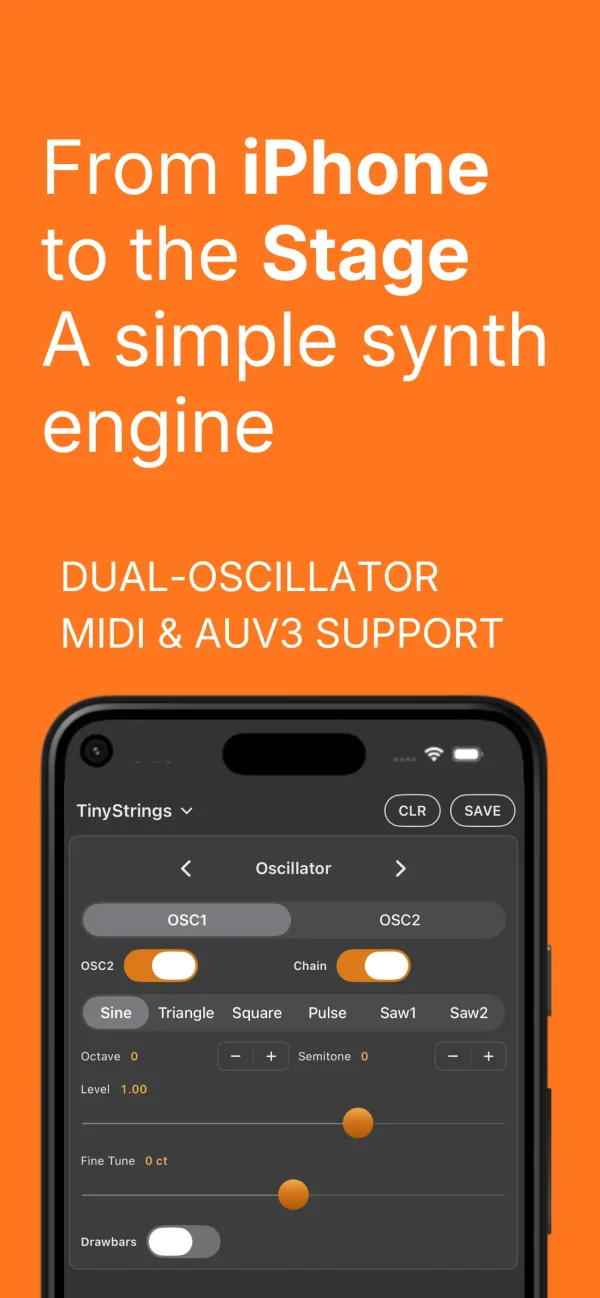
Equipped with dual oscillators, envelopes, filters, modulation, delay, limiter, and more. Enables complex sound design.
Dual Oscillators with FM Synthesis, switch between Mix and Chain modes for rich tonal possibilities.
・Real-Time Audition
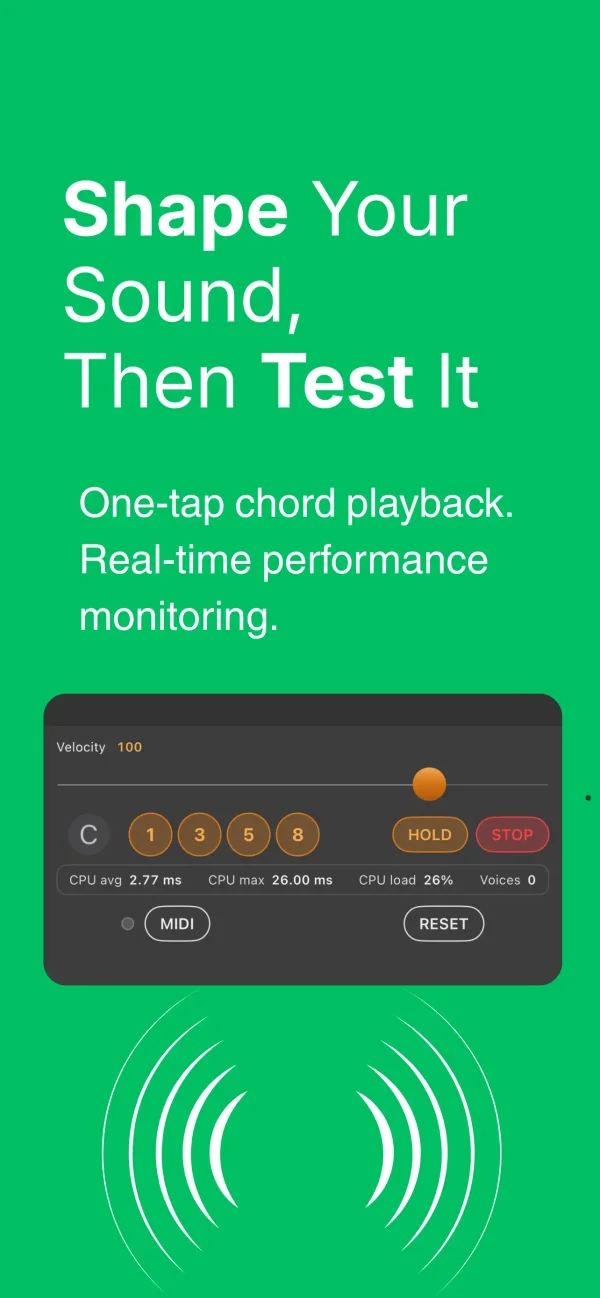
Play single notes, chords, and transposition using touch pads. Hear sound changes instantly as you adjust sliders. External input via MIDI keyboard is also supported.
・Preset Management
Unlimited user patch storage.
・JSON Export / Import
Export patches as JSON. Share via Files app or clipboard.
・AUv3 Support
Can be embedded as an AU instrument in DAWs like GarageBand. Reproduces consistent sounds with the same synthesis engine.
<How to Use>
【Standalone】
1. Select a preset or start creating from a new patch.
2. Play sounds using the test pad at the bottom of the screen; adjust parameters with sliders to confirm real-time sound changes.
3. Save your created patch to a user slot.
【Using with DAWs (GarageBand, etc.)】
1. Add TinyTone (AU) to a track.
2. Select a factory preset or saved patch from the AU preset selection screen.
3. Play the DAW keyboard to output sound.
<Important>
・When using simultaneously with camera or audio apps, noise may occur depending on your environment. Please be careful with output volume.
・Listening to loud audio for extended periods can affect your hearing. When using headphones or speakers, always check your surroundings and volume level.
・Some DAWs (e.g. Ableton Live 11) may not detect iOS-app AUv3 plug-ins. Logic Pro, MainStage, and GarageBand are recommended.
Terms of Use (EULA): https://www.apple.com/legal/internet-services/itunes/dev/stdeula/
Privacy Policy: https://flicker-jp.com/privacy
Nouveautés
Version 1.1 · 16/06/2026
The app name has been changed from ToneEditor to TinyTone.
AUv3 screen display is now supported. You can open the editor in compatible host apps and edit parameters directly.
Confidentialité de l’application
Ce que KEISUKE TONE déclare sur l’App Store au sujet du traitement des données par cette application.
-
Données non collectées
Le développeur ne collecte aucune donnée à partir de cette application.
Les pratiques en matière de confidentialité peuvent varier, notamment en fonction des fonctionnalités que vous utilisez ou de votre âge.
Informations
- Vendeur
- KEISUKE TONE
- Catégorie
- Musique
- Version
- 1.1
- Mis à jour
- 16/06/2026
- Publié
- 09/06/2026
- Taille
- 3,7 Mo
- Nécessite
- iOS 17.0 ou version ultérieure
- Classification d’âge
- 4+
- Prix
- Gratuit
- Langues
- Anglais
- Copyright
- © FLICKER PRODUCT