- Classification d’âge12+
- CatégorieProductivité
- Développeur有限会社知識情報研究所
- LanguesJaponais+ 1 de plus
- Taille9,5 Mo
Tokiroku2 n’est peut-être pas disponible sur App Store pour le moment
La fiche de la boutique était inaccessible lors de notre dernière vérification. Le lien mène toujours à la page App Store officielle.
Captures d’écran


À propos
Le développeur n’a pas fourni ce texte dans votre langue.
“To change your future self, understand your past self” — We recommend using this app with that proactive purpose in mind.
How many hours did you work yesterday? A month ago? A year ago?
While you can use this app simply as a personal time tracker, its true purpose is to help you manage your past time usage.
Unlike ordinary time trackers, it allows unlimited pauses beyond just start and end times, enabling accurate measurement of your actual activity periods. How you utilize the resulting data is entirely up to you.
You can lament working too much lately, or push yourself by seeing how many minutes you fall short of your target time.
Students can also use it to track study hours,
and it can record and manage time spent online or elsewhere.
Take firm control of your time.
<Features>
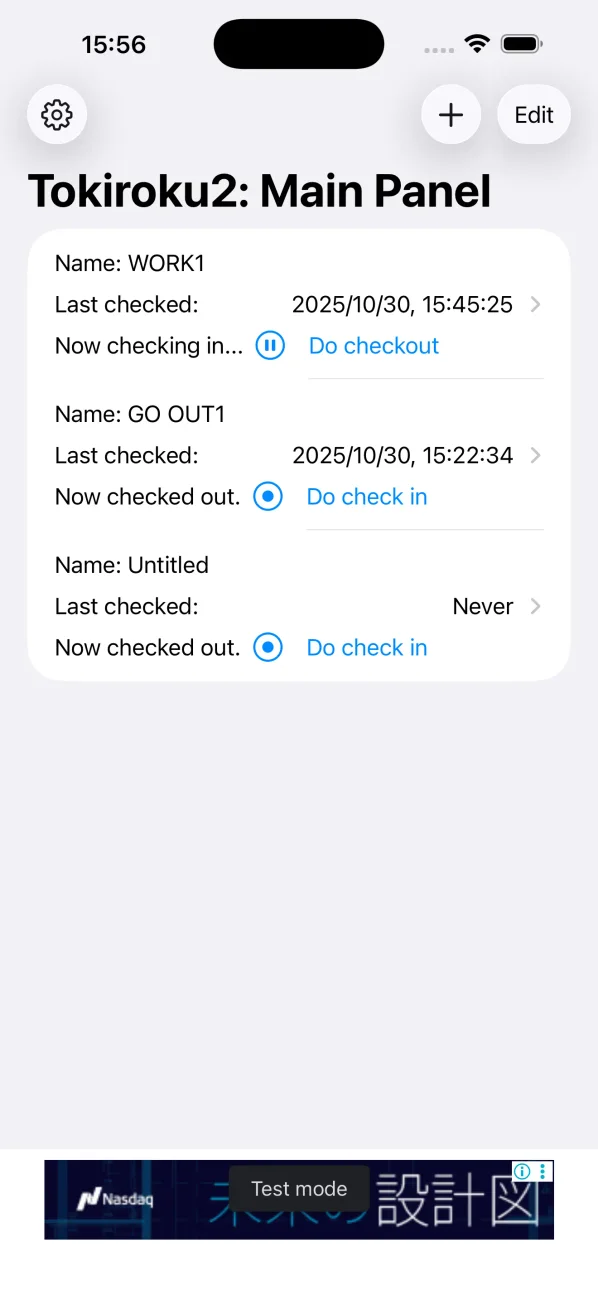
・Simple operation: Just tap the “Check In” or “Check Out” button to record your start/end times.
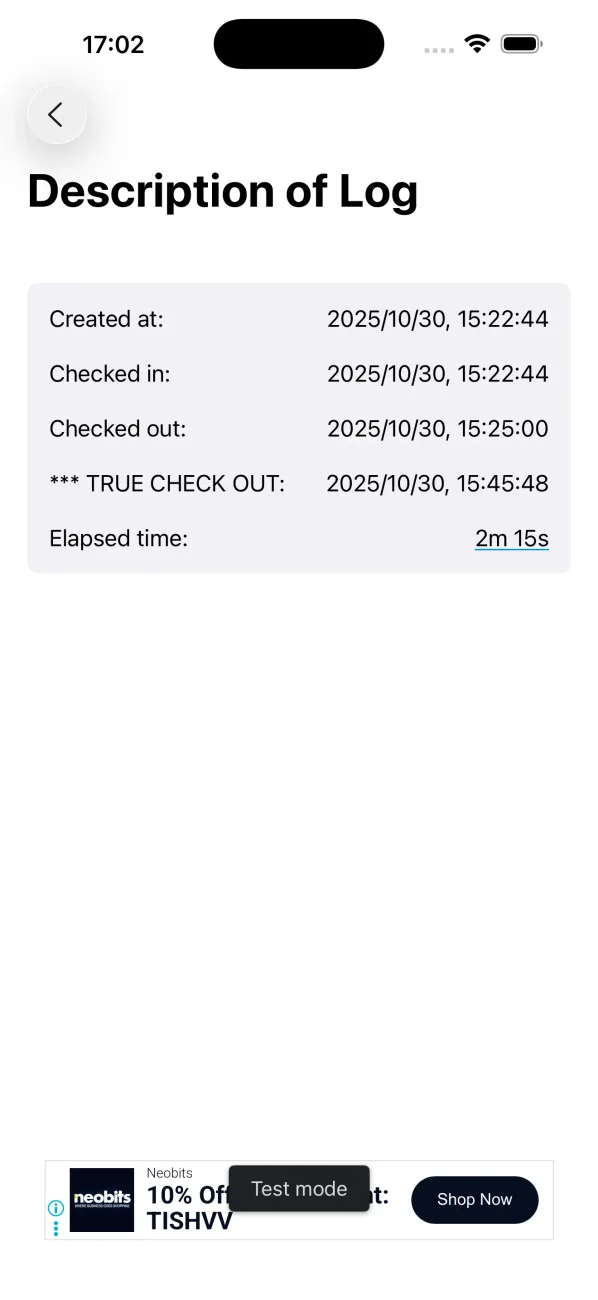
・If you forget to check in or out, you can enter an estimated time once during your next registration.
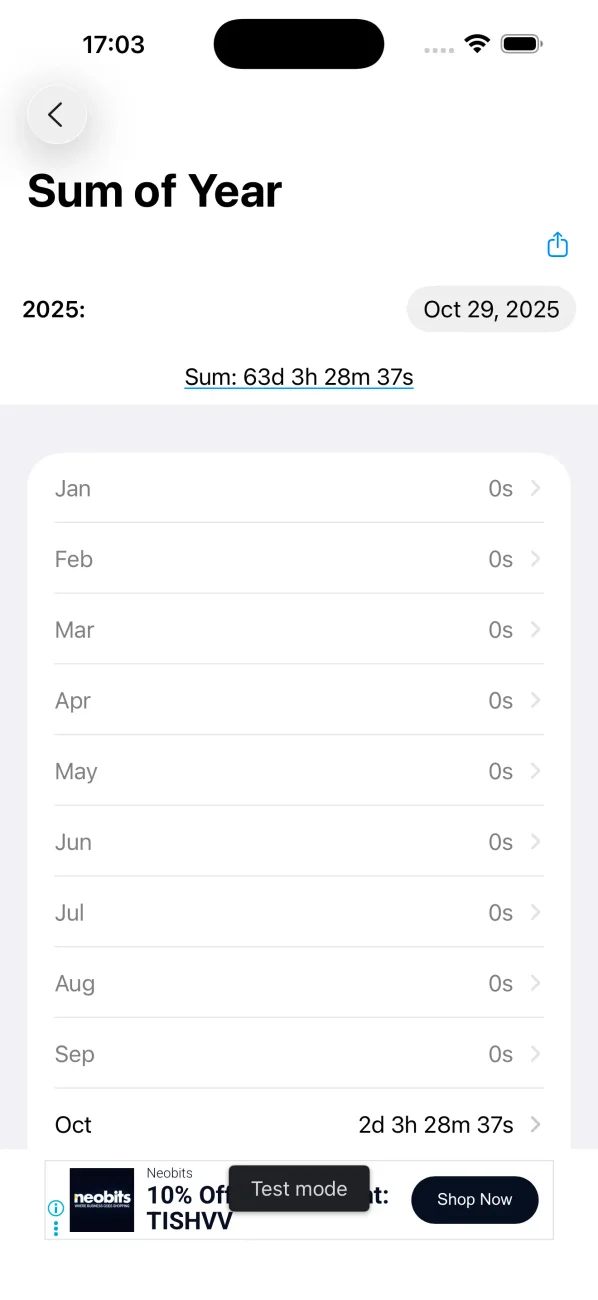
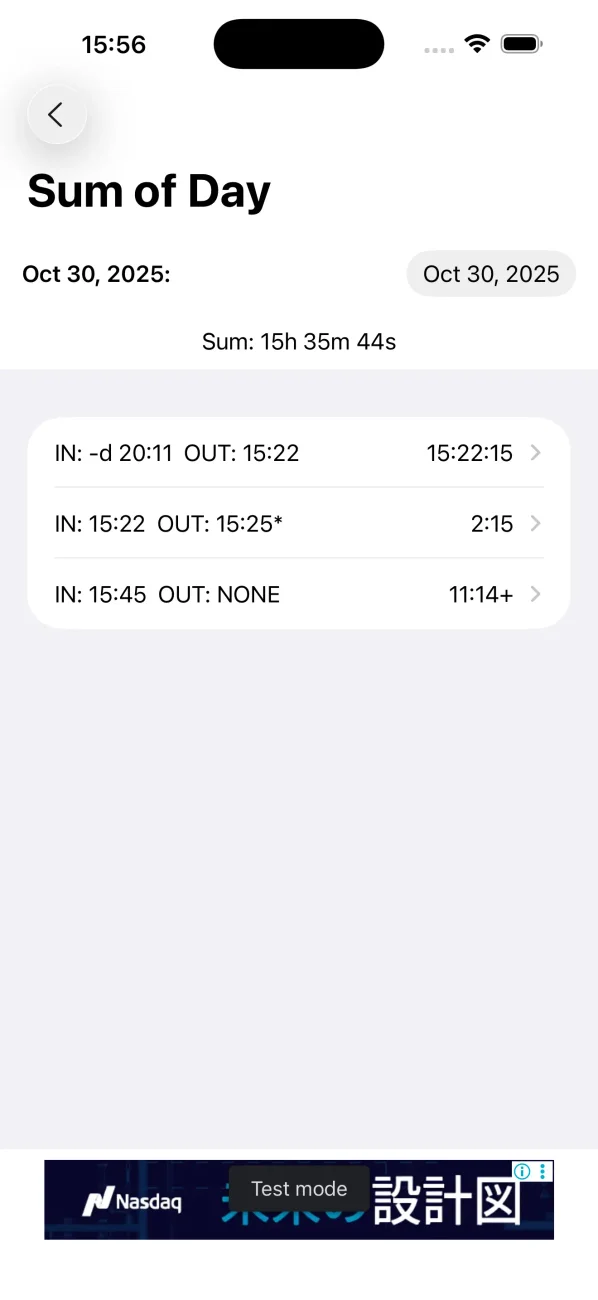
・View daily records and cumulative time totals by day, month, or year.
・Register and track multiple activities simultaneously.
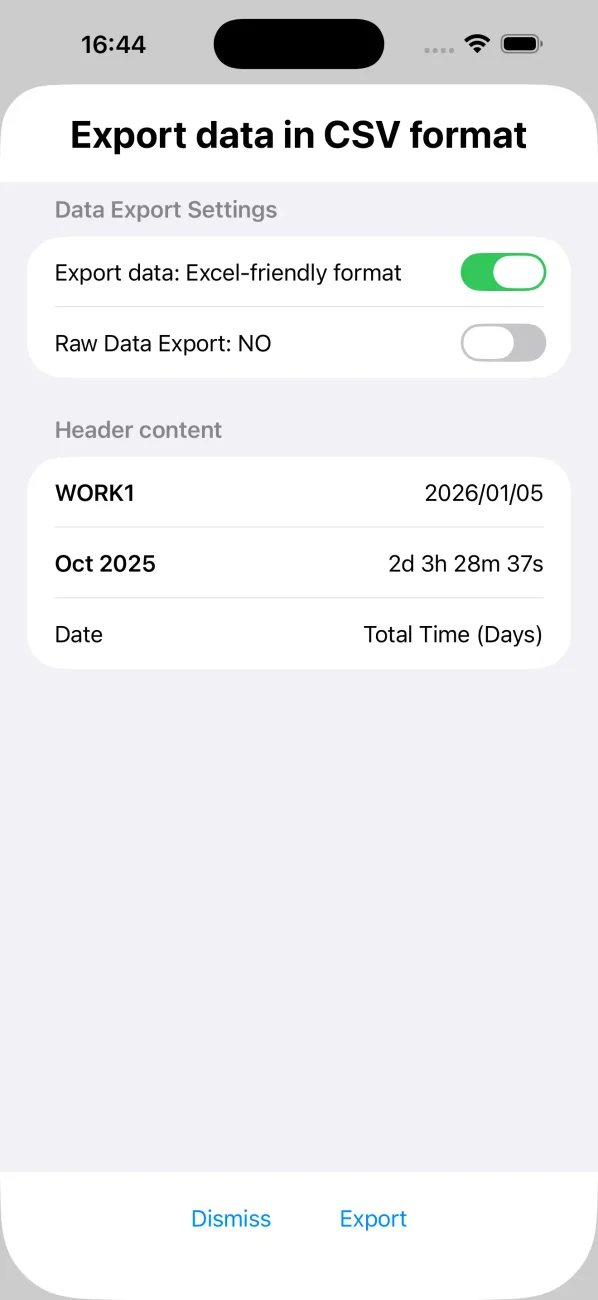
・Export monthly and yearly summary data, as well as actual monthly usage data, as CSV files.
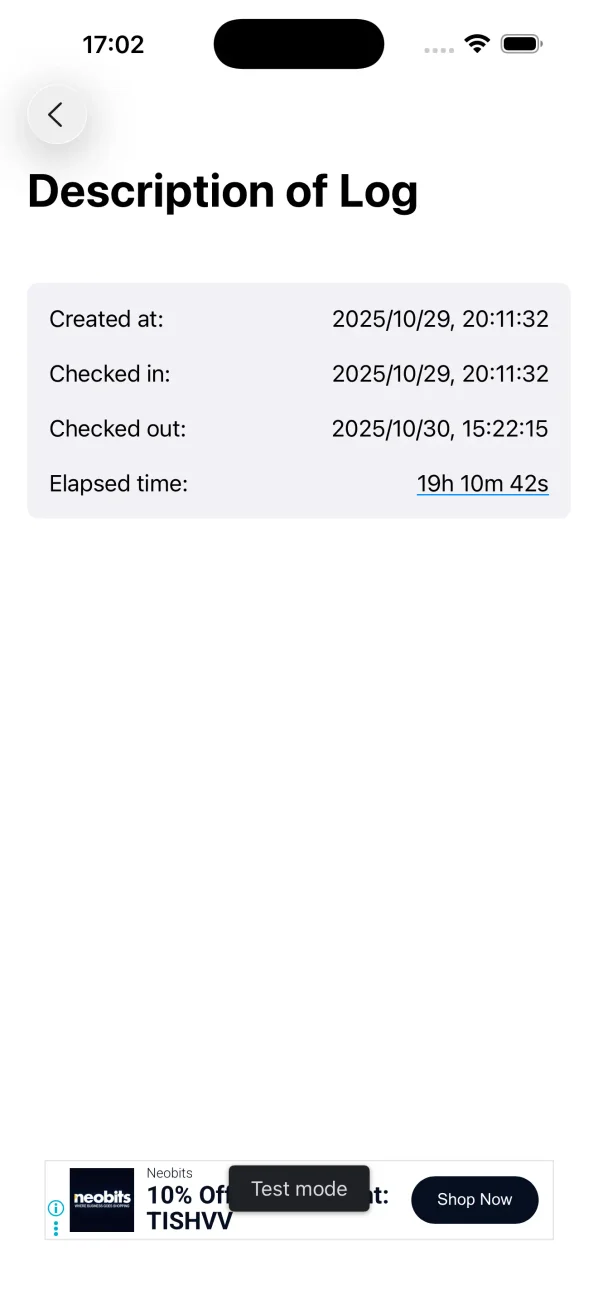
・(NEW) Cumulative time display for values exceeding 1 day (24 hours): Tap the displayed time to switch between day/hour display and hour display.
Example: 1 day 3 hours ←→ 27 hours
On the yearly/monthly summary screens, tap the total displayed time; on the log details screen, tap the elapsed time displayed to switch the view.
This switching also carries over when exporting to CSV format.
Nouveautés
Version 1.2.1 · 24/09/2026
・Updated the version of the external library used.
Confidentialité de l’application
Ce que 有限会社知識情報研究所 déclare sur l’App Store au sujet du traitement des données par cette application.
-
Données n’établissant aucun lien avec vous
Peuvent être collectées, mais ne sont pas liées à votre identité.
- Identifiants
- Données d’utilisation
- Diagnostic
Les pratiques en matière de confidentialité peuvent varier, notamment en fonction des fonctionnalités que vous utilisez ou de votre âge.
Informations
- Vendeur
- Katsuhiro Kamada
- Catégorie
- Productivité
- Version
- 1.2.1
- Mis à jour
- 24/09/2026
- Publié
- 03/11/2025
- Taille
- 9,5 Mo
- Nécessite
- iOS 17.6 ou version ultérieure
- Classification d’âge
- 12+
- Langues
- Japonais, Anglais
- Copyright
- © 2025, 2026 有限会社知識情報研究所