Tutorial for MS Excel
Learn Formulas & Pivot Tables
Conçue pour iPhone, iPad, iPod touch
Gratuit · Achats intégrés
- Classification d’âge4+
- CatégorieÉducation
- DéveloppeurJakir Hossain
- LanguesAnglais
- Taille22,0 Mo
Renvoie vers la page App Store officielle
Download.org n’héberge aucun fichier de Tutorial for MS Excel. Le bouton ouvre la page de l’application sur App Store, où Jakir Hossain la publie. Fiche vérifiée pour la dernière fois le 12/11/2026.
Captures d’écran





À propos
Le développeur n’a pas fourni ce texte dans votre langue.
Learn Excel step by step, from your first formula to PivotTables, dashboards, budgets and tax records. For beginners and anyone who wants to work faster.
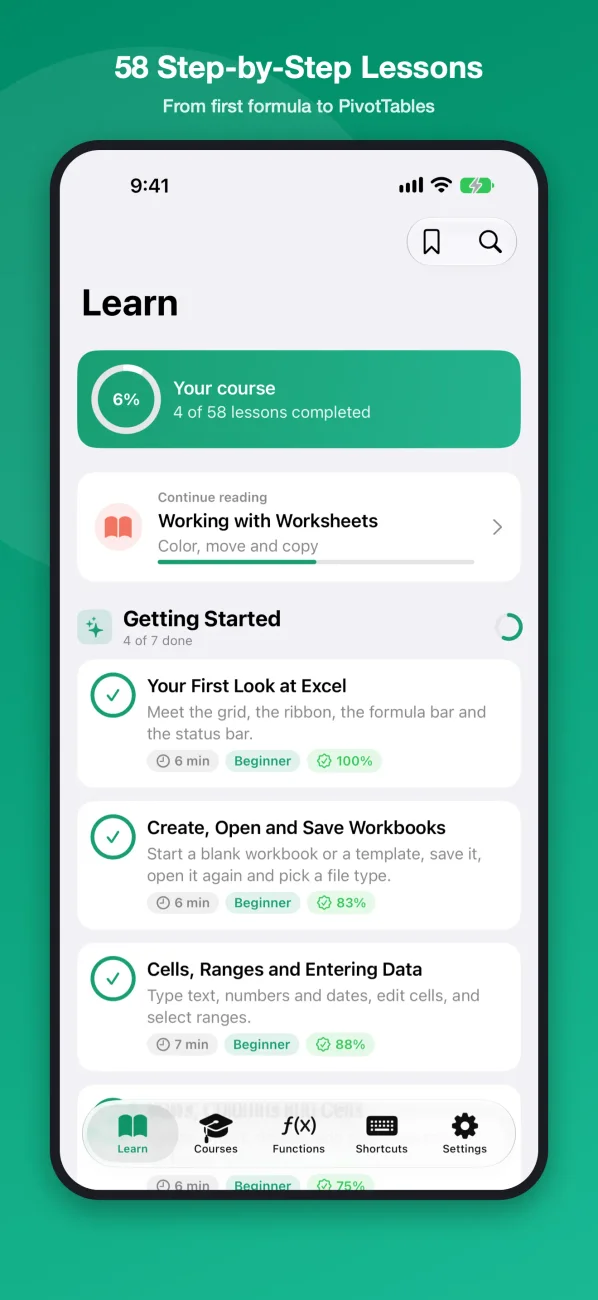
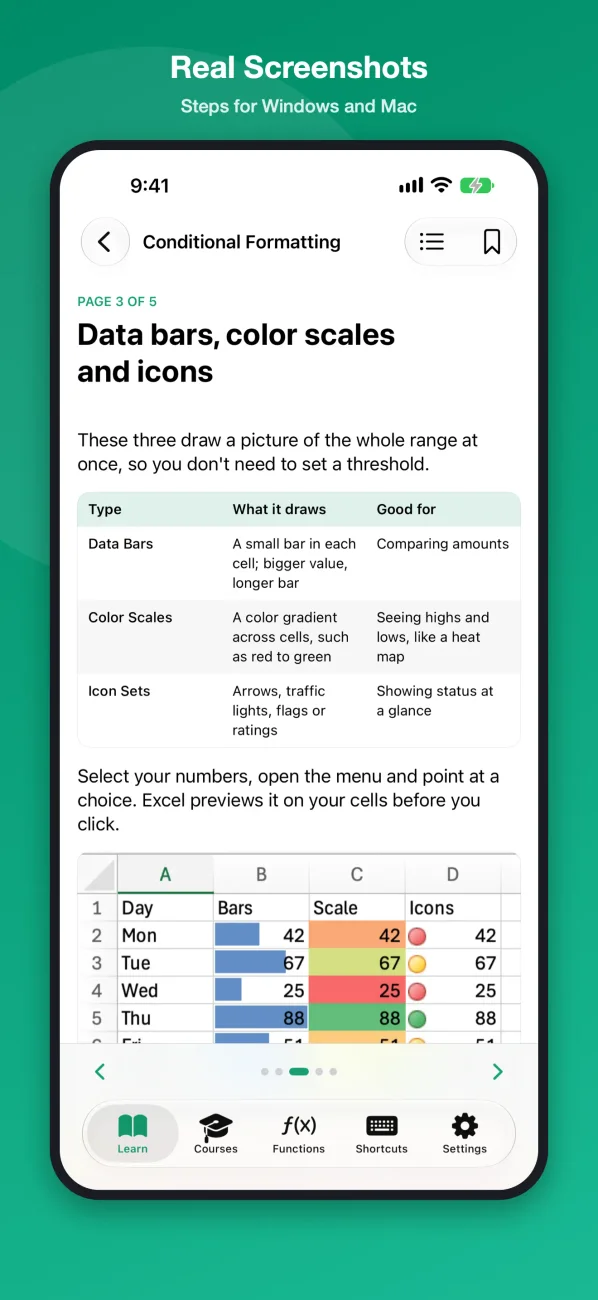
Tutorial for MS Excel is a complete, up-to-date course for Microsoft Excel on Windows and Mac, including the Microsoft 365 features. 58 clear lessons explain each skill in short pages with real screenshots and sample data, then let you check what you learned with a quiz and a hands-on practice task. Step-by-step courses then take you from an empty sheet to a real, working workbook.
WHAT YOU WILL LEARN
• Getting started: the ribbon, workbooks, entering data, rows and columns, worksheets, AutoFill and Flash Fill
• Formatting: fonts and borders, alignment, number formats, conditional formatting, styles and themes
• Formulas and functions: references, SUM to SUMIFS, IF and IFS, XLOOKUP, VLOOKUP and INDEX/MATCH, text, dates, named ranges, fixing errors
• Working with data: sorting, filtering, Tables, drop-down lists, cleaning data, freeze panes, subtotals
• Charts and analysis: charts, sparklines, PivotTables, slicers, Goal Seek and data tables
• Printing and sharing: page layout, PDF, co-authoring, comments, protecting sheets
• Microsoft 365: FILTER, SORT and UNIQUE, LET and LAMBDA, TEXTSPLIT, Power Query, Copilot, checkboxes and pictures in cells
• Guided projects: a monthly budget, invoice, gradebook, task tracker, loan calculator and sales report
COURSES: BUILD A REAL WORKBOOK, START TO FINISH
• Build a Home Budget: one transactions Table, budget vs actual, a year view with charts and a savings tracker
• Bookkeeping for a Small Business: ledger, invoice register, profit and loss, cash flow and a year-end page
• Keep Track of Your Taxes: income, claims with receipts, VAT, a tax estimate, deadlines and a year-end page, for your own country's tax year
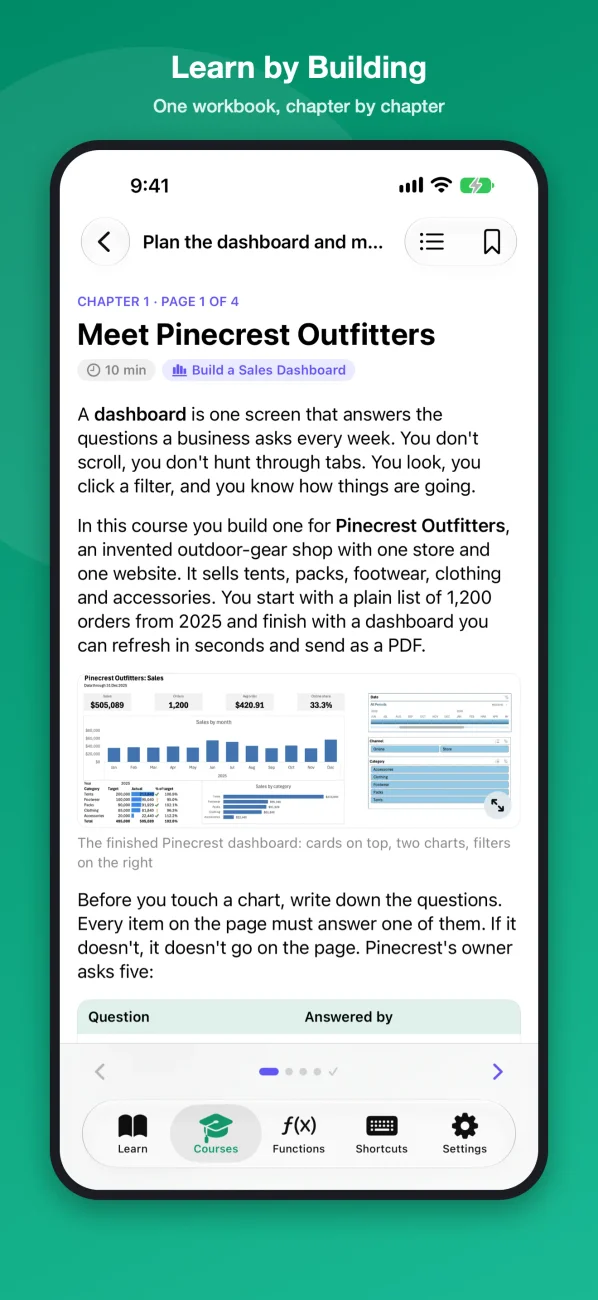
• Build a Sales Dashboard: number cards, PivotCharts, filters and targets on one screen, ready to send as a PDF
• Plan Projects with a Gantt Chart: a task Table, a self-drawing Gantt chart, status labels and owner roll-ups
• Track Stock and Inventory: live counts and value, alerts, supplier orders and monthly reports
• Timesheets and Pay: a protected shift log, weekly overtime and pay, and a printable timesheet
• Make a Teacher's Gradebook: weighted grades, letters, at-risk flags, student reports and attendance
• Clean Up Messy Data: from a bad export to a validated list, with a repeatable Power Query cleanup
Every course has a free first chapter, a checklist at the end of each chapter and a final quiz.
FUNCTION REFERENCE
• 465 functions in 12 categories, each with syntax, arguments and worked examples
• Search by name or by what you want to do
FEATURES
• Steps for both Windows and Mac, with Mac differences called out
• Real screenshots you can open full screen and zoom
• A quiz and a practice checklist in every lesson
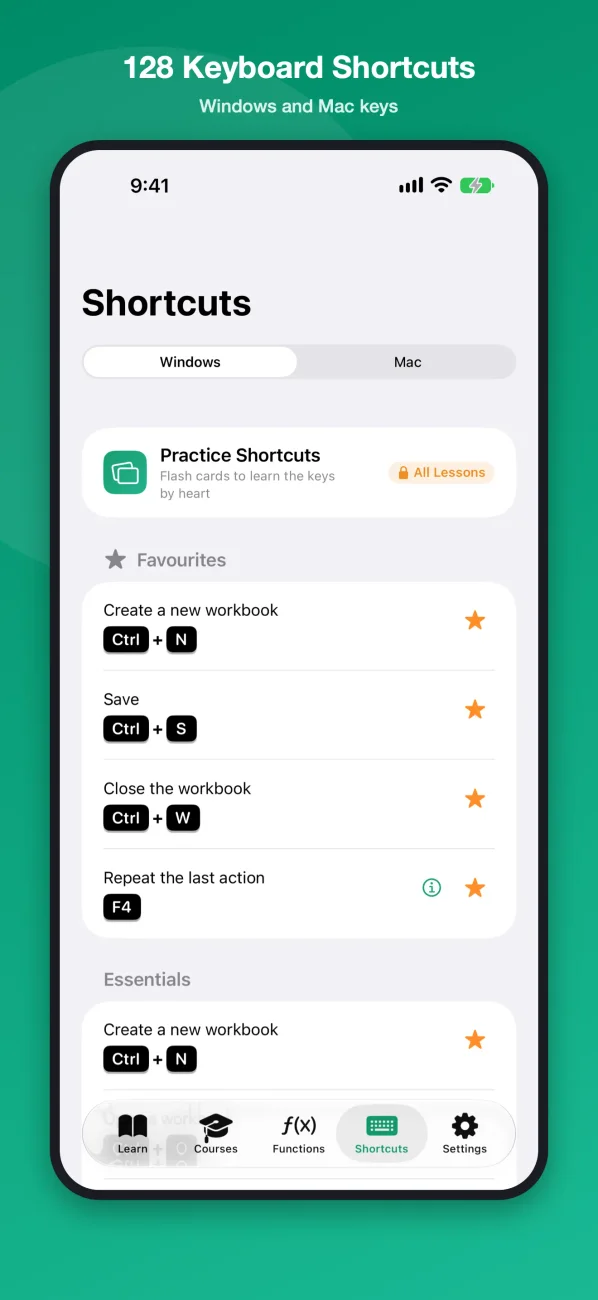
• 128 keyboard shortcuts for Windows and Mac, with examples and flash-card practice
• Search every lesson, function and shortcut
• Bookmarks, saved pages and progress tracking
• Light and dark mode, adjustable text size
ONE-TIME PURCHASES, NO SUBSCRIPTION
• Free: 36 lessons, the full function reference, all 128 shortcuts and the first chapter of every course
• All Lessons: every lesson and guided project, plus shortcut practice
• Each course: unlock one course
• Everything: all lessons and every course, including courses added later
Any purchase removes ads. Already bought Pro in an earlier version? Tap Restore Purchase to get Everything at no extra cost.
This is an independent learning app. It is not affiliated with, endorsed by or sponsored by Microsoft Corporation. Microsoft and Microsoft Excel are trademarks of the Microsoft group of companies.
Nouveautés
Version 2.0 · 07/11/2026
A brand-new app: 58 rewritten lessons with new screenshots for today's Excel, a quiz and practice task in every lesson, 465 functions explained, 128 Windows and Mac shortcuts, and 9 new step-by-step courses that build real workbooks, including one for keeping track of your taxes. Bought Pro before? Restore Purchase gives you everything.
Confidentialité de l’application
Ce que Jakir Hossain déclare sur l’App Store au sujet du traitement des données par cette application.
-
Données utilisées pour vous suivre
Peuvent être utilisées pour vous suivre sur des applications et des sites web appartenant à d’autres sociétés.
- Emplacement
- Identifiants
- Données d’utilisation
- Diagnostic
-
Données établissant un lien avec vous
Peuvent être collectées et liées à votre identité.
- Emplacement
- Identifiants
- Données d’utilisation
- Diagnostic
Les pratiques en matière de confidentialité peuvent varier, notamment en fonction des fonctionnalités que vous utilisez ou de votre âge.
Informations
- Vendeur
- Jakir Hossain
- Catégorie
- Éducation
- Version
- 2.0
- Mis à jour
- 07/11/2026
- Publié
- 30/12/2014
- Taille
- 22,0 Mo
- Nécessite
- iOS 15.0 ou version ultérieure
- Classification d’âge
- 4+
- Prix
- Gratuit
- Achats intégrés
- Oui
- Langues
- Anglais
- Copyright
- © Jakir Hossain
Vous aimerez peut-être aussi
-
 Excel formulas: Learn & TryÉducation
-
 Tutoriel interactif ExcelApprendre Office à la main
-
 Desk Dojo: Interview PrepÉducation
-
 Course to Learn Excel FormulasÉducation
-
 Learn keyboard Shortcut keysÉducation
-
 Learn SQL For Beginners 2024Éducation
-
 Accounting FlashcardsÉducation
-
 Learn computer fundamentalsÉducation
-
 Excel Mastery: Beginner to ProLearn Formulas, Pivots & VBA
-
 Accounting Quiz GameÉducation