TZ BuildLog
Scan, Build, Log Model Kits
Conçue pour iPhone, iPad
Gratuit · Achats intégrés
- Classification d’âge4+
- CatégorieProductivité
- DéveloppeurChaewon Kim
- LanguesAnglais+ 4 de plus
- Taille51,0 Mo
Renvoie vers la page App Store officielle
Download.org n’héberge aucun fichier de TZ BuildLog. Le bouton ouvre la page de l’application sur App Store, où Chaewon Kim la publie. Fiche vérifiée pour la dernière fois le 23/11/2026.
Captures d’écran




À propos
Le développeur n’a pas fourni ce texte dans votre langue.
Every build has a story. Get in the zone.
Scan a kit manual you already own or import its PDF, keep it in your library, and build with translations right on the page. Then log every step. This app does not include manuals.
Scanning and translation run on your device. Nothing is sent to us.
• Scanner: The camera finds your manual page, corrects the perspective, and crops it. Pages are numbered and sorted into sections.
• PDF and photo import: Already have your manual as a PDF or photos? Pick them from Files or Photos and choose the pages. Two-page spreads are split, and pages are numbered and sorted into sections for you.
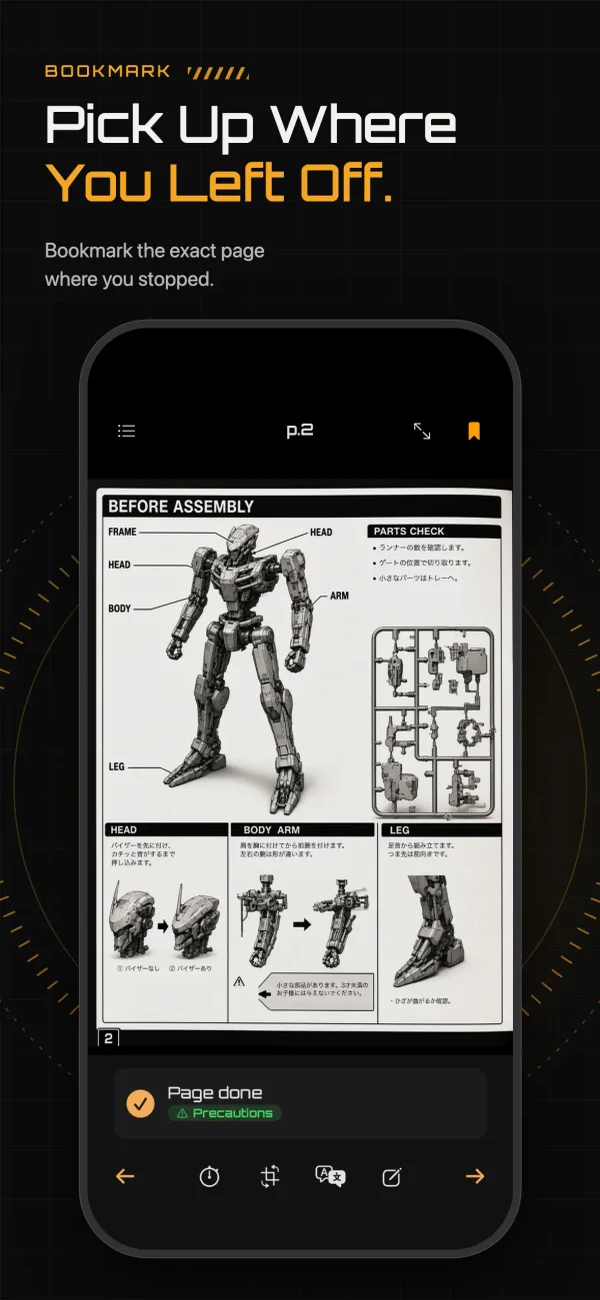
• Translation: Tap translate on a page, and translations appear over the text in view, right beside the original diagrams.
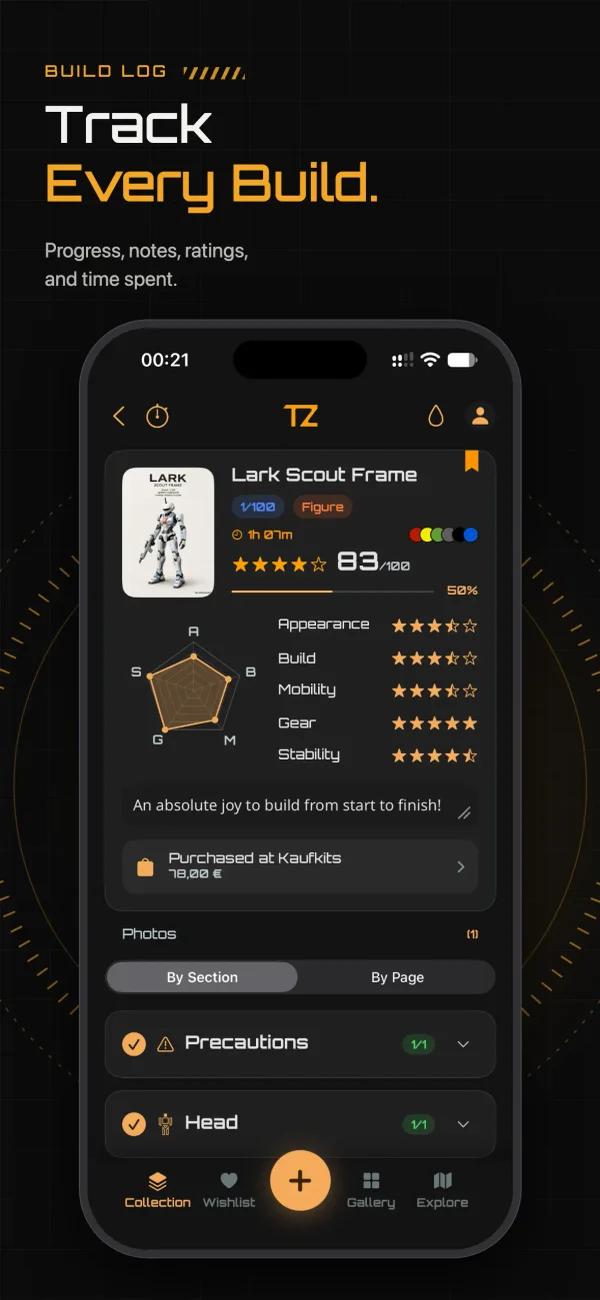
• Build log: Track progress, notes, ratings, and time spent, including painting stages. Bookmark the exact page where you left off.
• Kit wishlist: Save kits you want to buy, with prices and links.
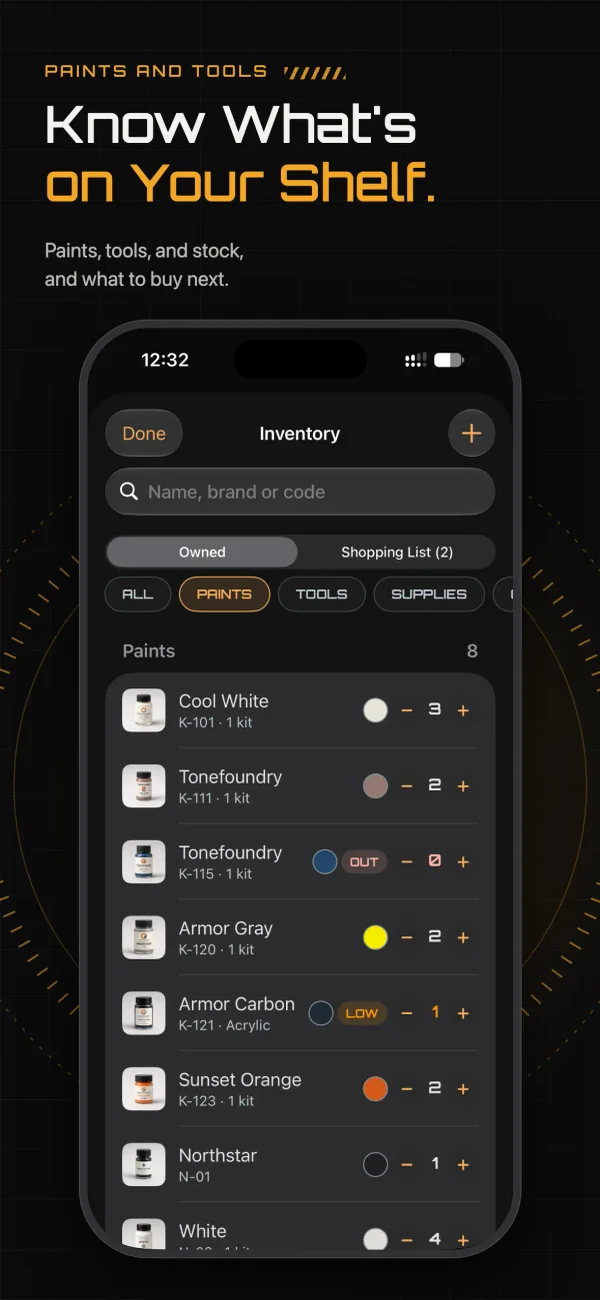
• Paints, tools, and stock: See what's on your shelf and what to buy next.
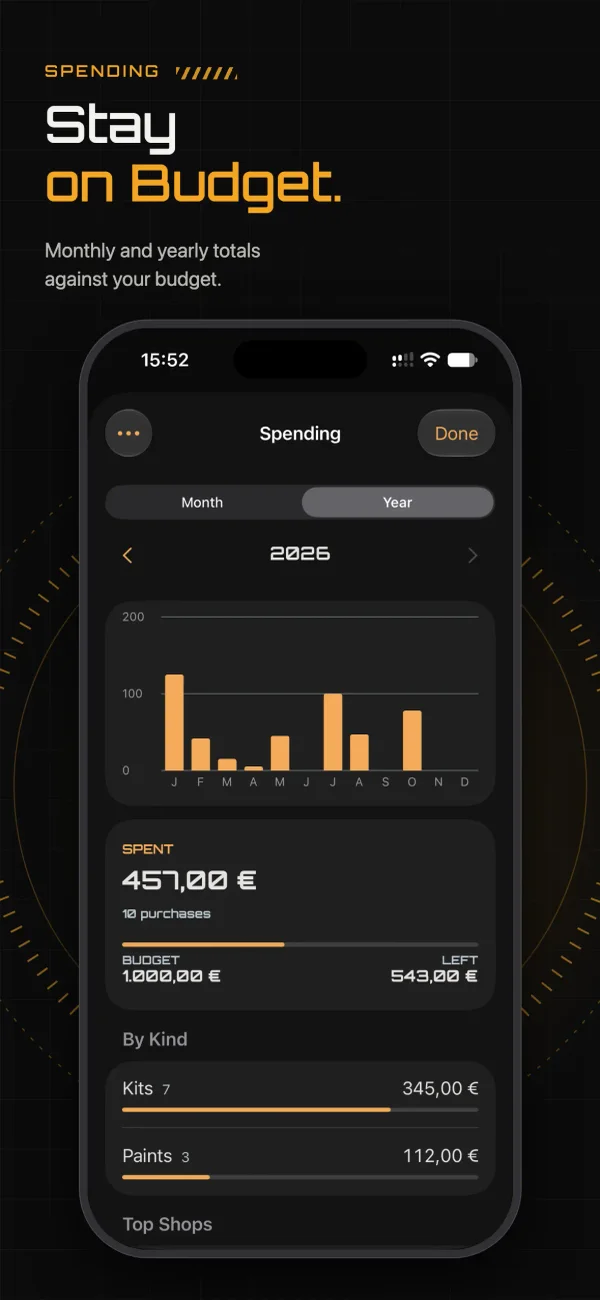
• Spending: Compare monthly and yearly totals against your budget.
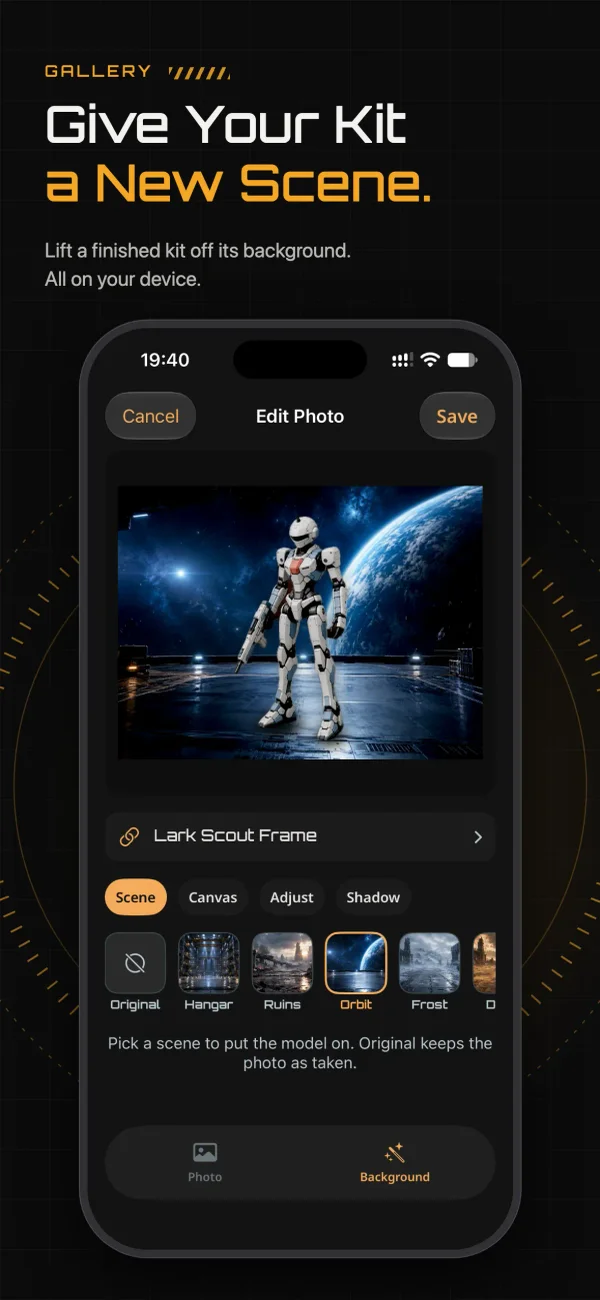
• Gallery and photo cards: Lift a finished kit off its background on-device and share a photo card with build time and ratings.
• Shops: Search your favorite online stores in a tap, or find hobby shops nearby on the map.
• iCloud: Keep the same library on iPhone and iPad, synced through your Apple Account.
• Backup: Automatic backups go to your iCloud Drive, stay on your device, or both. Export your library to a file anytime.
No account needed. No ads. Your builds stay yours.
TZ BuildLog is a personal log for manuals you own. Always verify translations against your original manual.
Kit artwork in screenshots is AI-generated sample content.
After the 7-day trial, TZ BuildLog is available as a monthly or yearly auto-renewing subscription, or as a one-time Lifetime purchase. Payment is charged to your Apple Account at the price shown at purchase. Subscriptions renew automatically unless canceled at least 24 hours before the end of the current period. Your account is charged for renewal within 24 hours before the period ends. Manage or cancel in your Apple Account settings. Lifetime does not renew. Your kits, scans, and records stay readable and exportable if you stop paying.
Terms of Use: https://tzbuildlog.com/terms/ · Privacy Policy: https://tzbuildlog.com/privacy/ · Apple Standard EULA: https://www.apple.com/legal/internet-services/itunes/dev/stdeula/
Nouveautés
Version 1.0.1 · 17/11/2026
• Automatic backup: keep backups in your iCloud Drive, on this device, or both. Each backup shows whether it has been uploaded, and you can restore, share, or delete it from the list.
• Viewer: a page strip under the manual shows where you are and jumps to any page.
• iPad: every screen now rotates, and spreads shot in Book mode are turned upright.
• PDF import: Cancel pauses the import and asks what to do next. Long drafts reopen faster.
• Shops: drag to make the map taller or shorter.
• Replacing all data from a backup now shows its progress on your other devices.
• New device or reinstall: the first sync from iCloud now shows its progress, and kits appear as they arrive.
• Fixes for the iCloud sync status, translations, and scanning.
Confidentialité de l’application
Ce que Chaewon Kim déclare sur l’App Store au sujet du traitement des données par cette application.
-
Données non collectées
Le développeur ne collecte aucune donnée à partir de cette application.
Les pratiques en matière de confidentialité peuvent varier, notamment en fonction des fonctionnalités que vous utilisez ou de votre âge.
Informations
- Vendeur
- Chaewon Kim
- Catégorie
- Productivité
- Version
- 1.0.1
- Mis à jour
- 17/11/2026
- Publié
- 13/11/2026
- Taille
- 51,0 Mo
- Nécessite
- iOS 18.0 ou version ultérieure
- Classification d’âge
- 4+
- Prix
- Gratuit
- Achats intégrés
- Oui
- Langues
- Anglais, Japonais, Coréen, Chinois simplifié, Chinois traditionnel
- Copyright
- © 2026 Mallang Studios