
Unofficial OpenCode Client
Remote AI coding agent client
Conçue pour iPhone, iPad
Gratuit
- Classification d’âge17+
- CatégorieOutils de développement
- DéveloppeurIvan Fenenko
- LanguesAnglais
- Taille58,6 Mo
Renvoie vers la page App Store officielle
Download.org n’héberge aucun fichier de Unofficial OpenCode Client. Le bouton ouvre la page de l’application sur App Store, où Ivan Fenenko la publie. Fiche vérifiée pour la dernière fois le 23/11/2026.
Captures d’écran

À propos
Le développeur n’a pas fourni ce texte dans votre langue.
OpenCode Mobile is an unofficial, independent native client for the opencode server you run on your own computer. It is not made, published or endorsed by the opencode project.
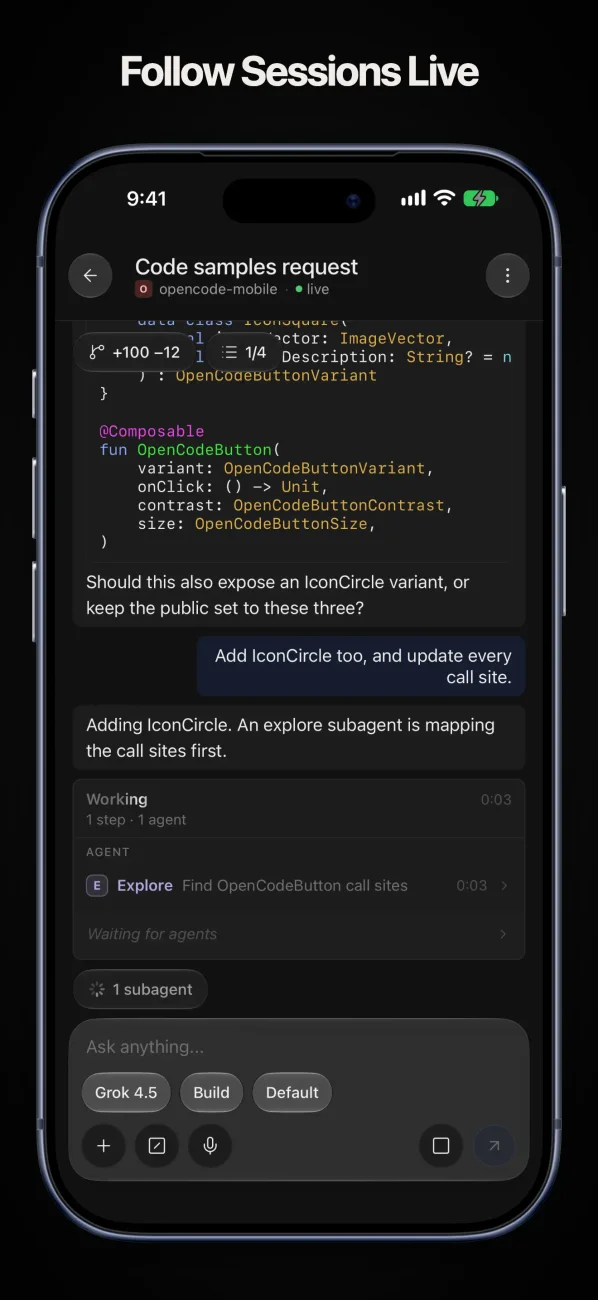
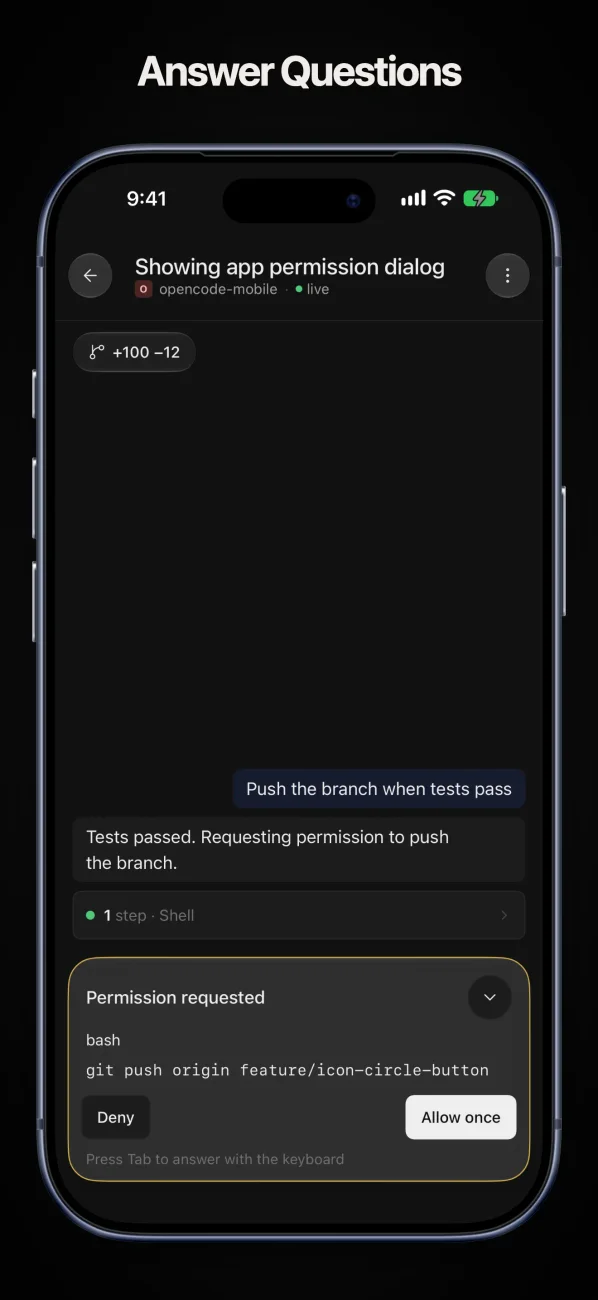
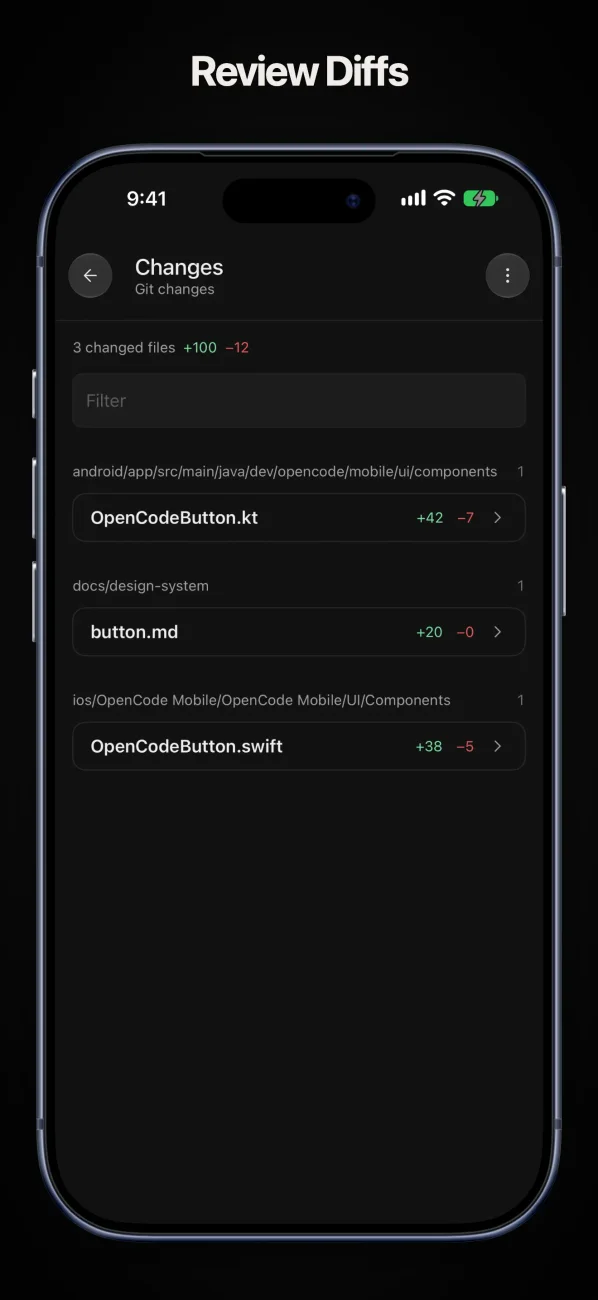
Start a session, follow it live, answer permission prompts and questions, and review changes while your AI coding agent keeps working at home. Nothing runs in our cloud. The app talks only to your own server.
WHAT YOU CAN DO
• Follow sessions live in Session Chat, with rendered Markdown and a tool-result inspector
• Approve or deny permission requests and answer the agent's questions
• Review diffs from the latest turn
• Start work in worktrees and see them grouped under their project
• Prompt with context: mention several skills, run shell commands with !cmd, attach files
• Fork a session, or fork from a specific message
• Open a live Terminal on your server and read project files
• Dictate prompts by voice, recognised on your device
• Use tablet split view with keyboard shortcuts
• See a retry countdown and next steps when you hit a rate or usage limit
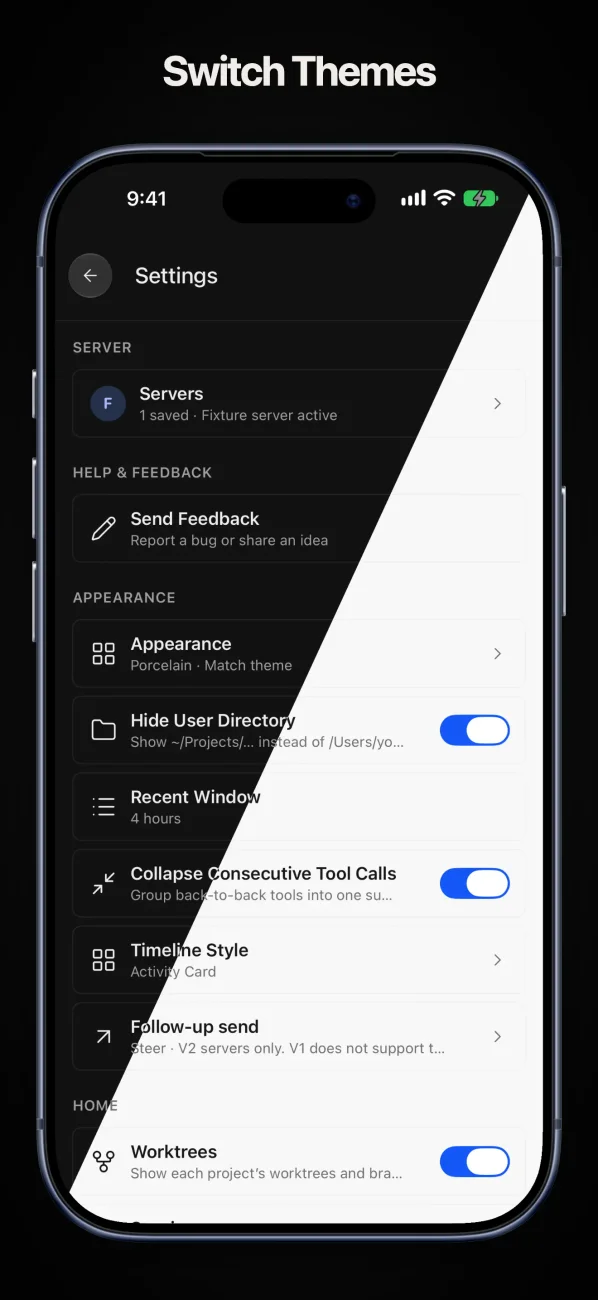
• Pick your chat timeline (Standard, Chips, Step Rail or Activity Card), compact or classic Home, and a theme
• Lock the app with optional App Lock
CONNECT YOUR WAY
• Remote QR: run opencode pair --remote on your computer and scan the code (OpenCode 2.0.25 or later)
• Same Wi-Fi QR: let the server listen on your network, run opencode pair and scan
• Host, username and password for OpenCode 1 and OpenCode 2 servers
• Pairing code when the camera is not available
Works over your LAN, a VPN, HTTPS, or a tunnel such as Tailscale. Step-by-step guide: https://opencode-mobile.github.io/opencode-mobile-docs/connecting/
PRIVATE AND OPEN
• Your server password stays in iOS Keychain
• The app does not host models or run your code
• Release builds send crash reports through Firebase, and usage analytics you can switch off in Settings
• The source code is public under GPL-3.0: https://github.com/opencode-mobile/opencode-mobile
REQUIREMENTS
A reachable opencode server and its password.
Nouveautés
Version 1.4.1 · 19/11/2026
• Light or dark theme, and separate text sizes for Home, Session Chat and code
• Images that tools return now show in Session Chat
• Server Health: ping, uptime, reconnects and errors on the Servers page
• Tap a saved server on Servers to make it active
• Long messages are cut short in the timeline; tap to read them in full
• Large diffs and files open faster and use less memory
• Home shows your sessions right away on launch
• Bug fixes and stability improvements
Confidentialité de l’application
Ce que Ivan Fenenko déclare sur l’App Store au sujet du traitement des données par cette application.
-
Données n’établissant aucun lien avec vous
Peuvent être collectées, mais ne sont pas liées à votre identité.
- Identifiants
- Données d’utilisation
- Diagnostic
Les pratiques en matière de confidentialité peuvent varier, notamment en fonction des fonctionnalités que vous utilisez ou de votre âge.
Informations
- Vendeur
- Ivan Fenenko
- Catégorie
- Outils de développement
- Version
- 1.4.1
- Mis à jour
- 19/11/2026
- Publié
- 13/10/2026
- Taille
- 58,6 Mo
- Nécessite
- iOS 17.5 ou version ultérieure
- Classification d’âge
- 17+
- Prix
- Gratuit
- Langues
- Anglais
- Copyright
- © 2026 Ivan Fenenko
Vous aimerez peut-être aussi
-
 CodetetherPilotez votre agent de code IA
-
 OpenLens- OpenCode clientOutils de développement
-
 Remote for OpenCode AgentsOutils de développement
-
 OC Remote - OpenCode ClientOutils de développement
-
 OpenClient for OpenCodeOutils de développement
-
 KKCode - OpenCode MobileOutils de développement
-
 Sesori: Remote AI Coding AgentOutils de développement
-
 HerdrChatOutils de développement
-
 WhisperCodeOutils de développement
-
 OpenCode Mobile AppOutils de développement