USBridge: Remote Desktop
Fast remote control & IP-KVM
Conçue pour iPhone, iPad
- Classification d’âge4+
- CatégorieÉconomie et entreprise
- DéveloppeurAmir Fatkulin
- LanguesAnglais
- Taille58,9 Mo
USBridge: Remote Desktop n’est peut-être pas disponible sur App Store pour le moment
La fiche de la boutique était inaccessible lors de notre dernière vérification. Le lien mène toujours à la page App Store officielle.
Captures d’écran

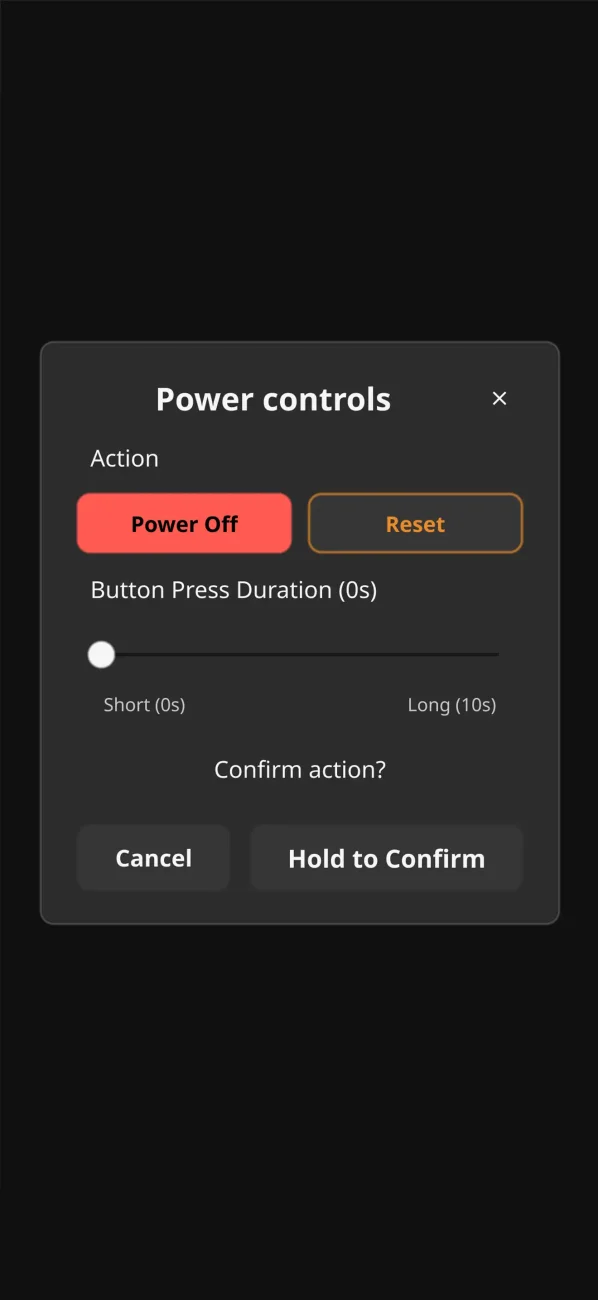
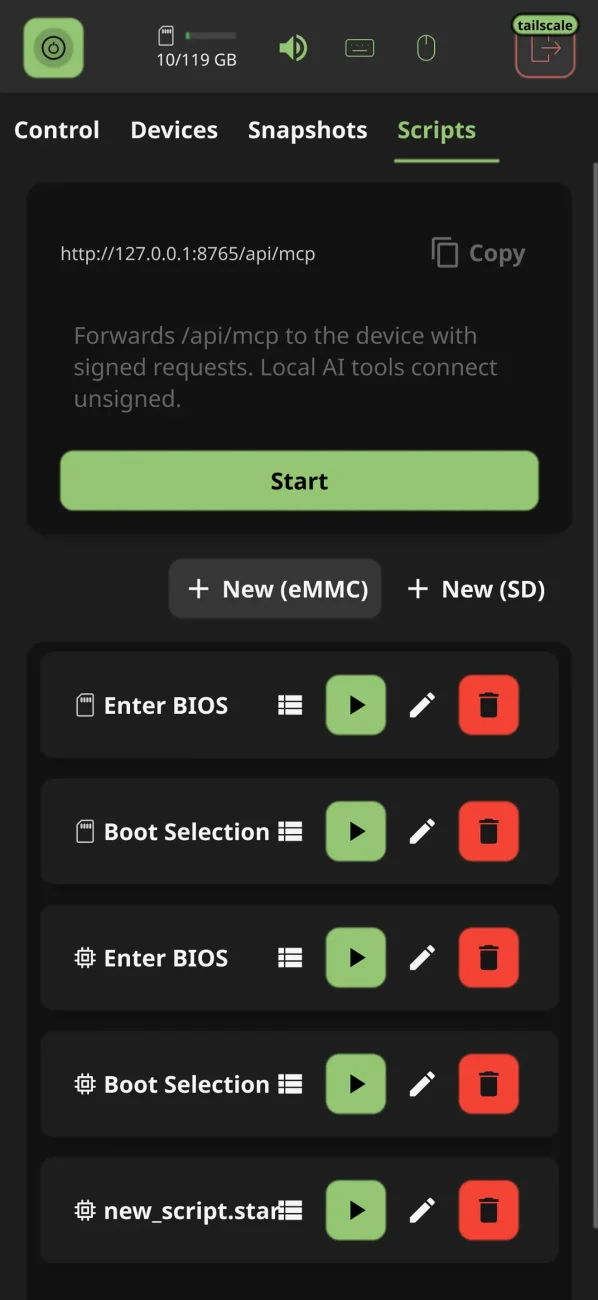
À propos
Le développeur n’a pas fourni ce texte dans votre langue.
High-speed, open-source remote access software.
Whether you are administering a server in the next rack, working in IT support, or simply connecting to your home PC from across the globe, the USBridge hybrid client offers the perfect solution. It is a fast, secure, and seamless tool that allows you to control remote devices at any level without lag.
USBridge is a fully open-source project. It contains no ads, trackers, or hidden telemetry. You can explore the source code and join the development community on our GitHub repository (USBridge-Technologies).
The app offers a variety of advanced management features, such as:
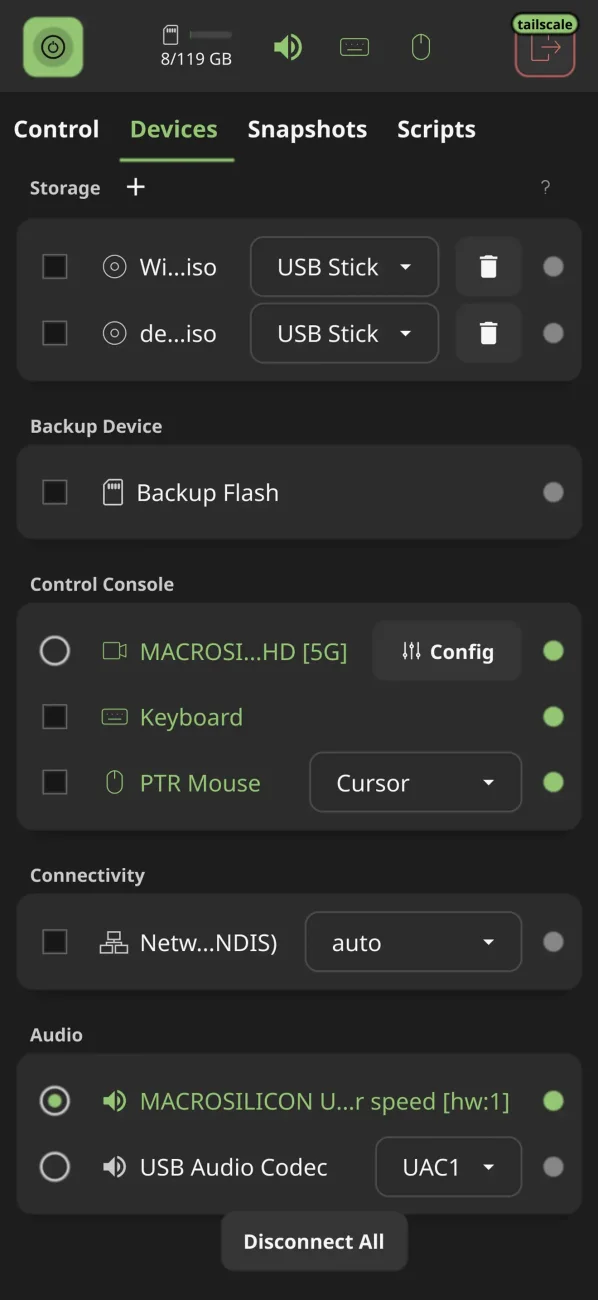
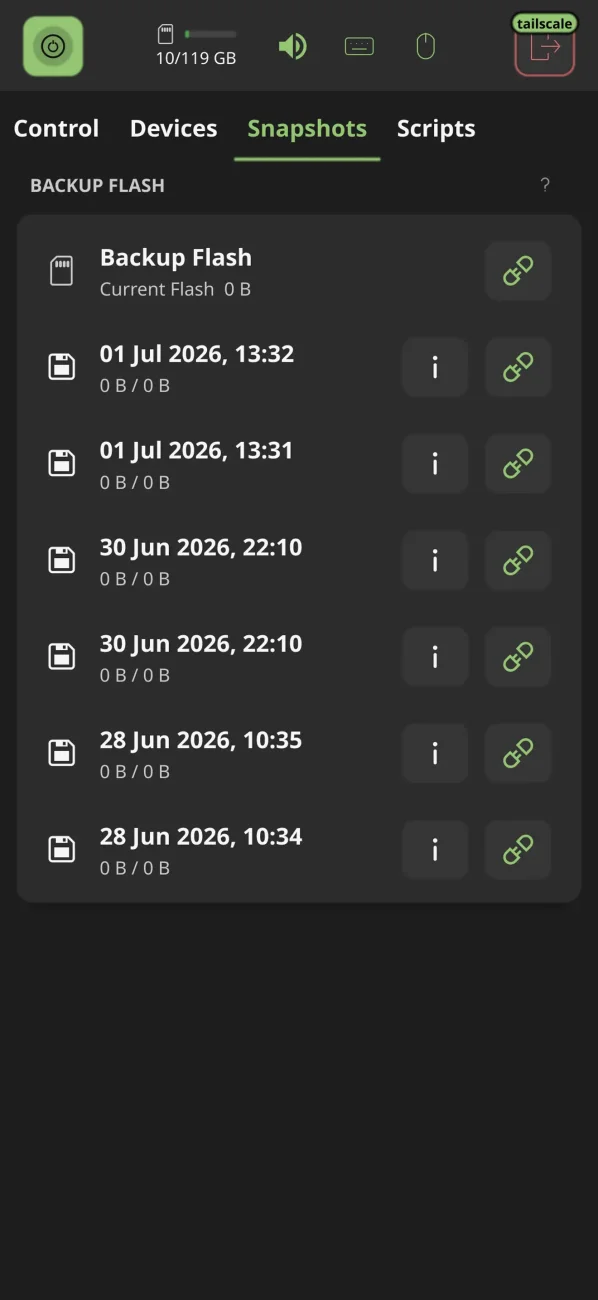
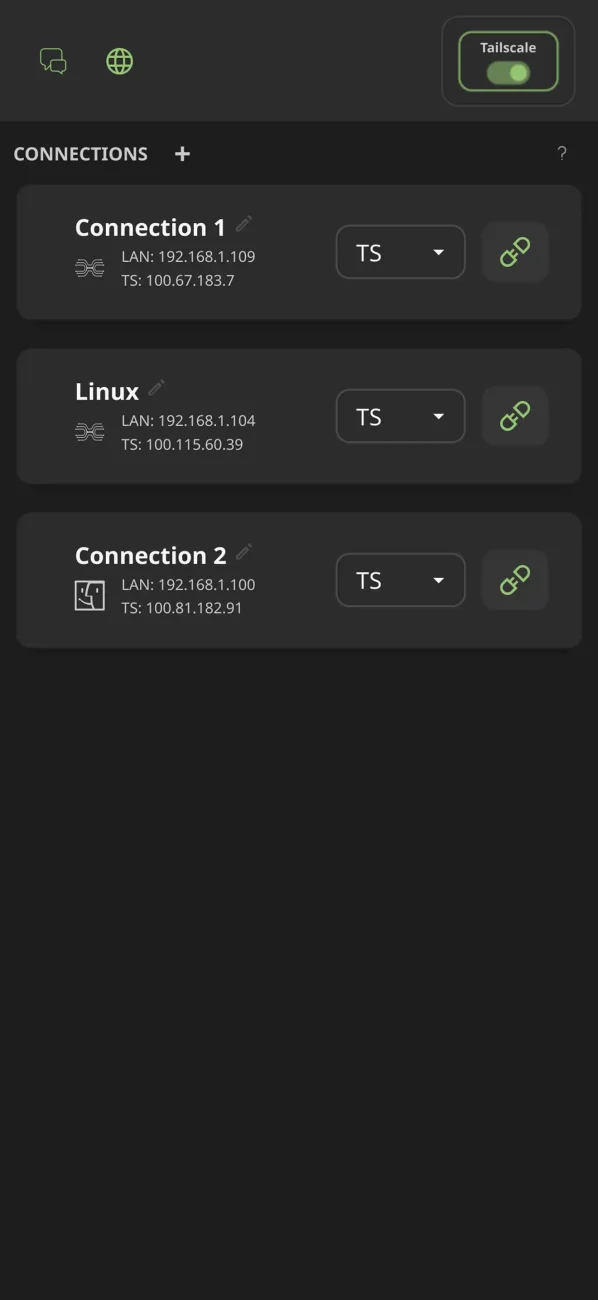
• Built-in Tailscale integration
• Ultra-low latency powered by Moonlight and Sunshine protocols
• AI Vision and MCP protocol integration
• Shared clipboard and multi-monitor support
• Hardware KVM-over-IP connectivity
• Fast file transfer
• Virtual display support
• Gamepad support
• USB passthrough
• Graphics tablet and pen pressure support
• 4:4:4 color reproduction
• Native and smooth performance in Wayland environments (Linux)
The hybrid architecture of USBridge combines classic remote desktop control and access to infrastructure components within a single interface, ensuring a high level of security. Depending on your needs, various scenarios are supported:
• System administration: stable access to terminals, servers, and consoles
• Gaming and heavy workloads: access to remote rendering and online gaming with high FPS, thanks to Moonlight/Sunshine support
• 3D modeling and design: comfortable work with heavy graphics, CAD systems, and video editors due to accurate color reproduction and instant interface response
To explore all features, check out the documentation at usbridge.io
Why choose USBridge?
• Fully open-source
• Compatible with any OS and device (including full Wayland support)
• High frame rates and ultra-low latency
• Built-in Tailscale support
• A single hybrid client for all tasks
USBridge is a true cross-platform solution available for all major operating systems.
Quick Start Guide:
1. Install and launch the USBridge client on your device
2. Install the agent application on the remote PC
3. Enter the address or select the desired host/KVM from the connection list
4. Complete secure authorization on the remote device
5. Done! You can now fully control the device
Nouveautés
Version 3.2.29 · 08/11/2026
Touch Controls
- Taps on the phone screen now register reliably on the first attempt, and tapping a toggle switch is no longer misinterpreted as a scrolling gesture.
- Two-finger scrolling has been refined: one movement now covers 40 dp (instead of 20 pixels). The scrolling speed can now be adjusted via a slider.
- A "Client settings" menu has been added to the gear icon, allowing you to configure the language and two-finger scroll speed.
Text Input
- Pressing the "Enter" key on the iPhone’s system keyboard now triggers the "Enter" key on the remote machine.
- A "Keys / Characters" input mode icon has been added to the bottom control panel on iOS and Android; this setting now also applies to the on-screen keyboard.
- In "Characters" mode, text is sent to the host as UTF-8. This prevents issues where Latin characters might otherwise be converted to Cyrillic when the host system is set to a Russian keyboard layout.
- A new input mode, "Clipboard (Paste Text)," allows text to be pasted via the host's clipboard—supporting emojis and any character set.
Connection and Streaming
- Before the first stream, you are prompted to select which host application to launch (e.g., Desktop, Steam, etc.), with an option to use a virtual display.
- Tailscale handles network authentication automatically, so the client does not need to initiate a separate connection.
- Optimized handling of simultaneous, identical requests to the agent.
Guest Access
- You can share access to a computer via email, with options for "view-only" access and the ability to set an expiration date for the invitation.
- The invitation page automatically launches the application.
- This feature is also compatible with USBridge-Headscale.
Hardware KVM and Devices
- A KVM reboot button has been added (under KVM settings).
- You can select a monitor (EDID) and USB device directly from the "Devices" dashboard, as well as from the headers of the "Video" and "HID" cards.
- Fixed an issue where the absolute-positioning mouse would become unresponsive. Miscellaneous
Long-pressing the Tailscale chip now opens help information on how to enable an HTTPS server.
- Fixed an issue where the "Start streaming" dialog would disappear, leaving a black screen.
Confidentialité de l’application
Ce que Amir Fatkulin déclare sur l’App Store au sujet du traitement des données par cette application.
-
Données établissant un lien avec vous
Peuvent être collectées et liées à votre identité.
- Coordonnées
- Identifiants
-
Données n’établissant aucun lien avec vous
Peuvent être collectées, mais ne sont pas liées à votre identité.
- Diagnostic
Les pratiques en matière de confidentialité peuvent varier, notamment en fonction des fonctionnalités que vous utilisez ou de votre âge.
Informations
- Vendeur
- Amir Fatkulin
- Catégorie
- Économie et entreprise
- Version
- 3.2.29
- Mis à jour
- 08/11/2026
- Publié
- 11/07/2026
- Taille
- 58,9 Mo
- Nécessite
- iOS 16.0 ou version ultérieure
- Classification d’âge
- 4+
- Langues
- Anglais
- Copyright
- © 2026 Amir Fatkulin (2026 USBridge Technologies)
Vous aimerez peut-être aussi
-
 PXS External Screen DesktopProductivité
-
 Remote Desktop: RDP & VNCProductivité
-
 Remote Desktop GuestÉconomie et entreprise
-
 RemSupp - Remote DesktopÉconomie et entreprise
-
 Connexion à l'ordinateurConçu pour Mac
-
 NoMachineProductivité
-
 Remote Desktop LiteConnectez-vous à votre PC
-
 UTM Remote Virtual MachinesProductivité
-
 AweSun Remote Desktop ControlÉconomie et entreprise
-
 Remote Desktop - RDP LiteÉconomie et entreprise