
Vault – Open Source Backup
Seed Phrase & Private Key Safe
Conçue pour iPhone, iPad, Mac
- Classification d’âge4+
- CatégorieProductivité
- DéveloppeurBad Bundle Limited
- LanguesAnglais
- Taille81,1 Mo
Vault – Open Source Backup n’est peut-être pas disponible sur App Store pour le moment
La fiche de la boutique était inaccessible lors de notre dernière vérification. Le lien mène toujours à la page App Store officielle.
Captures d’écran
À propos
Le développeur n’a pas fourni ce texte dans votre langue.
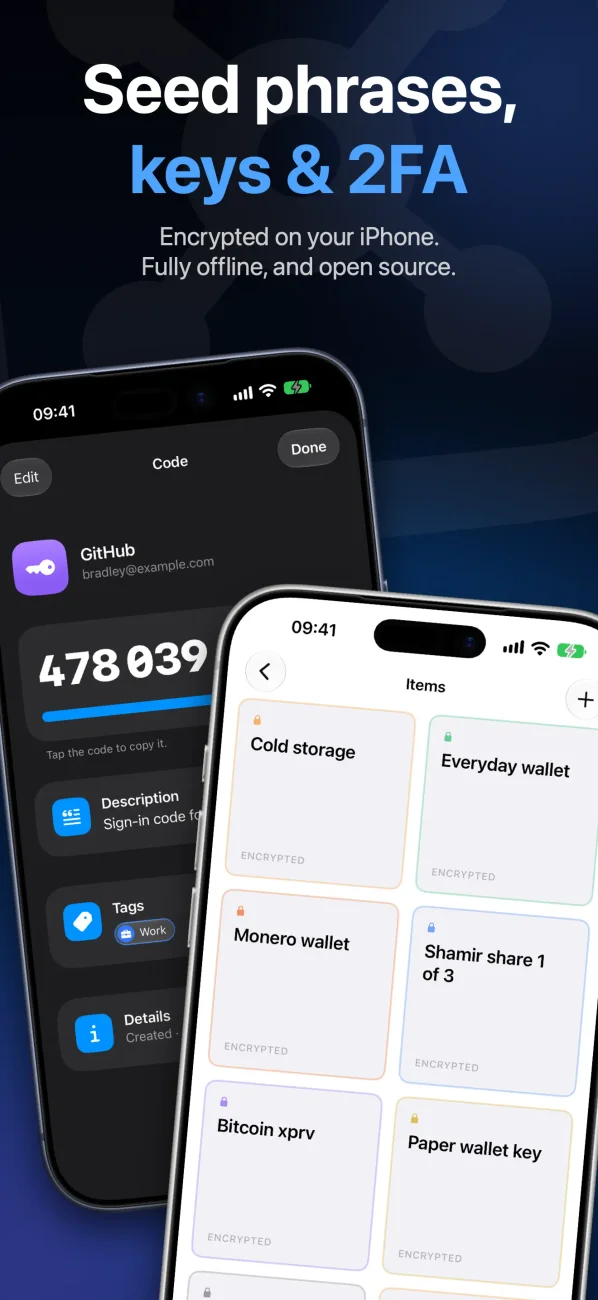
Vault keeps the secrets you can't afford to lose: seed phrases, private keys and private notes, and your two-factor codes too. It has no servers, no accounts and no analytics, it makes no network requests, and it's open source.
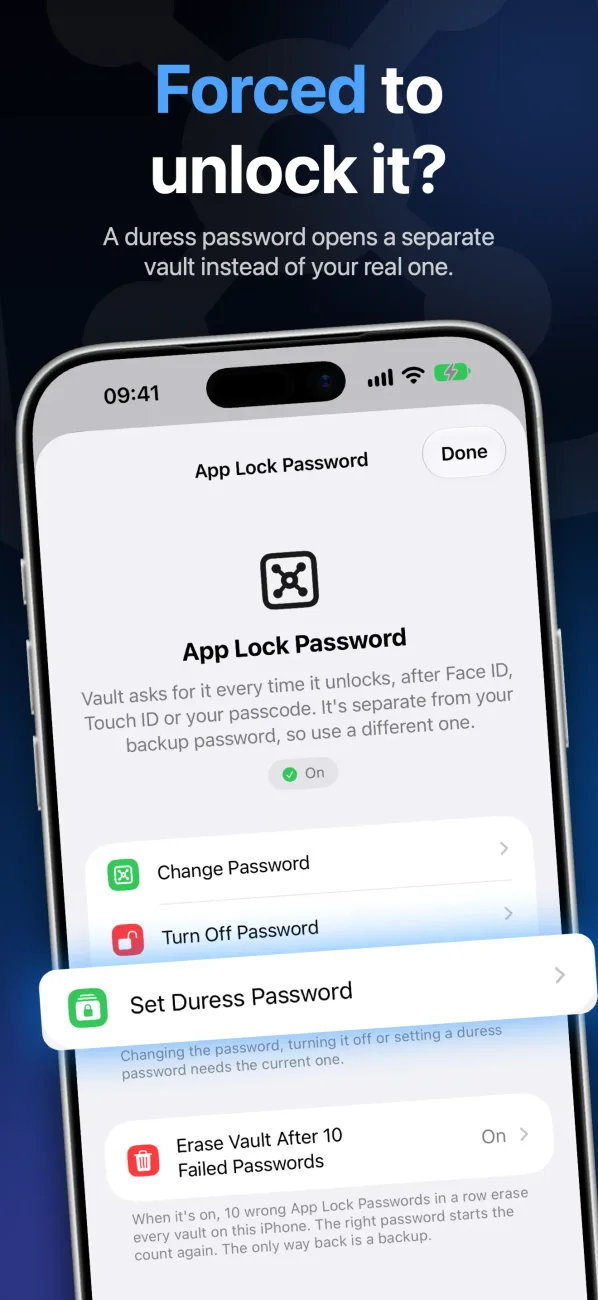
It's also built for the moment someone makes you unlock it.
RECOVERY PHRASES AND PRIVATE KEYS
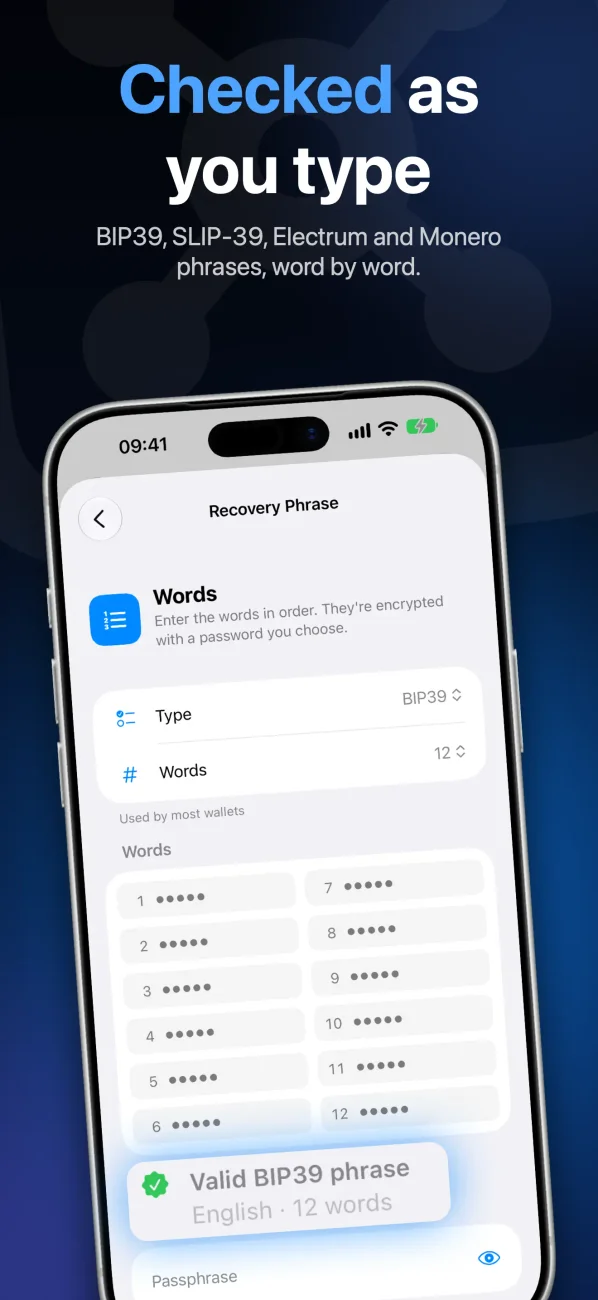
• Keep the seed phrases for your crypto wallets, checked against the BIP39, SLIP-39, Electrum and Monero word lists as you type.
• Keep private keys: WIF and extended keys (xprv), raw hex keys and Nostr keys, checked where they have a checksum, and PGP and SSH private keys.
• Phrases and keys are always encrypted and locked, masked until you tap them, hidden while the screen is recorded or shared, and can't be copied.
• Vault keeps your keys, never your funds: it signs nothing and makes no network requests.
IF YOU'RE MADE TO UNLOCK IT
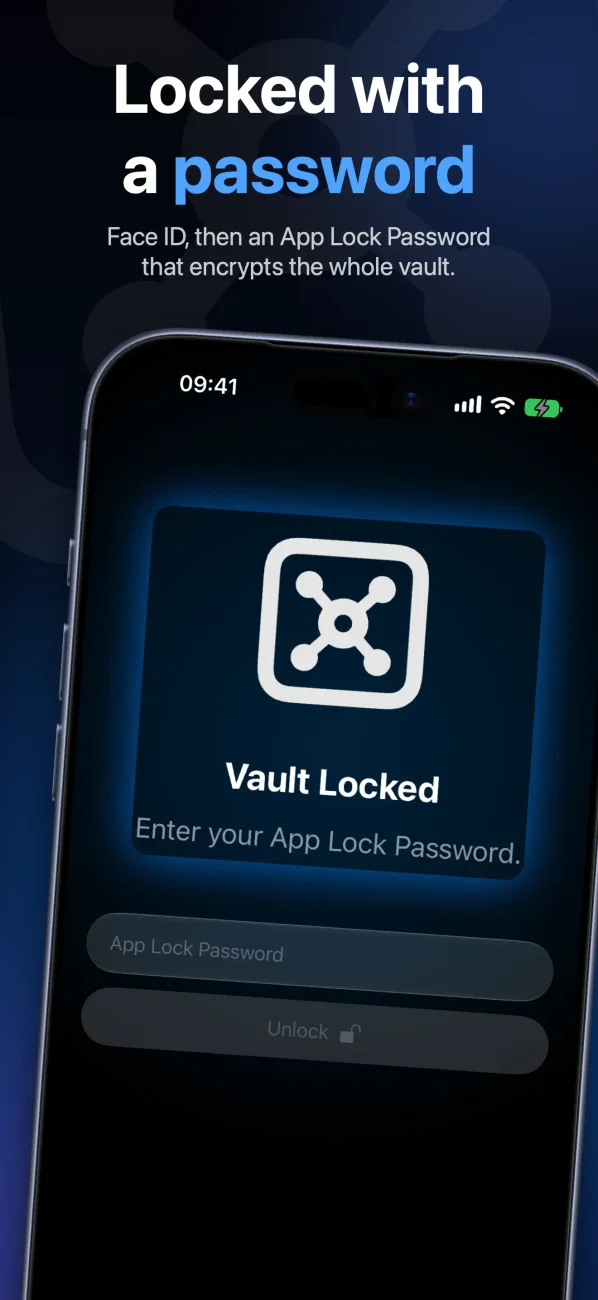
• App Lock keeps Vault behind Face ID, Touch ID or your passcode, and hides it in the app switcher.
• An App Lock Password encrypts the whole vault on your iPhone. Vault asks for it after Face ID or your passcode, and makes you wait longer after each wrong one.
• A duress password opens a separate vault instead of your real one.
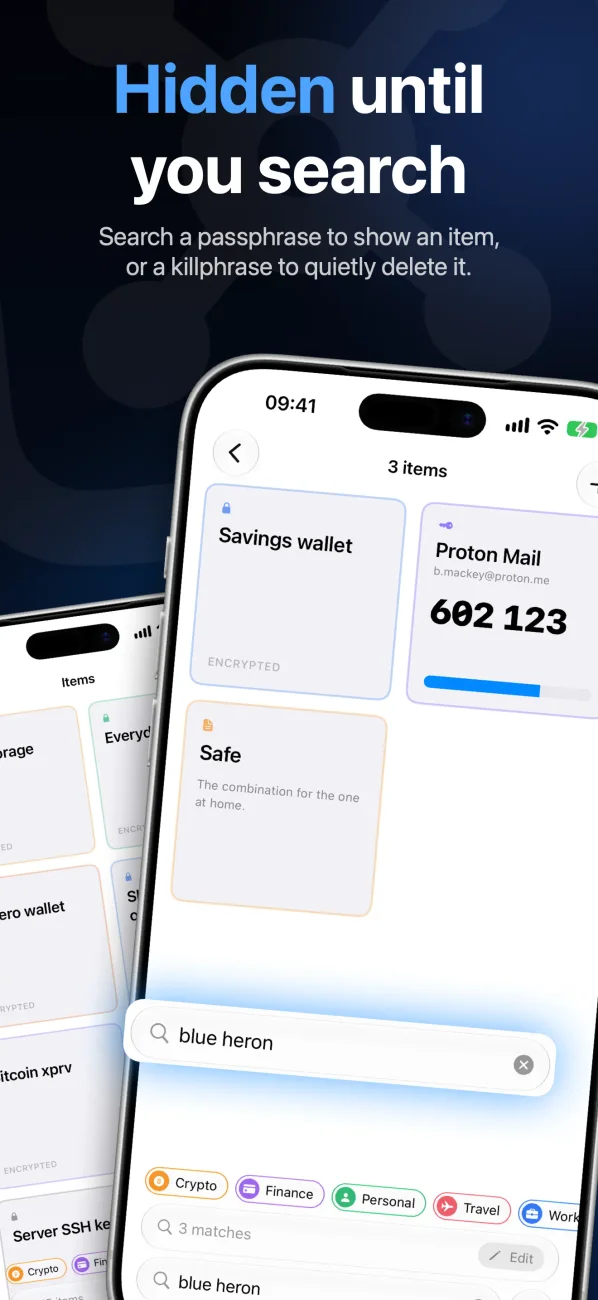
• Hidden items only appear when you search for their passphrase.
• A killphrase quietly deletes an item from this vault as soon as it's searched for.
• If you turn it on, 10 wrong passwords in a row erase every vault on the iPhone.
BACKUPS YOU CONTROL
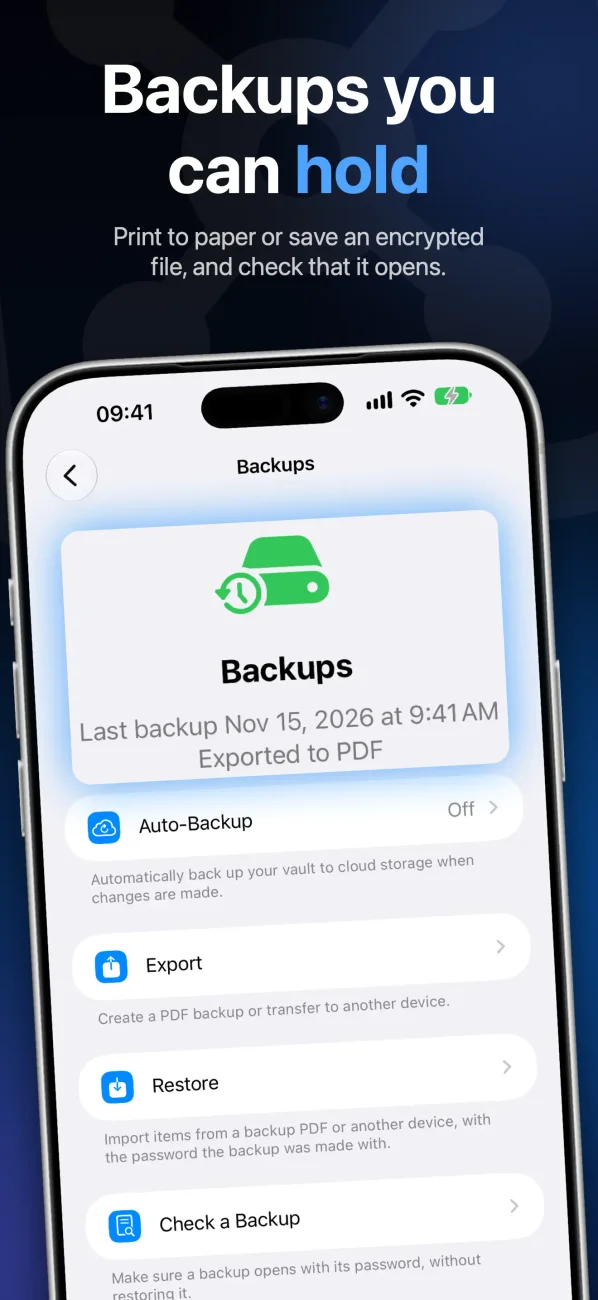
• Save an encrypted PDF backup to print or keep wherever you like. Restore it from the file, or by scanning its QR codes.
• Or have Vault save a fresh encrypted backup whenever your items change, to a folder you choose, such as one in iCloud Drive.
• Move your vault to another iPhone, iPad or Mac by scanning QR codes, with no file saved.
PRIVATE BY DESIGN
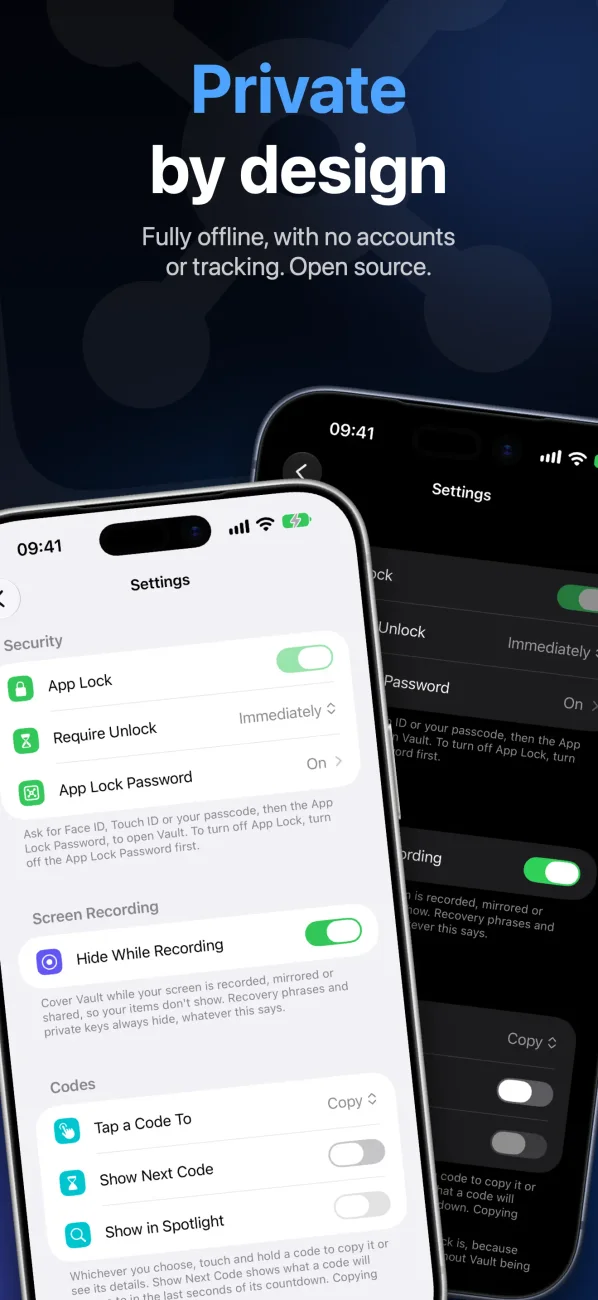
• No servers, no accounts, no sync, no analytics and no network requests.
• Hide While Recording covers Vault while the screen is recorded, mirrored or shared.
• Apple's keyboard learns nothing you type in Vault.
• Open source: the code is on GitHub, with a security model that lists every promise Vault makes, and its limits.
NOTES AND 2FA CODES
• Write notes in plain text or Markdown, tag them, and find anything with instant search.
• Lock any item behind Face ID, Touch ID or your passcode, and encrypt a note with a password of its own.
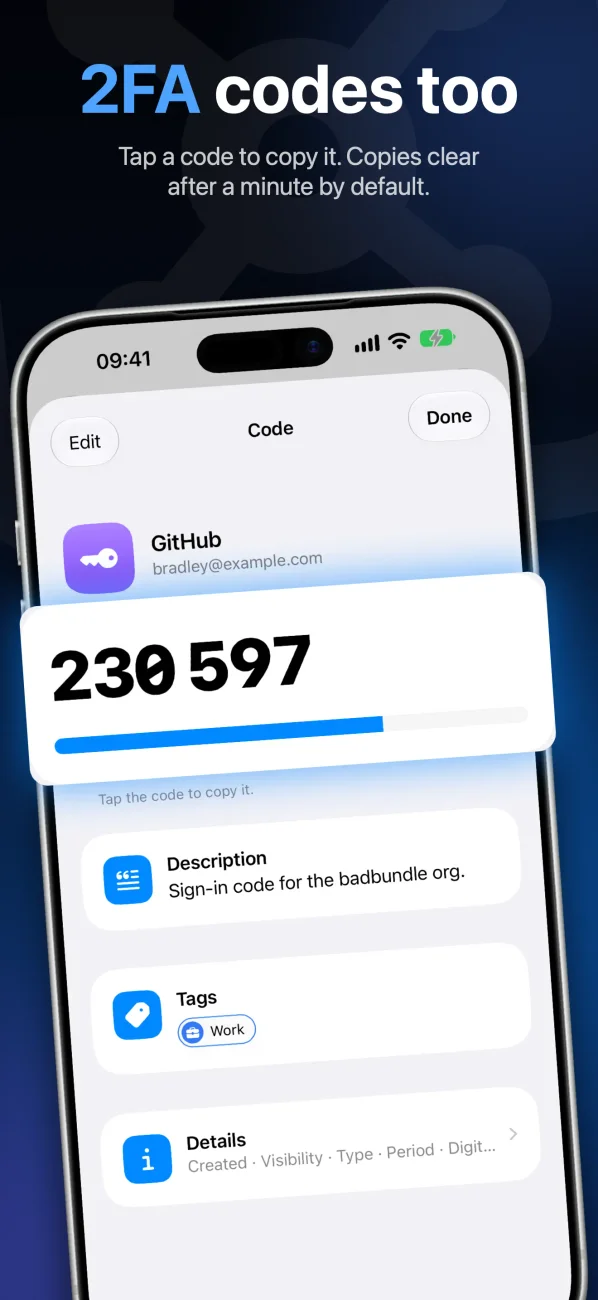
• Add a code by scanning its QR code, or type in its secret. Time-based (TOTP) and counter-based (HOTP) codes both work.
• Tap a code to copy it. Copies are cleared from the clipboard after a minute by default, and only reach your other devices if you allow it.
• Fill codes into apps and websites with AutoFill, and see them in widgets on the Home Screen and Lock Screen.
• Turn on Show in Spotlight to find a code by its site's name.
Vault is free on iPhone, iPad and the Mac, with no ads and no in-app purchases.
Nouveautés
Version 2.3 · 21/11/2026
New: Check a Backup. Find out that a backup will restore, before the day you need it. In Backups, choose a PDF backup or an auto-backup, or scan a printed backup's QR codes, and type its password. Vault opens the backup and reads all of it, as a restore would, then tells you it opens. Nothing in your vault changes.
- Fixed: merging a backup could take a tag off an item the backup didn't have.
Confidentialité de l’application
Ce que Bad Bundle Limited déclare sur l’App Store au sujet du traitement des données par cette application.
-
Données non collectées
Le développeur ne collecte aucune donnée à partir de cette application.
Les pratiques en matière de confidentialité peuvent varier, notamment en fonction des fonctionnalités que vous utilisez ou de votre âge.
Informations
- Vendeur
- Bad Bundle Limited
- Catégorie
- Productivité
- Version
- 2.3
- Mis à jour
- 21/11/2026
- Publié
- 07/10/2026
- Taille
- 81,1 Mo
- Nécessite
- iOS 27.0 ou version ultérieure
- Classification d’âge
- 4+
- Langues
- Anglais
- Copyright
- © 2026 Bad Bundle Limited
Vous aimerez peut-être aussi
-
 Krypt: Password & Secure VaultProductivité
-
 AuthWire AuthenticatorProductivité
-
 MyCryptFS MobileProductivité
-
 PawoSec - Password ManagerProductivité
-
 MyMemo Web ClipperProductivité
-
 CopyNest: Clipboard ManagerProductivité
-
 Copy BridgeProductivité
-
 GhostCore:Coffre Crypté LocalNotes privéescoffre hors-ligne
-
 UVaultProductivité
-
 Klipra - Presse-papiers ProHistorique Copie & Clavier