VE-Display
Victron HW reader for CarPlay
Conçue pour iPhone, iPad
Gratuit · Achats intégrés
- Classification d’âge4+
- CatégorieNavigation
- DéveloppeurMarco Frigerio
- LanguesAnglais
- Taille21,2 Mo
Renvoie vers la page App Store officielle
Download.org n’héberge aucun fichier de VE-Display. Le bouton ouvre la page de l’application sur App Store, où Marco Frigerio la publie. Fiche vérifiée pour la dernière fois le 26/11/2026.
Captures d’écran
À propos
Le développeur n’a pas fourni ce texte dans votre langue.
VE-Display shows your Victron Energy system's live status — SmartShunt battery monitor, SmartSolar charge controller, Orion XS DC-DC converter, Lynx Smart BMS, AC chargers and more — right on your iPhone, in CarPlay, and on Apple Watch. No VictronConnect account, no cloud, no internet connection required: everything is decoded locally from the Bluetooth broadcast your Victron devices already send out.
HOW IT WORKS
Victron's "Instant Readout" devices broadcast their status over Bluetooth Low Energy. VE-Display listens for these broadcasts and decodes them locally using the Advertisement Key from each device's VictronConnect app — the same key VictronConnect itself uses, read once and stored on your phone.
ON YOUR IPHONE
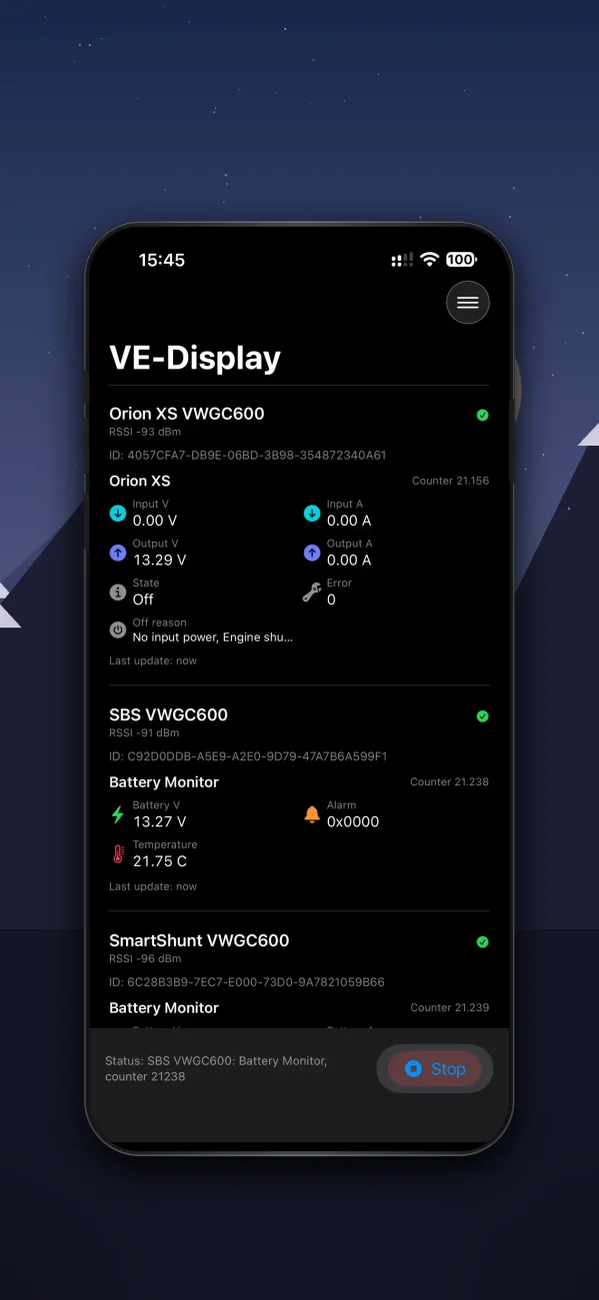
See every discovered device at a glance: state of charge, battery voltage and current, PV power and yield, input/output voltage and current, charger state, alarms, and more — only the fields each device actually reports, no clutter.
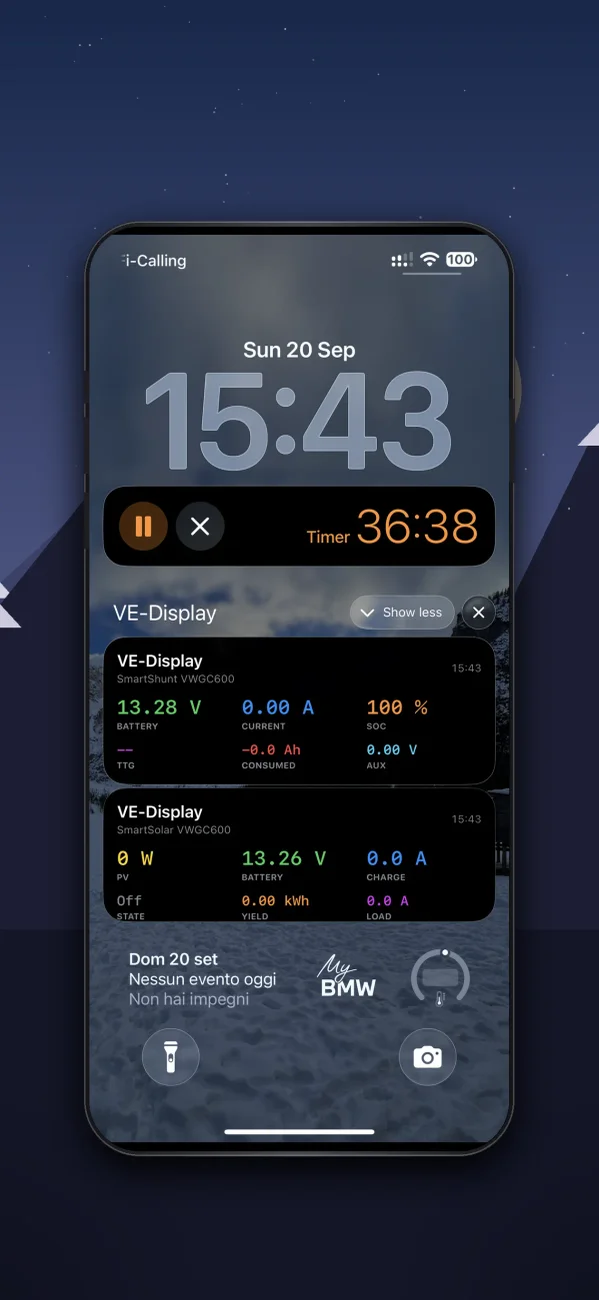
• Live Activities for your SmartShunt and your SmartSolar on the Lock Screen and in the Dynamic Island: start them from the menu and keep an eye on your system without unlocking your phone
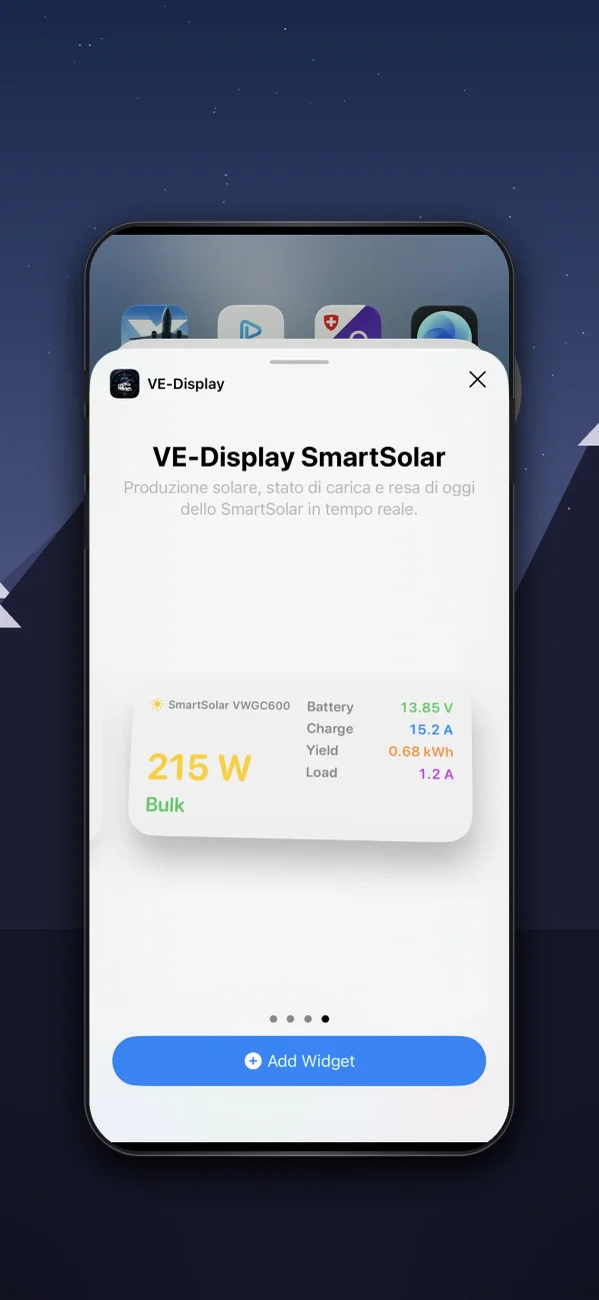
• SmartSolar widget for the Home Screen, in small and medium sizes: PV power, charge state, today's yield, battery voltage and current
• A searchable in-app Help, and a What's New screen with the full version history
ON CARPLAY
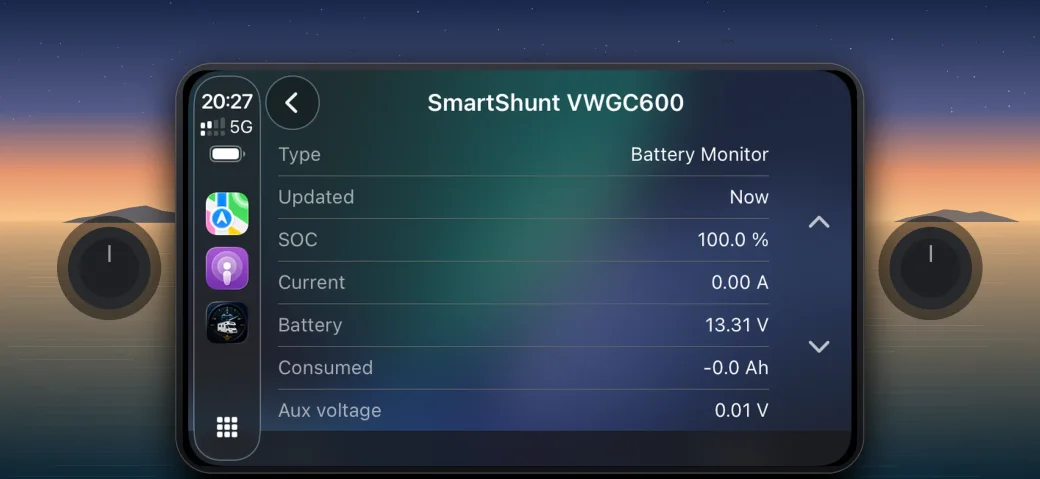
• Tap a device to hear its values read aloud and see them on screen
• Each row rolls through that device's values two at a time, the same idea as VictronConnect's own CarPlay list, with a green/red dot showing a live reading vs. a cached fallback
• Ask Siri for a device's status or how many devices are reporting, hands-free
• Prefer silence? Turn CarPlay's voice readout off in one tap and still see every value on screen
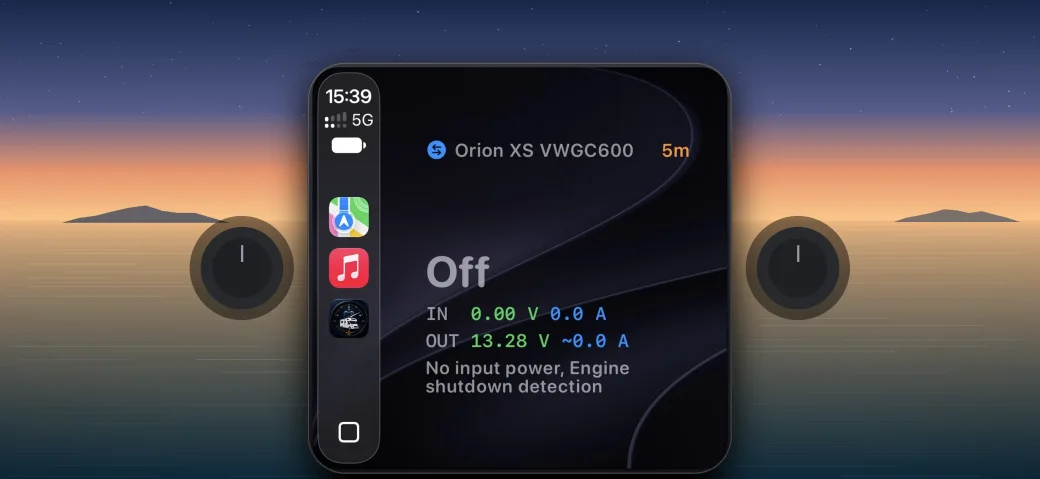
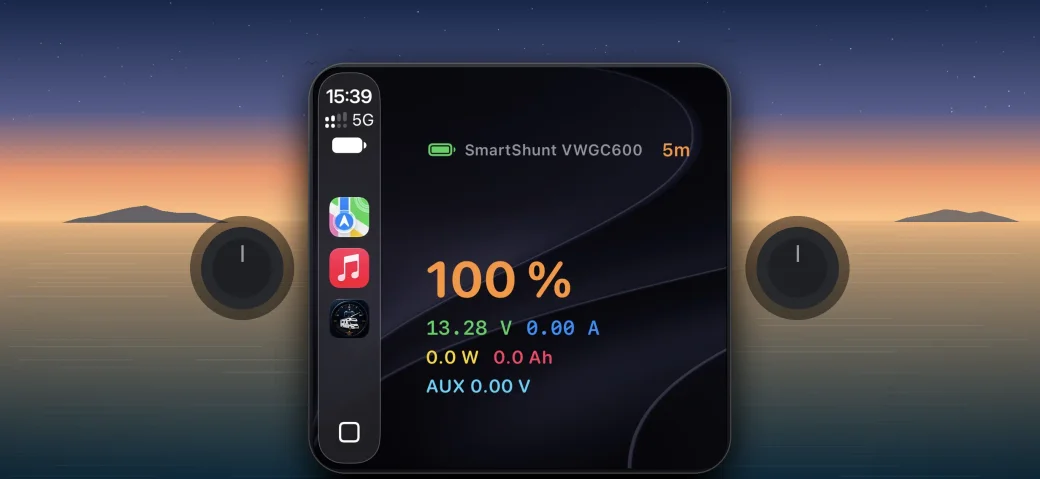
• Two glanceable widgets for the numbers that matter on the road, on your CarPlay dashboard, Home Screen or in iPhone StandBy:
– SmartShunt: state of charge, voltage, current, power, consumed Ah, time to go and the auxiliary reading
– Orion XS: charging state, input and output values, and why it's off
• Widgets highlight alarms and warn you when a reading is getting old
• For the SmartShunt, an optional background Bluetooth connection keeps CarPlay, widgets and Live Activities updating even with the iPhone screen locked
ON APPLE WATCH
• A dedicated Watch app shows your SmartShunt's state of charge on a glanceable gauge, plus every other discovered device in a scrollable list with full detail
• Add the VE-Display complication to your watch face for state of charge and voltage without opening the app
GETTING STARTED
1. Open VictronConnect once and copy the Advertisement Key from Product Info
2. Add that key in VE-Display — one key per Victron device
3. Open VE-Display on iPhone or in CarPlay and select your device once it's discovered
SUPPORTED DEVICES
SmartSolar MPPT charge controllers, SmartShunt battery monitors, Smart Battery Sense, Orion XS DC-DC converters, Lynx Smart BMS, and Smart IP43 / Smart Charger AC chargers — any Victron product broadcasting Instant Readout data.
PRIVACY FIRST
VE-Display does not collect personal data, does not use analytics, and never sends your Victron data anywhere. BLE decoding, advertisement keys and device history all stay on your device.
VE-DISPLAY PRO
CarPlay (voice readouts, Siri, widgets, Live Activities) and Apple Watch each include their own one-time free trial, so you can try both before deciding. VE-Display Pro is a single one-time purchase that unlocks unlimited use of everything — no subscription.
Nouveautés
Version 2.3 · 24/11/2026
• Redesigned main screen with a navy/gold look and a battery gauge
• iPad now runs as a compact floating window instead of stretching across the screen
• New: Demo Mode — see the whole app with simulated devices, no Victron hardware needed
Confidentialité de l’application
Ce que Marco Frigerio déclare sur l’App Store au sujet du traitement des données par cette application.
-
Données non collectées
Le développeur ne collecte aucune donnée à partir de cette application.
Les pratiques en matière de confidentialité peuvent varier, notamment en fonction des fonctionnalités que vous utilisez ou de votre âge.
Informations
- Vendeur
- Marco Frigerio
- Catégorie
- Navigation
- Version
- 2.3
- Mis à jour
- 24/11/2026
- Publié
- 17/06/2026
- Taille
- 21,2 Mo
- Nécessite
- iOS 26.5 ou version ultérieure
- Classification d’âge
- 4+
- Prix
- Gratuit
- Achats intégrés
- Oui
- Langues
- Anglais
- Copyright
- © 2026 MF-lab.com
Vous aimerez peut-être aussi
-
 TSD Open RoadsVoyages
-
 Greenlane - Fuel SmarterNavigation
-
 Pelican: Automotive assistantNavigation
-
 OBDLinkVoyages
-
 iOverlanderTrouve ta future destination
-
 Harvest Hosts - RV CampingVoyages
-
 Garmin Explore™Navigation
-
 Good Sam TravelVoyages
-
 AllStays Camp & RV: CampingVoyages
-
 Hipcamp: Camping, RVs & CabinsVoyages