
- Classification d’âge4+
- CatégorieProductivité
- DéveloppeurDowiem
- LanguesAnglais+ 3 de plus
- Taille38,9 Mo
Renvoie vers la page App Store officielle
Download.org n’héberge aucun fichier de Vector ToDo. Le bouton ouvre la page de l’application sur App Store, où Dowiem la publie. Fiche vérifiée pour la dernière fois le 16/11/2026.
Captures d’écran


À propos
Le développeur n’a pas fourni ce texte dans votre langue.
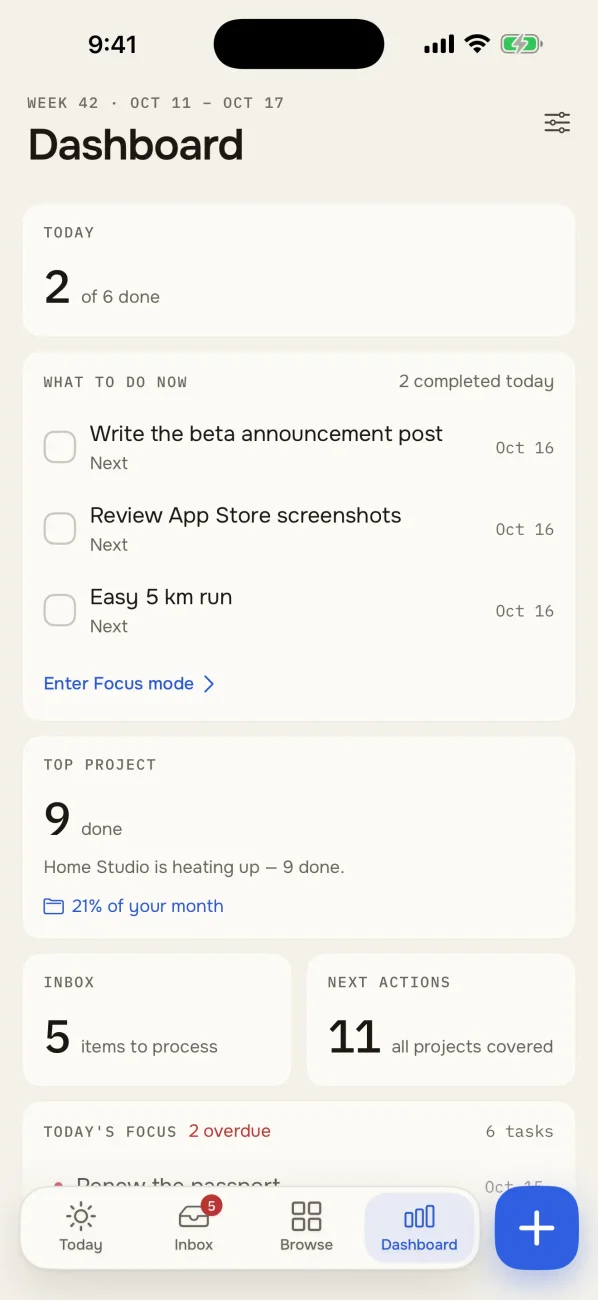
Vector ToDo is a fast, focused productivity app for people who want their tasks, notes, and calendar in one place — without the noise.
Built around the way you actually work: capture quickly, organize when you need to, and ship what matters today.
THE BASICS, DONE RIGHT
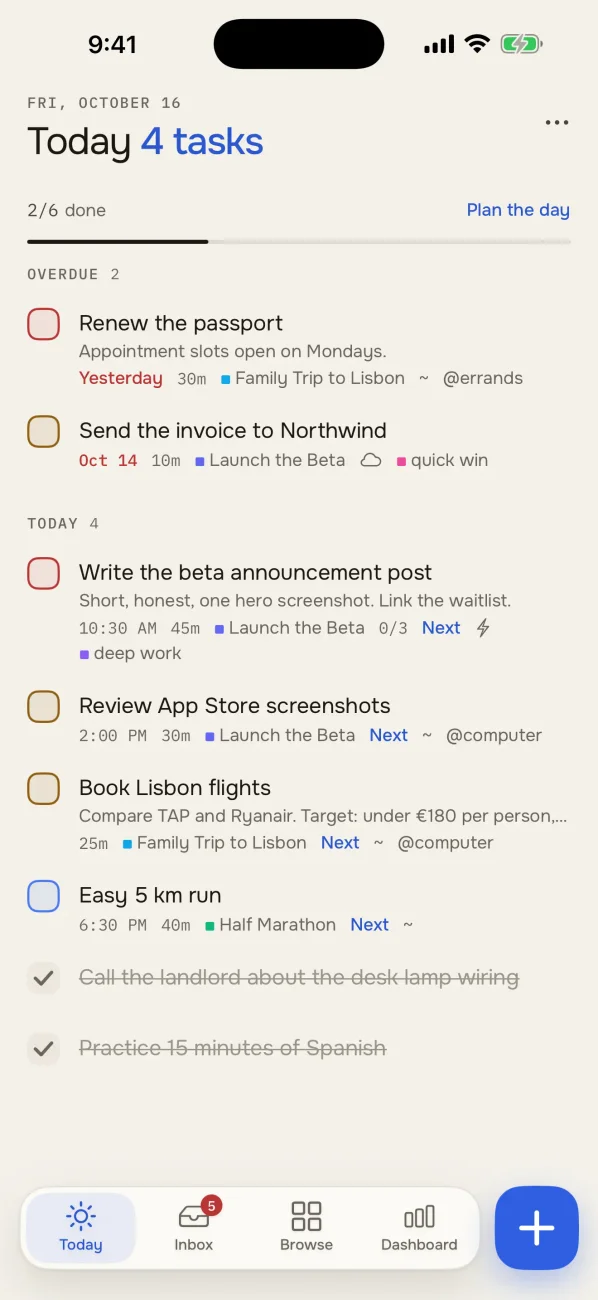
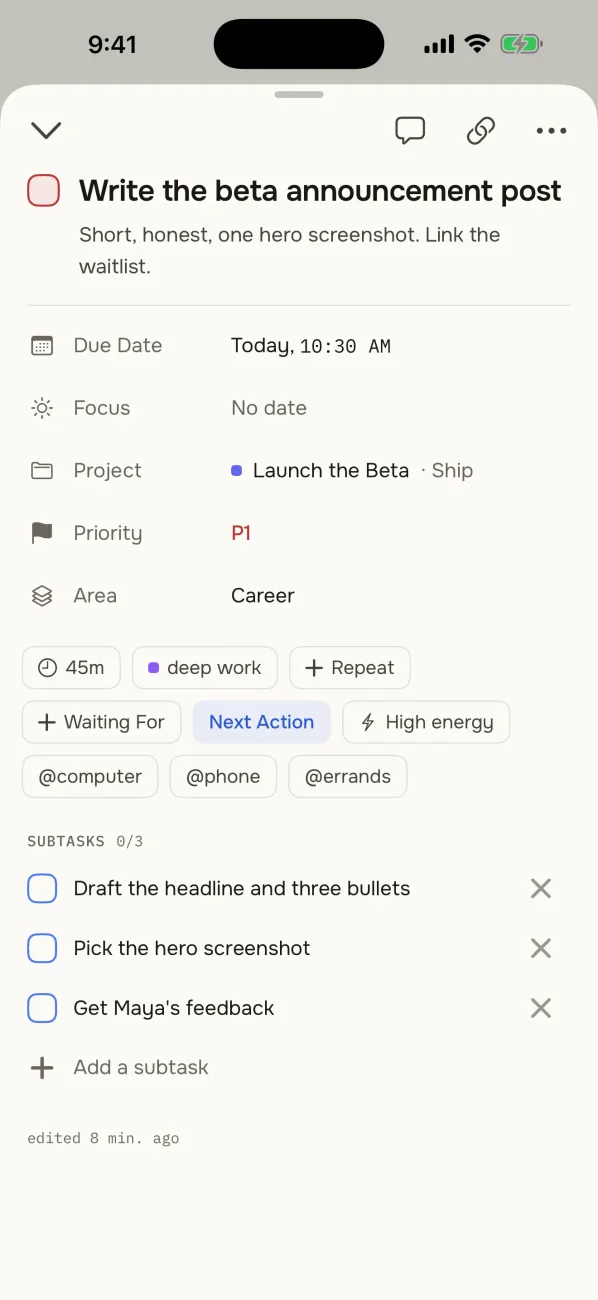
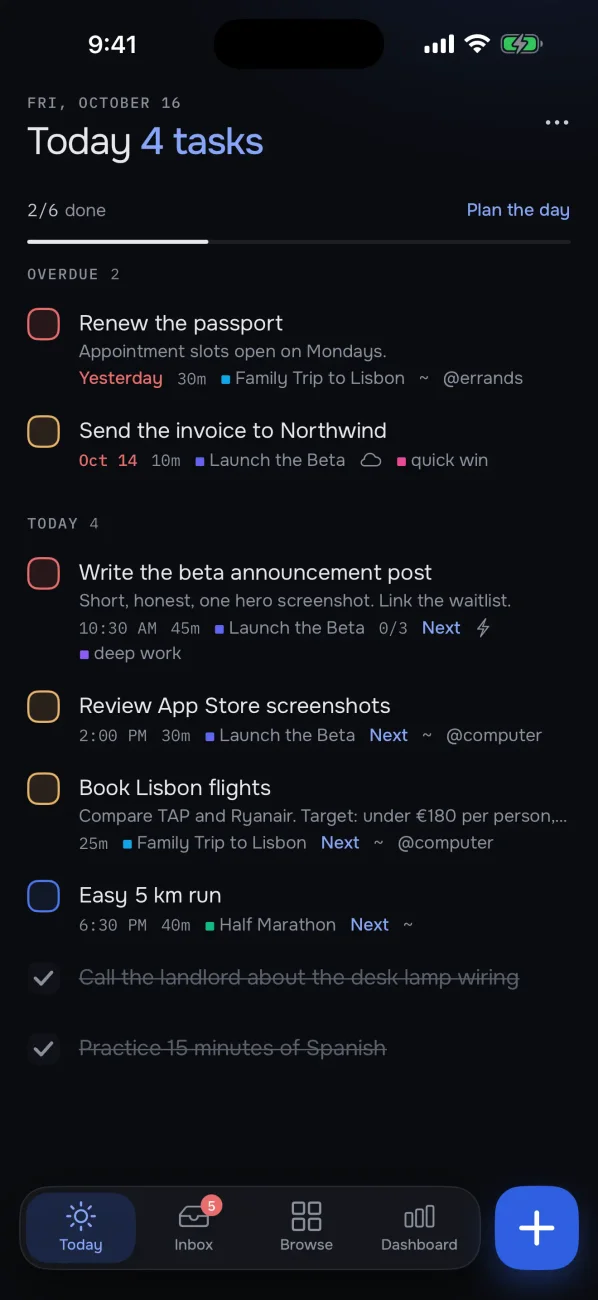
• Capture tasks in one tap — title, due date, priority, project
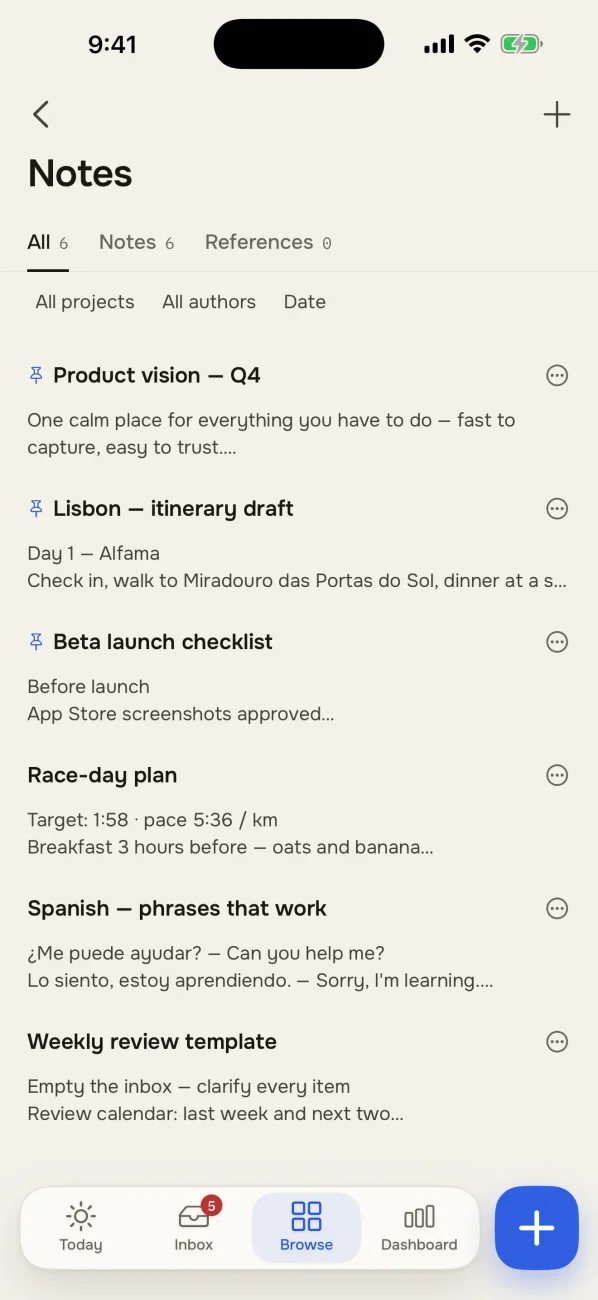
• Rich notes with formatting, lists, checkboxes, and links
• Calendar view that shows tasks and events together
• Drag-and-drop kanban boards for visual planning
• Powerful search across everything
• Light & dark themes that respect your system
BUILT FOR GTD
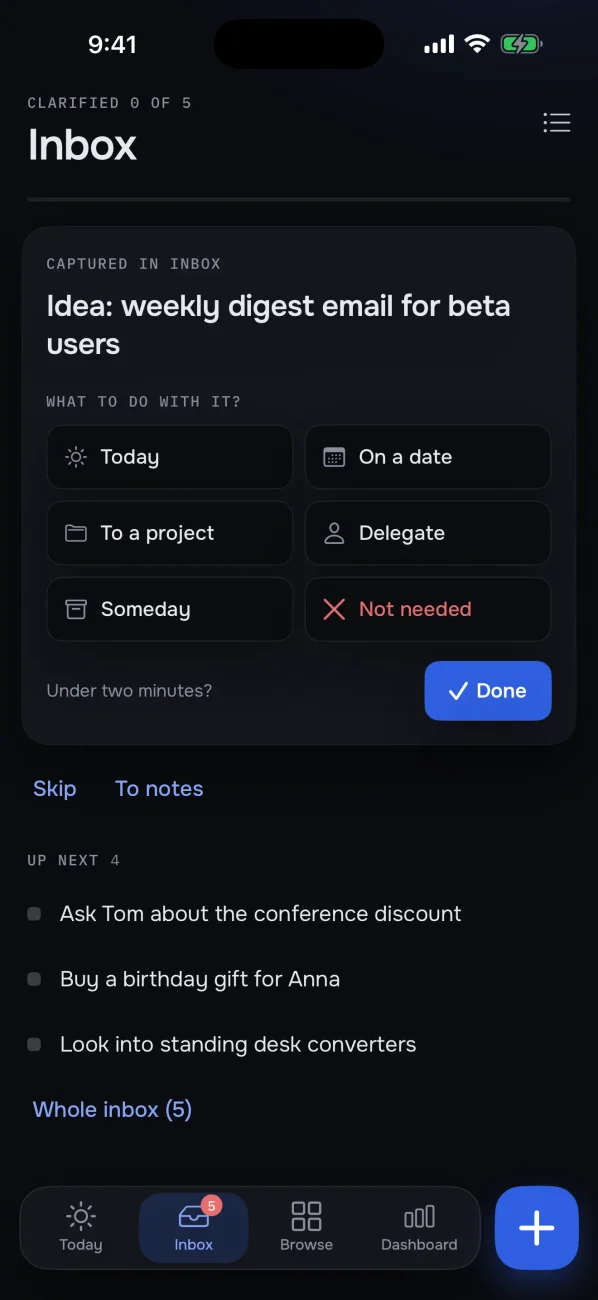
If you use Getting Things Done — or want to — Vector ToDo has first-class support:
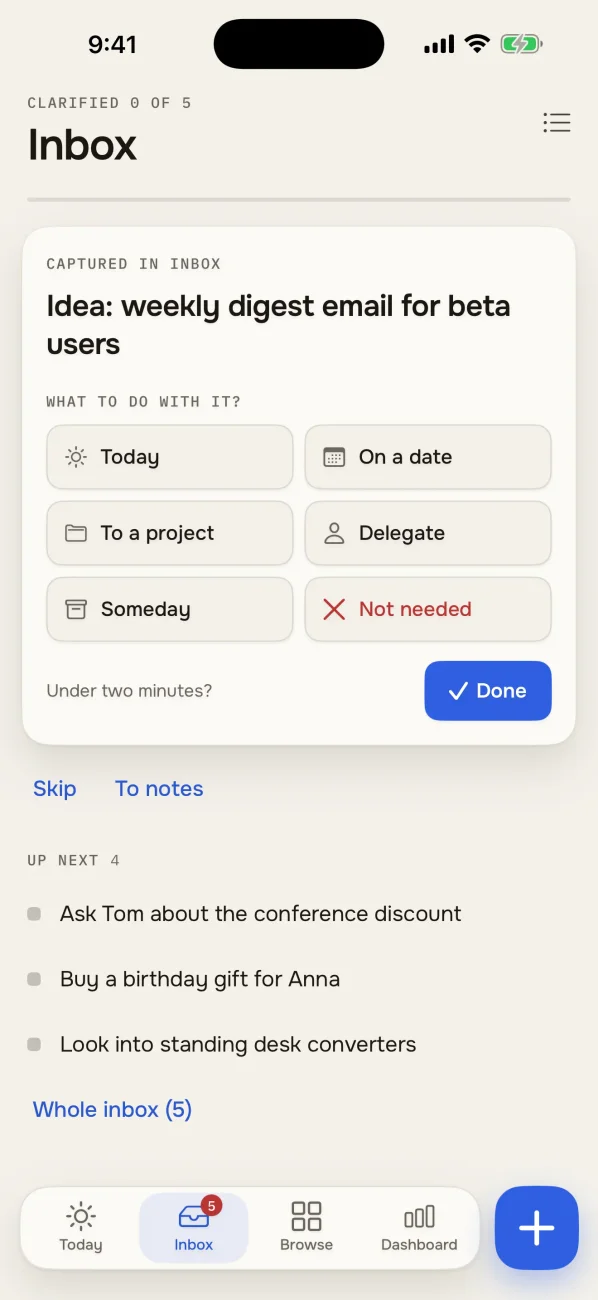
• Inbox for quick capture
• Next Actions list for the work you can do right now
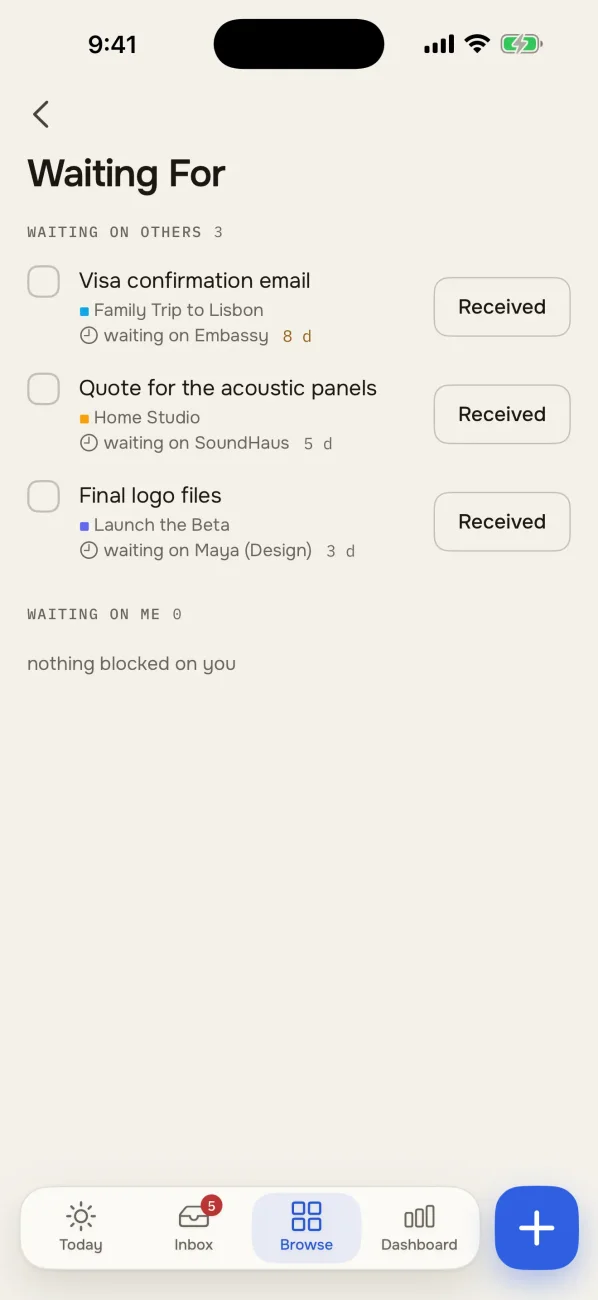
• Waiting For tracking (who owes you what, since when)
• Someday / Maybe project for the ideas you're not ready for
• Weekly review surfaces overdue, stale, and upcoming work
WORKS OFFLINE. SYNCS INSTANTLY.
Vector ToDo is offline-first. Capture a task on the subway, edit a note on a plane — everything syncs the moment you reconnect. No spinners. No "couldn't save" dialogs.
HOME-SCREEN WIDGETS
See your today list, next action, or starred notes right on your home screen. Multiple widget sizes and styles.
TEAM WORKSPACES
Share projects with your team, assign tasks, leave comments, and see what everyone is working on. Personal projects stay personal.
SIGN IN WITH APPLE
One-tap sign in, no email required. Your data stays yours.
PRIVACY YOU CAN VERIFY
• No ads, ever
• No selling your data
• Open source server, self-hostable if you want
• Full Apple Privacy Manifest disclosure
WHAT MAKES VECTOR TODO DIFFERENT
Most task apps either do too little (just a list) or too much (project management bloat). Vector ToDo sits in the middle — the things you actually use, every day, done fast.
• No required tutorials or onboarding flows
• No "AI assistant" you didn't ask for
• No upgrade nags
• Just your tasks, your notes, your day
WHO IT'S FOR
• Solo founders and indie hackers
• Designers, writers, developers
• Students managing classes and projects
• Parents juggling work and home
• Anyone who's bounced between Todoist, Apple Reminders, and a notes app trying to find one that fits
GETTING STARTED
Open the app, sign in with Apple, and you're in. Your inbox is empty by design — start by capturing the things on your mind. Vector ToDo gets out of your way.
SUPPORT & FEEDBACK
We read every message: support@vectortodo.com
Nouveautés
Version 2.0.0 · 21/10/2026
Vector ToDo 2.0 is a completely new app — rebuilt from the ground up as a native iPhone and iPad app.
FASTER AND OFFLINE-FIRST
• Everything opens instantly and works without a connection; changes sync when you're back online
• More reliable sync: edits made by your team while the app was in the background are no longer missed
A NEW LOOK
• A clean, focused design with a Liquid Glass tab bar on iOS 26
• A redesigned Dashboard that fits every iPhone size
• Full iPad support with comfortable, readable layouts
CAPTURE FASTER
• "+" opens with the project you're in — or pick any project, your Inbox or another space
• Press and hold "+" to add straight into one of your recent projects
• A redesigned Add Task widget for your Home Screen
SPACES AND TEAMS
• Your current space lives right in the tab bar: press and hold it to switch spaces or teams, double-tap to jump back
• Labels stay inside their own space
APPLE WATCH
• The Watch app gets its sign-in from your iPhone and no longer signs you out
Thank you for the feedback — a lot of this came directly from you.
Confidentialité de l’application
Ce que Dowiem déclare sur l’App Store au sujet du traitement des données par cette application.
-
Données établissant un lien avec vous
Peuvent être collectées et liées à votre identité.
- Coordonnées
- Contenu utilisateur
- Identifiants
- Données d’utilisation
-
Données n’établissant aucun lien avec vous
Peuvent être collectées, mais ne sont pas liées à votre identité.
- Diagnostic
Les pratiques en matière de confidentialité peuvent varier, notamment en fonction des fonctionnalités que vous utilisez ou de votre âge.
Informations
- Vendeur
- DOWIEM SP Z O O
- Catégorie
- Productivité
- Version
- 2.0.0
- Mis à jour
- 21/10/2026
- Publié
- 26/05/2026
- Taille
- 38,9 Mo
- Nécessite
- iOS 17.0 ou version ultérieure
- Classification d’âge
- 4+
- Prix
- Gratuit
- Langues
- Anglais, Polonais, Russe, Ukrainien
- Copyright
- © 2026 Dowiem Sp. z o.o.
Vous aimerez peut-être aussi
-
 It's That EasyProductivité
-
 Cue: AI Scheduling & To-DoProductivité
-
 To Do PileProductivité
-
 NoteSyncerProductivité
-
 FocalistProductivité
-
 OffmindProductivité
-
 Scalyx: IA To-Do ListL’agenda qui planifie pour toi
-
 Clareo: Gestionnaire GTDGlissez pour clarifier et agir
-
 Simple To-Do List & TasksProductivité
-
 Look Away: App Blocker & FocusProductivité