
- Classification d’âge4+
- CatégorieOutils de développement
- DéveloppeurAhmed Chebbi
- LanguesAnglais
- Taille1,9 Mo
Renvoie vers la page App Store officielle
Download.org n’héberge aucun fichier de Vendora Studio. Le bouton ouvre la page de l’application sur App Store, où Ahmed Chebbi la publie. Fiche vérifiée pour la dernière fois le 12/11/2026.
Captures d’écran


À propos
Le développeur n’a pas fourni ce texte dans votre langue.
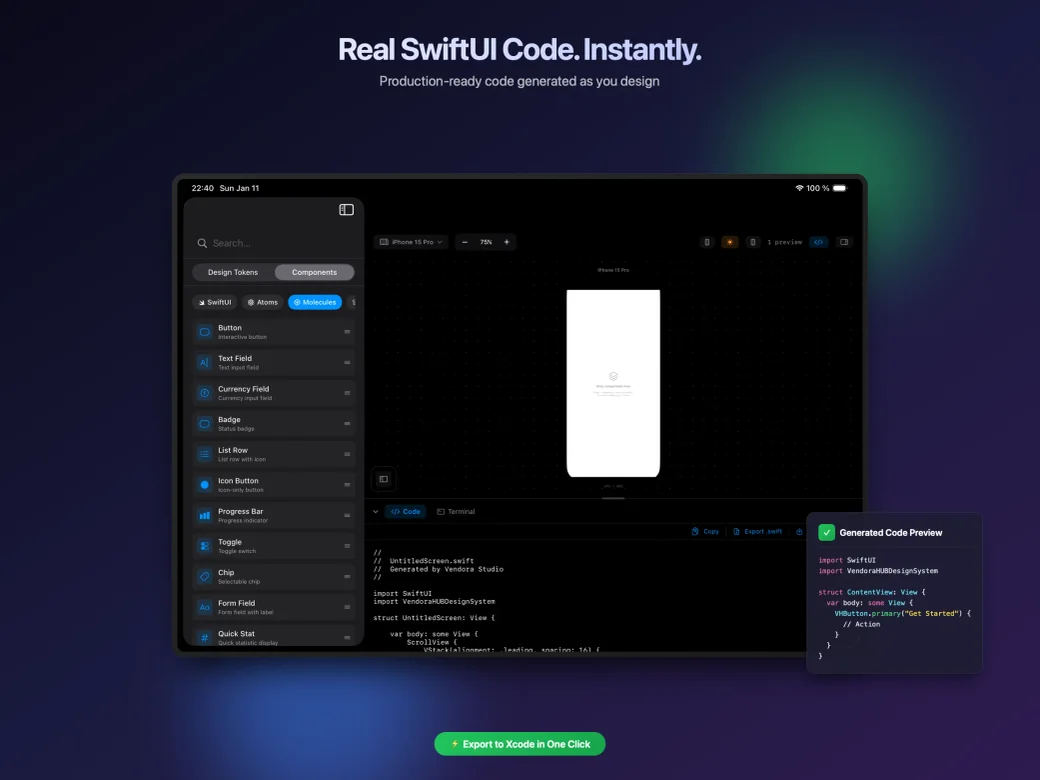
Vendora Studio transforms your iPad into a powerful SwiftUI design studio. Build beautiful interfaces visually using the VendoraHUB Design System, and generate production-ready code instantly.
DESIGN ANYWHERE
Take your UI development workflow anywhere. With full iPad support, you can design SwiftUI interfaces on the go, at your desk, or wherever inspiration strikes. Apple Pencil support makes precise component placement effortless.
VISUAL SWIFTUI BUILDER
Stop writing boilerplate code. Drag components from the library, drop them on the canvas, and watch your interface come to life. Every change generates clean SwiftUI code in real-time.
VENDORAHUB DESIGN SYSTEM
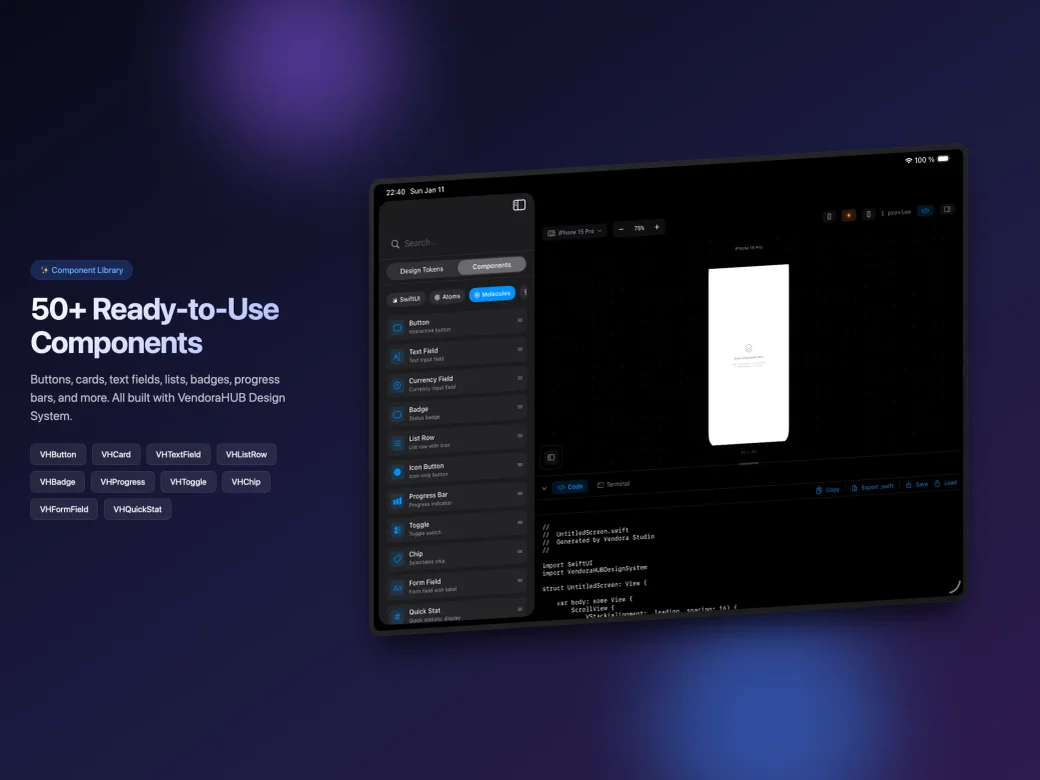
Access 50+ professionally crafted components:
• VHButton - Multiple styles (primary, secondary, ghost, destructive)
• VHCard - Cards with shadows and rounded corners
• VHTextField - Text inputs with labels and validation
• VHCurrencyField - Formatted currency inputs
• VHListRow - Configurable list rows with icons
• VHBadge - Status indicators
• VHProgressBar - Progress indicators
• VHToggle - Switch controls
• VHChip - Selectable tags
• VHFormField - Labeled form inputs
• VHQuickStat - Statistics display
• And many more...
REAL-TIME CODE GENERATION
See your SwiftUI code update instantly as you design. Copy to clipboard or export directly to use in Xcode. The generated code follows Swift best practices.
MULTI-DEVICE PREVIEW
Preview your designs on:
• iPhone (SE, 14, 15 Pro, 15 Pro Max)
• iPad (Pro 11", Pro 12.9")
• Mac
See exactly how your interface adapts to different screen sizes.
DESIGN TOKENS
Built-in design tokens ensure consistency:
• Semantic colors with automatic dark mode
• Typography styles
• Spacing system
• Corner radius values
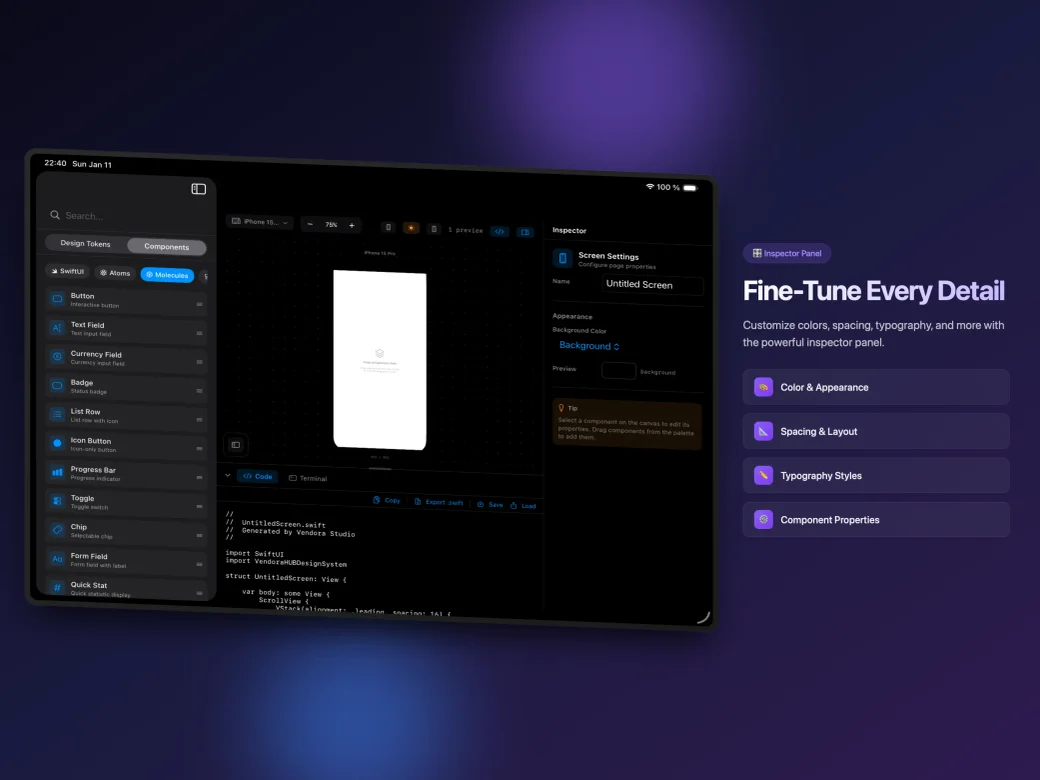
INSPECTOR PANEL
Fine-tune every component:
• Colors and appearance
• Spacing and layout
• Typography
• Component-specific properties
LIGHT & DARK MODE
Full support for both appearances. Design once, your interface automatically adapts.
OPTIMIZED FOR IPAD
• Split View and Slide Over support
• Keyboard shortcuts
• Trackpad and mouse support
• Apple Pencil for precise placement
EXPORT OPTIONS
• Copy code to clipboard
• Export as .swift file
• Save and load projects
Perfect for developers who want to:
• Prototype SwiftUI interfaces quickly
• Design on the go with iPad
• Maintain consistency with a design system
• Learn SwiftUI patterns visually
Vendora Studio brings professional UI design tools to your iPad. Design faster, code smarter.
Confidentialité de l’application
Ce que Ahmed Chebbi déclare sur l’App Store au sujet du traitement des données par cette application.
-
Données non collectées
Le développeur ne collecte aucune donnée à partir de cette application.
Les pratiques en matière de confidentialité peuvent varier, notamment en fonction des fonctionnalités que vous utilisez ou de votre âge.
Informations
- Vendeur
- Ahmed Chebbi
- Catégorie
- Outils de développement
- Version
- 1.0
- Mis à jour
- 13/01/2026
- Publié
- 13/01/2026
- Taille
- 1,9 Mo
- Nécessite
- iOS 26.0 ou version ultérieure
- Classification d’âge
- 4+
- Prix
- Gratuit
- Langues
- Anglais
- Copyright
- Copyright © 2026-2027 Vendora HUB. All rights reserved.
Vous aimerez peut-être aussi
-
 ReleaseVault : MétadonnéesMots-clés, versions et ASO
-
 DesignToCode for SwiftUIOutils de développement
-
 RoqueOSOutils de développement
-
 Zedra - AI Coding AgentsOutils de développement
-
 Clawdex: Code from PhoneOutils de développement
-
 Crevit: Sites Web et Apps IACréez sites et apps avec l'IA
-
 ComponentsKit: develop fasterOutils de développement
-
 DevBox - Toolbox for DeveloperOutils de développement
-
 JavaScript IDE - HTML & CSSExécuter & Apprendre JS + TS
-
 Kuniswy: SwiftUI Cheat SheetOutils de développement