
VueCut
AI Video Editor & Captions
Conçue pour iPhone
Gratuit · Achats intégrés
- Classification d’âge4+
- CatégoriePhoto et vidéo
- DéveloppeurElgiz tech mmc
- LanguesAnglais+ 20 de plus
- Taille39,9 Mo
Renvoie vers la page App Store officielle
Download.org n’héberge aucun fichier de VueCut. Le bouton ouvre la page de l’application sur App Store, où Elgiz tech mmc la publie. Fiche vérifiée pour la dernière fois le 25/11/2026.
Captures d’écran
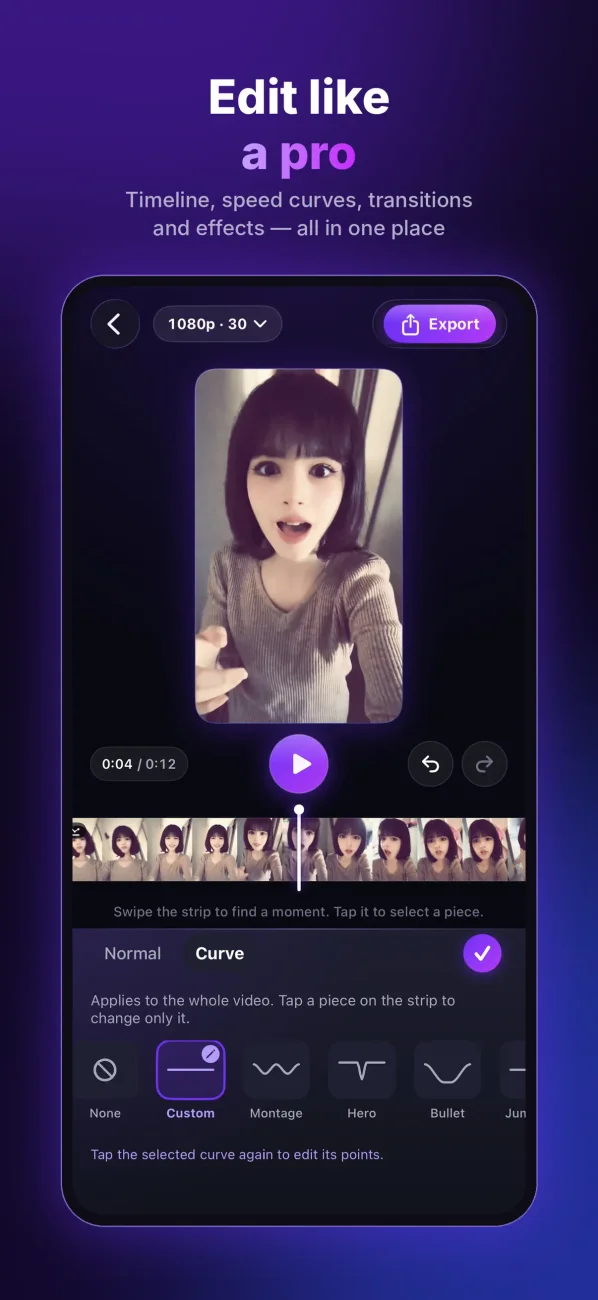
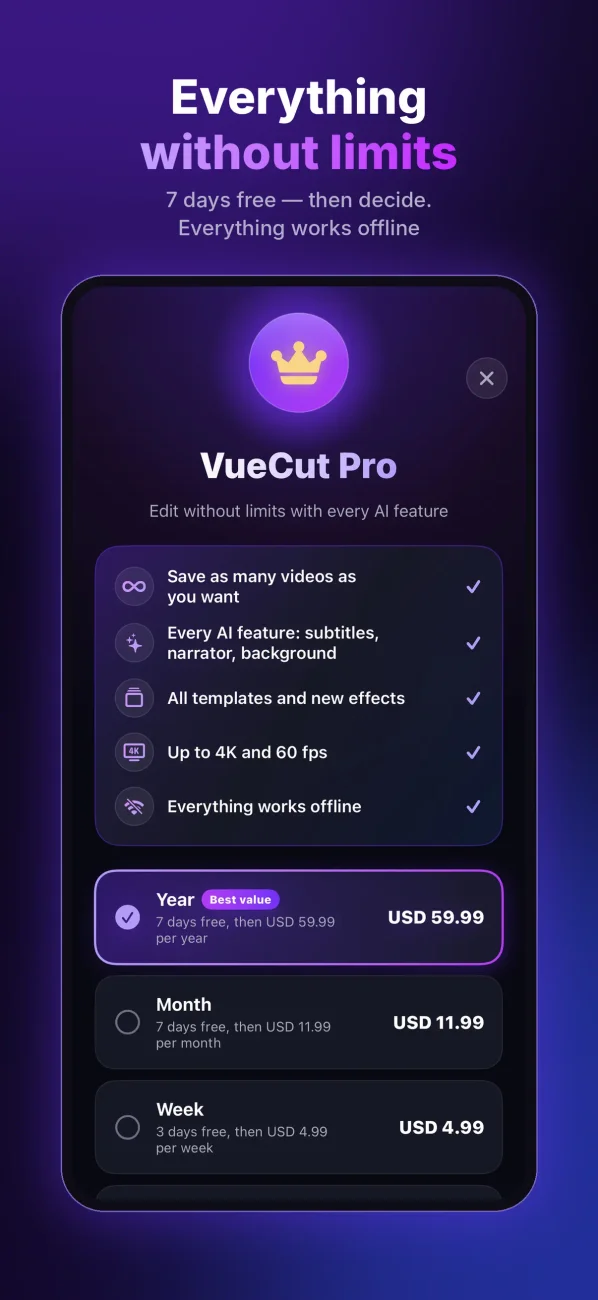
À propos
Le développeur n’a pas fourni ce texte dans votre langue.
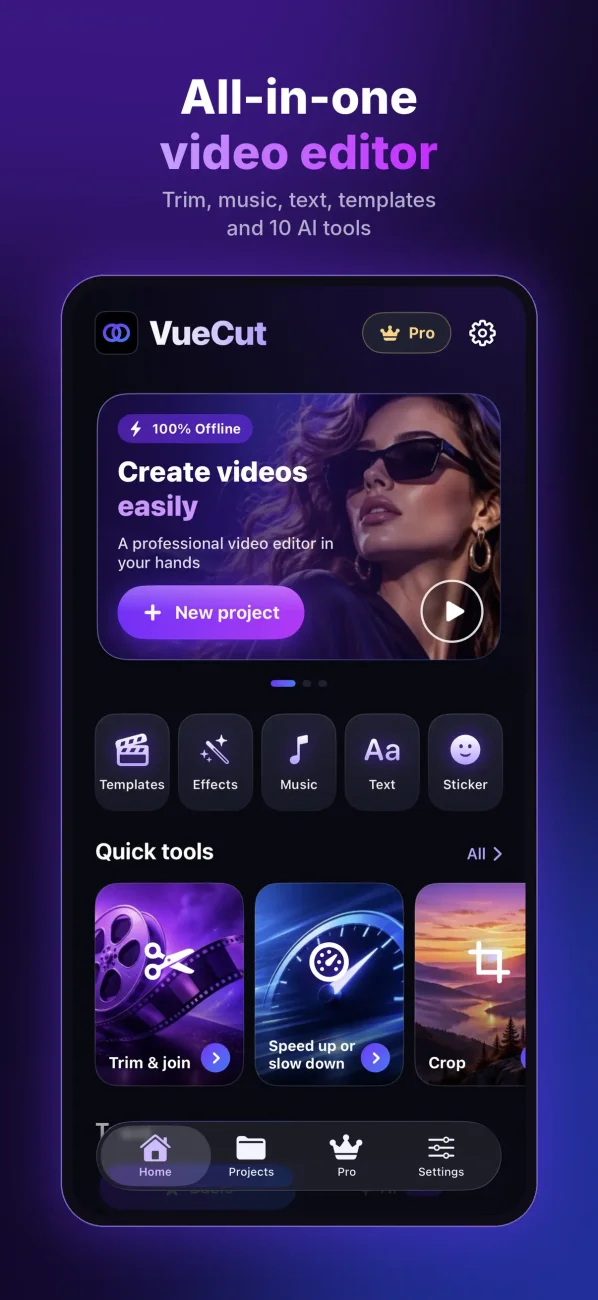
VueCut is a powerful video editor with AI tools that work completely offline. Your videos never leave your iPhone — no uploads, no account, no ads.
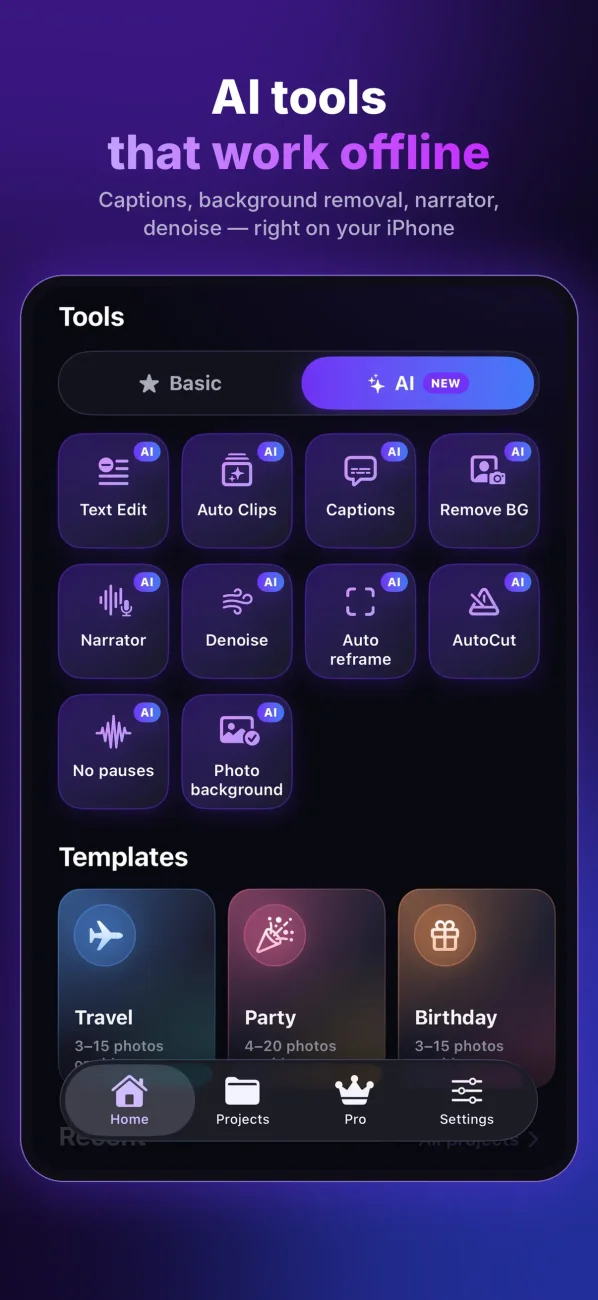
AI THAT WORKS ON YOUR DEVICE
• Auto captions in 40+ languages — edit text, style and position
• Remove background from videos and photos in one tap — person or object
• AI narrator — turn text into natural speech
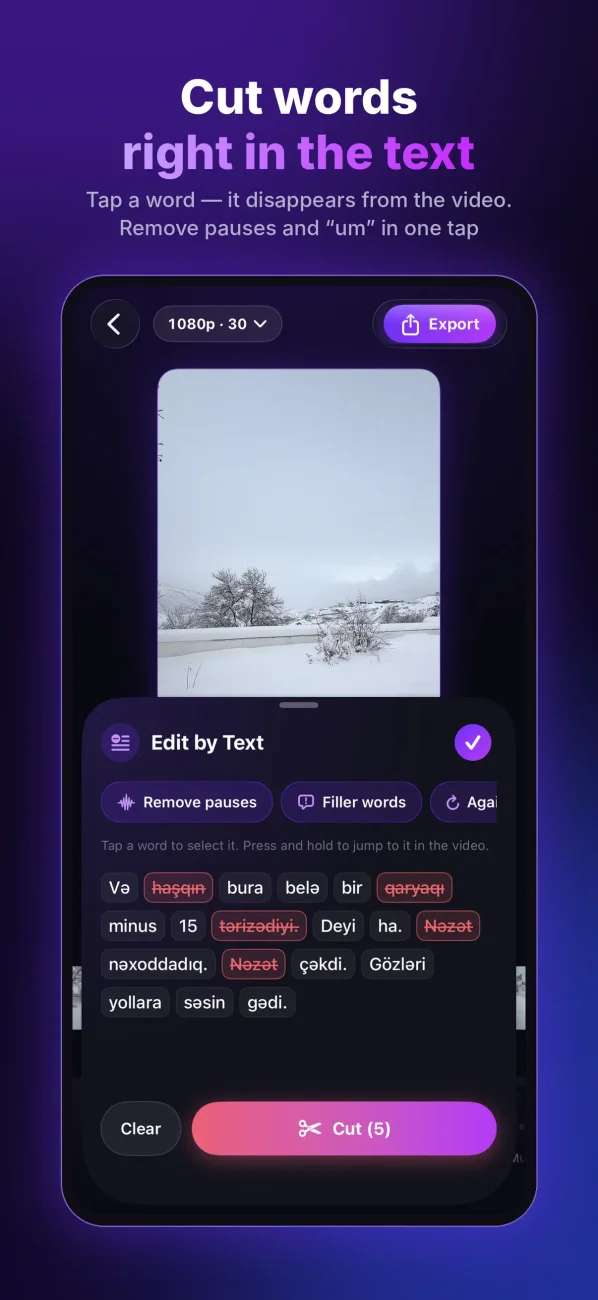
• Remove pauses and filler words automatically
• Denoise — clean up wind, street noise and hum
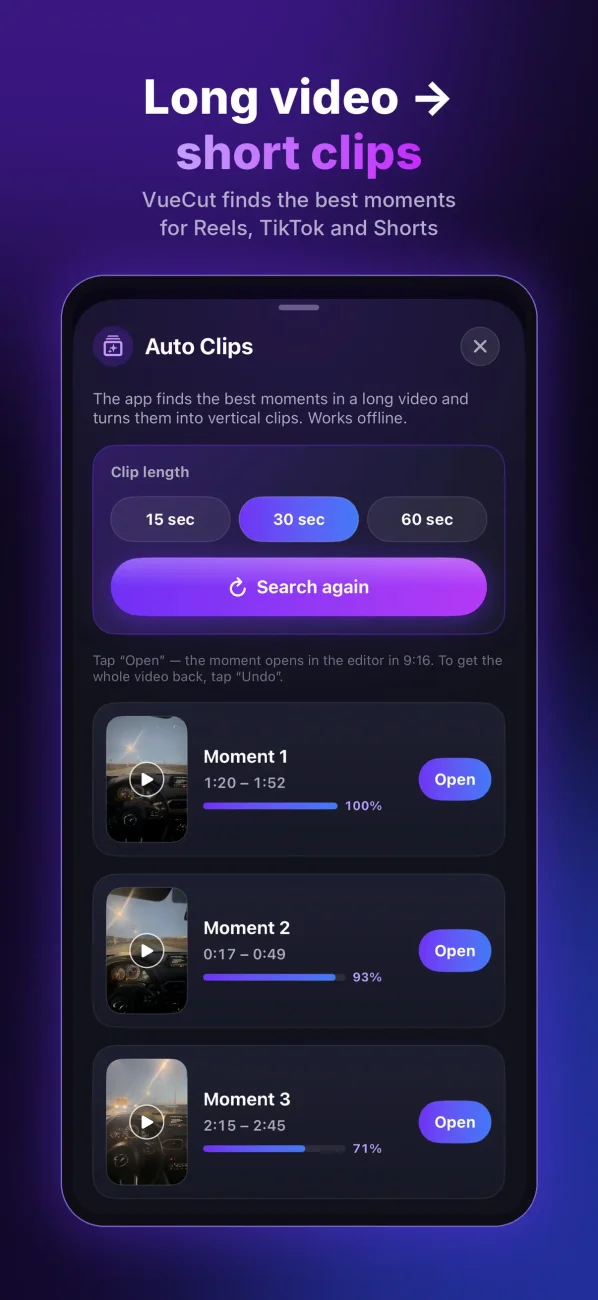
• Auto reframe — keep the person in frame for 9:16 Reels and TikTok
• AutoCut — cuts your clips to the beat of the music
EVERYTHING FOR A GREAT VIDEO
• Trim, split, join and reorder clips
• Music, sound effects and voice recording
• Text, stickers and animated titles
• Transitions, filters, speed curves and blur
• Crop and formats for Reels, TikTok, YouTube and posts
• Export up to 4K and 60 fps
TEMPLATES
Pick photos and videos — get a ready video for travel, party, birthday, love story and more.
JUST ASK SIRI
"Add captions to my last video in VueCut", "Share my last video from VueCut to Instagram" — Siri works in 15 languages.
VUECUT PRO
Unlock unlimited saves, all AI features and templates. Choose weekly, monthly, yearly or lifetime. Subscriptions renew automatically unless cancelled at least 24 hours before the end of the period. Manage or cancel anytime in Settings → your name → Subscriptions.
Terms of Use: https://www.apple.com/legal/internet-services/itunes/dev/stdeula/
Nouveautés
Version 2.5 · 24/11/2026
New: a full photo editor — everything works offline!
• Filters, light & color, crop and straighten
• AI quality: makes blurry photos sharp and 4× bigger
• Retouch: smooth skin, white teeth, bright eyes
• Face shape: slimmer face, smaller nose, bigger eyes, fuller lips
• Replace or blur the background behind a person
• Effects: light leaks, glow, bokeh, mirror, double exposure
• Head swap: move a head onto another photo
• Text in shapes: arcs, circles, hearts, stars, neon, gold
• Moving text: words glide over your photo like movie credits — saved as video
• Brush, mosaic, shapes and arrows, frames, hearts, stars and snow
• Stickers, plus your own stickers from photos
The home screen is easier to use: helpful hints and a new logo.
Confidentialité de l’application
Ce que Elgiz tech mmc déclare sur l’App Store au sujet du traitement des données par cette application.
-
Données n’établissant aucun lien avec vous
Peuvent être collectées, mais ne sont pas liées à votre identité.
- Achats
Les pratiques en matière de confidentialité peuvent varier, notamment en fonction des fonctionnalités que vous utilisez ou de votre âge.
Informations
- Vendeur
- Elgiz tech mmc
- Catégorie
- Photo et vidéo
- Version
- 2.5
- Mis à jour
- 24/11/2026
- Publié
- 23/02/2026
- Taille
- 39,9 Mo
- Nécessite
- iOS 18.0 ou version ultérieure
- Classification d’âge
- 4+
- Prix
- Gratuit
- Achats intégrés
- Oui
- Langues
- Anglais, Arabe, Azéri, Danois, Néerlandais, Français, Allemand, Indonésien, Italien, Japonais, Coréen, Norvégien + 9 de plus
- Copyright
- © 2026 Elgiz Tech MMC
Vous aimerez peut-être aussi
-
 Seam: Merge & Stitch VideosPhoto et vidéo
-
 Video Cutter & TrimmerPhoto et vidéo
-
 SimpleCut VideoPhoto et vidéo
-
 Tau34 - Video SplitterCut Clips pour Médias Sociaux
-
 Split Video: Lossless CutPhoto et vidéo
-
 JoinCut - Fusion vidéo & coupeCouper, assembler, sans perte
-
 Segmento - appPhoto et vidéo
-
 ORGAPICTPhoto et vidéo
-
 LAN PlayerPhoto et vidéo
-
 MoonCutCoupe, rogne, texte et filtre