
WARBL Configuration Tool
Setup your WARBL Controller
Conçue pour iPhone, iPad, iPod touch
Gratuit
- Classification d’âge4+
- CatégorieMusique
- DéveloppeurSonosaurus LLC
- LanguesAnglais
- Taille722,0 Ko
Renvoie vers la page App Store officielle
Download.org n’héberge aucun fichier de WARBL Configuration Tool. Le bouton ouvre la page de l’application sur App Store, où Sonosaurus LLC la publie. Fiche vérifiée pour la dernière fois le 18/11/2026.
Captures d’écran
À propos
Le développeur n’a pas fourni ce texte dans votre langue.
WARBL and WARBL2 are plug-and-play USB (and BTLE) MIDI wind controllers that allows the traditional musician to practice with headphones using familiar playing techniques. Designed to simulate a variety of open-tonehole wind instruments such as tin whistles, flutes, and bagpipes, WARBL has optical sensors and real toneholes for continuous finger sensing and realistic feel. An air-pressure sensor allows playing with breath or a bagpipe bag.
WARBL does not produce any sound on its own. It is designed to control hardware MIDI sound modules or MIDI sound module apps running on an iOS device, for example AppCordions "Celtic Sounds" or Roland Sound Canvas.
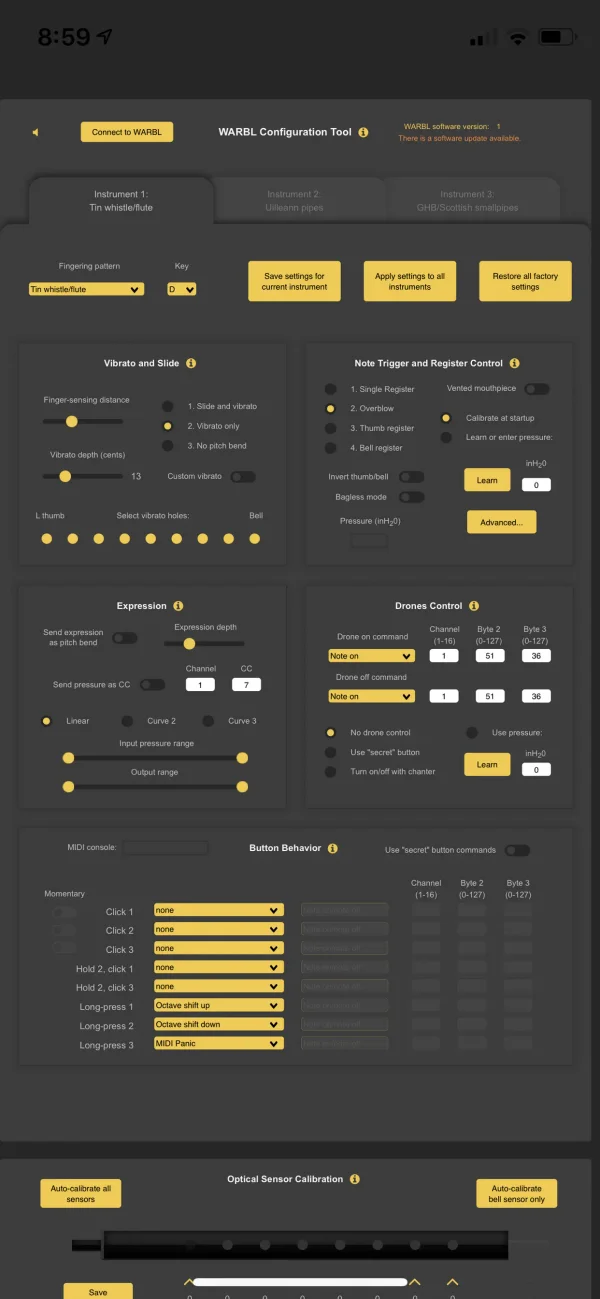
The WARBL Configuration Tool allows complete control over the air pressure sensitivity, vibrato/pitch bend, expression, and many other settings. You may adjust and save settings to design the instrument of your choice.
The WARBL supports saving three preset instrument configurations, for example, Whistle, Uilleann Pipes, and Great Highland Bagpipes. The buttons on the back of the WARBL may be programmed to switch between the instrument preset configurations, change the octave, send MIDI messages, and many other options.
To use, just plug in your WARBL to an Apple USB Camera Adapter connected to the Lightning port on your device, run the app, touch "Connect WARBL" at the top of the control panel and begin configuring your WARBL. Or if you have a WARBL2 with BTLE, press the BT MIDI button on the navigation bar to manage the connection to your WARBL wirelessly.
When connected, the status at the top of the page will show "WARBL Connected" and you'll see MIDI event information on the display.
Touch the yellow “info” buttons for instructions on using each section of the Configuration Tool.
Nouveautés
Version 1.2 · 19/09/2024
- Improved connection logic so you can choose which device to connect to if you have multiple WARBLs
- Added BT MIDI configuration page to support WARBL2
- Improved caching behavior and added reload button
Confidentialité de l’application
Ce que Sonosaurus LLC déclare sur l’App Store au sujet du traitement des données par cette application.
-
Données non collectées
Le développeur ne collecte aucune donnée à partir de cette application.
Les pratiques en matière de confidentialité peuvent varier, notamment en fonction des fonctionnalités que vous utilisez ou de votre âge.
Informations
- Vendeur
- Sonosaurus LLC
- Catégorie
- Musique
- Version
- 1.2
- Mis à jour
- 19/09/2024
- Publié
- 11/03/2019
- Taille
- 722,0 Ko
- Nécessite
- iOS 12.0 ou version ultérieure
- Classification d’âge
- 4+
- Prix
- Gratuit
- Langues
- Anglais
- Copyright
- © 2024 Mowry Stringed Instruments