WeekiScope
습관, 생활, 업무(학습) 하루의 흐름과 균형
Conçue pour iPhone, iPad, Mac
Gratuit · Achats intégrés
- Classification d’âge4+
- CatégorieProductivité
- DéveloppeurHYOKUN KIM
- LanguesCoréen+ 1 de plus
- Taille6,7 Mo
Renvoie vers la page App Store officielle
Download.org n’héberge aucun fichier de WeekiScope. Le bouton ouvre la page de l’application sur App Store, où HYOKUN KIM la publie. Fiche vérifiée pour la dernière fois le 18/11/2026.
Captures d’écran


À propos
Le développeur n’a pas fourni ce texte dans votre langue.
From planning your day to building consistent habits and exercise routines—and finding a better balance between life and work—WeekiScope helps you manage both what you need to do and what you want to do.
Connect events from Apple Calendar and tasks from Reminders, then manage your habits and projects all in one place.
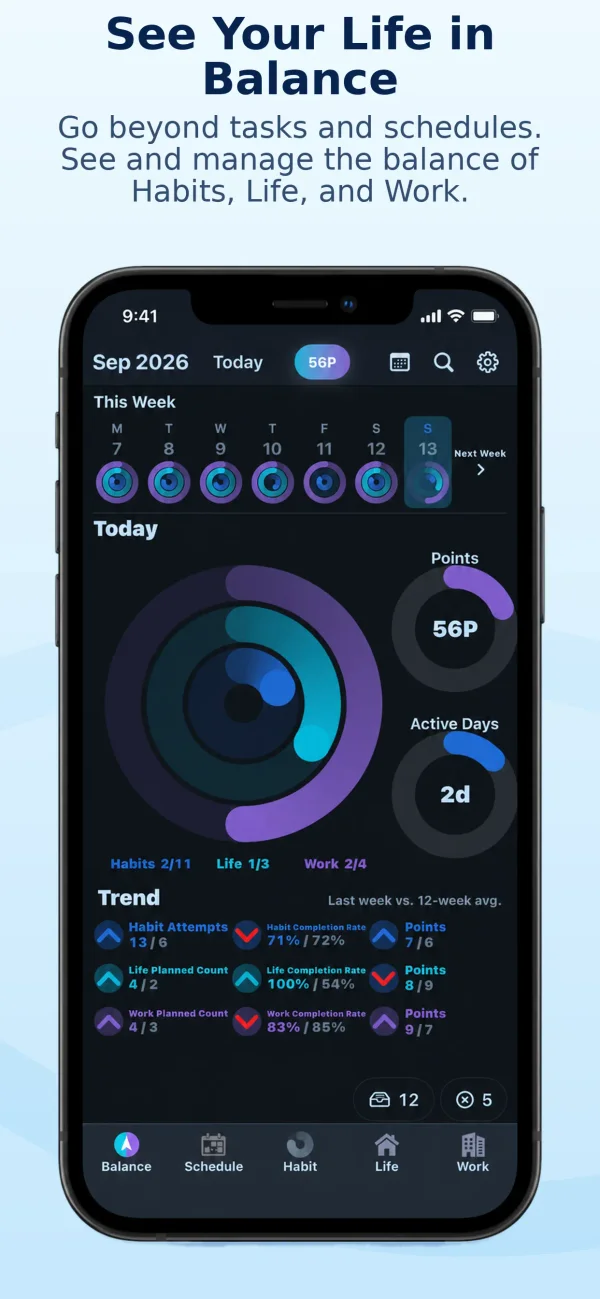
• See your balance with three rings
Track progress across Habits, Life, and Work or Study using three rings. Review your weekly progress and trends, and compare last week’s daily average with your daily average over the previous 12 weeks.
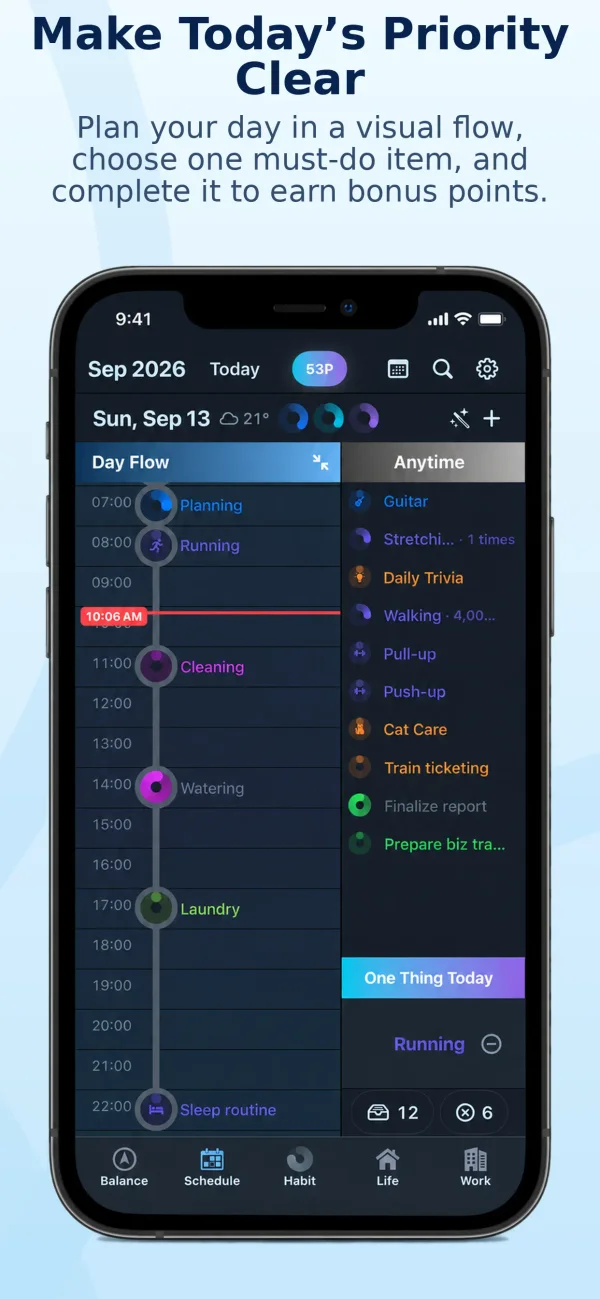
• Build your Day Flow with drag and drop
See time-specific tasks and things you can do anytime in one place. Drag tasks to the time you want and easily organize the flow of your day.
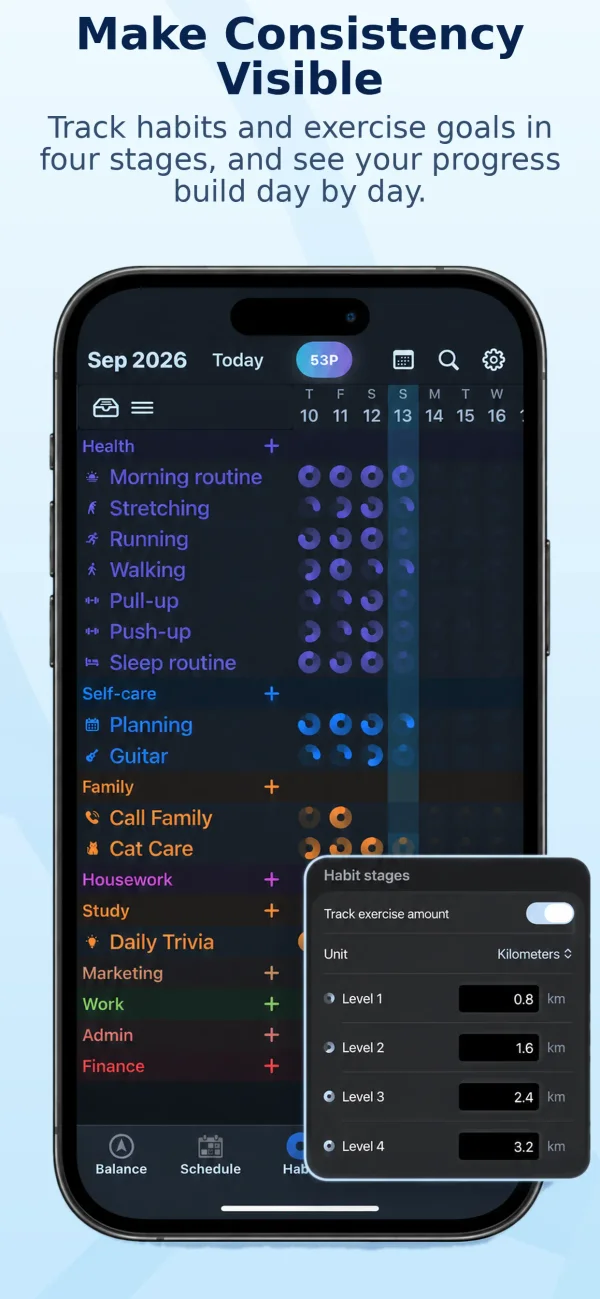
• Track performance levels for habits and exercise
Record habits and workouts in four levels instead of simply marking them as done or not done. Set goals for each level and choose activity units to track your performance in more detail.
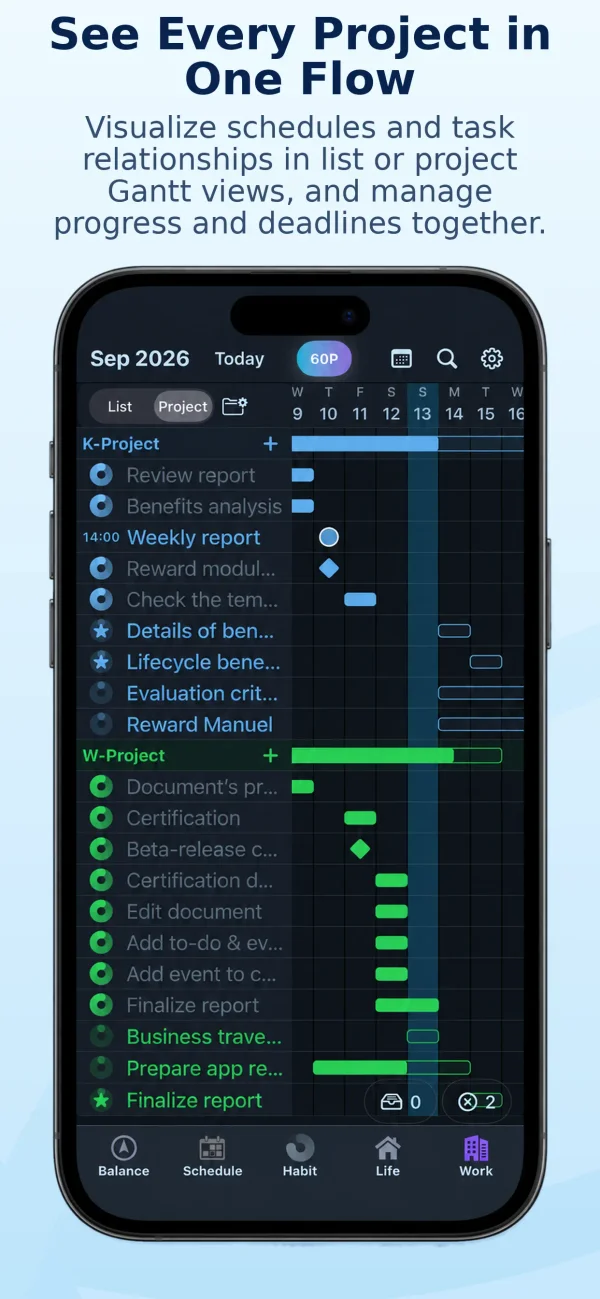
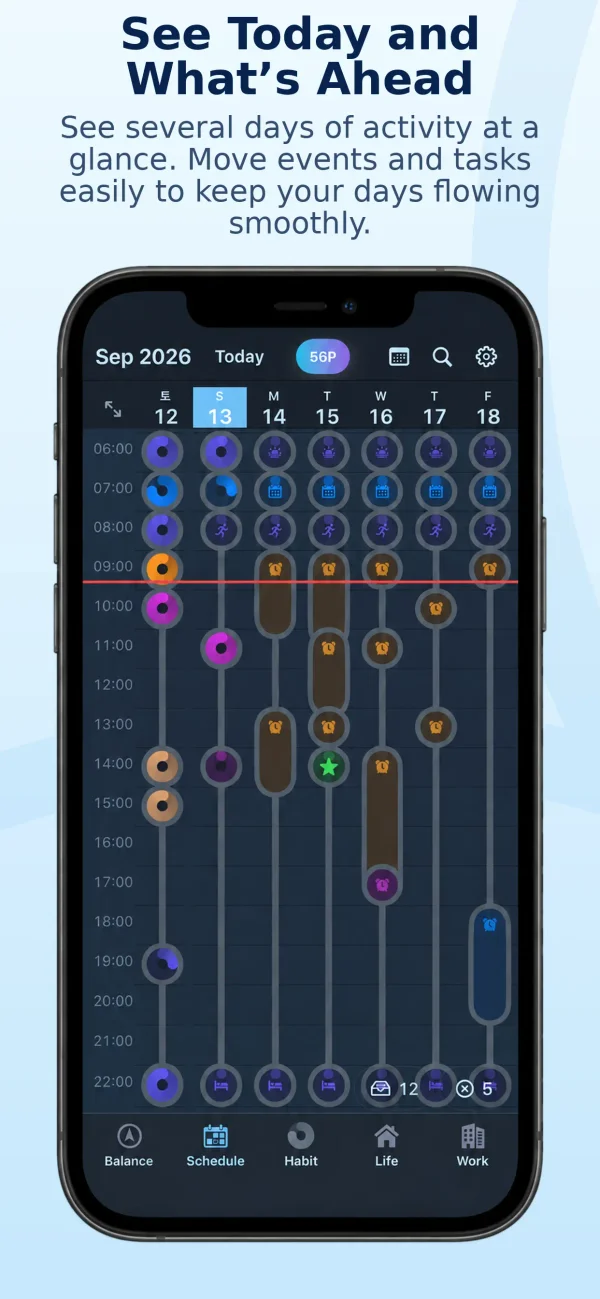
• See schedules and projects at a glance
View your schedule by day, week, or month, and organize tasks and events by project. Use the project timeline to see task durations and progress in a calendar-style chart.
• Use WeekiScope for study planning
Students can switch to a study-focused menu and view classes registered in their timetable. Manage personal plans and study plans together in one place.
• Home Screen and Lock Screen widgets
Check your balance and daily tasks before opening the app. WeekiScope supports Korean and English, as well as Light and Dark Mode.
[WikiPass Information]
When you first start using WeekiScope, you can use all features free for 30 days.
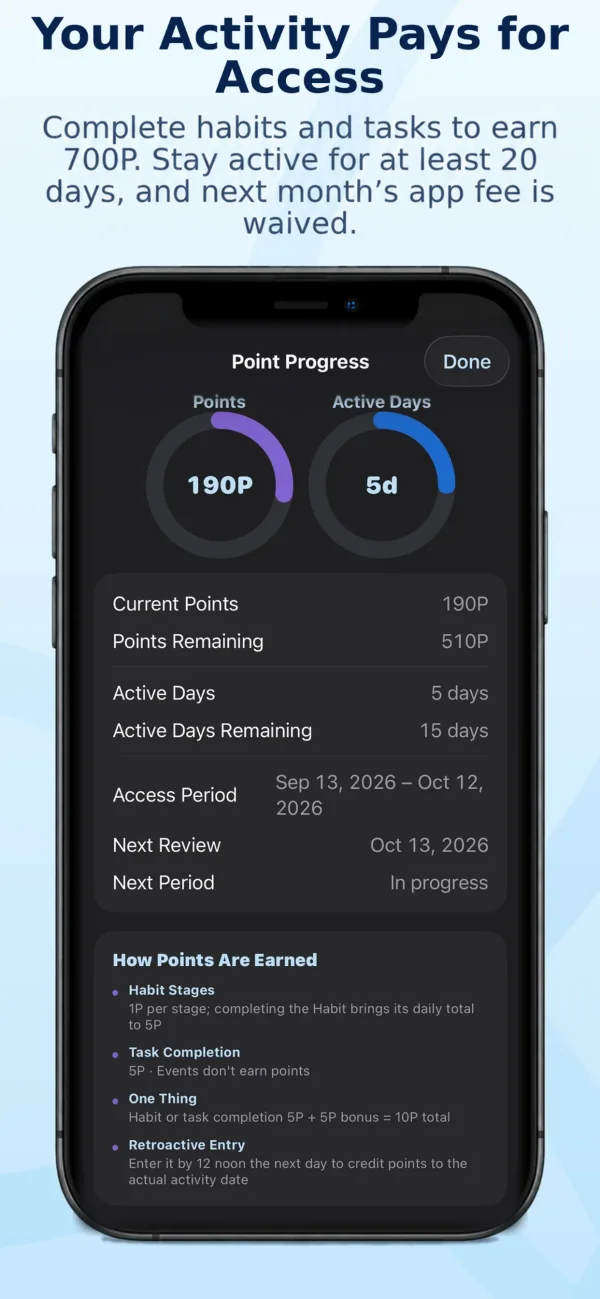
Build consistent habits and complete your tasks to earn WikiPoints. If you earn 700 points and stay active for at least 20 days within a month, your WikiPass for the next usage period will be provided free of charge. Both conditions must be met. If you continue meeting them, you can continue using WeekiScope for free.
If you do not meet the free-use requirements, you can purchase a 1-month WikiPass only when you need it. The 1-month WikiPass does not renew automatically and is not a subscription.
If you prefer not to meet the free-use requirements or purchase a WikiPass each usage period, you can instead make a one-time purchase of a Lifetime WikiPass and continue using WeekiScope without a time limit.
WikiPoints are not cash or a payment method. They are an activity metric used to determine eligibility for a free WikiPass for the next usage period.
Access to Apple Calendar and Reminders data is required to use the corresponding integration features.
Nouveautés
Version 1.1 · 20/09/2026
This update expands WeekiScope to more devices and improves data synchronization across devices.
• Mac version now available
WeekiScope is now available on Mac. With an interface designed for a larger screen, you can manage your schedule, habits, work-life balance, and projects at a glance.
• iPad version now available
An interface optimized for iPad has been added. On the larger screen, you can more easily view and manage your Day Flow, balance, schedule, and projects.
• Sync across iPhone, iPad, and Mac
You can synchronize WeekiScope data across devices signed in with the same Apple Account. Changes to schedules, tasks, habits, and other records made on one device can be viewed and managed on your other devices.
• Improved cross-device experience
The interface has been refined for each device’s screen size and input method, while allowing you to continue using the same data and core features seamlessly across devices.
Confidentialité de l’application
Ce que HYOKUN KIM déclare sur l’App Store au sujet du traitement des données par cette application.
-
Données non collectées
Le développeur ne collecte aucune donnée à partir de cette application.
Les pratiques en matière de confidentialité peuvent varier, notamment en fonction des fonctionnalités que vous utilisez ou de votre âge.
Informations
- Vendeur
- HYOKUN KIM
- Catégorie
- Productivité
- Version
- 1.1
- Mis à jour
- 20/09/2026
- Publié
- 17/09/2026
- Taille
- 6,7 Mo
- Nécessite
- iOS 17.0 ou version ultérieure
- Classification d’âge
- 4+
- Prix
- Gratuit
- Achats intégrés
- Oui
- Langues
- Coréen, Anglais
- Copyright
- © 2026 HYOKUN KIM
Vous aimerez peut-être aussi
-
 Upload Manager: Video PlannerProductivité
-
 하루체크 - 할일 일정관리 체크리스트Productivité
-
 Calendot: Suivi d'habitudesPlanning travail & calendrier
-
 IFC SeoulProductivité
-
 Live AI TranslatorProductivité
-
 flex - Relations Driven AXProductivité
-
 Dictation to Text: VOMO AIDictaphone, notes & résumés IA
-
 Pickle: Your personal AI agentProductivité
-
 HiNoter - Prise de notes IATranscrire audio en texte
-
 깔끔 한글뷰어 - hwp, hwpx, 한글파일 뷰어Productivité