
WhyMin Screen Time
Decide why & how long, first
Conçue pour iPhone, iPad
Gratuit · Achats intégrés
- Classification d’âge4+
- CatégorieProductivité
- DéveloppeurYUTAKA INADA
- LanguesJaponais+ 1 de plus
- Taille2,9 Mo
Renvoie vers la page App Store officielle
Download.org n’héberge aucun fichier de WhyMin Screen Time. Le bouton ouvre la page de l’application sur App Store, où YUTAKA INADA la publie. Fiche vérifiée pour la dernière fois le 23/11/2026.
Captures d’écran
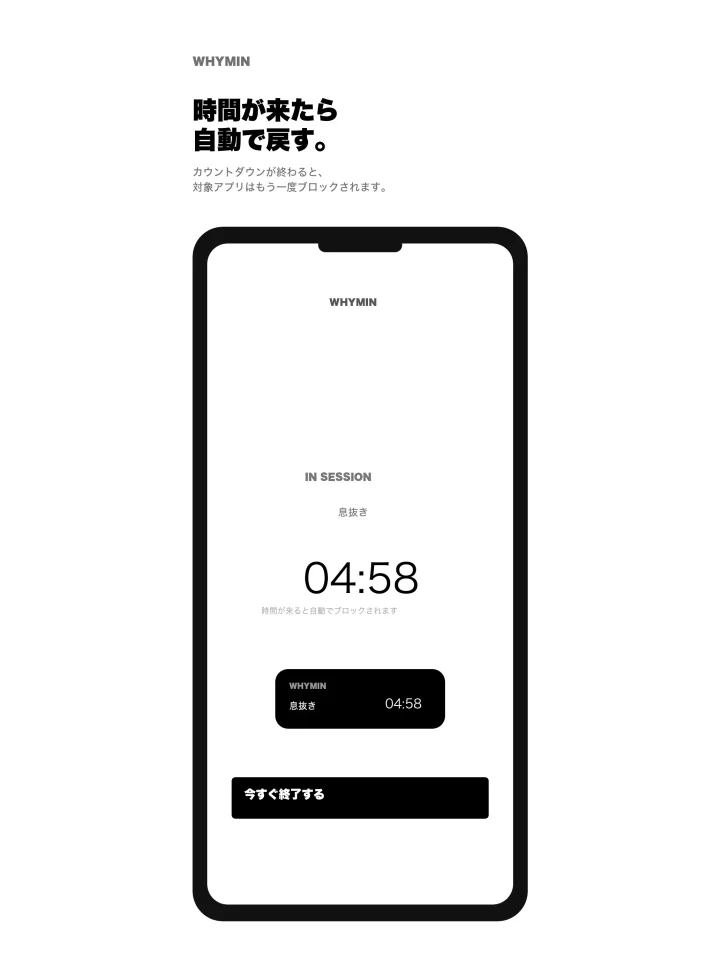

À propos
Le développeur n’a pas fourni ce texte dans votre langue.
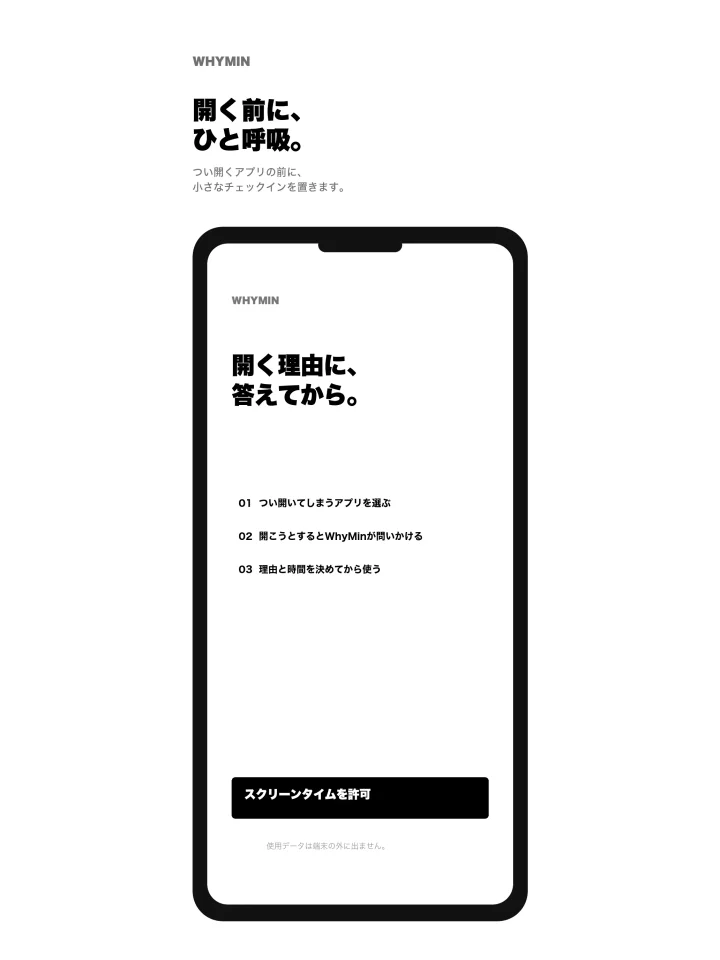
WhyMin is a focus companion that asks "why are you opening this?" and "for how many minutes?" before the apps you open on autopilot.
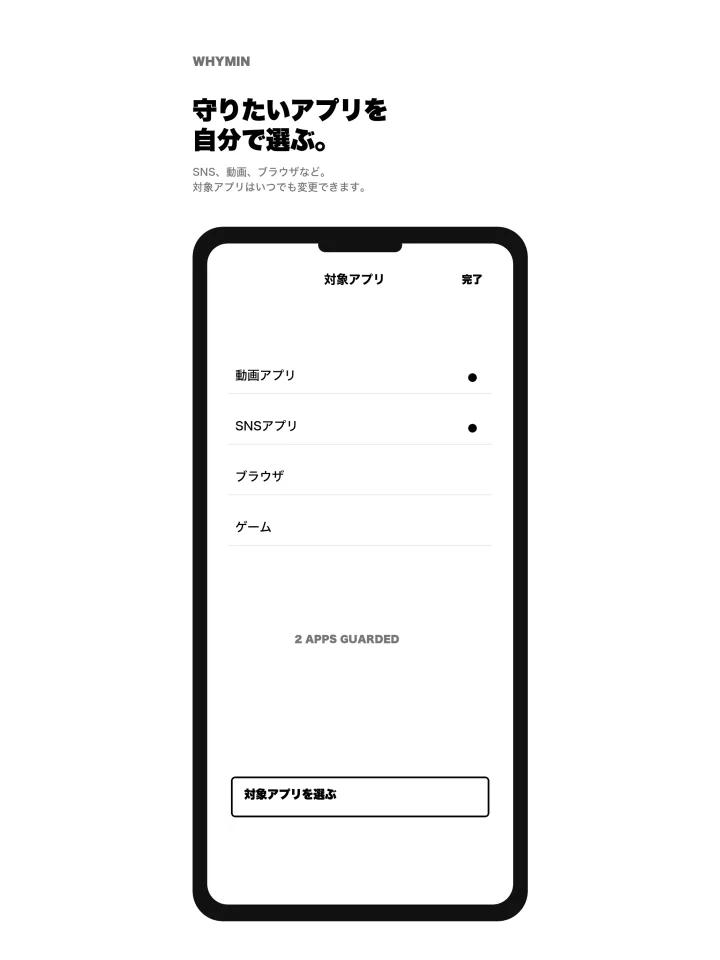
Block the apps you choose — video, social, browsers — with Screen Time. When you try to open one, WhyMin steps in and lets you use it temporarily once you've decided your reason and time.
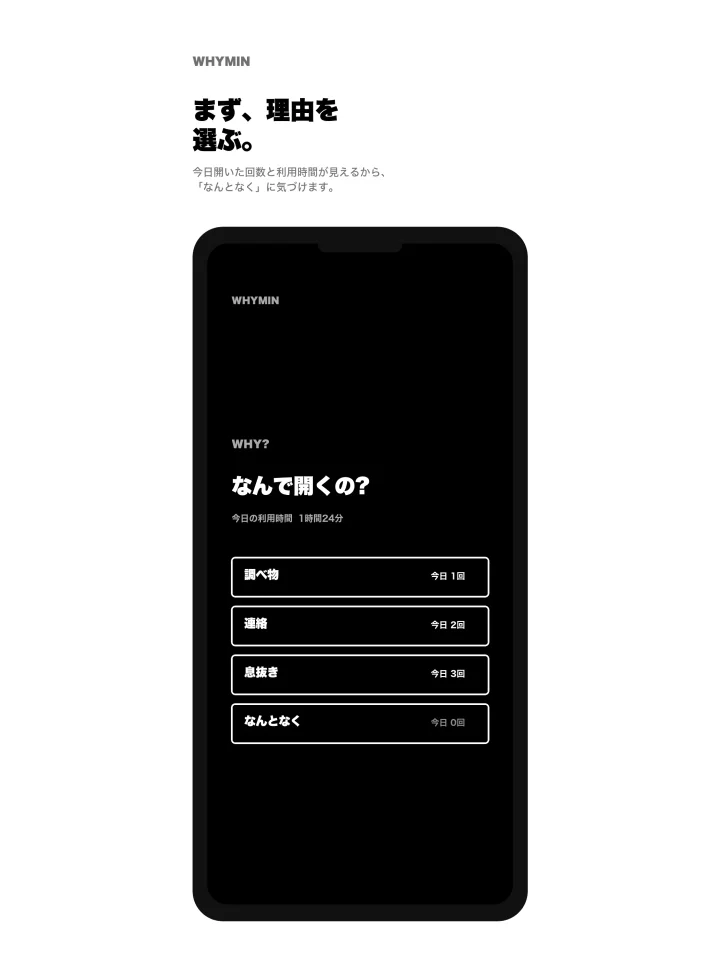
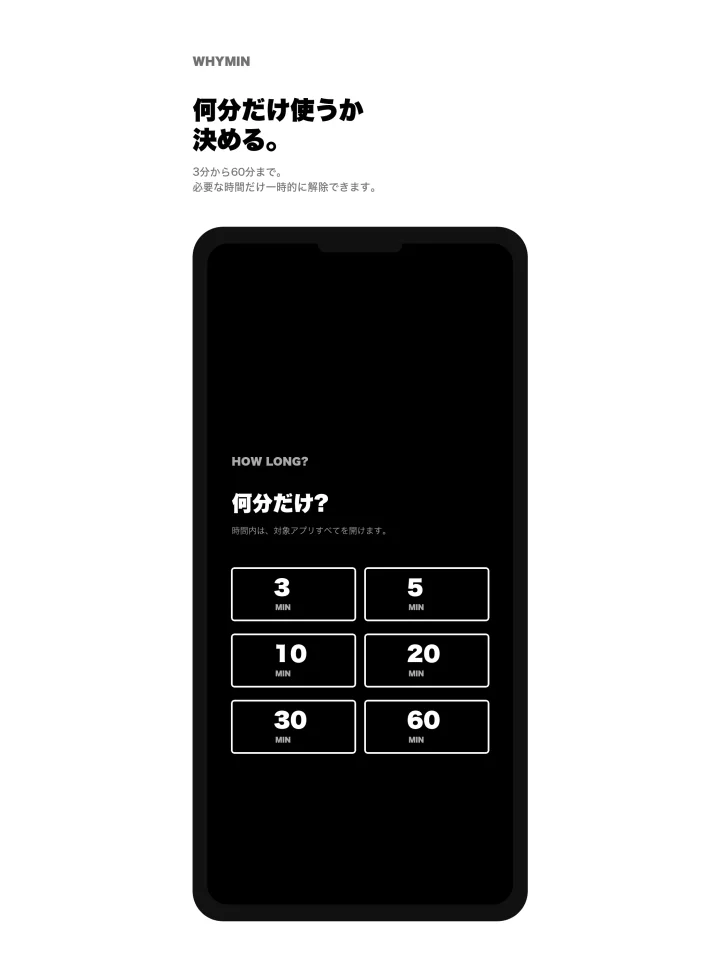
Pick a reason like "Look something up", "Reply or message", "Take a short break", or "Just because", then set a time from 3 to 60 minutes. When time runs out, the guarded apps are blocked again automatically. Each reason button shows how many times you've opened apps today, and the check-in screen shows today's total usage time for your guarded apps — so you notice the "just because" moments.
WhyMin isn't about banning your phone. Use it when you need it; only cut the time you spend on autopilot.
Main features (free):
- A check-in that asks your reason before you open
- Session lengths of 3 / 5 / 10 / 20 / 30 / 60 minutes
- Block and temporarily unlock one guarded app with Screen Time
- Daily counts per reason and today's total usage time
- A setup guide for the Shortcuts automation
- Countdown display during a session
- Dynamic Island / Live Activity support
- A simple design that keeps everything on your device
WhyMin Premium (optional in-app purchase):
- Guard two or more apps
- Rewrite the check-in reasons in your own words
- Set six "How many minutes?" options per reason
- Daily limits on check-ins and total usage time
- Home Screen widget
Recommended if you:
- Open social or video apps without thinking
- Want to protect your focus time
- Prefer balance over quitting your phone entirely
- Want a gentle limit on just the apps you choose
Privacy:
WhyMin stores your selected apps and session data on your device. It sends no usage data to external servers, and has no ads or tracking. In-app purchases are processed by Apple; the developer never receives your payment information.
◆ WhyMin Premium plans and purchases
Plans (prices are shown on the purchase screen):
- WhyMin Premium (Monthly): ¥100/month (auto-renewing subscription)
- WhyMin Premium (Yearly): ¥1,000/year (auto-renewing subscription)
- WhyMin Premium (Lifetime): ¥1,500 (one-time payment)
Payment is charged to your Apple ID account at confirmation of purchase. Subscriptions renew automatically unless cancelled at least 24 hours before the end of the current period; renewal is charged within 24 hours before the period ends. You can manage or cancel subscriptions anytime in your App Store account settings. The lifetime plan is a single payment with no further charges.
Terms of Use (EULA): https://inadysensei.github.io/whymin-support/terms/
Privacy Policy: https://inadysensei.github.io/whymin-support/privacy/
Nouveautés
Version 1.5.4 · 15/11/2026
On a large screen, today's per-reason counts now appear beside the home screen.
Confidentialité de l’application
Ce que YUTAKA INADA déclare sur l’App Store au sujet du traitement des données par cette application.
-
Données non collectées
Le développeur ne collecte aucune donnée à partir de cette application.
Les pratiques en matière de confidentialité peuvent varier, notamment en fonction des fonctionnalités que vous utilisez ou de votre âge.
Informations
- Vendeur
- YUTAKA INADA
- Catégorie
- Productivité
- Version
- 1.5.4
- Mis à jour
- 15/11/2026
- Publié
- 08/07/2026
- Taille
- 2,9 Mo
- Nécessite
- iOS 17.0 ou version ultérieure
- Classification d’âge
- 4+
- Prix
- Gratuit
- Achats intégrés
- Oui
- Langues
- Japonais, Anglais
- Copyright
- © 2026 inadysensei
Vous aimerez peut-être aussi
-
 どうして開いたの?Productivité
-
 My Routine SchedulerProductivité
-
 LimitSet: App Blocker & FocusScreen Time Control
-
 フォーカス・ボヤージュ - 集中タイマーProductivité
-
 RemindBro+Productivité
-
 Pour quoi faire ? FocusPause avant d’ouvrir une app
-
 DynamicTaskProgression toujours en vue
-
 Cue - 予定管理をかんたんにProductivité
-
 Swipe Fence : App BlockerProductivité
-
 Intentional - Earn Screen TimeProductivité