- Classification d’âge4+
- CatégorieUtilitaires
- DéveloppeurGeorgios Trigonakis
- LanguesAnglais
- Taille11,0 Mo
Renvoie vers la page App Store officielle
Download.org n’héberge aucun fichier de WSwitch for WeMo. Le bouton ouvre la page de l’application sur App Store, où Georgios Trigonakis la publie. Fiche vérifiée pour la dernière fois le 12/11/2026.
Captures d’écran
À propos
Le développeur n’a pas fourni ce texte dans votre langue.
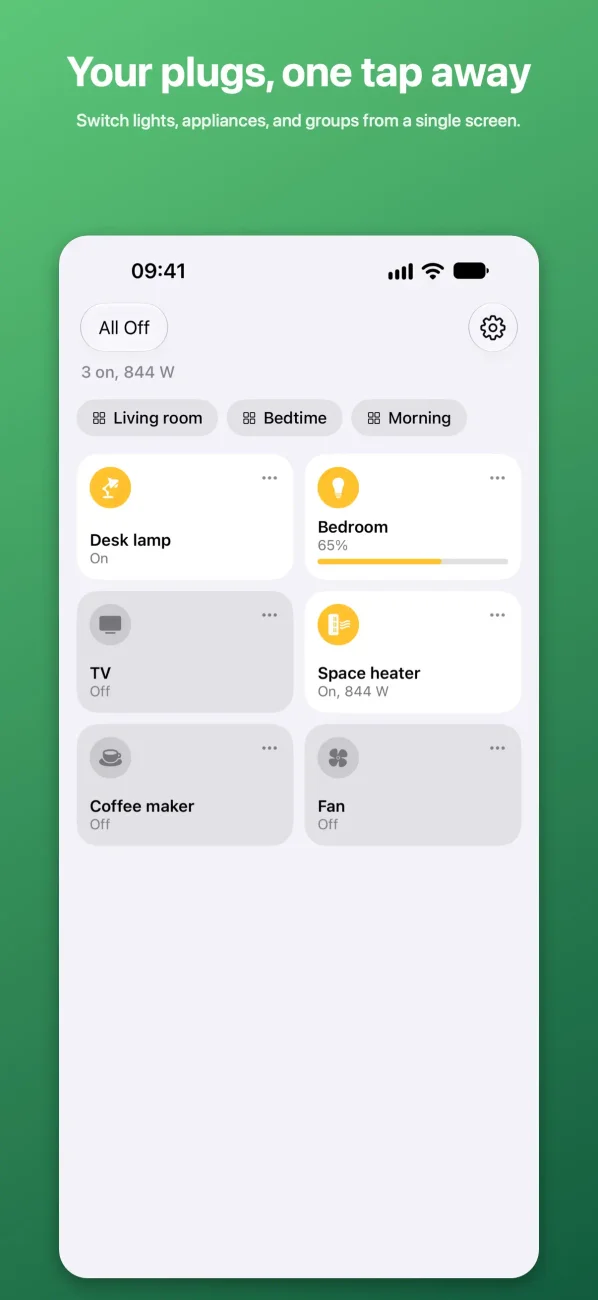
WSwitch switches your smart plugs and lights from your iPhone, iPad, and Apple Watch. One tap turns a lamp, a heater, or a whole room on or off.
Everything runs on your home network, with no account and no cloud service.
HOME
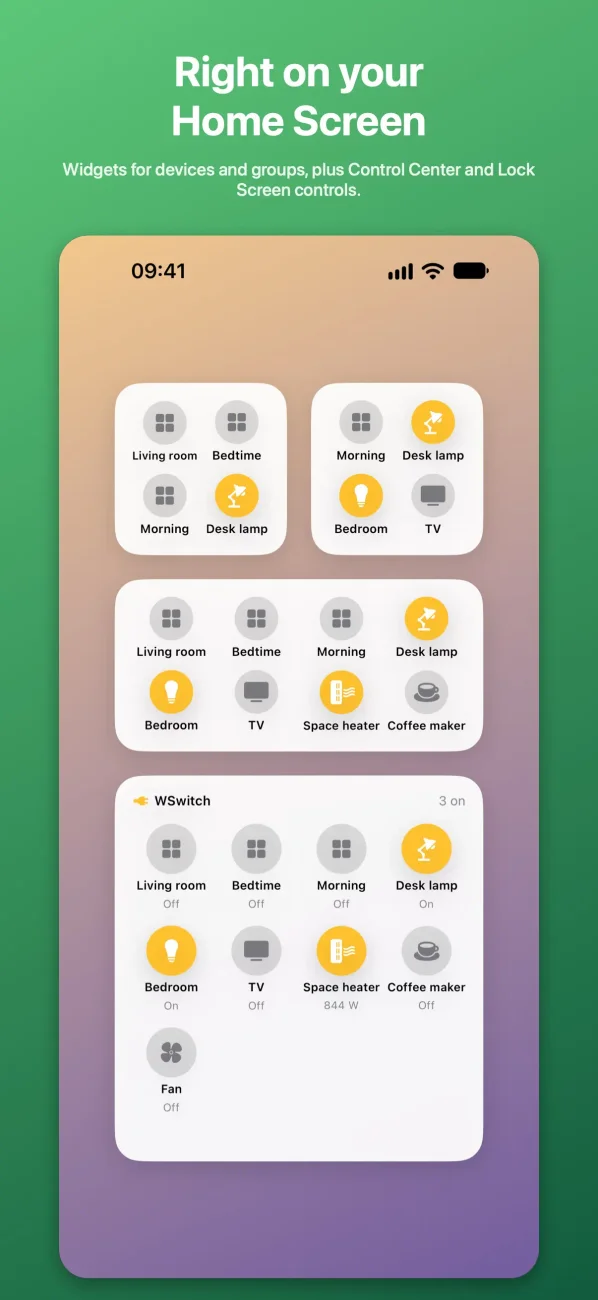
• Tiles show every device and whether it's on. Tap a tile to switch it.
• Dim LED bulbs right on their tile.
• Groups switch several devices at once, and All Off turns everything off.
ENERGY
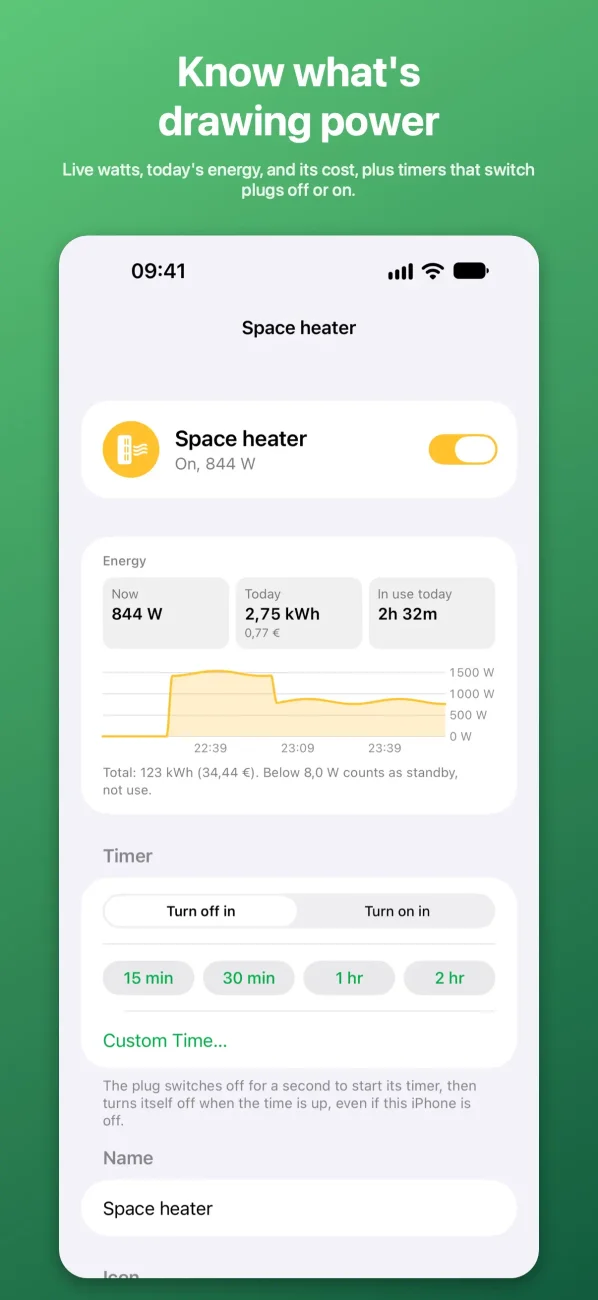
• For Insight plugs: live watts, today's energy and on-time, a power chart, and totals.
• Enter your electricity price to see what it costs.
TIMERS, SCHEDULES, AND AUTOMATIONS
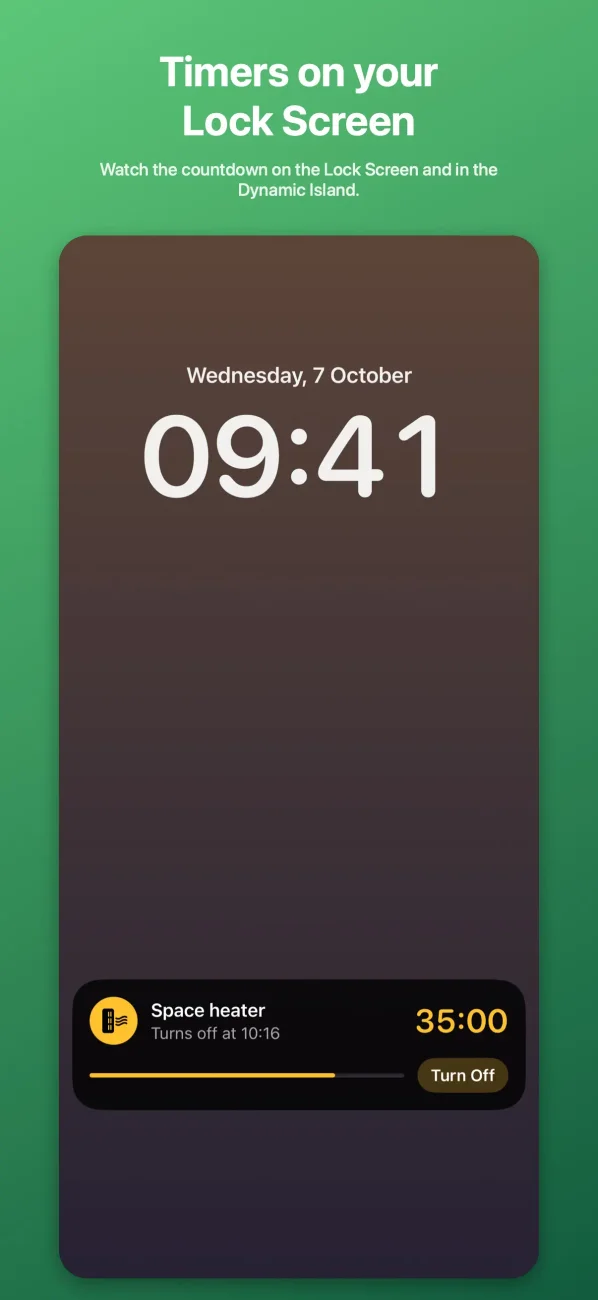
• Keep a plug on for 15 minutes to 2 hours, and it switches itself off, even if your iPhone is off.
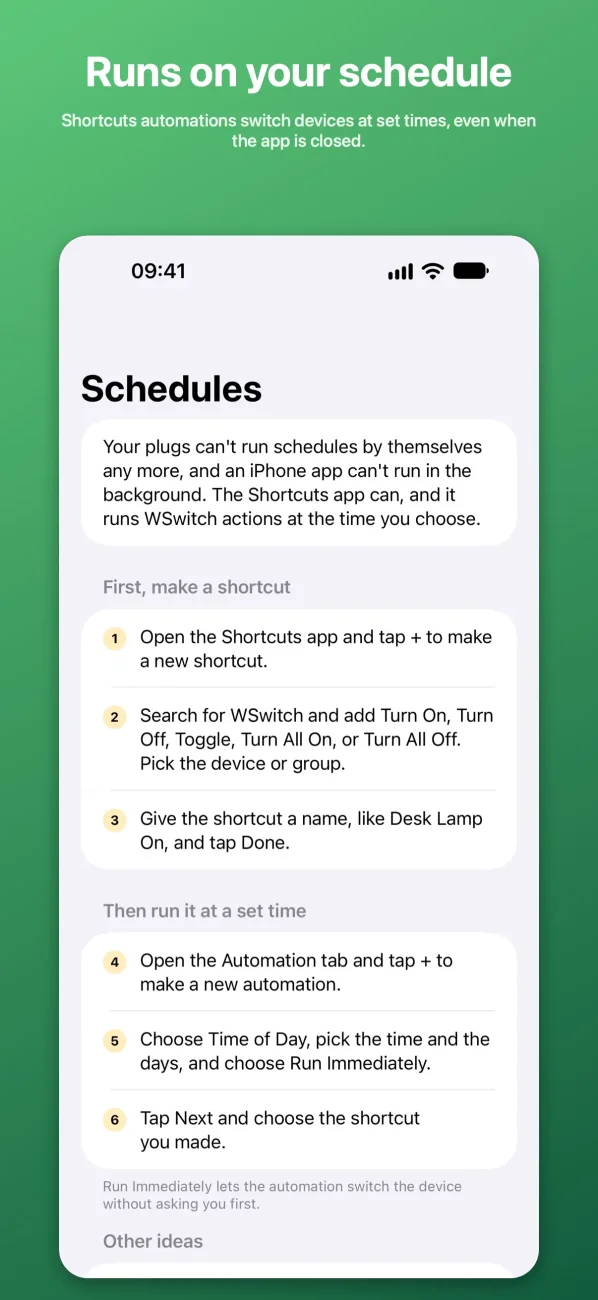
• Shortcuts actions turn devices on or off, toggle them, check whether they're on, or turn everything off.
• Use Shortcuts automations to switch devices at set times, when you arrive home, or when a Focus turns on. A built-in guide shows how.
EVERYWHERE
• Home Screen widgets in three sizes, with a button for each device.
• A control for Control Center and the Lock Screen.
• An Apple Watch app to switch devices from your wrist.
• Quick actions on the app icon to turn everything on or off.
SETUP
• WSwitch finds your devices by itself, or you can add one by its IP address.
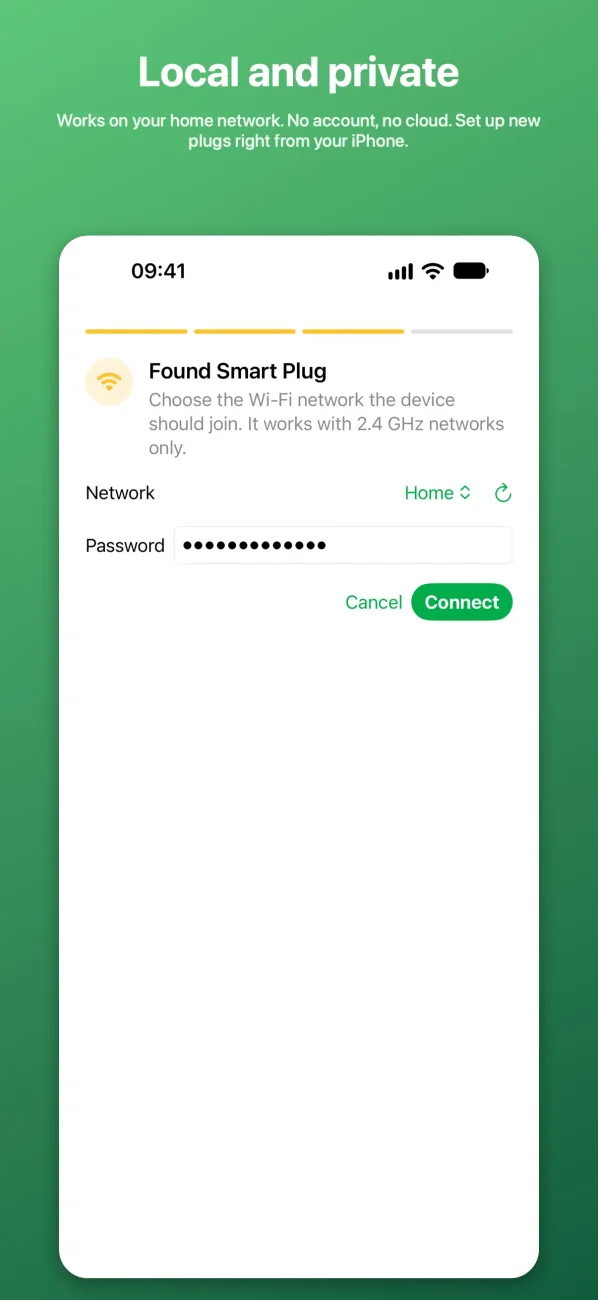
• Set up a new or reset plug on your Wi-Fi right from your iPhone.
• Rename devices, give each one an icon, and choose what appears in widgets and on your watch.
COMPATIBLE DEVICES
Belkin WeMo Insight Smart Plug, Switch Smart Plug, Switch + Motion, and Smart LED Bulbs with the WeMo Link. Not compatible with HomeKit-enabled models.
Your iPhone and your devices need to be on the same local network.
Also available for Mac.
WSwitch is an independent app and isn't affiliated with Belkin.
Nouveautés
Version 2.1 · 15/10/2026
Your device photos are back. Each plug shows the photo saved on it, like in earlier versions, and you can still pick a symbol in its Icon settings.
New list view: tap the button next to Settings to switch between grid and list. Every row has its own switch, and lights get a brightness slider.
Easier to read in dark mode.
Confidentialité de l’application
Ce que Georgios Trigonakis déclare sur l’App Store au sujet du traitement des données par cette application.
-
Données non collectées
Le développeur ne collecte aucune donnée à partir de cette application.
Les pratiques en matière de confidentialité peuvent varier, notamment en fonction des fonctionnalités que vous utilisez ou de votre âge.
Informations
- Vendeur
- Georgios Trigonakis
- Catégorie
- Utilitaires
- Version
- 2.1
- Mis à jour
- 15/10/2026
- Publié
- 08/07/2015
- Taille
- 11,0 Mo
- Nécessite
- iOS 18.0 ou version ultérieure
- Classification d’âge
- 4+
- Prix
- 1,99 €
- Langues
- Anglais
- Copyright
- © 2026 Georgios Trigonakis