X Progress
Shared Countdowns & Widgets
Conçue pour iPhone, iPad, Mac
Gratuit · Achats intégrés
- Classification d’âge4+
- CatégorieUtilitaires
- Développeur鹏 张
- LanguesAnglais+ 6 de plus
- Taille174,9 Mo
Renvoie vers la page App Store officielle
Download.org n’héberge aucun fichier de X Progress. Le bouton ouvre la page de l’application sur App Store, où 鹏 张 la publie. Fiche vérifiée pour la dernière fois le 16/11/2026.
Captures d’écran

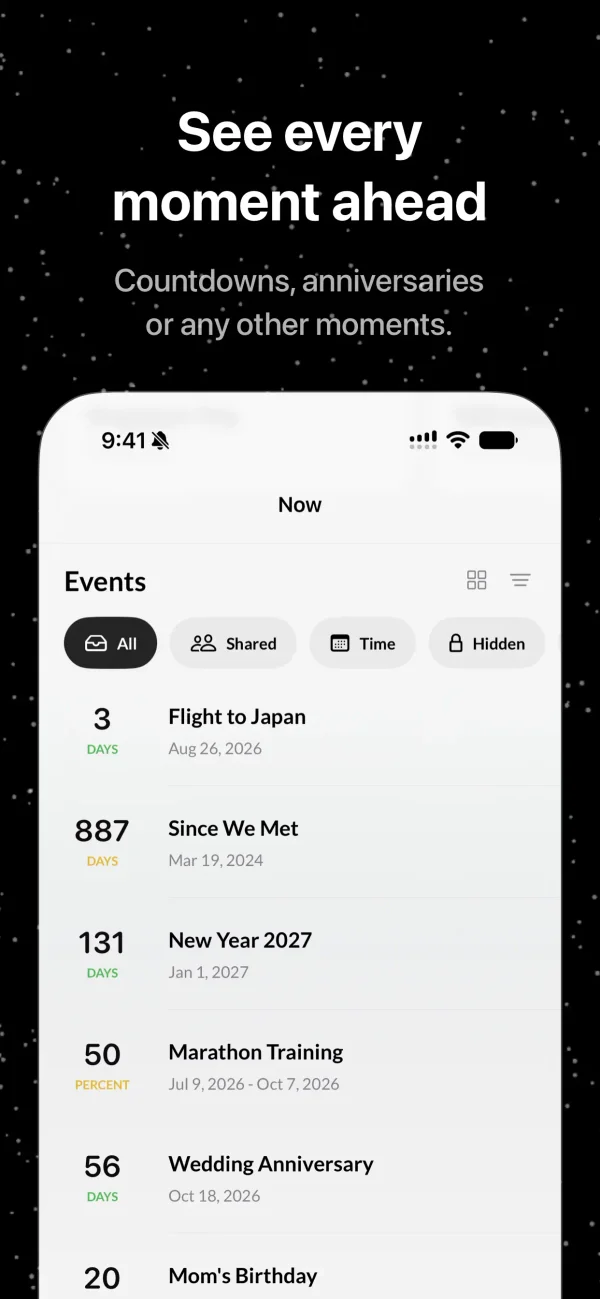
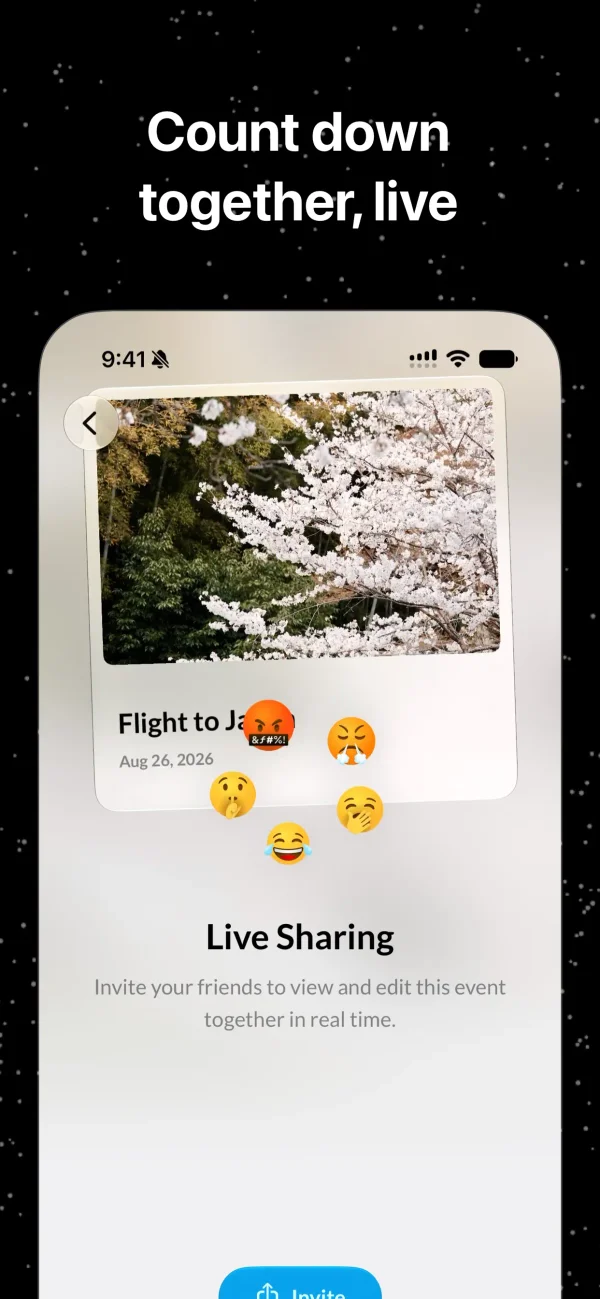
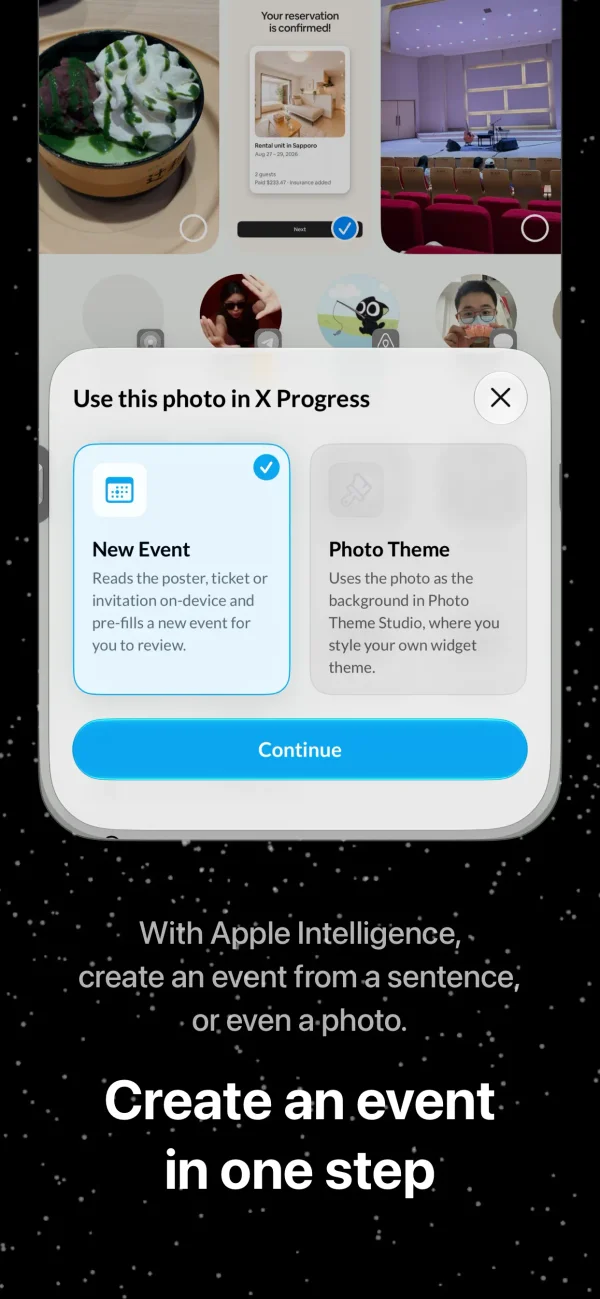
À propos
Le développeur n’a pas fourni ce texte dans votre langue.
Time passes quietly. X Progress makes it visible.
Count down to a trip. Count up from a memory. Watch a semester, a project, a year, or any chapter of life fill in.
X Progress turns the moments that matter into beautiful, living progress you can understand at a glance.
SEE TIME YOUR WAY
• Track one-day moments, longer periods, repeating events, and the built-in progress of the year, month, week, and day.
• Repeat events daily, weekly, monthly, or yearly, or set custom rules like every other week or the last day of the month.
• Show days passed, days left, or a percentage. Count up, count down, or let Auto change direction as time moves.
• Add all-day or timed dates, alerts, notes, and photos.
• Organize with tags, search, pinned events, Archive, and a Hidden tab protected by Face ID, Touch ID, or your passcode.
MAKE EVERY EVENT YOURS
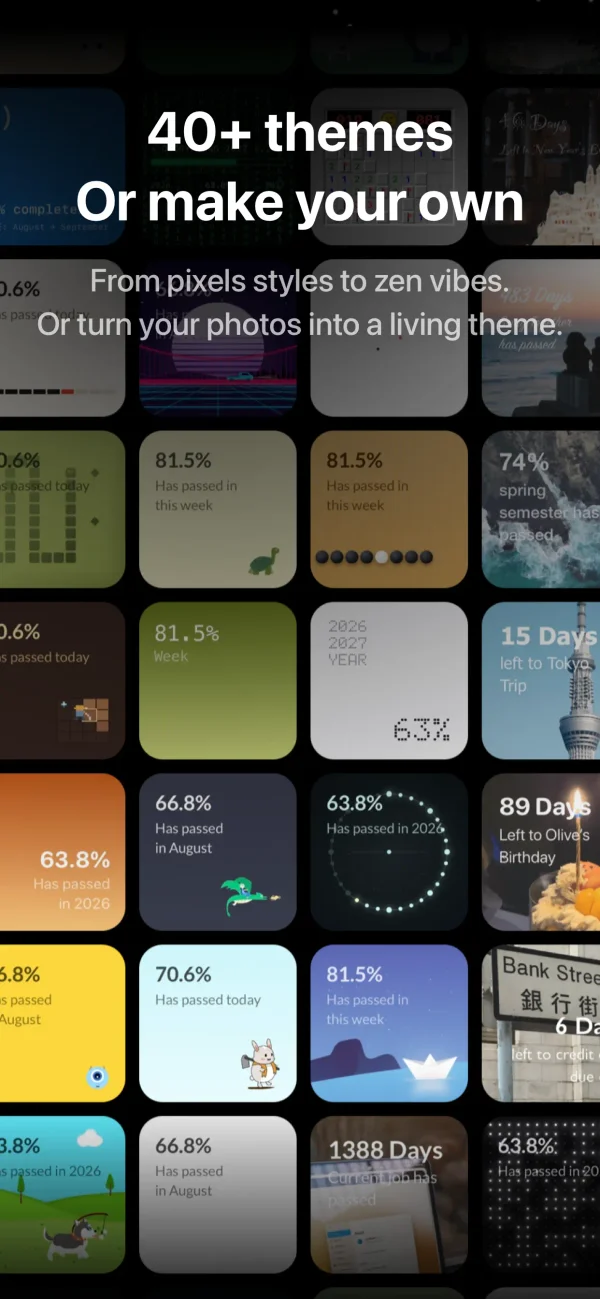
• Choose from 50+ designer themes, from quiet gradients and pixel art to cozy animal crowds and animated worlds.
• Use Photo Theme Studio to turn a photo or Live Photo into your own theme.
• Customize backgrounds, subject cutouts, colors, gradients, fonts, text layouts, and motion.
ALWAYS IN VIEW
• Follow a countdown live on the Lock Screen and in the Dynamic Island with Live Activities, drawn in your event's own theme.
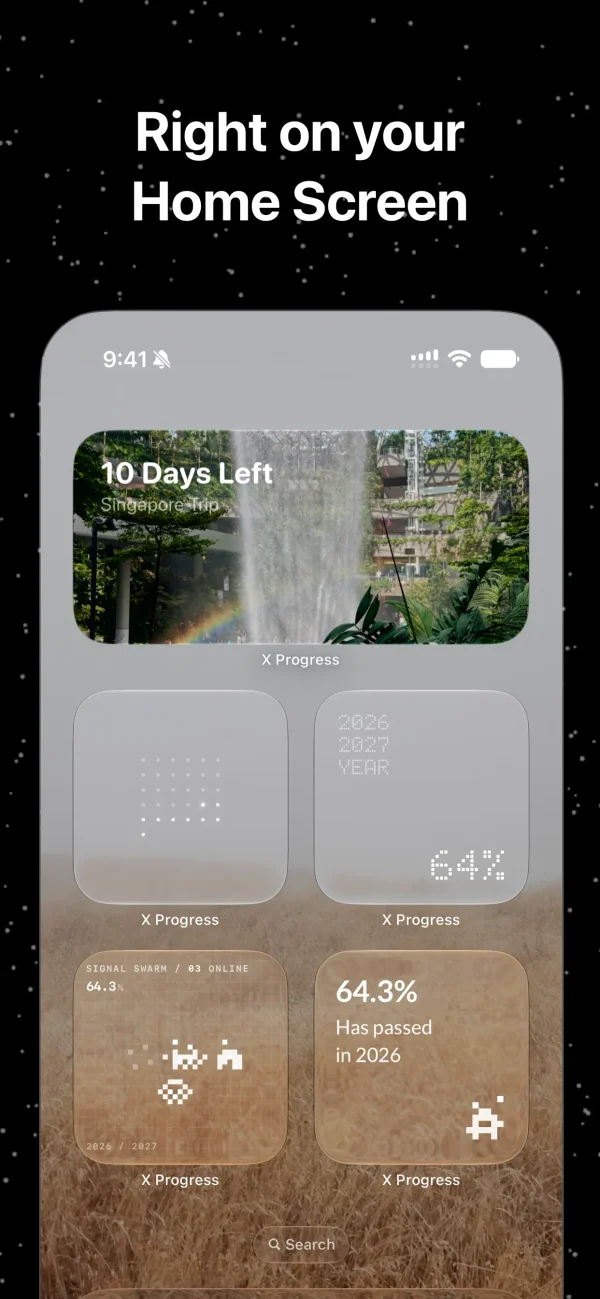
• Keep important events on your Home Screen and Lock Screen with widgets, or on your wrist with Apple Watch complications.
JUST ASK SIRI
• Tell Siri about an event in your own words, and it's created for you.
• Ask Siri how far along an event is, or start a Live Activity without opening the app.
• Find your events in Spotlight, each shown with its own theme.
COUNT DOWN TOGETHER
• Invite friends and family to view or edit an event. Changes stay synchronized through iCloud, with shared activity collected in one place.
• Share any event as a photo, Live Photo, video, Instagram Story, or sticker.
• Use ZEN with SharePlay to focus on a moment together over FaceTime.
CREATE IN LESS TIME
• Start from Ready to Go templates for working hours, paydays, trips, birthdays, and more.
• With Smart Create, describe an event in a sentence, or share a photo to X Progress, and review the completed event before saving.
ON EVERY SCREEN
X Progress works on iPhone, iPad, Mac, and Apple Watch, and it's ready for iPhone Duo: unfolded, folded, or half open, the layout adjusts automatically to fit the way you're using it. iCloud keeps your events, photo themes, and notes in sync across devices.
You'll also find Date Gap for measuring the exact time between two dates, a calendar, public holiday events, reminders, search, and accessibility support for VoiceOver.
Start free. X Progress Unlimited unlocks the complete designer theme gallery, Live Activities, and more.
Smart Create, including creating events with Siri in your own words, requires a compatible device with Apple Intelligence. Availability may vary by language and region.
Terms of Use:
https://www.roczhang.com/x-progress/terms_and_conditions.html
Privacy Policy:
https://www.roczhang.com/x-progress/privacy_policy.html
Nouveautés
Version 7.1.1 · 29/10/2026
The previous version, X Progress 7.1, brought iOS 27 and iPhone Duo support, Live Activities, and two new theme families. This update builds on it with a round of fixes and refinements:
• Theme purchases are now recorded for each theme separately. Every theme you've bought, including through Family Sharing, stays unlocked: X Progress checks them against your App Store purchases.
• The first time you unlock hidden events with Face ID, the permission prompt now explains why, in your language.
• Day counts and plurals read more naturally in every language, with many improvements to the Spanish translation.
• Refined layouts on iPhone Duo and iPad, including onboarding and the event detail card.
• Bug fixes and performance improvements.
Confidentialité de l’application
Ce que 鹏 张 déclare sur l’App Store au sujet du traitement des données par cette application.
-
Données n’établissant aucun lien avec vous
Peuvent être collectées, mais ne sont pas liées à votre identité.
- Identifiants
- Données d’utilisation
- Diagnostic
Les pratiques en matière de confidentialité peuvent varier, notamment en fonction des fonctionnalités que vous utilisez ou de votre âge.
Informations
- Vendeur
- 鹏 张
- Catégorie
- Utilitaires
- Version
- 7.1.1
- Mis à jour
- 29/10/2026
- Publié
- 22/03/2018
- Taille
- 174,9 Mo
- Nécessite
- iOS 18.0 ou version ultérieure
- Classification d’âge
- 4+
- Prix
- Gratuit
- Achats intégrés
- Oui
- Langues
- Anglais, Japonais, Coréen, Russe, Chinois simplifié, Espagnol, Chinois traditionnel
- Copyright
- © 2026 Peng Zhang
Vous aimerez peut-être aussi
-
 My Year ProgressUtilitaires
-
 compteur - suivi des habitudesmeilleur outil de comptage
-
 熊猫吃短信2 - 垃圾短信拦截Utilitaires
-
 CPU Dasher Mobile Master ToolsUtilitaires
-
 Compte à rebours widgetsCountdown par Pretty Progress
-
 Stay for SafariUtilitaires
-
 Tally • Quick CounterUtilitaires
-
 公众号助手Utilitaires
-
 微信输入法Utilitaires
-
 Countdown App & WidgetCounter, Timer & Vacation