
- Classification d’âge4+
- CatégorieFinance
- DéveloppeurTerrence Sng
- LanguesAnglais
- Taille49,6 Mo
Renvoie vers la page App Store officielle
Download.org n’héberge aucun fichier de Xavier — Expense Tracker. Le bouton ouvre la page de l’application sur App Store, où Terrence Sng la publie. Fiche vérifiée pour la dernière fois le 29/11/2026.
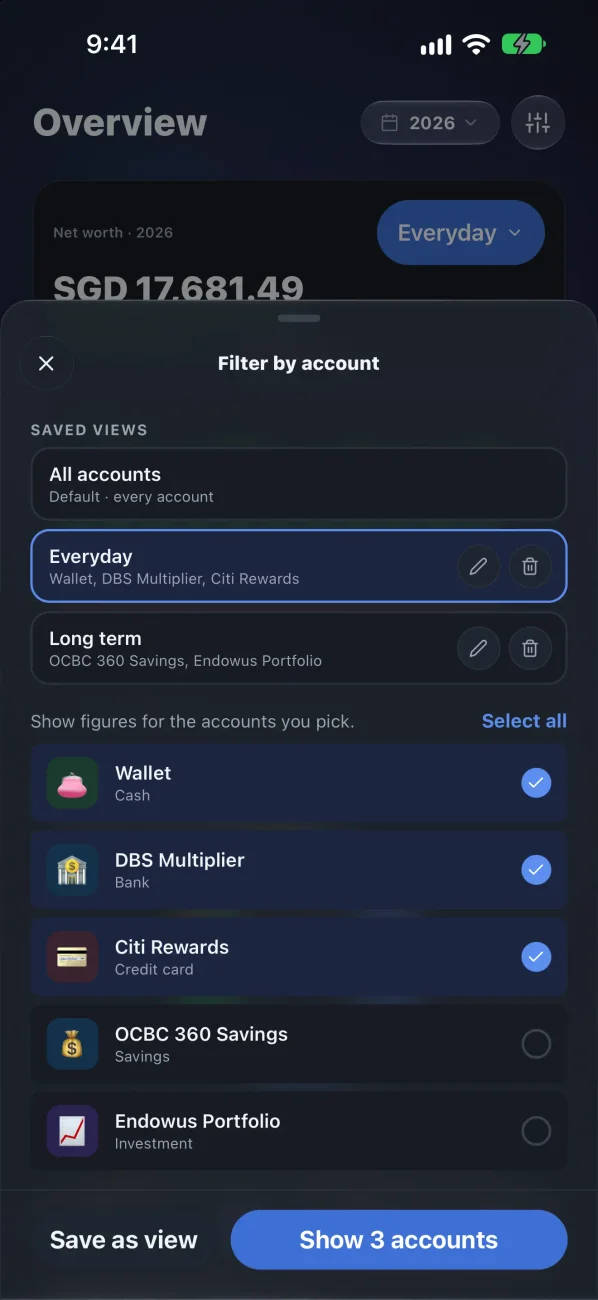
Captures d’écran
À propos
Le développeur n’a pas fourni ce texte dans votre langue.
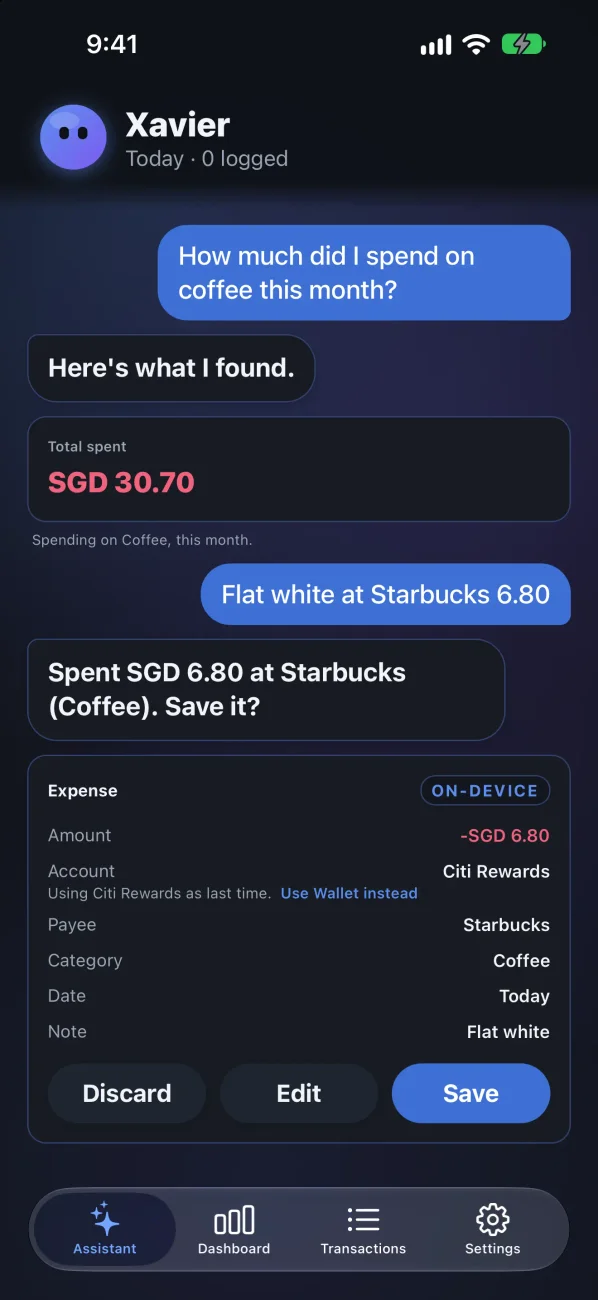
Xavier is an expense tracker that does one thing differently: it keeps
everything on your iPhone. No account to create, no cloud to sync to, no
analytics, no ads. You just tell it what you spent.
JUST SAY IT
Type or paste what happened — "lunch 12.50 at Subway," "SGD 40 taxi," "coffee
4.20" — and Xavier turns it into a clean transaction. The parsing runs on-device
with Apple Intelligence, so your words stay on your phone — unless you choose
to connect your own OpenAI or Anthropic account. Every entry shows
you a confirmation card before it's saved, so nothing is logged without your OK.
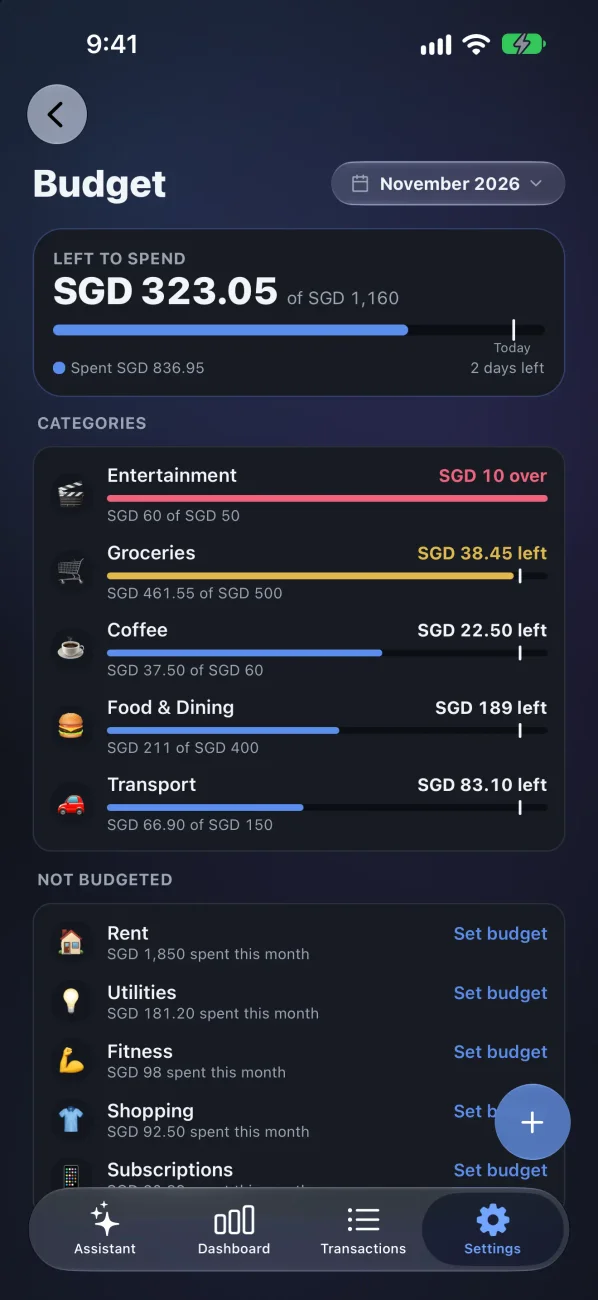
BUDGETS THAT TALK BACK
Set a monthly budget for any category, watch it on the Dashboard, and ask
Xavier "can I afford it?" before you spend.
PRIVATE BY DESIGN
- No sign-up, no email, no account — ever.
- No servers of ours. Your financial data never reaches us.
- Your database is encrypted at rest on the device.
- Optional Face ID lock, off by default — turn it on when you want it.
- No third-party tracking or advertising SDKs.
- Optional: bring your own OpenAI or Anthropic key. Off by default, and
Xavier asks before sending anything.
- Optional Assistant mode with your own key: Xavier looks up your past
entries to help. Off by default, with its own permission prompt.
EVERYTHING YOU NEED
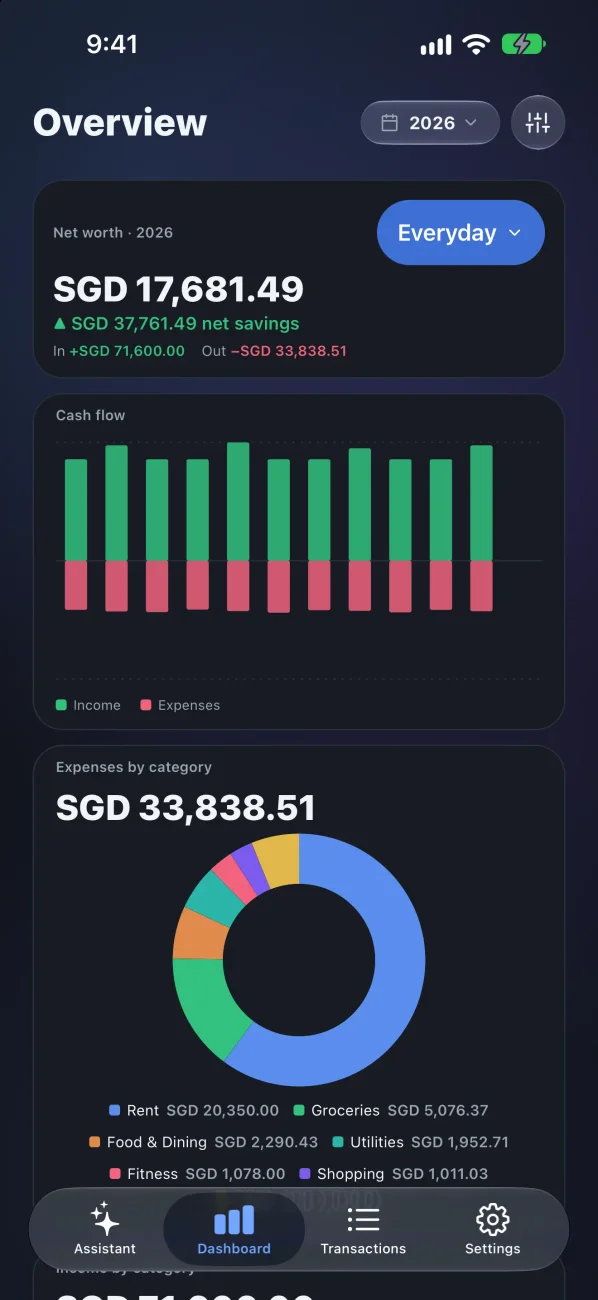
- A Dashboard you arrange: pick your charts and save sets of accounts as
views.
- Snap or import a receipt and let Xavier read the total.
- Recurring transactions for rent, subscriptions, and salary.
- A Home Screen widget with this month's income and expense at a glance —
which hides itself when your phone is locked.
- Multiple accounts (bank, cash, credit card, savings).
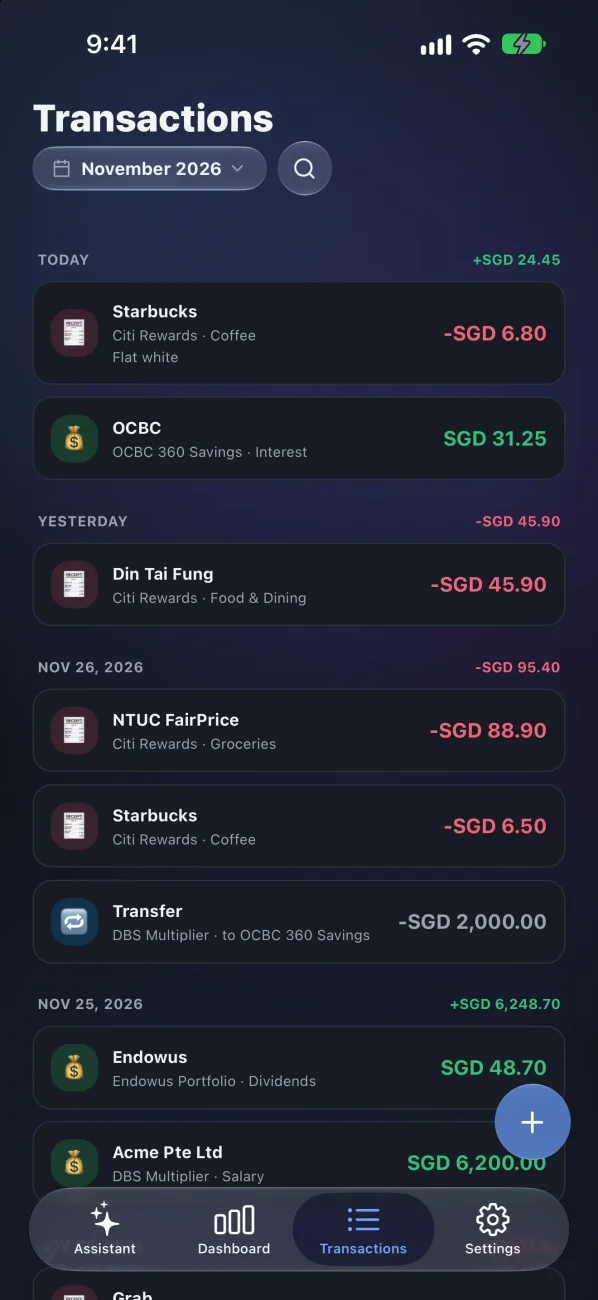
- Categories, payees, and clear monthly summaries.
MADE FOR iPHONE DUO
Open your iPhone Duo and Xavier spreads out across the larger display: your
transactions beside the one you're editing, Settings beside its pages, and a
two-column Dashboard. Search and add sit in the side rail. Fold it shut and the
cover screen picks up right where you left off.
YOUR DATA, YOUR BACKUP
Back up to your own iCloud whenever you like, and restore with a tap. The backup
is a copy of your own database in your own iCloud space — not ours. We never see
it.
BUILT FOR MODERN iPHONE
Xavier uses on-device intelligence for the natural-language magic. On devices
without it, you can still add and edit everything by hand — the core tracker
works for everyone.
No subscription. No upsell. Just a private place to see where your money goes.
Nouveautés
Version 2.2.0 · 28/11/2026
Xavier 2.2 lets you arrange your Dashboard, save the accounts you care
about as views, and, with your own key, turn on Assistant mode.
A DASHBOARD YOU ARRANGE
• Tap the sliders to customise: add, remove and reorder chart cards, and
switch the budget card on or off.
• New charts to add: Account balances and Income by category.
SAVED VIEWS
• Tick a set of accounts and save it as a view, such as "Everyday" or
"Savings". One tap on the account chip switches between them.
• Select all / Unselect all sits above the account list.
ASSISTANT MODE (OPTIONAL)
• If you use your own OpenAI or Anthropic key, Xavier can now act as a
full assistant: it looks up your past entries to fill in payee and
account, edits a draft when you say "make it 12", and answers
questions about your spending.
• Off by default. Xavier asks your permission first, for each provider,
and you can turn it off with one tap.
ALSO
• After you save an entry in chat, Xavier adds one short line about it,
such as how much is left in that budget.
• Back from an account's page returns to the screen that opened it.
• iPhone Duo: the rail's + opens its menu right from the button, and the
keypad fits in Split View.
Confidentialité de l’application
Ce que Terrence Sng déclare sur l’App Store au sujet du traitement des données par cette application.
-
Données non collectées
Le développeur ne collecte aucune donnée à partir de cette application.
Les pratiques en matière de confidentialité peuvent varier, notamment en fonction des fonctionnalités que vous utilisez ou de votre âge.
Informations
- Vendeur
- Terrence Sng
- Catégorie
- Finance
- Version
- 2.2.0
- Mis à jour
- 28/11/2026
- Publié
- 16/11/2026
- Taille
- 49,6 Mo
- Nécessite
- iOS 26.0 ou version ultérieure
- Classification d’âge
- 4+
- Prix
- Gratuit
- Langues
- Anglais
- Copyright
- © 2026 Terrence Sng
Vous aimerez peut-être aussi
-
 Kept: Budget & Expense TrackerFinance
-
 Goose: Manual Expense TrackerFinance
-
 ClearDebt : Rembourser DettesBoule de neige et avalanche
-
 LuckyCat : Budget & dépensesSuivi financier privé avec IA
-
 Finny: AI Money ManagerScan, Voix, Tap & Raccourci
-
 Kolan: Money, Crypto & MarketsFinance
-
 Calculatrice°Pour l'algèbre et les math
-
 AlteryFinance
-
 Gestion dépenseSuivi des dépenses
-
 Budget Spreadsheet :Wise BugetWise Budget : Save Money