- Classification d’âge4+
- CatégoriePhoto et vidéo
- DéveloppeurZero Camera Ltd
- LanguesAnglais
- Taille42,8 Mo
Renvoie vers la page App Store officielle
Download.org n’héberge aucun fichier de zerocam. Le bouton ouvre la page de l’application sur App Store, où Zero Camera Ltd la publie. Fiche vérifiée pour la dernière fois le 19/11/2026.
Captures d’écran


À propos
Le développeur n’a pas fourni ce texte dans votre langue.
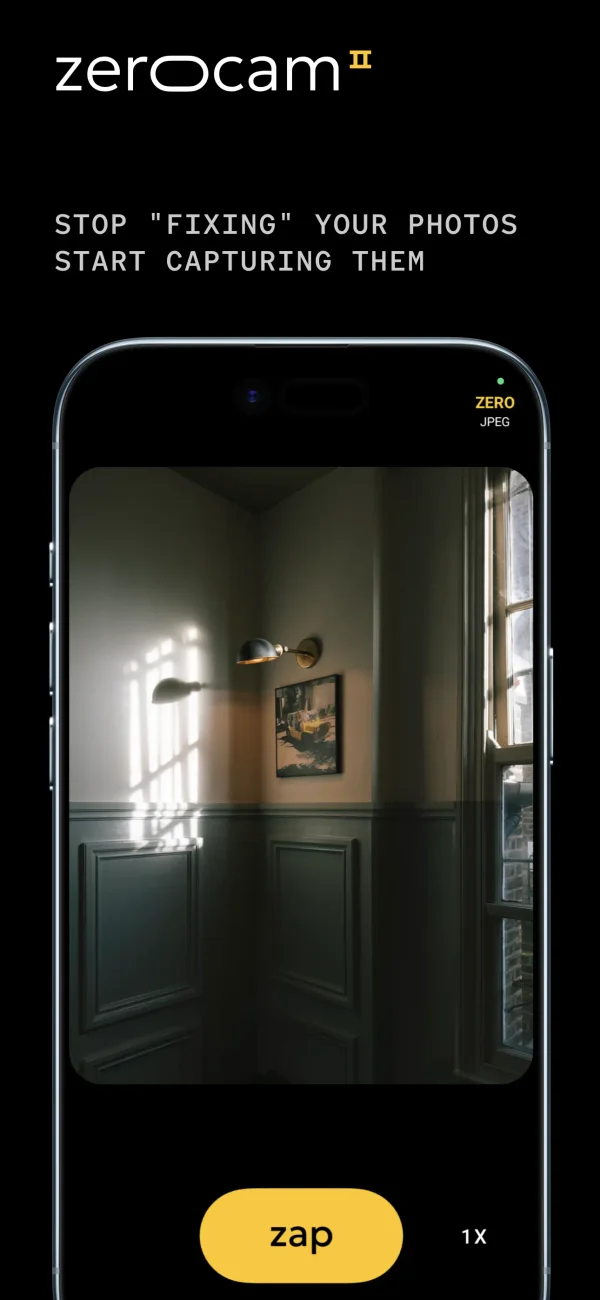
Zerocam 2.0: Camera for Real Photos.
Zero Processing. Zero Filters.
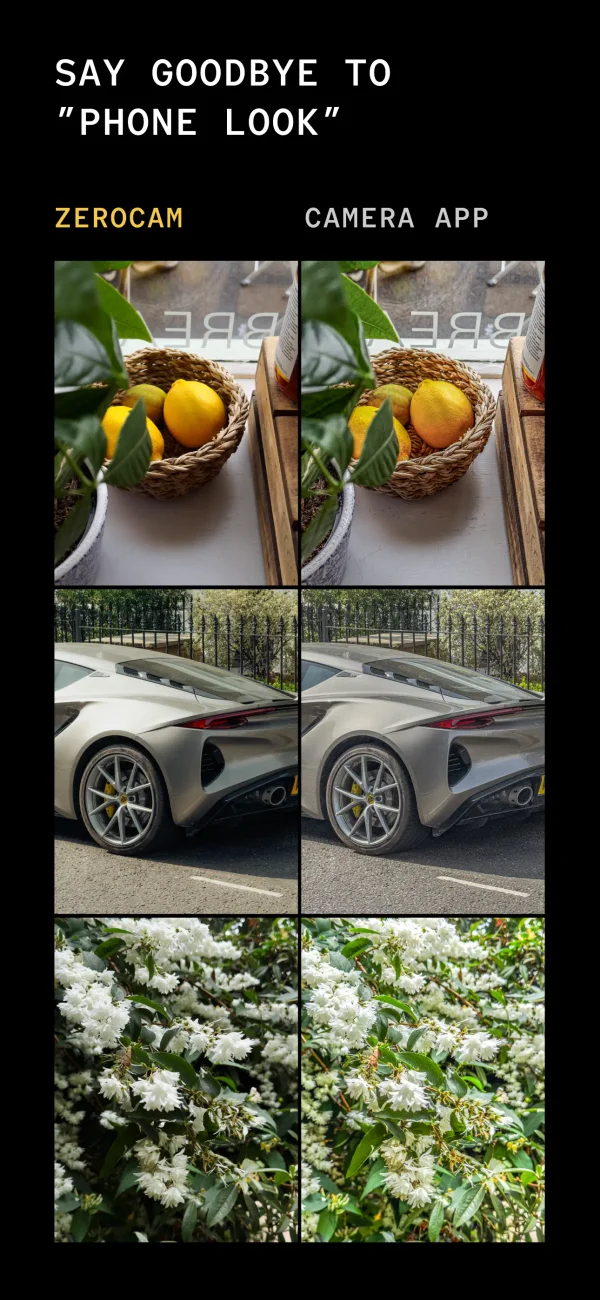
Most phone cameras today rely on aggressive computational processing that can over-sharpen images and create a flat, artificial look.
Zerocam 2.0 strips away the digital makeup.
We built a clean, high-quality image pipeline to capture life as you see it. No fake HDR, no “beauty” filters, and zero over-processing.
Why Zerocam?
While most camera apps add more controls and processing tricks, Zerocam removes distractions and focuses on the soul of photography:
- A natural, distortion-free look. Say goodbye to strange halos around buildings and skin that looks like plastic.
- Pure simplicity. No settings to tweak. No menus to get lost in. Open the app and shoot.
- Full hardware potential. Get the most out of your iPhone camera system.
What’s New in 2.0?
- Native Lens Support. Easily switch between Wide, Ultra Wide, and Telephoto on supported iPhone models.
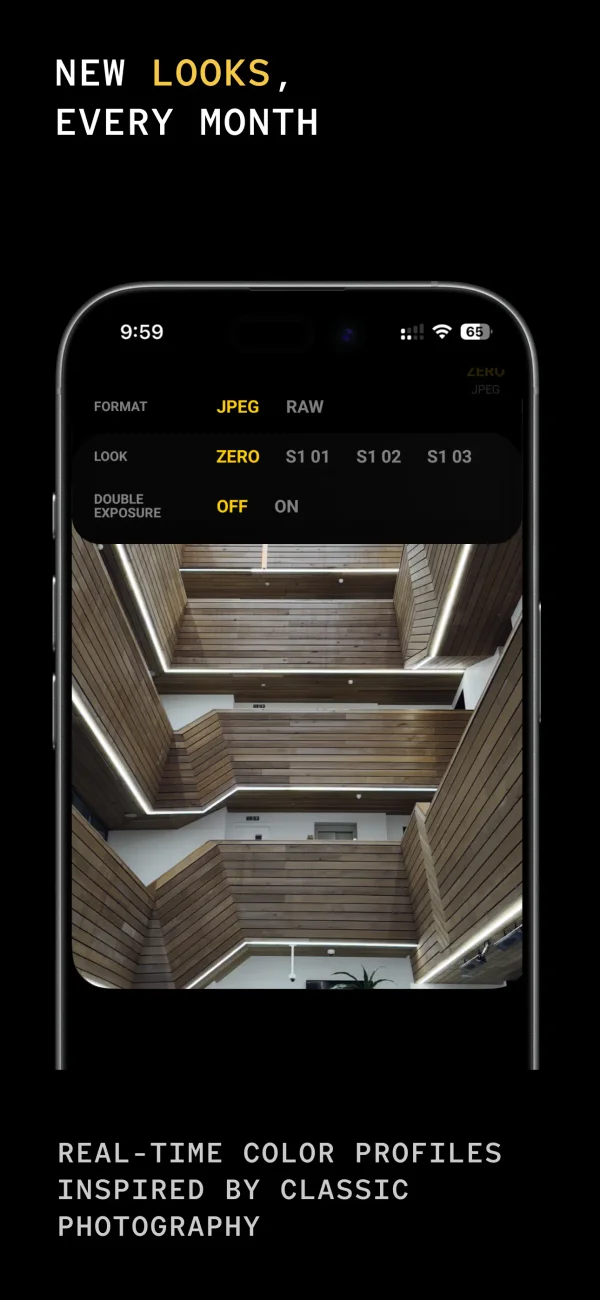
- Zero Looks (Natural Color Grades). Subtle, film-inspired color profiles applied in real time. These are not heavy filters, but carefully crafted professional color grades, updated monthly.
- Multi-Exposure Mode. Create artistic shots by instantly merging two frames into one.
- iPhone-Optimized Interface (Beta). A redesigned UI that feels native, fast, and intuitive across supported iPhone sizes.
- Pro-Grade RAW & JPG. A rebuilt image pipeline delivers cleaner tones and more reliable RAW files, giving you greater flexibility in post-production.
Built for Intentional Photography
Zerocam is designed for photographers who want to stay present, not buried in settings.
It’s fast, intentional, and built to treat your phone like a real pocket camera.
Designed by Dmitry Novikov
Developed by Sergio Rodríguez Rama
Terms of Use (EULA): https://www.apple.com/legal/internet-services/itunes/dev/stdeula/
Nouveautés
Version 6.0 · 18/09/2026
PRO mode
Set ISO, shutter speed, exposure, white balance and focus yourself, right on the viewfinder — in the app and from the lock screen. Turn it on from the menu.
Focus, tracking, zebras and peaking
Tap to focus, long-press to follow a moving subject, or focus by hand. Zebras warn you before highlights clip, and peaking shows what's sharp.
Your photos, one tap away
Tap the thumbnail and your latest photo grows out of it to fill the screen, with a film strip of the rest underneath. Swipe through them, pinch to zoom, and swipe up or down to put it back.
Delete, with undo
Tap the bin and the photo is gone from view. Undo and redo as often as you like, or shake to undo. Nothing is deleted until you close the photo and confirm.
On the lock screen too
The lock-screen camera has it too, with the photos you have just taken — before the phone is even unlocked.
Long exposures, without the stutter
The viewfinder stays smooth at a full second, and the screen dims for exactly as long as the shutter is open.
A longer lens
On a phone with a telephoto, it now has its own 2× crop — one more lens at the long end.
PRORAW or BAYER
Choose which RAW you shoot, from the menu.
New icon
Take a look at your home screen.
No more Apple Watch app
It was holding the camera back, and almost nobody used it. It has been removed.
Bug fixed: The lens shown is the lens you're on
Open the lock-screen camera on your longest lens and that is the lens it uses — the lens indicator always matches the one taking the picture.
Bug fixed: Double exposures keep their first frame
Pressing the shutter quickly, or changing the shutter speed between the two frames, no longer loses the first one.
Bug fixed: No black screen after Control Centre
Come back to the camera from Control Centre and the viewfinder is there, not a black screen.
Bug fixed: The screen stays awake while you shoot
It no longer dims and locks in the middle of framing a shot.
Confidentialité de l’application
Ce que Zero Camera Ltd déclare sur l’App Store au sujet du traitement des données par cette application.
-
Données n’établissant aucun lien avec vous
Peuvent être collectées, mais ne sont pas liées à votre identité.
- Achats
Les pratiques en matière de confidentialité peuvent varier, notamment en fonction des fonctionnalités que vous utilisez ou de votre âge.
Informations
- Vendeur
- Zero Camera Ltd
- Catégorie
- Photo et vidéo
- Version
- 6.0
- Mis à jour
- 18/09/2026
- Publié
- 01/06/2024
- Taille
- 42,8 Mo
- Nécessite
- iOS 18.0 ou version ultérieure
- Classification d’âge
- 4+
- Prix
- Gratuit
- Achats intégrés
- Oui
- Langues
- Anglais
- Copyright
- © 2026 Zero Camera Ltd
Vous aimerez peut-être aussi
-
 AgBrPhoto et vidéo
-
 Kino - Caméra Vidéo ProÉtalonner films log avec LUTs
-
 65×24: APPAREIL PANORAMIQUEdes panoramas magnifiques
-
 No Fusion-Powerful Pro CamPhoto et vidéo
-
 mood.cameraPhoto et vidéo
-
 Analogue – Film CameraPhoto et vidéo
-
 OpenCam: Caméra Open GateVidéo pro et prompteur
-
 Dehancer Film EmulationPhoto et vidéo
-
 Obscura — Appareil Photo ProRéglage Manuel, RAW, Vidéo
-
 LUMA Camera & PresetsPhoto et vidéo