
Zoro.
Focused to-dos & weekly review
Conçue pour iPhone, Mac
Gratuit · Achats intégrés
- Classification d’âge4+
- CatégorieProductivité
- DéveloppeurLeadVibe LLC
- LanguesAnglais
- Taille18,5 Mo
Renvoie vers la page App Store officielle
Download.org n’héberge aucun fichier de Zoro. Le bouton ouvre la page de l’application sur App Store, où LeadVibe LLC la publie. Fiche vérifiée pour la dernière fois le 10/11/2026.
Captures d’écran


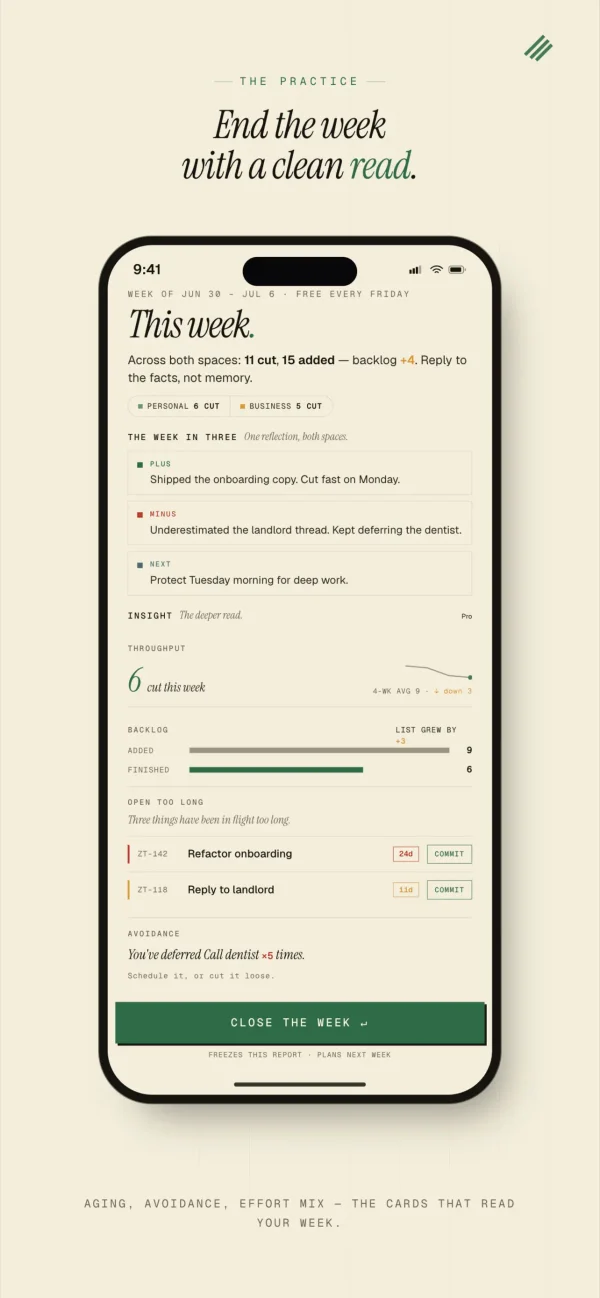
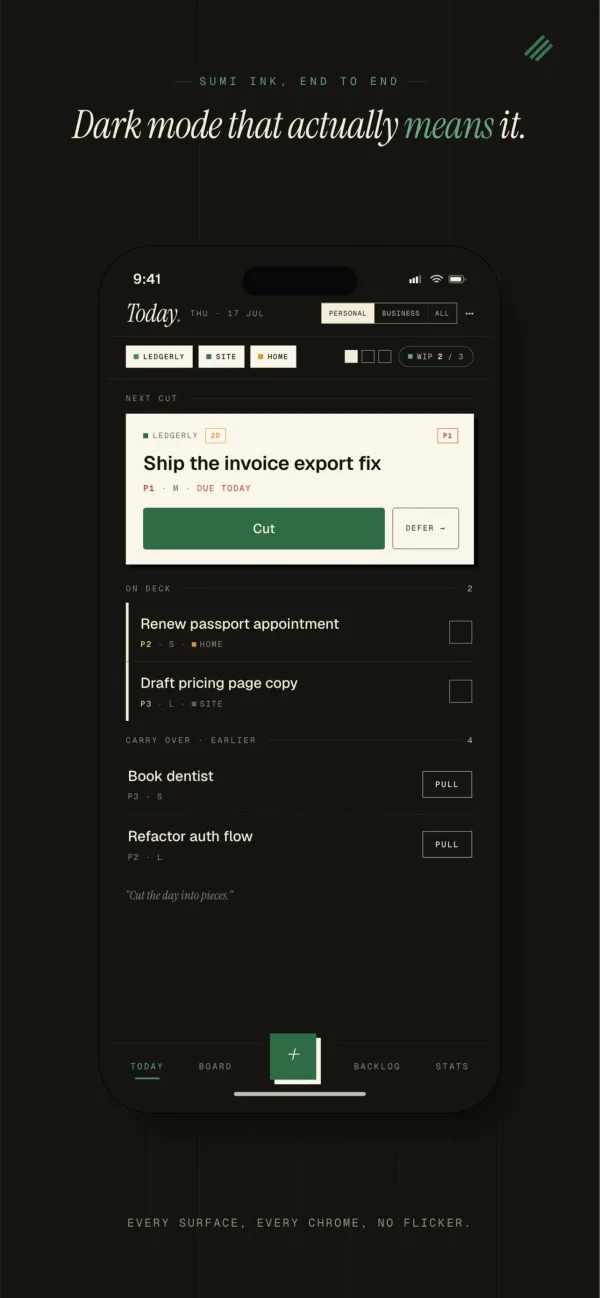
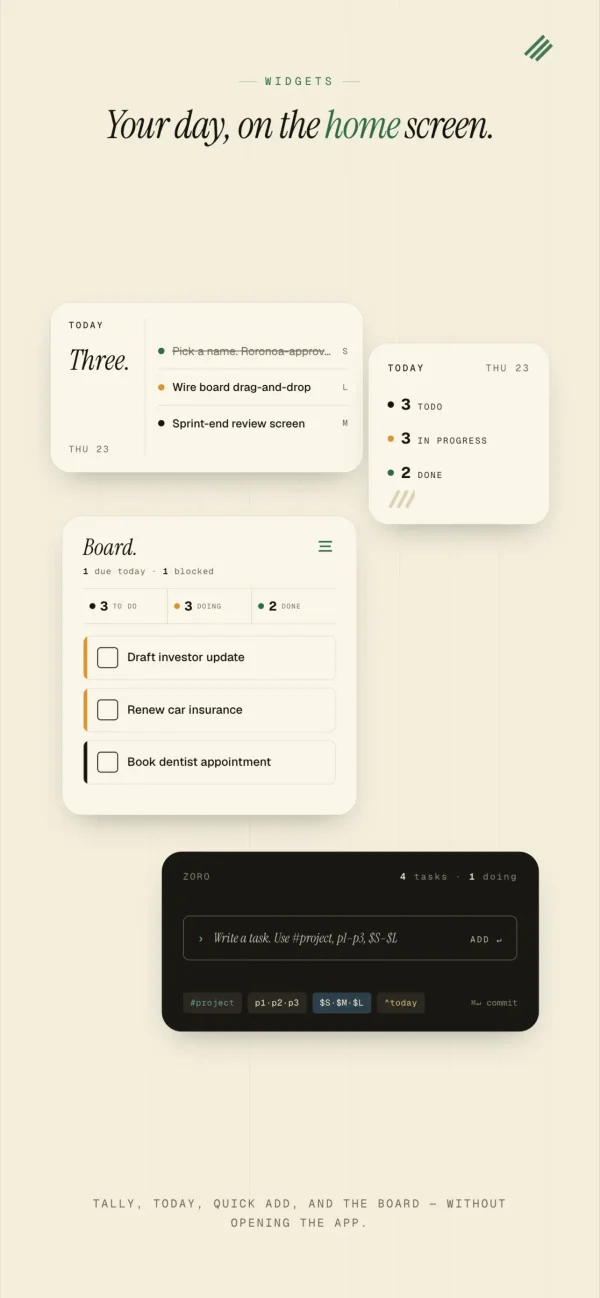
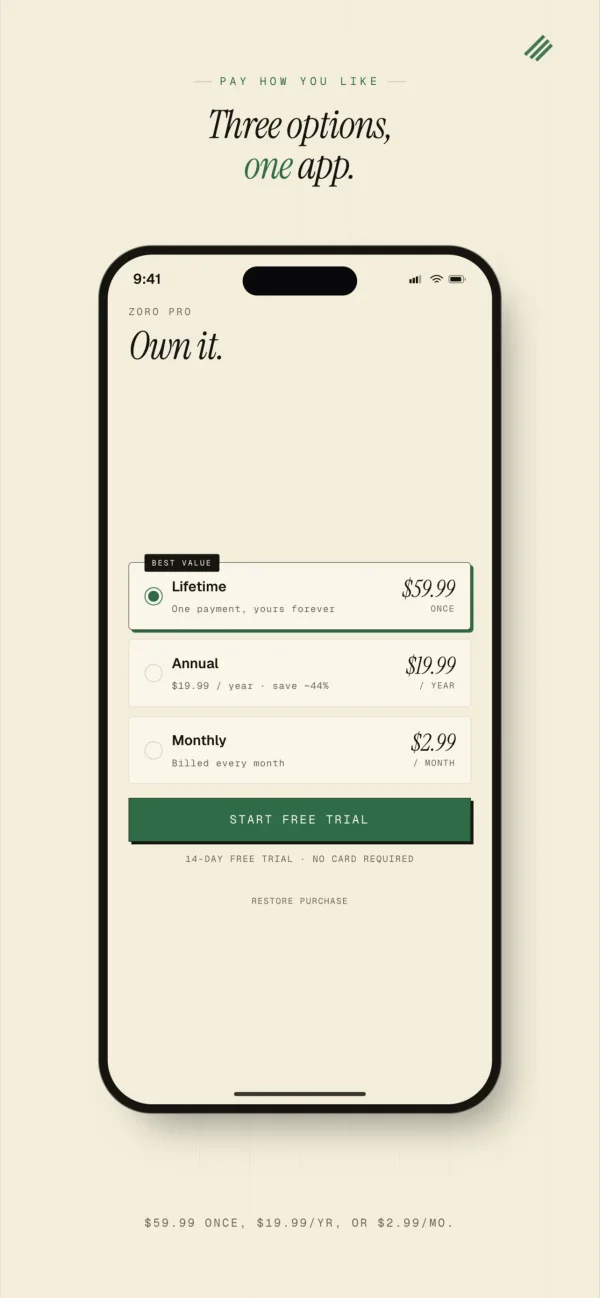
À propos
Le développeur n’a pas fourni ce texte dans votre langue.
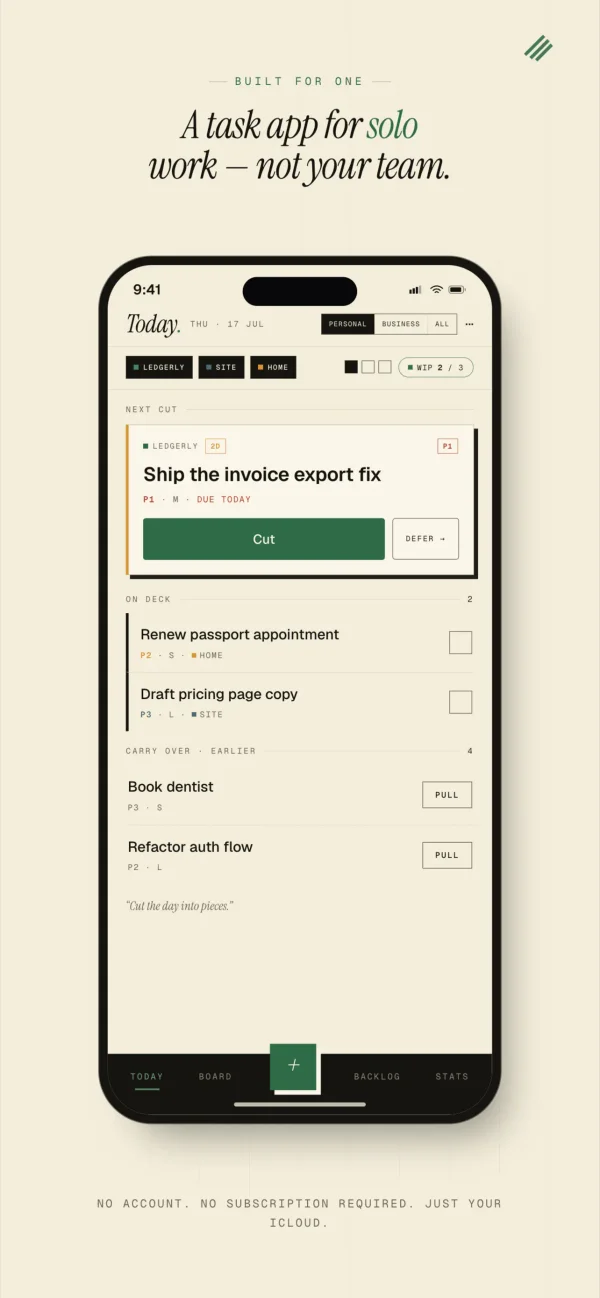
Most to-do apps help you collect tasks. Zoro helps you cut them.
Zoro is a task manager for people who run more than one project at once: founders, freelancers, builders wearing too many hats. It keeps the few agile ideas that pay off for one person (priorities, effort sizes, work-in-progress limits, a weekly review) and drops the ceremony. No sprints, no story points, no velocity charts.
WORK ACROSS PROJECTS, NOT INSIDE THEM
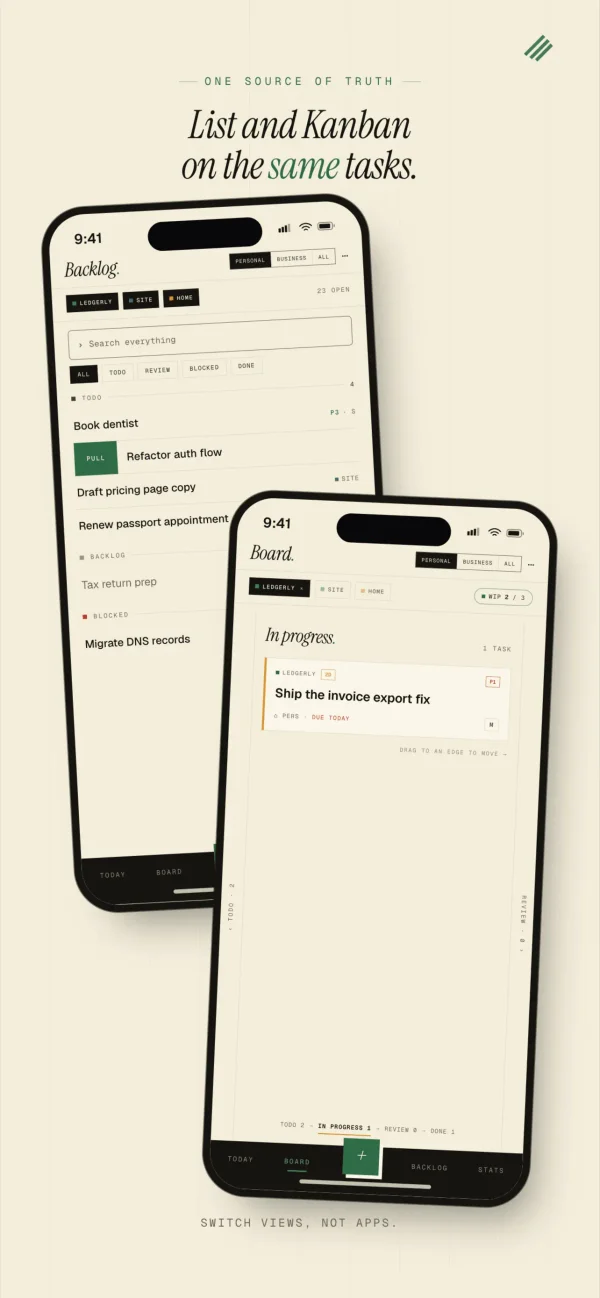
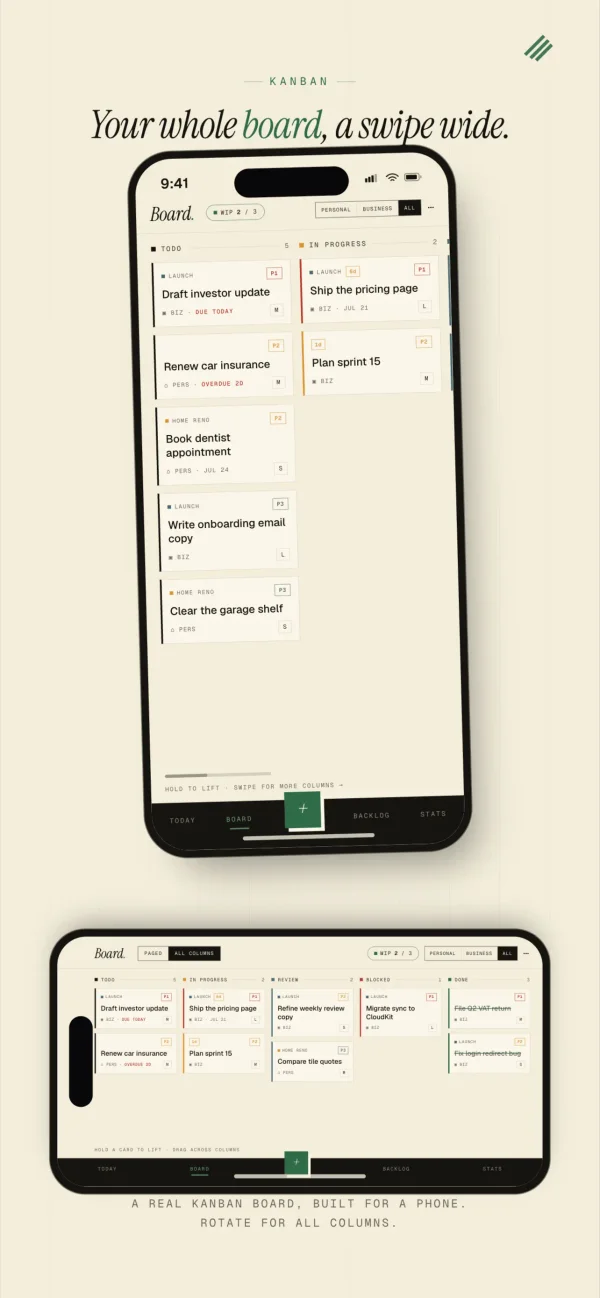
Two spaces, personal and business, hold as many projects as you need. Every task carries a priority (P1–P3) and an effort size (S/M/L). One board holds product work next to invoices next to the launch plan, and the highest-leverage work rises to the top no matter which project it belongs to.
THE METHOD
• Three things today: you can only finish a few things a day, so Zoro asks for three
• Size by effort, not time: S, M, L. Estimates in minutes are a trap
• One cut at a time: a work-in-progress limit keeps you finishing before starting
• Let nothing rot: tasks age visibly, so the work you're avoiding stares back
• Sharpen weekly: a Friday review that reads your week back to you
PRIVATE BY ARCHITECTURE
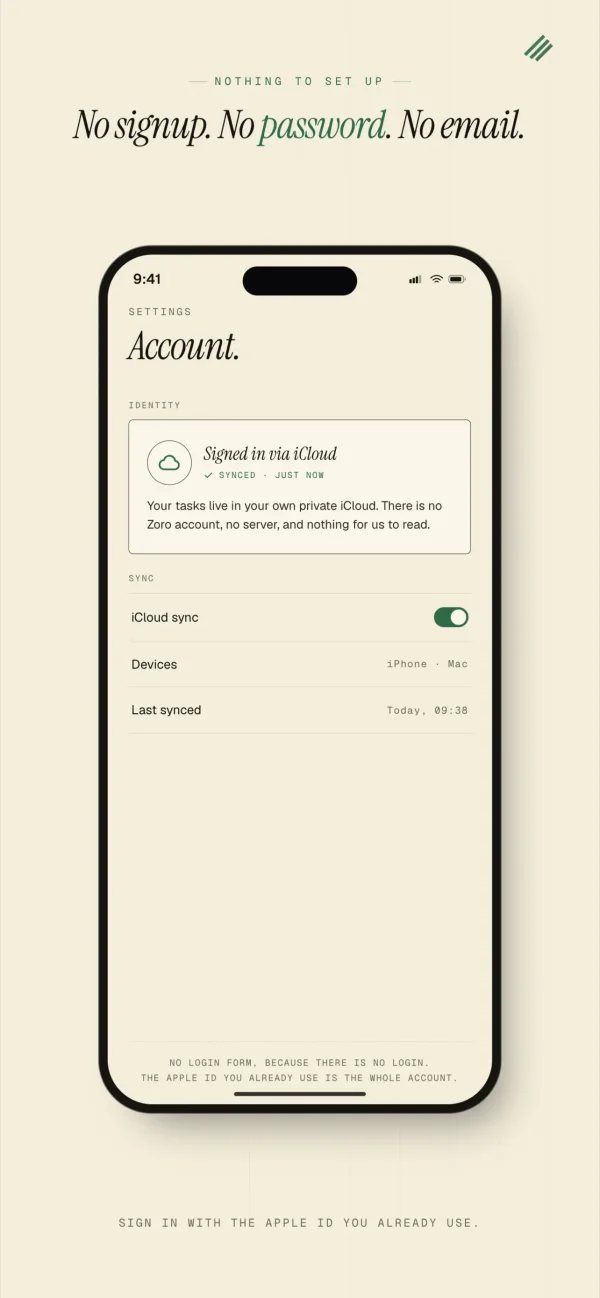
Your tasks live in your own iCloud, and Apple syncs them between your devices. Zoro has no servers that hold your data, no account to create, no analytics, no tracking. The App Privacy label reads "Data Not Collected" because there is nothing to collect. We couldn't read your tasks if we wanted to.
THE WEEKLY REVIEW
Every Friday, Zoro assembles the facts: what you cut, what you added, what's been open too long, what you keep deferring, whether the big things are stalling. You reflect (plus, minus, next) and close the week. Over months, History becomes the honest story of how you actually work, and Trends shows the shape underneath.
FREE, PROPERLY
The whole method is free: unlimited tasks, unlimited projects, iCloud sync across iPhone, Mac, and the web, effort sizing, aging, the weekly reflection. No task caps. Ever.
ZORO PRO
Pro goes deeper into the practice: the full weekly insight cards (aging, avoidance, effort mix), every week kept in History, Trends over time, the stats dashboard, subtasks, and custom statuses. $2.99/month, $19.99/year, or $59.99 once, with a 14-day free trial.
Zoro is for people who want fewer tasks, done. Not more tasks, managed.
TERMS & PRIVACY
Terms of Use (EULA): https://www.getzoro.app/terms
Privacy Policy: https://www.getzoro.app/privacy
Nouveautés
Version 1.8.0 · 03/11/2026
Siri, in Zoro. Say "Add a task in Zoro", then the task in one sentence, project and due date included. Zoro reads it back before it adds anything. Ask "What's on Zoro today?", "What's next in Zoro?" or "What's left in Apartment Sale in Zoro?" and Siri reads your list.
NEW
- The quarter close. Settle last quarter's goals (cut, carry or cut loose), then name the next three. A notification before the quarter ends. Pick when in Settings › Notifications.
- One Today order on every device: work in progress first, then priority, then oldest.
- Swipe left on Today to abandon, with undo. The Next Cut button that pushes a task to tomorrow now says Tomorrow.
- Snapshots keep thirty days, and the list shows three until you ask for all.
- A one-time Siri tip on Today and in quick-add.
Confidentialité de l’application
Ce que LeadVibe LLC déclare sur l’App Store au sujet du traitement des données par cette application.
-
Données non collectées
Le développeur ne collecte aucune donnée à partir de cette application.
Les pratiques en matière de confidentialité peuvent varier, notamment en fonction des fonctionnalités que vous utilisez ou de votre âge.
Informations
- Vendeur
- LeadVibe LLC
- Catégorie
- Productivité
- Version
- 1.8.0
- Mis à jour
- 03/11/2026
- Publié
- 10/07/2026
- Taille
- 18,5 Mo
- Nécessite
- iOS 17.0 ou version ultérieure
- Classification d’âge
- 4+
- Prix
- Gratuit
- Achats intégrés
- Oui
- Langues
- Anglais
- Copyright
- © 2026 LeadVibe LLC
Vous aimerez peut-être aussi
-
 KanToDoProductivité
-
 noeia ideasanything that comes to mind...
-
 Netty: Today Planner & HabitsProductivité
-
 SeaNote - Rappel de péremptionGérez les dates
-
 Eat Frog First: To-DoProductivité
-
 Hobba : Liste de tâchesProjets & kanban. Achat unique
-
 KanGoBanProductivité
-
 Task LedgerProductivité
-
 Unstuck TaskProductivité
-
 SprintNotesProductivité