AWD Simple W
AIwatch- Rating 3+Batasan usia
- PersonalisasiKategori
- 7/8/2026Diperbarui
- Rp 12.000Harga
Tertaut ke halaman resmi com.watchfacestudio.awd_simple_w di Google Play. Terakhir diperiksa pada 28/11/2026.

Tentang aplikasi ini
Terjemahan otomatis oleh Google. Bahasa asli: Inggris (Amerika Serikat).
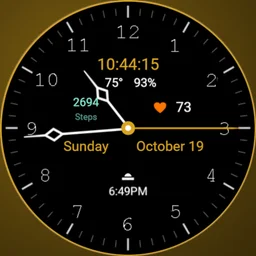
Tampilan Jam Cuaca Sederhana Klasik
Tampilan Jam Analog Sederhana
(Cuaca diperbarui secara otomatis setiap 30 menit. Metode pembaruan manual: Akses komplikasi cuaca atau UV dan tekan tombol pembaruan di bagian bawah.)
Saat Anda memulai ulang jam, informasi cuaca mungkin tidak ditampilkan.
Dalam hal ini, terapkan tampilan jam default lalu terapkan kembali tampilan jam cuaca.
Informasi cuaca ditampilkan secara normal.
Informasi cuaca didasarkan pada API yang disediakan oleh Samsung.
Mungkin ada perbedaan dari informasi cuaca perusahaan lain.
Kustomisasi
- 12 x Perubahan gaya warna jarum
- 5 x Perubahan Gaya Jarum
- 5 x Perubahan Gaya Indeks
- Perubahan Gaya Tanggal Eng / Sync
- 4 x Pengaturan pengguna komplikasi
- 1 x Pintasan aplikasi
- Mendukung wear OS
- Mode jam layar persegi tidak didukung.
***Panduan Instalasi***
Aplikasi seluler adalah aplikasi panduan untuk memasang tampilan jam.
Setelah layar jam terpasang dengan benar, Anda dapat menghapus aplikasi seluler.
1. Jam tangan dan ponsel harus terhubung melalui Bluetooth.
2. Tekan tombol "Klik" pada aplikasi panduan seluler.
3. Ikuti tampilan jam untuk memasang tampilan jam dalam beberapa menit.
Anda juga dapat mencari dan memasang tampilan jam langsung dari aplikasi Google di jam tangan Anda.
Anda dapat mencari dan memasangnya di peramban web seluler Anda.
Hubungi kami: aiwatchdesign@gmail.com
Tampilkan teks asli
Simple Analog Watchface
(The weather is automatically updated about every 30 minutes. Manual update method: Access the weather or UV complication and press the update button at the bottom.)
When you restart the watch, weather information may not be displayed.
In this case, apply the default watch face and then reapply the weather watch face.
Weather information is displayed normally.
Weather information is based on the API provided by Samsung.
There may be differences from other companies’ weather information.
Customizing
- 12 x Hands color style change
- 5 x Hands Style change
- 5 x Index Style change
- Date Style Change Eng / Sync
- 4 x Complication user setting
- 1 x Appshortcut
- Support wear OS
- Square screen watch mode is not supported.
***Installation Guide***
The mobile app is a guide app for installing the watch face.
Once the watch screen is installed properly, you can delete the mobile app.
1. The watch and mobile phone must be connected via Bluetooth.
2. Press the “Click” button on the mobile guide app.
3. Follow the watch faces to install the watch face in a few minutes.
You can also search for and install watch faces directly from the Google app on your watch.
You can search and install it in your mobile web browser.
Contact us : aiwatchdesign@gmail.com
Keamanan data
Yang dinyatakan AIwatch di Google Play tentang data yang dikumpulkan dan dibagikan aplikasi ini.
- Tidak ada data yang dibagikan kepada pihak ketigaPelajari lebih lanjut cara developer menyatakan pembagian data
- Tidak ada data yang dikumpulkanPelajari lebih lanjut cara developer menyatakan pengumpulan data
Kontak pengembang
- Situs webinstagram.com
- Emailaiwatchdesign@gmail.com
- Kebijakan Privasisites.google.com
- Alamat완정로65번안길 17 (마전동, 금호어울림아파트) 101동204호 검단구, 인천광역시 23469 South Korea
Informasi
- Ditawarkan oleh
- AIwatch
- Kategori
- Personalisasi
- Diperbarui
- 7/8/2026
- Dirilis
- 3/10/2024
- Batasan usia
- Rating 3+
- Harga
- Rp 12.000
- Nama paket
- com.watchfacestudio.awd_simple_w
Aplikasi serupa
-
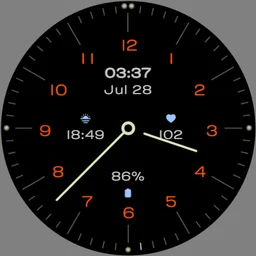 Analog watch face A9
Personalisasi
-
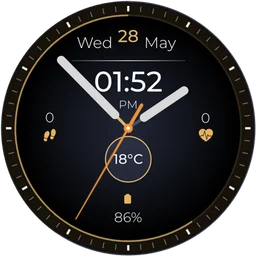 Your Day Watch Face
Personalisasi
-
 Nostanight - watch face
Personalisasi
-
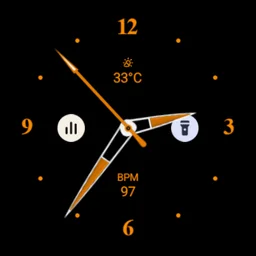 Black Analogue Z Watch Face
Personalisasi
-
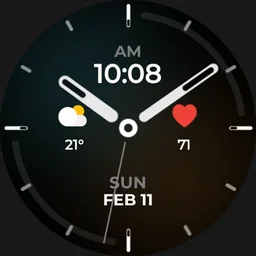 Night 48 - watch face
Personalisasi
-
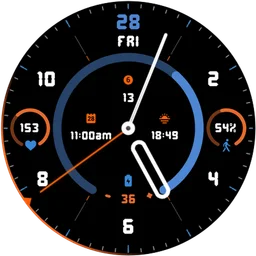 Spectra Time Watch Face
Personalisasi
-
 Lovely Night Analog
Personalisasi
-
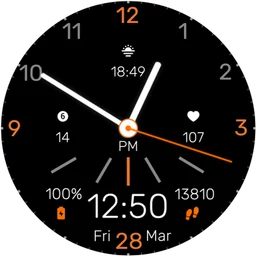 Quadro Time Watch Face
Personalisasi
-
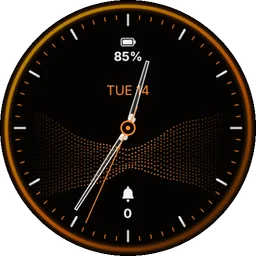 Amber Halo Watch Face
Personalisasi
-
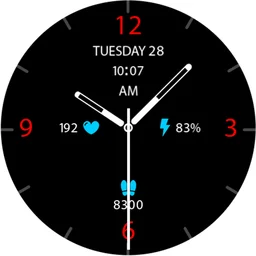 Key042 Analog Watch Face
Personalisasi
-
 Genteel Plus Watch Face
Personalisasi
-
 DS H001 - Hybrid watch face
Personalisasi