GMT Zone Watch Face
RichFace- Rating 3+Batasan usia
- PersonalisasiKategori
- 4/10/2024Diperbarui
- Rp 27.000Harga
Tertaut ke halaman resmi watch.richface.androidwear.gmtzone di Google Play. Terakhir diperiksa pada 26/11/2026.
Tangkapan layar

Tentang aplikasi ini
Terjemahan otomatis oleh Google. Bahasa asli: Inggris (Amerika Serikat).
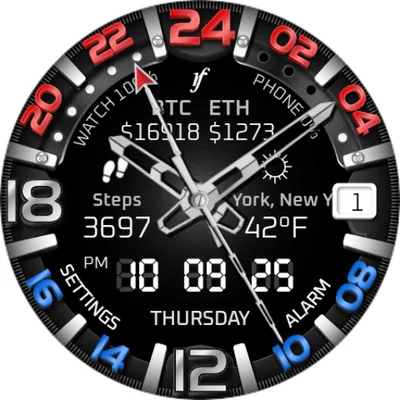
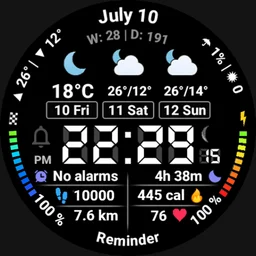
Tampilan jam GMT dengan komplikasi kripto untuk jam tangan pintar WearOS
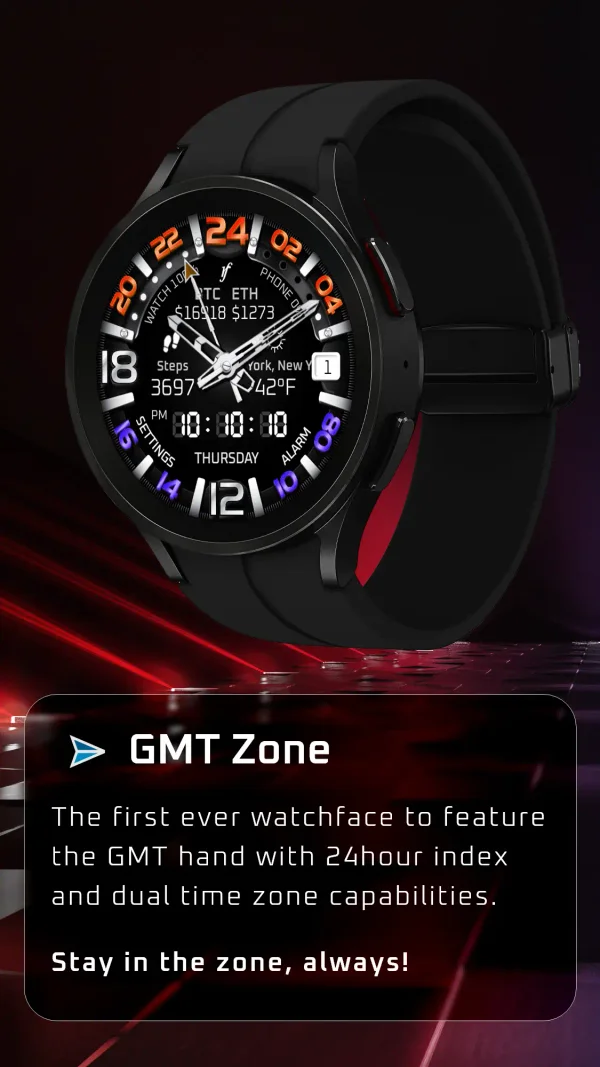
Memperkenalkan tampilan jam GMT Zone! Tampilan jam yang ramping dan bergaya ini sangat cocok untuk individu jet-setting. Dengan kemampuannya untuk menampilkan zona waktu tambahan, Anda tidak akan pernah terlambat lagi untuk rapat. Baik Anda berada di New York, London, atau Tokyo, GMT Zone siap membantu Anda.
Dapatkan milik Anda hari ini dan tetap tepat waktu, di mana pun Anda berada! Selain itu, kami membuat komplikasi Crypto baru bagi mereka yang suka sering memeriksa crypto.
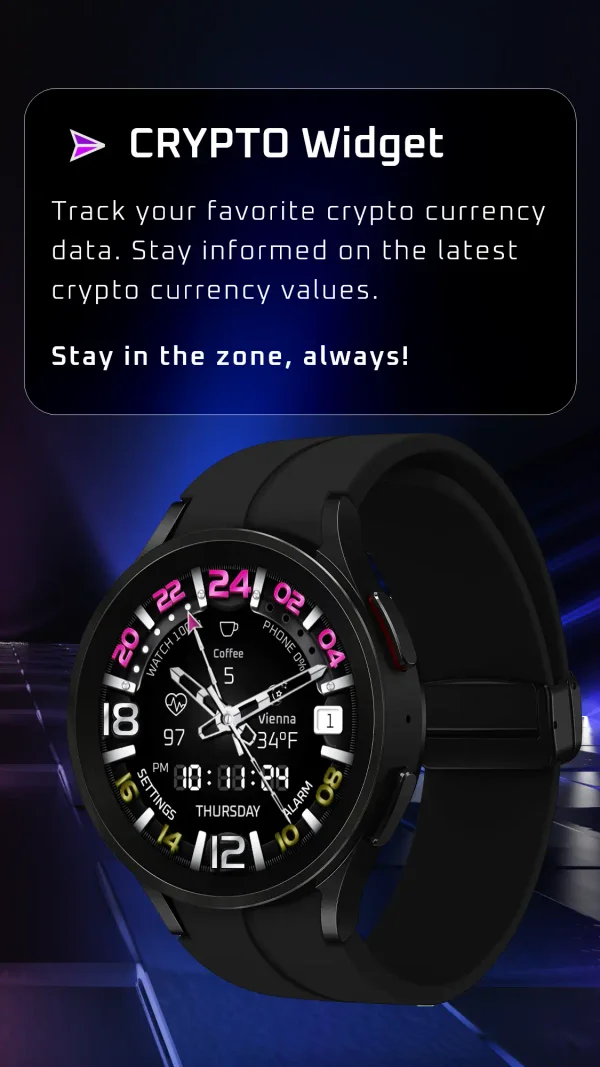
Selain komplikasi bawaan kami, termasuk langkah, cuaca, detak jantung, dan penghitung kopi dan air, kami juga telah menambahkan komplikasi crypto baru bagi mereka yang suka melacak koin favorit mereka.
Komplikasi crypto baru kami memungkinkan Anda untuk memilih dan melacak salah satu koin favorit langsung di tampilan jam. Anda juga dapat menyesuaikan frekuensi pembaruan di pengaturan.
Tampilan jam ini hanya mendukung WearOS dari Google.
TIDAK DIDUKUNG: Samsung S2/S3/Watch di Tizen OS, Huawei Watch GT/GT2, Xiaomi Amazfit GTS, Xiaomi Pace, Xiaomi Bip, dan jam tangan lainnya.
★ Komplikasi Bawaan ★
• ★ BARU! Komplikasi kripto ★
• Langkah (Langkah bawaan)
• Cuaca
• Detak Jantung
• Penghitung Kopi dan Air
• Komplikasi eksternal (Pengguna memilih sumber data mana yang diinginkan dalam detail)
★ Pilihan ★
• ★ komplikasi Crypto ★
• Bergetar setiap jam
• Bunyi bip setiap jam
• Monitor Detak Jantung Otomatis
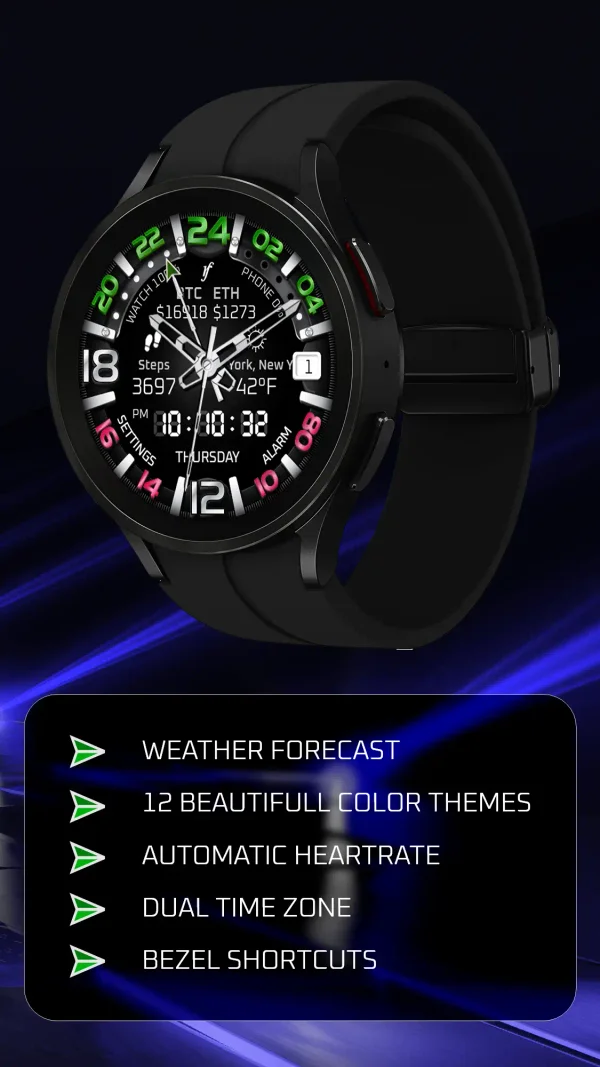
• Prakiraan (5 hari)
• Ganti warna
• format 24 jam
• Memimpin nol
• Waktu layar
• Ramalan cuaca
• Opsi mode ambien penuh
• Ubah prasetel warna di ketuk
• Ketuk indikator
• Pengaturan cuaca (lokasi, penyedia, pembaruan frekuensi, unit)
• Pintasan bezel:
• Alarm
• Pengaturan
• Cari telepon
• Stopwatch
• Peta *(Google Map perlu dipasang di smartwatch)
• Senter
• Timer
★ BARU Komplikasi Crypto ★
Komplikasinya memberi Anda opsi untuk memilih 2 koin crypto dan melihatnya di posisi teratas. Dalam pengaturan, pengguna dapat memilih pembaruan yang sering dilakukan.
★ Pakai dukungan OS 3.0!
• Sepenuhnya berdiri sendiri! (IPhone dan Android kompatibel)
• Data komplikasi eksternal untuk indikator
★ Komplikasi sensor perangkat:
• Komplikasi monitor Detak Jantung
• Komplikasi kontra langkah bawaan
★ FAQ
★ Cara memilih komplikasi di posisi yang diinginkan ★
- Ketuk panjang pada tampilan jam
- Sistem menampilkan ikon "roda gigi" untuk pengaturan tampilan jam. Ketuk di atasnya.
- Pilih opsi "Sesuaikan".
- Pilih opsi "Komplikasi".
- Pilih posisi yang diinginkan
- Pilih komplikasi bawaan atau
- Pilih Komplikasi Eksternal
• Pilih komplikasi pihak ketiga
Kamu siap untuk pergi.
T: Apakah tampilan jam Anda mendukung Samsung Active 4 dan Samsung Active 4 Classic?
J: Ya, tampilan jam kami mendukung jam tangan pintar WearOS.
T: Bagaimana cara memasang tampilan jam?
J: Ikuti langkah-langkah ini:
1. Buka aplikasi Google Play Store di jam tangan Anda
2. Cari tampilan jam
3. Tekan tombol instal
T: Saya membeli aplikasi di ponsel saya, apakah saya harus membelinya lagi untuk jam tangan saya?
A: Anda tidak perlu membelinya lagi. Terkadang Play Store membutuhkan waktu lebih lama untuk mengetahui bahwa Anda telah membeli aplikasi tersebut. Setiap pesanan tambahan akan secara otomatis dikembalikan dananya oleh Google, Anda akan menerima uangnya kembali.
★★★ PENAFIAN: ★★★
Tampilan jam adalah aplikasi mandiri tetapi kerumitan baterai ponsel memerlukan koneksi dengan aplikasi pendamping di perangkat ponsel Android. Pengguna iPhone tidak dapat memiliki data ini karena keterbatasan iOS.
★ FAQ lainnya temukan di sini:
https://richface.watch/faq
!! Silakan hubungi kami jika Anda memiliki masalah dengan aplikasi !!
richface.watch@gmail.com
★ IZIN Dijelaskan
https://www.richface.watch/privacy
Tampilkan teks asli
Introducing the GMT Zone watch face! This sleek and stylish watch face is perfect for the jet-setting individual. With its ability to display an additional time zone, you'll never be late for a meeting again. Whether you're in New York, London, or Tokyo, the GMT Zone has you covered.
Get yours today and stay on time, no matter where you are in the world! Also, we created a new Crypto complication for those who likes to check cryptos frequently.
In addition to our built-in complications, including steps, weather, heart rate, and a coffee and water counter, we've also added a new crypto complication for those who like to keep track of their favorite coins.
Our new crypto complication allows you to select and track one of favorite coin right on the watch face. You can also customize the update frequency in the settings.
This watch face supports only WearOS by Google.
NOT SUPPORTED: Samsung S2/S3/Watch on Tizen OS, Huawei Watch GT/GT2, Xiaomi Amazfit GTS, Xiaomi Pace, Xiaomi Bip, and other watches.
★ Built-in Complications ★
• ★ NEW! Crypto complication ★
• Steps (Built-in steps)
• Weather
• Heart Rate
• Coffee and Water counter
• External complication (The user selects which data sources they want in the complication)
★ Options ★
• ★ Crypto complication ★
• Vibrate every hour
• Beep sound on every hour
• Auto HeartRate monitor
• Forecast (5 days)
• Change color
• 24-hour format
• Leading zero
• Screen time
• Forecast
• Full ambient mode option
• Change color preset on tap
• Tap indicator
• Weather settings (location, providers, frequency update, units)
• Bezel shortcuts:
• Alarm
• Settings
• Find phone
• Stopwatch
• Map *(Google Map needs to be installed on the smartwatch)
• Flashlight
• Timer
★ NEW Crypto Complication ★
The complication gives you a option to select 2 crypto coins and watch them on top position. In the settings, user is able to select frequent update.
★ Wear OS 3.0 support!
• Fully standalone! (iPhone and Android compatible)
• External complication data for the indicators
★ Device sensor complications:
• Heart Rate monitor complication
• Built-in Steps counter complication
★ FAQ
★ How to select a complication in the desired position ★
- Long tap on the watch face
- System shows the icon "gear" for the watch face settings. Tap on it.
- Select the "Customize" option
- Select "Complications" option
- Select the desired position
- Select built-in complication or
- Select External Complication
• Select any third-party complication
You are ready to go.
Q: Do your watch faces support Samsung Active 4 and Samsung Active 4 Classic?
A: Yes, our watch faces support WearOS smartwatches.
Q: How to install the watch face?
A: Follow these steps:
1. Open the Google Play Store app on your watch
2. Search for the watch face
3. Press the install button
Q: I bought the app on my phone, do I have to buy it again for my watch?
A: You should not have to buy it again. Sometimes the Play Store takes a bit longer to figure out that you already bought the app. Any additional order will automatically be refunded by Google, you will receive the money back.
★★★ DISCLAIMER: ★★★
The watch face is standalone app but the complication for phone battery requires a connection with the companion app on Android phone devices. iPhone users can not have this data due to iOS limitation.
★ Other FAQ find here:
https://richface.watch/faq
!! Please contact us if you have any trouble with the app !!
richface.watch@gmail.com
★ PERMISSIONS Explained
https://www.richface.watch/privacy
Keamanan data
Yang dinyatakan RichFace di Google Play tentang data yang dikumpulkan dan dibagikan aplikasi ini.
- Tidak ada data yang dibagikan kepada pihak ketigaPelajari lebih lanjut cara developer menyatakan pembagian data
- Tidak ada data yang dikumpulkanPelajari lebih lanjut cara developer menyatakan pengumpulan data
- Data dienkripsi saat dalam pengiriman
- Data tidak dapat dihapus
Yang baru
4/10/2024
Upgraded to WearOS 4
Kontak pengembang
- Situs webrichface.watch
- Emailrichface.watch@gmail.com
- Kebijakan Privasirichface.watch
- AlamatZentagasse 6/20 1050 Wien Austria
Informasi
- Ditawarkan oleh
- RichFace
- Kategori
- Personalisasi
- Diperbarui
- 4/10/2024
- Dirilis
- 3/12/2022
- Memerlukan
- Android 6.0 atau yang lebih baru
- Batasan usia
- Rating 3+
- Harga
- Rp 27.000
- Nama paket
- watch.richface.androidwear.gmtzone
Aplikasi serupa
-
 TimeCast Full Watch Face
Personalisasi
-
 TimeCast Watch Face Lite
Personalisasi
-
 Jubilee Watch Face Premium
Personalisasi
-
 Earth24
Personalisasi
-
 Nice Classic
Personalisasi
-
 DF058
Personalisasi
-
 Analog Sport V14
Personalisasi
-
 DF071
Personalisasi
-
 HMK AD003
Personalisasi
-
 HMK WA151
Personalisasi
-
 KZY118
Personalisasi
-
 MAX DIGI WEATHER Info
Personalisasi