IDLE - Develop with Python
UserLAnd Technologies- Rating 3+Batasan usia
- Alat Kategori
- 17/11/2026Diperbarui
- Rp 30.000Harga
Tertaut ke halaman resmi tech.ula.idle di Google Play. Terakhir diperiksa pada 19/11/2026.

Tangkapan layar
Tentang aplikasi ini
Terjemahan otomatis oleh Google. Bahasa asli: Inggris (Amerika Serikat).
IDLE - Lingkungan Pengembangan dan Pembelajaran Terintegrasi Python di Android
Ini benar-benar IDLE Python yang berjalan di perangkat Anda. Fiturnya lengkap dan didukung secara profesional.
Tentang IDLE:
IDLE adalah Lingkungan Pengembangan dan Pembelajaran Terintegrasi Python.
IDLE memiliki fitur-fitur berikut:
*Dikodekan dalam Python murni 100%, menggunakan toolkit GUI tkinter
*Lintas platform: sebagian besar berfungsi sama di Windows, Unix, dan macOS
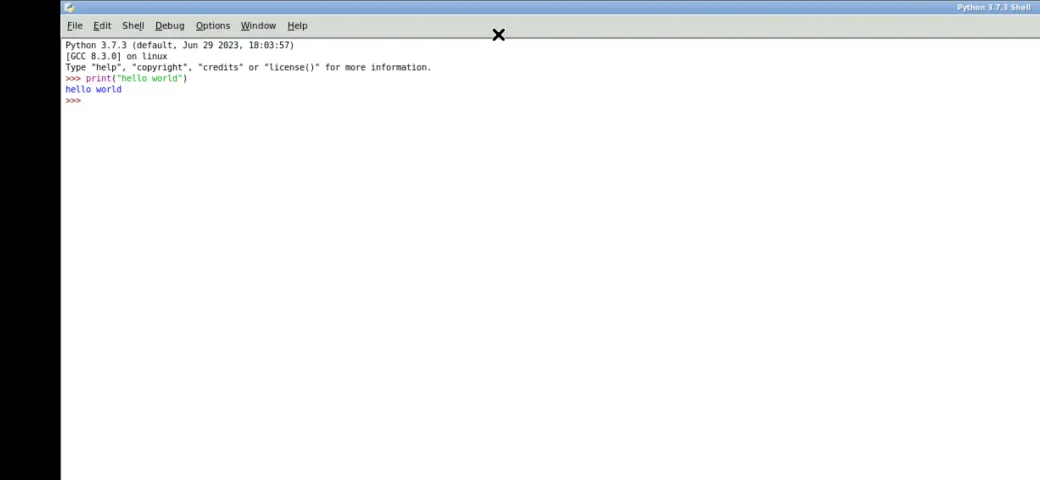
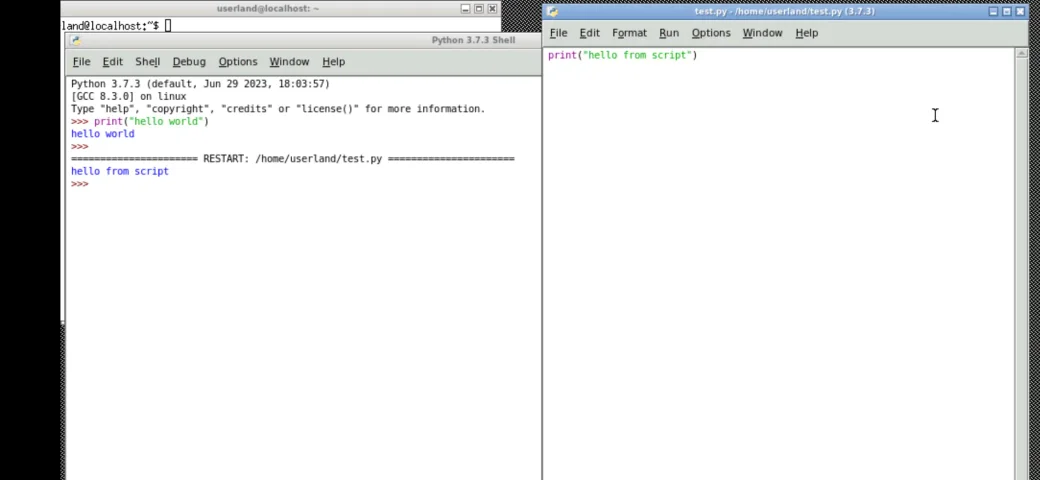
*Jendela shell Python (interpreter interaktif) dengan pewarnaan input kode, output, dan pesan kesalahan
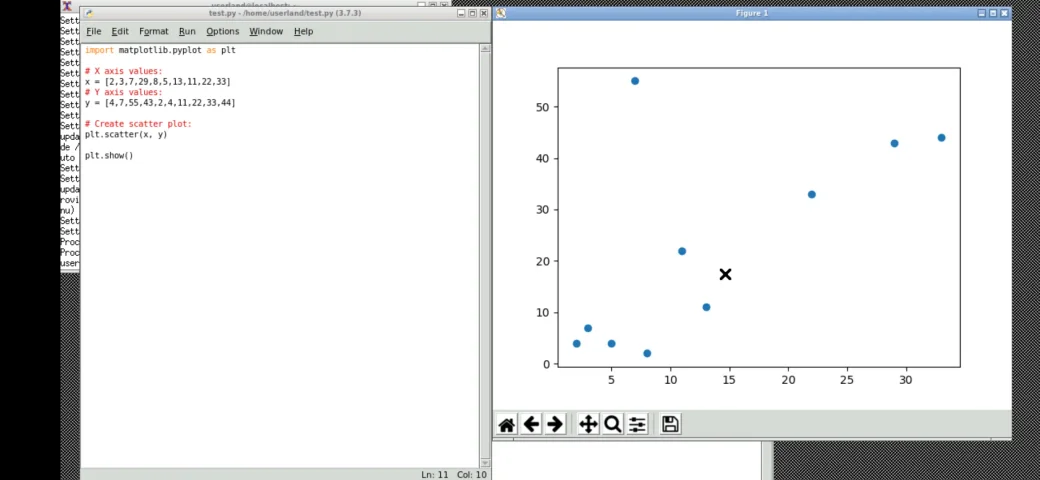
*Editor teks multi-jendela dengan beberapa fungsi undo, pewarnaan Python, indentasi cerdas, tips panggilan, penyelesaian otomatis, dan fitur lainnya
*Pencarian di dalam jendela mana pun, penggantian di dalam jendela editor, dan pencarian melalui beberapa file (grep)
*Debugger dengan breakpoint tetap, stepping, dan tampilan namespace global dan lokal
*Konfigurasi, browser, dan dialog lainnya
Anda dapat membaca lebih lanjut tentangnya di sini: https://docs.python.org/3/library/idle.html
Cara menggunakan aplikasi Android IDLE ini:
Saat menggunakan antarmuka grafis, gunakan seperti biasa. Tetapi berikut beberapa hal khusus untuk antarmuka Android.
* Ketuk dengan satu jari untuk klik kiri.
* Gerakkan mouse dengan menggeser satu jari.
* Cubit untuk memperbesar.
* Tekan dan tahan, lalu geser satu jari untuk menggeser (berguna saat diperbesar).
* Geser dua jari ke atas dan ke bawah untuk menggulir.
* Jika Anda ingin memunculkan papan ketik, ketuk layar untuk memunculkan serangkaian ikon, lalu klik ikon papan ketik.
* Jika Anda ingin melakukan hal yang setara dengan klik kanan, ketuk dengan dua jari.
* Jika Anda ingin mengubah skala desktop, temukan notifikasi layanan Android dan klik pengaturan. Anda harus menghentikan dan memulai ulang aplikasi setelah mengubah pengaturan ini agar berlaku.
Semua ini lebih mudah dilakukan di tablet dan dengan stylus, tetapi juga dapat dilakukan di ponsel atau menggunakan jari Anda.
Untuk mengakses file dari Android lainnya, ada banyak tautan berguna di direktori beranda Anda (/home/userland) ke tempat-tempat seperti Dokumen, Gambar, dll. Tidak perlu mengimpor atau mengekspor file.
Jika Anda tidak ingin, atau tidak mampu membayar biaya aplikasi ini, Anda dapat menjalankan IDLE melalui aplikasi UserLAnd.
Aplikasi ini bukan dibuat oleh tim pengembangan Python utama. Sebaliknya, ini adalah adaptasi yang memungkinkan versi Linux berjalan di Android.
Tampilkan teks asli
This really Python's IDLE running on your device. It is full featured and professionally supported.
About IDLE:
IDLE is Python’s Integrated Development and Learning Environment.
IDLE has the following features:
*coded in 100% pure Python, using the tkinter GUI toolkit
*cross-platform: works mostly the same on Windows, Unix, and macOS
*Python shell window (interactive interpreter) with colorizing of code input, output, and error messages
*multi-window text editor with multiple undo, Python colorizing, smart indent, call tips, auto completion, and other features
*search within any window, replace within editor windows, and search through multiple files (grep)
*debugger with persistent breakpoints, stepping, and viewing of global and local namespaces
*configuration, browsers, and other dialogs
You can read more about it here: https://docs.python.org/3/library/idle.html
How to use this IDLE Android app:
When using the graphical interface, use it just like normal. But here are some specifics to the Android interface.
* Tap with one figure to left click.
* Move mouse by sliding around one finger.
* Pinch to zoom.
* Press and hold and then slide one finger to pan (useful when zoomed in).
* Slide two fingers up and down to scroll.
* If you want to bring up a keyboard, tap on the screen to get a set of icons to appear and then click the keyboard icon.
* If you want to do the equivalent to a right click, tap with two fingers.
* If you want to change the desktop scaling, find the service android notification and click the settings. You have to stop and restart the app after changing this settings for it to take effect.
This is all easier to do on a tablet and with a stylus, but it can be done on a phone or using your finger as well.
To access files from the rest of Android, there are many useful links in your home directory (/home/userland) to places like your Documents, Pictures, etc. No need to import or export files.
If you don't want to, or cannot pay the cost of this app, you can run IDLE via the UserLAnd app.
This app is not created by the main Python development team. Instead it is an adaptation that allows the Linux version to run on Android.
Keamanan data
Yang dinyatakan UserLAnd Technologies di Google Play tentang data yang dikumpulkan dan dibagikan aplikasi ini.
- Tidak ada data yang dibagikan kepada pihak ketigaPelajari lebih lanjut cara developer menyatakan pembagian data
- Tidak ada data yang dikumpulkanPelajari lebih lanjut cara developer menyatakan pengumpulan data
Yang baru
Versi 26.11.17 · 17/11/2026
Your app's Linux system is now built fresh from our new image pipeline, with up-to-date packages and a faster, more reliable download. Opening files in your phone's shared storage no longer fails the first time, and more programs run correctly. Already installed? Your existing setup is kept; reinstall to get the new system.
Kontak pengembang
- Situs webuserland.tech
- Emailsupport@userland.tech
- Kebijakan Privasiuserland.tech
- Alamat10258 SW 67th Ave Portland, OR 97223 United States
Informasi
- Ditawarkan oleh
- UserLAnd Technologies
- Kategori
- Alat
- Versi
- 26.11.17
- Diperbarui
- 17/11/2026
- Dirilis
- 18/7/2023
- Memerlukan
- Android 7.0 atau yang lebih baru
- Batasan usia
- Rating 3+
- Harga
- Rp 30.000
- Nama paket
- tech.ula.idle
Aplikasi serupa
-
 Fabric: your second brain
Produktivitas
-
 Seeing AI
Produktivitas
-
 RealVNC Viewer: Remote Desktop
Produktivitas
-
 Cxxdroid - C/C++ compiler IDE
Pendidikan
-
 Spck Editor / Git Client
Alat
-
 Tutor AI - math solver
Pendidikan
-
 Pelajari HTML
Pendidikan
-
 Learn C Programming
Pendidikan
-
 TrebEdit - Editor HTML Seluler
Alat
-
 Quillbot: AI Writing Assistant
Produktivitas
-
 Learn HTML & Web Development
Pendidikan
-
 Woor. English vocabulary
Pendidikan