Running Watch Face
themaBerisi iklan · Pembelian dalam aplikasi
- Rating 3+Batasan usia
- PersonalisasiKategori
- 5/9/2026Diperbarui
- Rp 19.000Harga
Tertaut ke halaman resmi fr.thema.wear.watch.running di Google Play. Terakhir diperiksa pada 24/11/2026.
Tentang aplikasi ini
Terjemahan otomatis oleh Google. Bahasa asli: Inggris (Amerika Serikat).
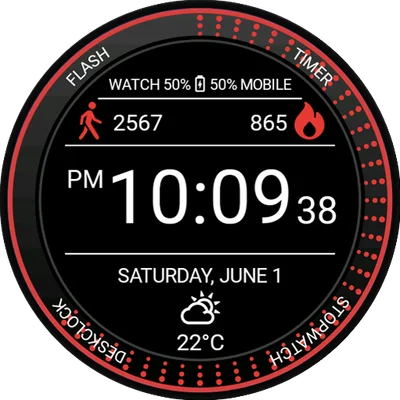
Menjalankan Perhiasan Wajah adalah wajah menonton interaktif yang dirancang untuk olahraga!
Tampilan Jam Tangan Lari untuk Wear OS!
★ Fitur Tampilan Jam Tangan Lari ★
- Pilih warna desain
- Hari & Bulan
- Baterai jam tangan
- Baterai ponsel (memerlukan aplikasi ponsel)
- Cuaca (memerlukan aplikasi ponsel)
Pengaturan tampilan jam tangan terdapat di aplikasi "Wear OS" di ponsel Anda.
Cukup tekan ikon roda gigi di atas pratinjau tampilan jam dan layar pengaturan akan muncul!
★ Pengaturan ★
🔸Wear OS 2.X / 3.X / 4.X
- Pilih font Anda
- Pilih warna desain di jam tangan & ponsel
- Tentukan refresh rate frekuensi detak jantung
- Tentukan refresh rate cuaca
- Satuan cuaca
- Mode 12/24 jam
- Tentukan durasi mode interaktif
- Pilih mode ambient hitam putih dan luminositas ramah lingkungan
- Pilih untuk menampilkan angka nol di depan pada jam
- Pilih untuk menampilkan atau tidak menampilkan titik detik
- Beralih antara mode eko / hitam putih sederhana / ambient penuh
- Data:
+ Ubah indikator untuk ditampilkan di 3 posisi
+ Pilih di antara hingga 8 indikator (Jumlah langkah harian, Frekuensi detak jantung, Email yang belum dibaca dari Gmail, dll.)
+ Komplikasi (wear 2.0)
- Interaktivitas
+ Akses ke data detail dengan menyentuh widget
+ Ubah data yang ditampilkan dengan menyentuh widget
+ Ubah pintasan untuk dijalankan di 4 Posisi
+ Pilih pintasan Anda di antara semua aplikasi yang terinstal di jam tangan Anda!
+ Pilih untuk menampilkan area interaktif
🔸Wear OS 6.X
- Pilih warna desain
- Pilih format tanggal
- Tampilkan pintasan atau tidak
- Tampilkan indikator baterai jam tangan/ponsel atau tidak
- Data komplikasi:
+ Atur data yang Anda inginkan pada widget
+ Sentuh widget untuk memulai aktivitas data jika tersedia
- Interaktivitas
+ Akses ke data detail dengan menyentuh widget
+ Ubah pintasan: pilih pintasan Anda di antara semua aplikasi yang terinstal di jam tangan Anda!
- ... dan banyak lagi
★ Pengaturan tambahan di ponsel ★
- Notifikasi untuk desain baru
- Akses dukungan
- ... dan banyak lagi
★ Instalasi ★
🔸Wear OS 2.X / 3.X / 4.X
Notifikasi akan ditampilkan di jam tangan Anda, tepat setelah instalasi di ponsel. Anda hanya perlu menekannya untuk memulai proses instalasi tampilan jam.
Jika notifikasi tidak muncul karena suatu alasan, Anda masih dapat menginstal tampilan jam menggunakan Google Play Store yang tersedia di jam Anda: cukup cari tampilan jam berdasarkan namanya.
🔸Wear OS 6.X
Instal aplikasi jam untuk mengelola tampilan jam: versi gratis akan otomatis terinstal. Kemudian, gunakan tombol "KELOLA" di pintasan kanan atas tampilan jam untuk memperbarui/meningkatkan tampilan jam Anda.
★ Lebih banyak tampilan jam ★
Kunjungi koleksi tampilan jam saya untuk Wear OS di Play Store di https://goo.gl/CRzXbS
** Jika Anda memiliki masalah atau pertanyaan, jangan ragu untuk menghubungi saya melalui email (dalam bahasa Inggris atau Prancis) sebelum memberikan penilaian buruk. Terima kasih!
Situs web: https://www.themaapps.com/
YouTube: https://youtube.com/ThomasHemetri
Twitter: https://x.com/ThomasHemetri
Instagram: https://www.instagram.com/thema_watchfaces
Tampilkan teks asli
Running Watch Face for Wear OS!
★ Features of Running Watch Face ★
- Choose design colors
- Day & Month
- Watch battery
- Mobile battery (requires phone app)
- Weather (requires phone app)
The settings of the watch face are located in the "Wear OS" app of your mobile.
Just hit the gear icon over the watch face preview and the settings screen will show up!
★ Settings ★
🔸Wear OS 2.X / 3.X / 4.X
- Choose your font
- Choose design colors on watch & mobile
- Define heartbeat frequency refresh rate
- Define weather refresh rate
- Weather unit
- 12 / 24 hours mode
- Define interactive mode duration
- Choose the ambient mode b&w and eco luminosity
- Choose to display a leading zero on hours
- Choose to display or not the seconds dots
- Switch between éco / simple b&w / full ambient mode
- Data:
+ Change the indicator to display on the 3 positions
+ Choose between up to 8 indicators (Daily step count, Heartbeat frequency, Unread Email from Gmail, etc...)
+ Complication (wear 2.0)
- Interactivity
+ Access to detailed data by touching a widget
+ Switch the displayed data by touching a widget
+ Change the shortcut to execute on the 4 positions
+ Choose your shortcut among all applications installed on your watch!
+ Choose to display the interactive areas
🔸Wear OS 6.X
- Choose design colors
- Choose date format
- Display shortcuts or not
- Display watch / mobile battery indicators or not
- Complication data:
+ Set the data you want on the widgets
+ Touch the widgets to start the data activity if available
- Interactivity
+ Access to detailed data by touching a widget
+ Modify the shortcuts: choose your shortcut among all applications installed on your watch!
- ... and more
★ Additional settings on phone ★
- Notifications for new designs
- Access to support
- ... and more
★ Installation ★
🔸Wear OS 2.X / 3.X / 4.X
A notification will be displayed on your watch, right after your mobile installation. You just have to hit it to start the installation process of the watch face.
If the notification did not display for some reason, you can still install the watch face by using the Google Play Store available on your watch: just search the watch face by its name.
🔸Wear OS 6.X
Install the watch app to manage the watchface: the free version is automatically installed. Then use the "MANAGE" button in the top right shortcut of the watchface to update/upgrade your watch face.
★ More watch faces ★
Visit my watch faces collection for Wear OS on the Play Store at https://goo.gl/CRzXbS
** If you have any issues or questions, feel free to contact me by email (English or French language) before giving a bad rating. Thanks!
Website: https://www.themaapps.com/
Youtube: https://youtube.com/ThomasHemetri
Twitter: https://x.com/ThomasHemetri
Instagram: https://www.instagram.com/thema_watchfaces
Keamanan data
Yang dinyatakan thema di Google Play tentang data yang dikumpulkan dan dibagikan aplikasi ini.
- Tidak ada data yang dibagikan kepada pihak ketigaPelajari lebih lanjut cara developer menyatakan pembagian data
- Aplikasi ini dapat mengumpulkan jenis data berikutAktivitas aplikasi dan Info dan performa aplikasi
- Data dienkripsi saat dalam pengiriman
- Data tidak dapat dihapus
Yang baru
5/9/2026
2.26.09.0522
- Fix startup crash
- Bump wear compatibility target to 35
- Bump mobile compatibility target to 36
- Fix wear app install status
- Bump library versions
Requires app update on both Watch & Mobile.
If you have any issue, please let me know by email at thema.apps@gmail.com
Kontak pengembang
- Situs webthemaapps.com
- Emailthema.apps@gmail.com
- Kebijakan Privasithemaapps.com
- Alamat7 Rue Alfred Sisley 78370 Plaisir France
Informasi
- Ditawarkan oleh
- thema
- Kategori
- Personalisasi
- Diperbarui
- 5/9/2026
- Dirilis
- 3/9/2015
- Batasan usia
- Rating 3+
- Harga
- Rp 19.000
- Pembelian dalam aplikasi
- Rp 19.000 - Rp 189.000 per item
- Nama paket
- fr.thema.wear.watch.running
Aplikasi serupa
-
 MDS465 Digital Watch Face
Personalisasi
-
 ML2U 271 Watch Face
Personalisasi
-
 MW14 City Digital Watch
Personalisasi
-
 Minimalist Marvel Watch Face
Personalisasi
-
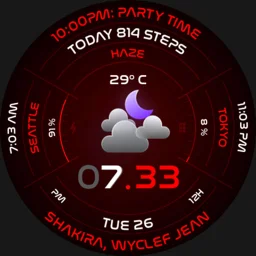 Haze Futuristic Watch Face 157
Personalisasi
-
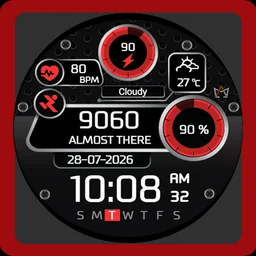 AN006-D Digital Watch Face
Personalisasi
-
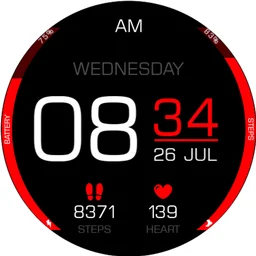 Key078 Minimalist Watch Face
Personalisasi
-
 ML2U 399 Digital Hybrid
Personalisasi
-
 Key074 Futuristic Watch Face
Personalisasi
-
 Key033 Hybrid Watch Face
Personalisasi
-
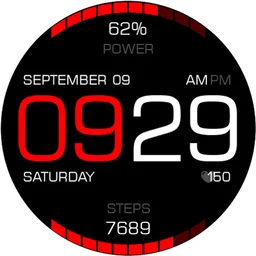 Key088 Futuristic Watch Face
Personalisasi
-
 Key WF82 Digital Watch Face
Personalisasi