Square KDS
Block, Inc.- Rating 3+Batasan usia
- BisnisKategori
- 17/11/2026Diperbarui
- GratisHarga
Tertaut ke halaman resmi com.squareup.rst.kds di Google Play. Terakhir diperiksa pada 19/11/2026.
Square KDS mungkin sedang tidak tersedia di Google Play
Halaman di toko tidak dapat dijangkau saat terakhir kami periksa. Tautan tetap mengarah ke halaman resmi Google Play.
Tangkapan layar
Tentang aplikasi ini
Terjemahan otomatis oleh Google. Bahasa asli: Inggris (Amerika Serikat).
Untuk operator dapur yang sibuk untuk melihat pesanan dan menandai status dengan cepat dan akurat
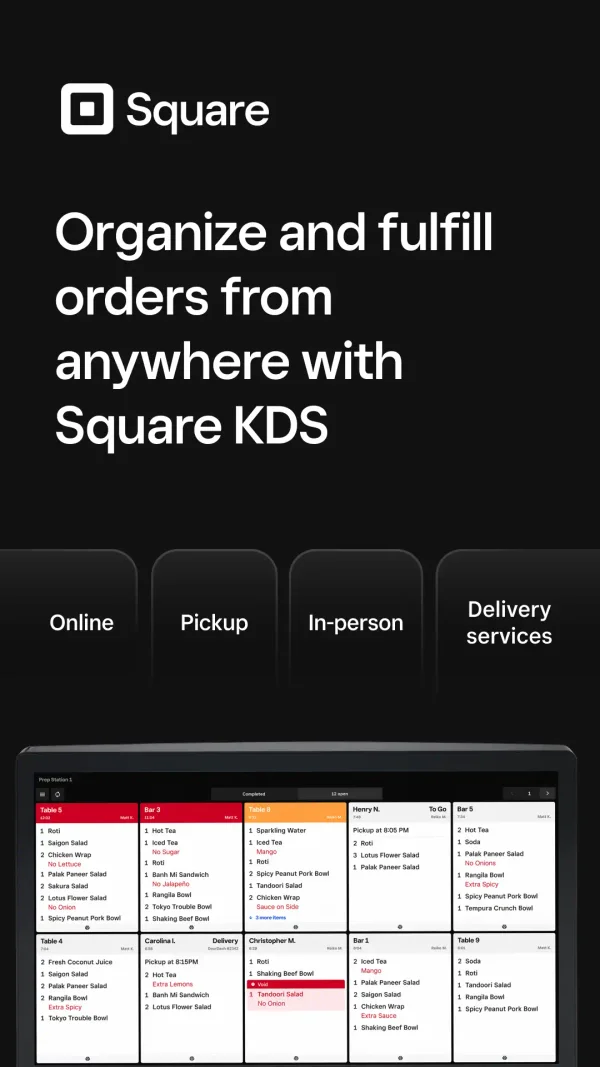
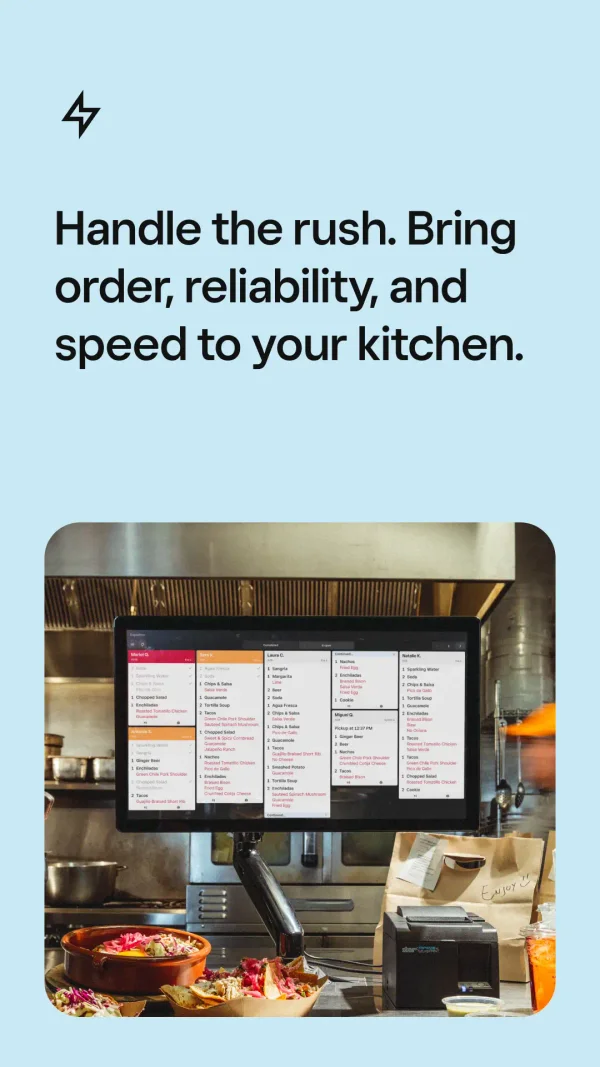
KDS Square memungkinkan restoran sibuk dengan operasional dapur yang kompleks untuk melihat pesanan, menandai status, dan menyiapkan makanan dengan cepat dan akurat, dari satu tempat. Baik Anda merek dengan satu lokasi atau multi-lokasi, Squares KDS menghadirkan teknologi canggih yang Anda perlukan dengan kesederhanaan yang didambakan setiap pemilik restoran.
Dengan KDS Square, Anda dapat:
- Jalankan dapur Anda dengan lebih efisien di lingkungan yang panas, berminyak, sibuk, dan bising
- Tampilkan tiket pesanan dalam satu layar, sehingga jalur persiapan dan pameran Anda dapat mempersiapkan pesanan dengan cepat, akurat, dan efisien.
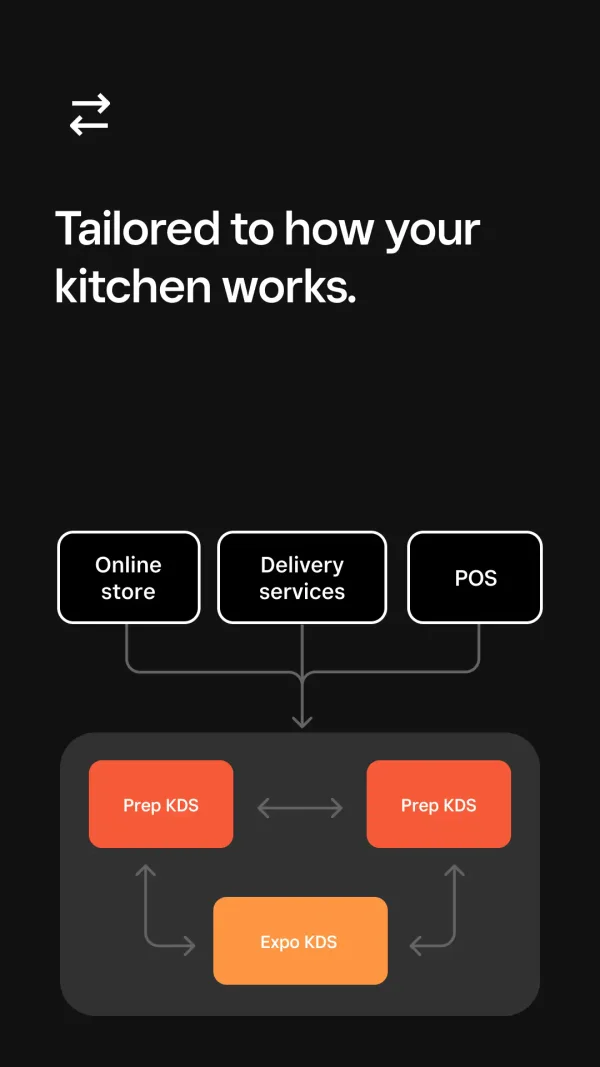
- Atur tiket Anda dengan tata letak khusus berdasarkan cara dapur Anda beroperasi
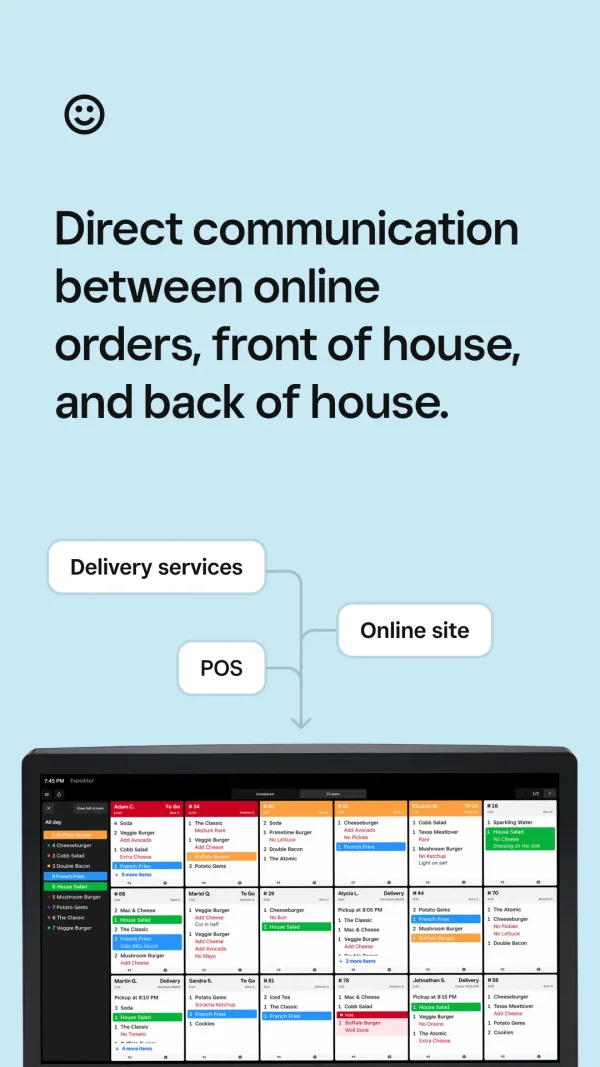
- Menyederhanakan komunikasi antara dapur dan bagian depan rumah sehingga pelanggan dan mitra selalu tahu kapan pesanan sudah siap
Fitur Termasuk:
- Tampilkan format pesanan persiapan dan ekspeditur yang mudah dicerna dan cepat dipindai
- Atur pesanan makan di tempat dan bawa pulang di satu tempat, tanpa harus bekerja
- Menarik pesanan — secara otomatis — dari pasar pihak ketiga
- Tandai item atau pesanan sebagai "Selesai" dengan ketukan cepat
- Secara otomatis mengirim pesan teks kepada pengunjung ketika pesanan pengambilan ditandai selesai dari layar
- Lihat prioritas item berdasarkan penundaan waktu yang Anda putuskan (yaitu tiket berubah menjadi kuning setelah ditayangkan selama 5 menit, dan kemudian menjadi merah setelah 10 menit)
- Laporkan kecepatan dapur secara real-time dari mana saja (bagus untuk manajer)
- Lihat # tiket dan waktu penyelesaian rata-rata berdasarkan perangkat
- Telusuri setiap shift untuk lokasi dan perangkat
- Filter daftar pesanan Anda dengan cepat berdasarkan tiket terbuka versus tiket lengkap
- Edit ukuran tiket dan # tiket yang ditampilkan per halaman
- Penarikan kembali tiket berdasarkan pesanan penuh atau berdasarkan item individual dalam pesanan
Restoran memilih KDS Square karena daya tahannya, antarmuka pengguna yang sederhana, pilihan ukuran layar yang berbeda, keterjangkauan, dan koneksi yang andal.
Square Android KDS kompatibel pada perangkat berikut:
- Mikrosentuh 22”
- Mikrosentuh 15”
- Elo 22”
- Elo 15”
-Samsung Galaxy Tab
-Lenovo M10
Catatan: Jika Anda memilih untuk menggunakan aplikasi Square KDS pada perangkat yang tidak tercantum di atas, kami tidak dapat menjamin kualitas tampilan Square KDS di perangkat Anda.
Produk ini paling cocok untuk restoran dengan pemesanan di tempat dan/atau online dan yang memerlukan sistem tampilan dapur digital (KDS) di dapurnya. Restoran dapat memilih untuk memiliki beberapa sistem KDS yang berbeda di dapur mereka, membagi stasiun persiapan berdasarkan item menu atau sumber pesanan. Operator juga memiliki kendali atas tampilan pesanan mereka di layar — menyesuaikan tampilan dengan kebutuhan bisnis dan staf mereka dari pengaturan dasbor yang mudah digunakan.
Pelajari lebih lanjut tentang Android KDS di sini: https://squareup.com/help/article/7924-beta-kds-android
Hubungi Dukungan Square dengan menelepon 1-855-700-6000 atau hubungi kami melalui surat di:
Blokir, Inc.
1955 Broadway, Suite 600
Oakland, CA 94612
Tampilkan teks asli
Square KDS allows busy restaurants with complex kitchen operations to view orders, mark status and prepare food quickly and accurately, from one place.
Whether you are a single-location or a multi-location business, Squares KDS delivers the sophisticated technology you need with the simplicity every restaurateur craves.
With Square KDS, you can:
Run your kitchen more efficiently in hot, greasy, busy, loud environments.
Display order tickets on a single screen, so your prep and expo lines can prepare items quickly, accurately and efficiently.
Organise your tickets with a flexible layout based on your kitchen operations and staff members’ preferences.
Features Include:
Show an easy-to-read, fast-to-scan order ticket format to prep stations and expediters
Organise dine-in and takeaway orders in one place, without work
Pull in orders – automatically – from third-party marketplaces
Mark items and orders as ‘Complete’ with a simple tap
Automatically text diners when pickup orders are marked as complete
See item priority based on timers you decide on (i.e. ticket turns yellow after 5 minutes, and red after 10 minutes)
Report on real-time kitchen speed from anywhere (great for managers)
See number of tickets and average completion time by device
Quickly filter your order list by open versus completed tickets
Edit ticket size and number of tickets that show per page
Recall tickets by order or individual item
Mark items unavailable directly from KDS
Prioritise tickets to the front of the queue
See how many of your popular items need to be prepped at any given time
Print orders on-demand from your KDS screen with one quick tap
Restaurants choose Square’s KDS for its durability, simple user interface, different screen size options, affordability and reliable connection.
Square Android KDS is compatible on the following devices:
Microtouch 22”
Microtouch 15”
Elo 22”
Elo 15”
Samsung Galaxy Tab
Lenovo M10
Note: If you choose to use the Square KDS app on a device not listed above, we can’t guarantee the quality of how Square KDS will appear on your device.
This product is best fit for QSR and full-service restaurants with high-volume ordering that require order details to be sent to a kitchen or prep area. Operators also have control over how their orders display on the screen – tailoring the appearance to their business needs from easy-to-use dashboard settings. Square KDS users may choose to have multiple different KDS systems in their kitchen, routing orders and items to specific prep stations.
Included with Square KDS is reporting functionality that shows order prep speed by station and location for your business.
Keamanan data
Yang dinyatakan Block, Inc. di Google Play tentang data yang dikumpulkan dan dibagikan aplikasi ini.
- Tidak ada data yang dibagikan kepada pihak ketigaPelajari lebih lanjut cara developer menyatakan pembagian data
- Aplikasi ini dapat mengumpulkan jenis data berikutLokasi, Info pribadi, dan 6 lainnya
- Data dienkripsi saat dalam pengiriman
- Anda dapat meminta agar data dihapus
Yang baru
Versi 7.34 · 17/11/2026
Thanks for selling with Square. We update our app regularly to improve stability, so we recommend enabling automatic updates on devices running Square KDS.
Have questions? Visit our Support Center at squareup.com/help
Kontak pengembang
- Situs websquareup.com
- Emailcontact@squareup.com
- Kebijakan Privasisquareup.com
- Alamat1955 Broadway Ste 600 Oakland, CA 94612 United States
Informasi
- Ditawarkan oleh
- Block, Inc.
- Kategori
- Bisnis
- Versi
- 7.34
- Diperbarui
- 17/11/2026
- Dirilis
- 30/1/2023
- Memerlukan
- Android 9 atau yang lebih baru
- Batasan usia
- Rating 3+
- Harga
- Gratis
- Nama paket
- com.squareup.rst.kds
Aplikasi serupa
-
 EarnIn: Why Wait for Payday?
Keuangan
-
 Paystub Maker
Bisnis
-
 loanDepot Mobile
Keuangan
-
 MyToast
Keuangan
-
 Vestwell
Keuangan
-
 U.S. Bank Mobile Banking
Keuangan
-
 Credit One Bank Mobile
Keuangan
-
 Edward Jones
Keuangan
-
 Wasatch Peaks Credit Union
Keuangan
-
 Found: Business Banking
Keuangan
-
 bswift Mobile
Produktivitas
-
 Sunsational Swim Instructor
Produktivitas