
- Batasan usia4+
- KategoriFoto & Video
- PengembangACD Systems International Inc.
- BahasaInggris+ 9 lainnya
- Ukuran78,5 MB
Tertaut ke halaman resmi App Store
Download.org tidak menyimpan file ACDSee Pro apa pun. Tombol ini membuka halaman aplikasi di App Store, tempat ACD Systems International Inc. menerbitkannya. Halaman terakhir diperiksa pada 12/11/2026.
Tangkapan layar

Tentang
Pengembang belum menyediakan teks ini dalam bahasa Anda.
Capture, perfect, and share your photos with ACDSee Pro for iPhone. ACDSee Pro combines a professional-grade camera and photo editor with all the tools you need to produce stunning photographs.
Camera
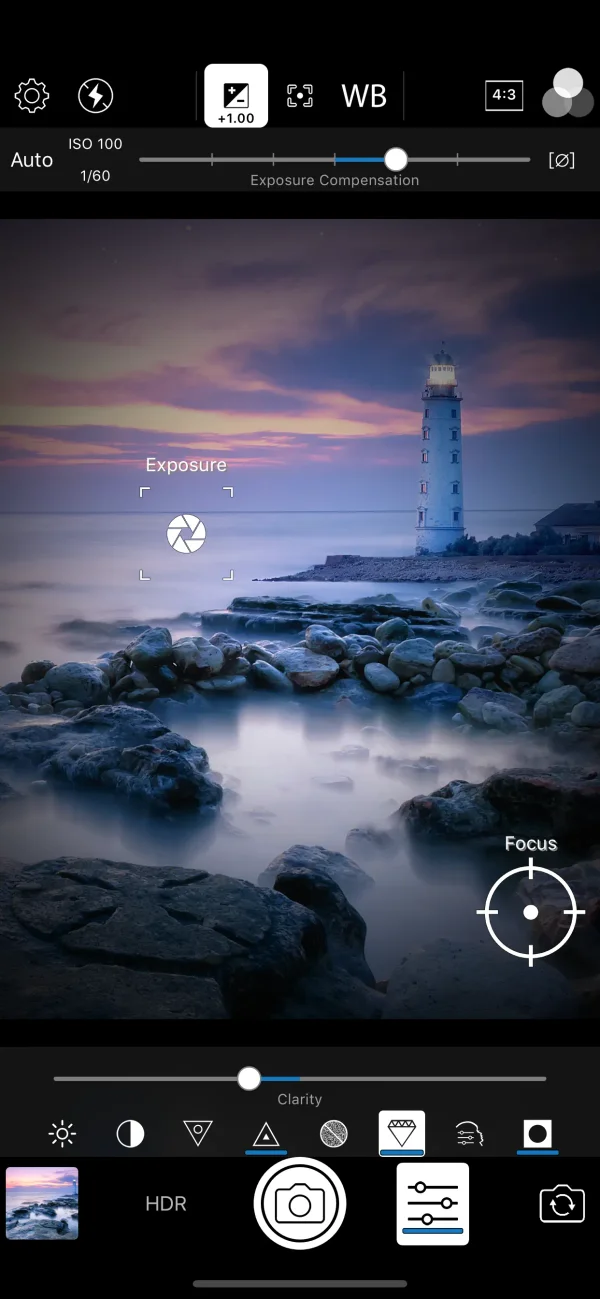
Harness the full power of your device's camera with specialized shooting modes, lossless RAW, TIFF and PNG support, manual controls for exposure/focus/white balance, real-time effects and adjustments, HDR & flash fusion, separate exposure and focus points, dual-axis level indicator, and more.
Edit
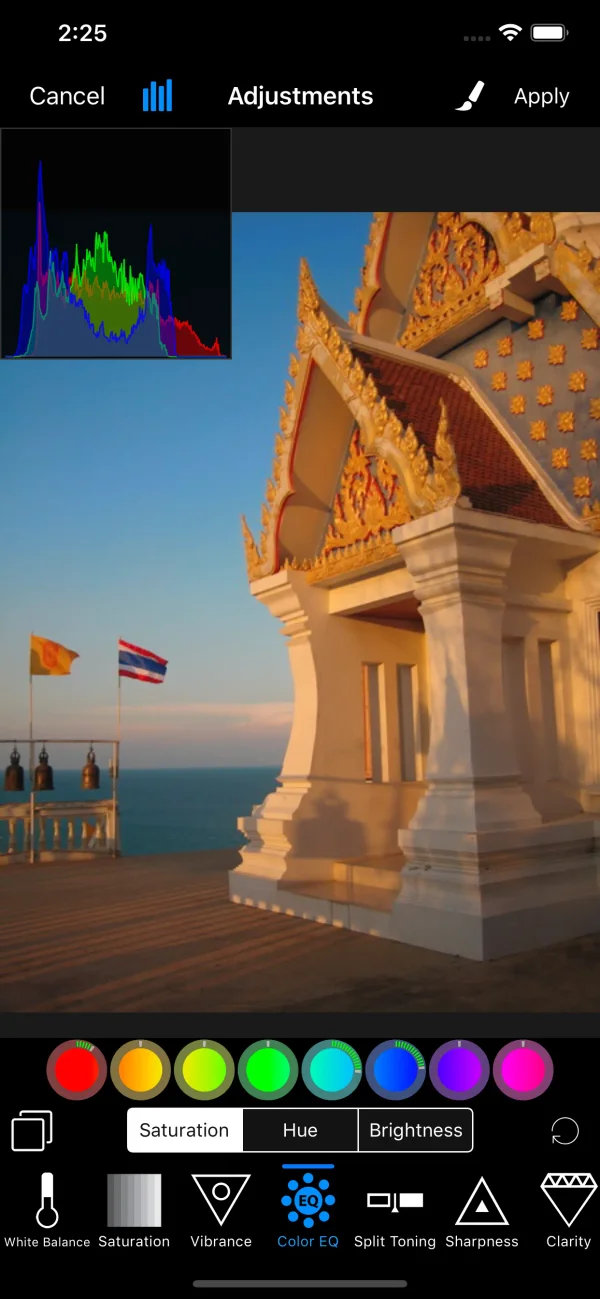
Perfect your photos with a powerful, nondestructive photo editor with RAW processing. Use gradients and brushing to selectively apply adjustments and special effects, including shadows & highlights, contrast, dehaze, white balance, saturation, vibrance, sharpness, split toning, and noise removal, and our one-of-a-kind Light EQ, Tone EQ, and Color EQ.
Collage
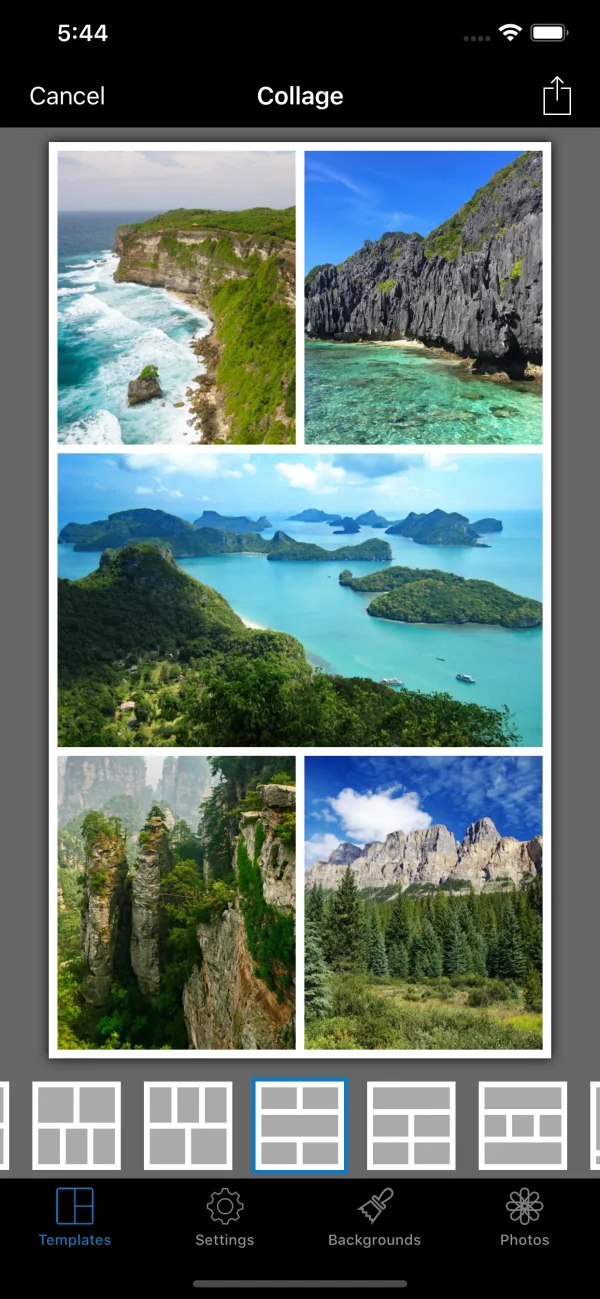
Convenient collage maker for sharing your memories. Quickly combine multiple photos into a single image for easy sharing. Choose from over 100 layouts.
—
CAMERA FEATURES
RAW Support
Shoot RAW on capable devices and write captured photos in DNG format.
Lossless TIFF/PNG
Write captured photos in lossless TIFF or PNG format, or choose one of three JPEG quality settings.
Manual Controls
Precisely control exposure, focus and white balance, including a custom white balance preset. Real-time overexposure and underexposure visualization.
Shutter Priority Mode
Set the shutter speed and ACDSee Camera Pro automatically chooses the ISO for proper exposure.
Selfie Mode
Look your best with skin smoothing and lightening, plus a front-facing torch/flash for low-light situations.
Real-time Effect Filters
Choose from 24 effects, including high-quality black & white, Orton, film grain, halftone, and various color tone filters.
Real-time Adjustments
See brightness, contrast, vibrance, sharpness, clarity, skin tune and vignette adjustments in real time and add additional noise reduction during capture.
Exposure Bracketing
Capture three exposures at once at different exposure levels.
HDR Fusion
Combine three shots taken at different exposures to create a single high-dynamic-range image, with manual override of composition parameters.
Flash Fusion
Combine a naturally-illuminated capture with a flash-illuminated capture.
Video Mode
Capture those special moments with video and apply filters and adjustments in real-time.
Flash Modes
Choose from six flash modes: Off, On, Auto, Torch, Torch & flash, and Flash Fusion. All modes work with either the rear-facing or the front-facing camera.
Focus and Exposure
Touch to select focus and exposure point. For more precise control, independently select focus and exposure points.
Lockable AF, AE and AWB
Independently lock focus, exposure, and white balance.
Cropping modes
Crop before you shoot to square, 4:3, 3:2, and 16:9 aspect ratios. Independent settings for front and rear cameras, still photo and video modes.
Level Indicator
Compose your shots with precise alignment using a dual-axis level indicator.
—
EDITOR FEATURES
Image adjustments, including:
- Shadows & Highlights
- Light EQ
- Exposure
- Dehaze
- Contrast
- Tone EQ
- Fill Light
- White Balance
- Saturation & Vibrance
- Color EQ
- Split Toning
- Sharpness
- Clarity
- Softness
- Denoise
- Skin Tune
Effects
Apply a variety of creative effects to your photos, including film, light leaks, halftone, and more.
Use gradients and brushes to mask adjustments.
Focus
Bring your subject into focus. Simulate a shallow depth of field by blurring the background.
Vignette
Adds a vignette effect around the edges of your photo.
Geometry
Crop, rotate, straighten, and mirror your photo.
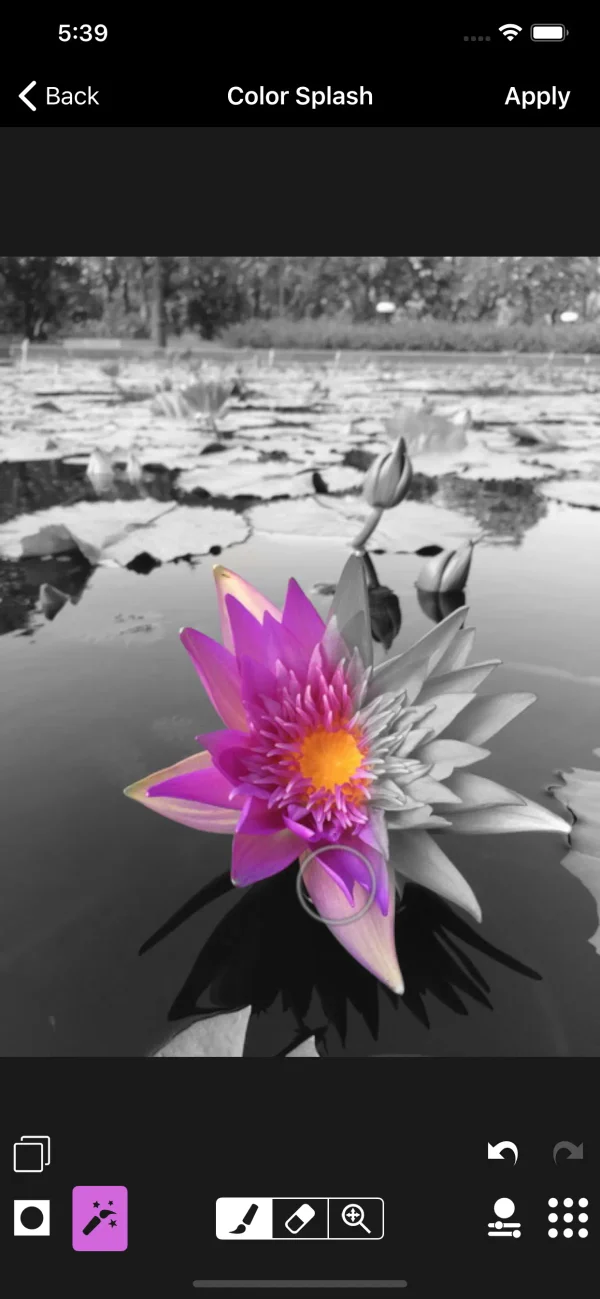
Filter Splash
Creatively splash on effects such as selective coloring to draw attention to your subject.
ACDSee is a trademark of ACD Systems International Inc. and may be registered in Canada, the United States, the European Union, Japan, or certain other jurisdictions.
Yang baru
Versi 4.5.5 · 4/6/2026
Performance improvements and bug fixes.
Privasi aplikasi
Yang dinyatakan ACD Systems International Inc. di App Store tentang cara aplikasi ini menangani data.
-
Data tidak dikumpulkan
Pengembang tidak mengumpulkan data apa pun dari aplikasi ini.
Praktik privasi dapat bervariasi, misalnya berdasarkan fitur yang Anda gunakan atau usia Anda.
Informasi
- Penjual
- ACD Systems International Inc.
- Kategori
- Foto & Video
- Versi
- 4.5.5
- Diperbarui
- 4/6/2026
- Dirilis
- 15/12/2015
- Ukuran
- 78,5 MB
- Memerlukan
- iOS 15.6 atau yang lebih baru
- Batasan usia
- 4+
- Harga
- Rp 119ribu
- Bahasa
- Inggris, Belanda, Prancis, Jerman, Italia, Jepang, Portugis, Tionghoa Sederhana, Spanyol, Tionghoa Tradisional
- Hak cipta
- © 2026 ACD Systems International Inc.
Mungkin Anda juga suka
-
 PhotoX Pro: 4K Live WallpapersFoto & Video
-
 Vostok — Story MakerFoto & Video
-
 PureCollageFoto & Video
-
 Photo Stitch!Foto & Video
-
 DualTake CamRekam 1x: Vertikal Horizontal
-
 Linx Camera & Photo EditorSubtle Filters, Perfect Shots
-
 Luca - Photo Editor & FiltersFoto & Video
-
 LUCH: Photo Effects & FiltersFoto & Video
-
 PGYTECH: Pro Camera & EditorFoto & Video
-
 Even LongerFoto & Video