
AdvEntLite
Sales & stock for AdvEntPOS
Dirancang untuk iPhone, iPad, iPod touch
Gratis
- Batasan usia4+
- KategoriBisnis
- PengembangSypram Software LLC
- Ukuran102,5 MB
Tertaut ke halaman resmi App Store
Download.org tidak menyimpan file AdvEntLite apa pun. Tombol ini membuka halaman aplikasi di App Store, tempat Sypram Software LLC menerbitkannya. Halaman terakhir diperiksa pada 16/11/2026.
Tangkapan layar

Tentang
Pengembang belum menyediakan teks ini dalam bahasa Anda.
AdvEntLite puts your AdvEntPOS or AdvEntRetail store on your iPhone and iPad. Watch today's sales as they come in, scan a barcode to check an item's price and stock, change prices, count stock, start purchase orders and run your reports, from the sales floor, the stockroom or wherever you are. Changes go straight into your store's own POS data, and each user sees only what their POS role allows.
TODAY'S SALES
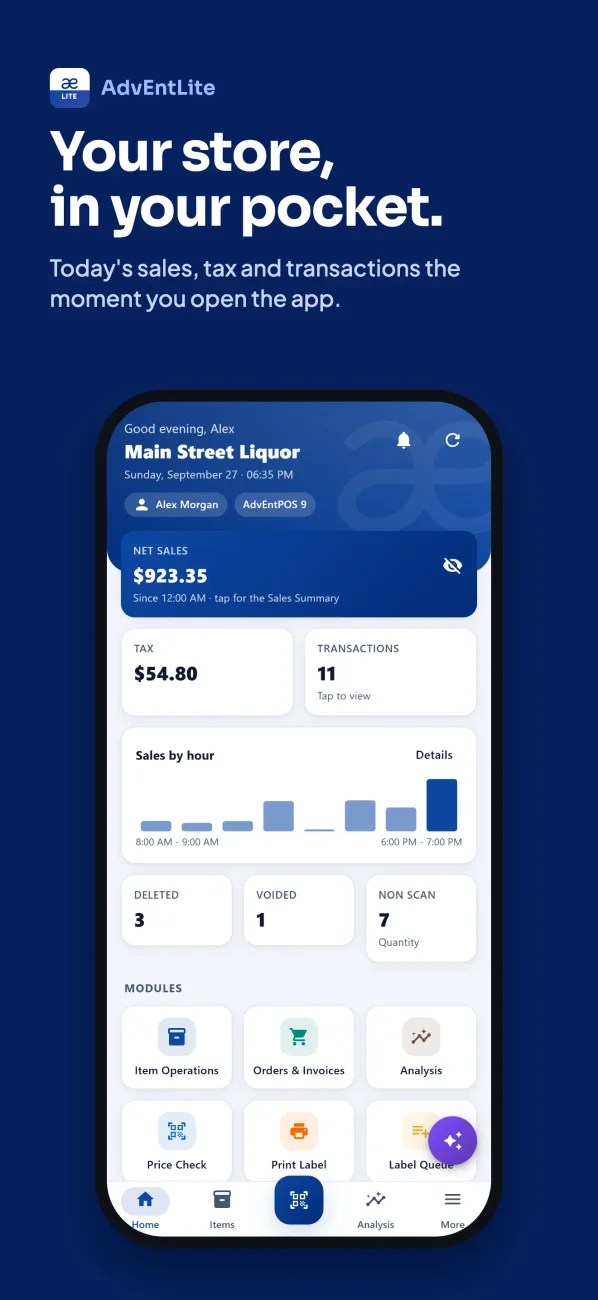
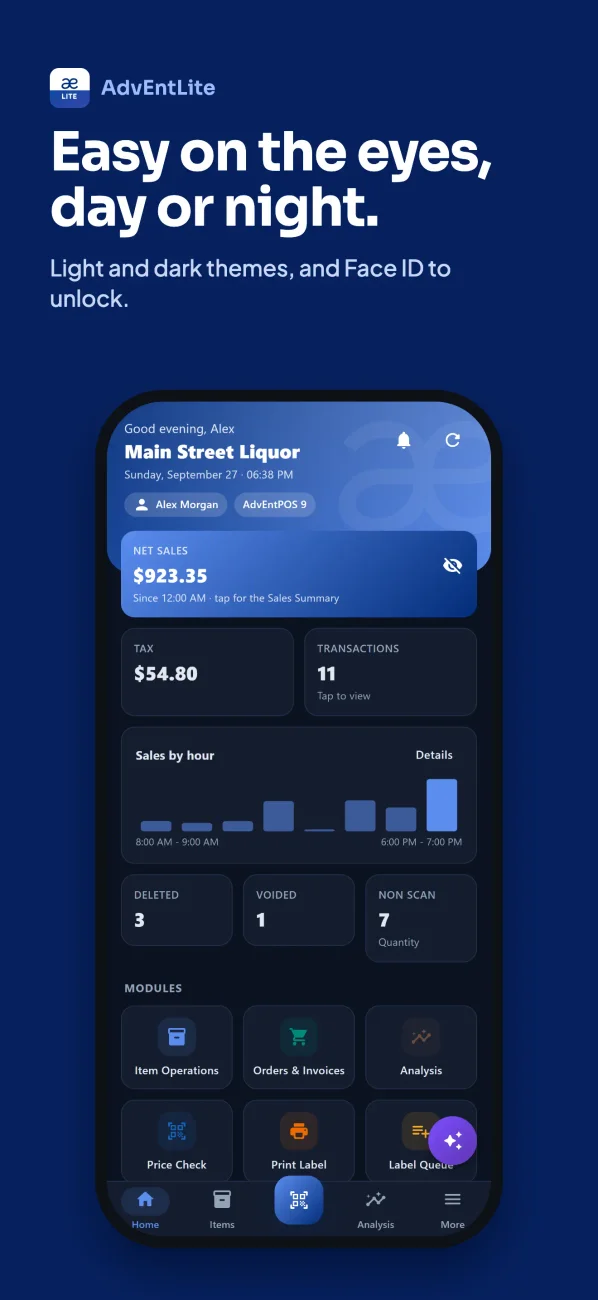
• Net sales, tax and number of transactions for the business day, updated every 30 seconds
• Sales by hour, plus today's deleted, voided and non-scan counts
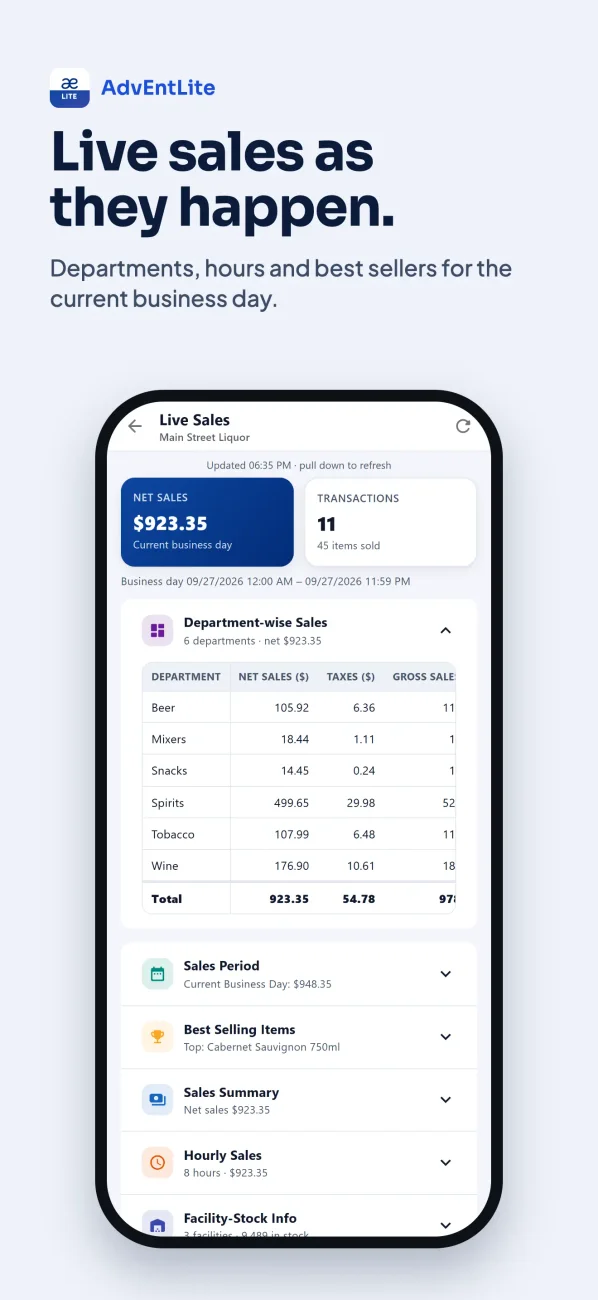
• Live Sales: department sales, best sellers, tenders, sales periods, hourly sales and stock value
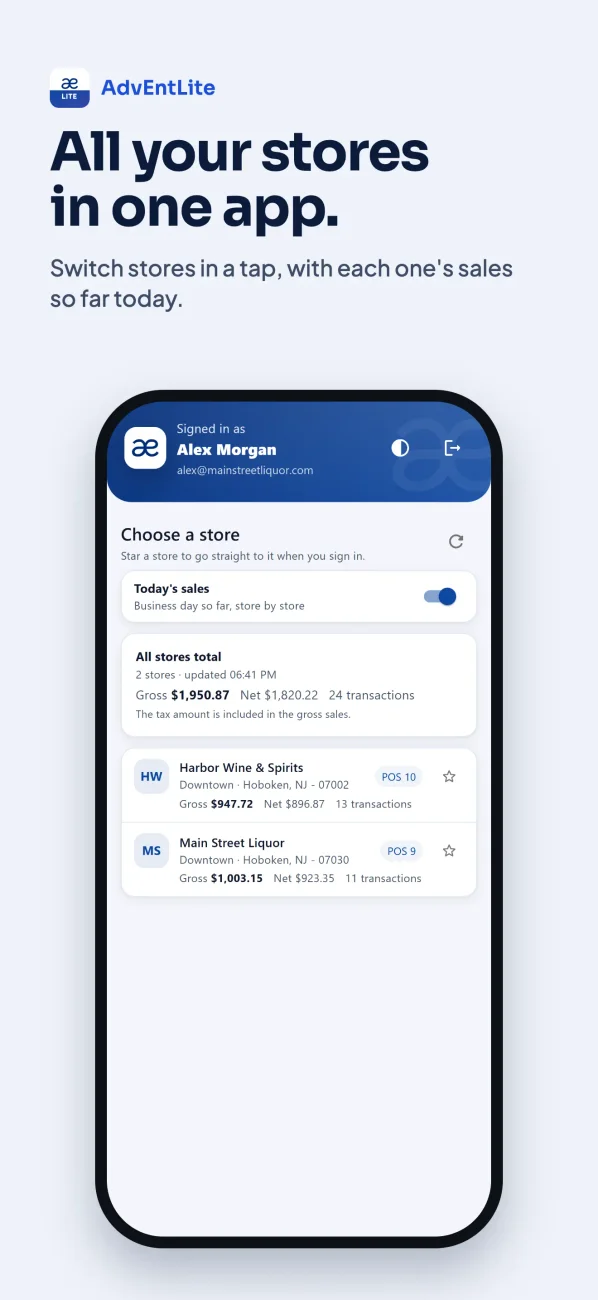
• All Stores Sales: today's sales for every store on your account
• Hide sales figures with one tap, or every time you sign in
ITEMS AND PRICES
• Price Check: scan with the camera or a Bluetooth scanner to see price, sale prices, stock and cost
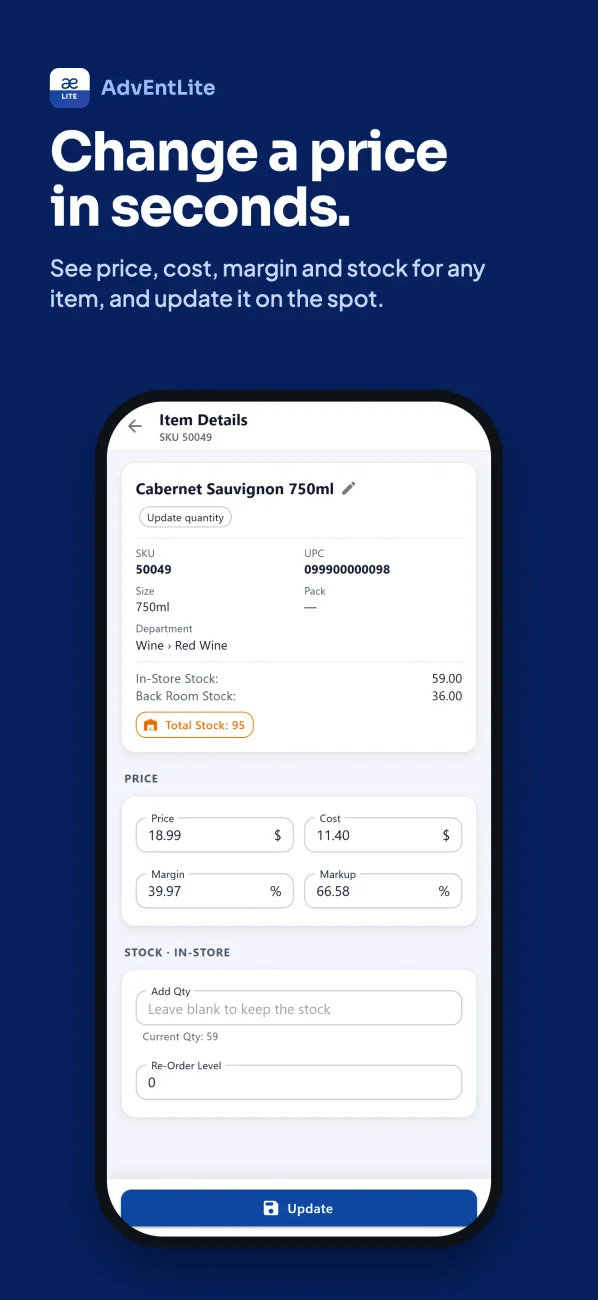
• Update price, cost, stock, department, sale promotions, size and pack, vendors and taxes
• Add new items, including multipacks, or fill in a new item from Sypram's online product catalog
• Item History: sales, purchases, price changes and quantity changes
• Stock Inquiry: an item's sales for a period and its stock at every location
• Manage item groups and your department, category, size and pack lists
• Find items by typing, scanning or speaking
INVENTORY AND LABELS
• Stock Count: scan items and add counted quantities to the store's open count batch
• Restock, release and order lists
• Print shelf labels, or queue them for the POS to print later
• Process Offline: collect counts, price changes, restocks, orders and invoices without a connection, then upload them
ORDERS AND INVOICES
• Start purchase orders and purchase invoices for the back office to finish, and reopen them to make changes
• Add items to the reorder queue
• Sell on Hold: build a customer's order on the phone and resume it at the register
• Photograph a vendor invoice and send it to your back office to be read in
REPORTS AND ANALYSIS
• Sales, stock, business analysis and web order reports, shown right in the app
• Share or email reports and receipts
• Transactions by date, tender, cashier, register or amount, with their receipts
• Sales Analysis for any item by month, quarter, week and day, with a forecast
• Sales Chart by tender and by hour
ADVENT AI
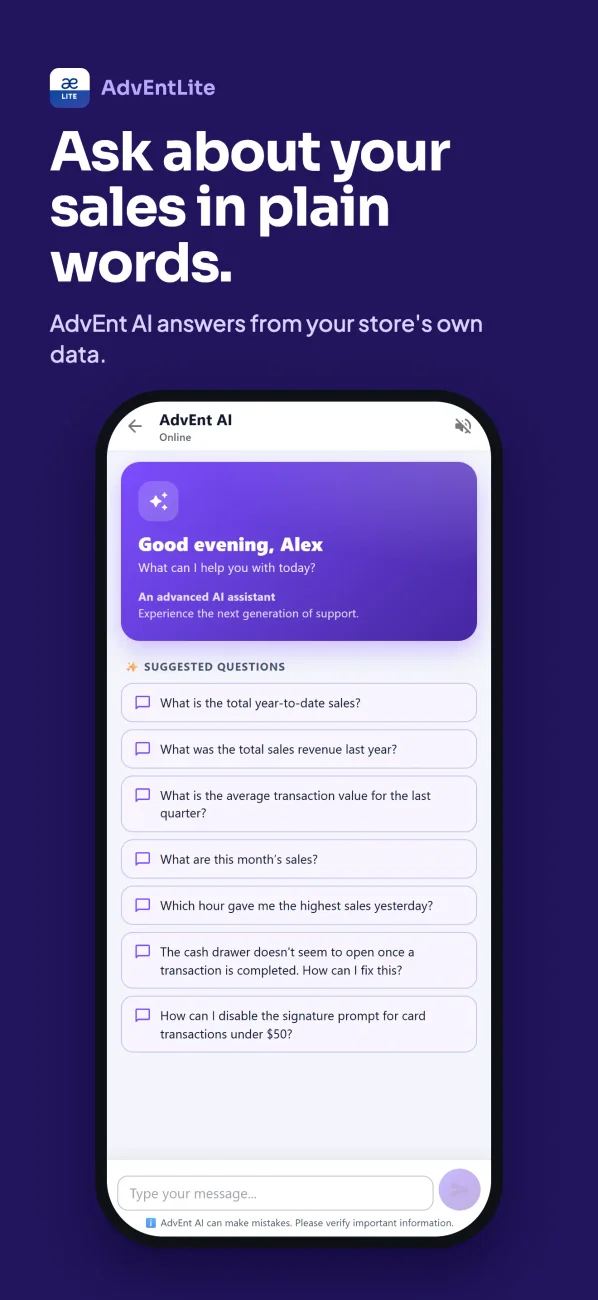
• Ask about your sales in your own words, typed or spoken: "What are this month's sales?"
• Get how-to answers about your POS, with the help documents they came from
• Have answers read aloud
AdvEnt AI runs on Sypram's AI service, which reads your store's data to answer. That service uses OpenAI to match your question with the right data and help documents, and Google Gemini to write the answer, so your question and the store data needed to answer it are sent to these providers. AdvEnt AI can make mistakes, so check important figures.
SIGN-IN AND SUPPORT
• Open the app with Face ID or Touch ID and stay signed in for up to 30 days
• Store users sign in with their user ID and password, or a PIN
• Switch between stores, and star a default store to open it right after sign-in
• Messages from AdvEnt support, with push notifications
• Help documents and videos
• Light and dark mode
A STORE ACCOUNT IS REQUIRED
AdvEntLite works only with stores that run AdvEntPOS 9, AdvEntPOS 10 or AdvEntRetail and have AdvEntLite enabled. Sign in with your AdvEntPOS owner account, or with the retailer code and user name your AdvEntRetail administrator gave you. AdvEntPOS owners can also create an account in the app; your POS provider then links your stores to it. To get access, contact your AdvEntPOS provider or Sypram Software at www.adventpos.com.
The features you see depend on your store's setup and your user role. Label printing, invoice reading, Web Office reports and AdvEnt AI must be set up for your store.
Yang baru
Versi 2.0.8 · 28/10/2026
Bug fixes and performance improvements.
Privasi aplikasi
Yang dinyatakan Sypram Software LLC di App Store tentang cara aplikasi ini menangani data.
-
Data yang ditautkan dengan Anda
Dapat dikumpulkan dan ditautkan dengan identitas Anda.
- Info kontak
- Konten pengguna
- Pengenal
- Data penggunaan
- Diagnostik
Praktik privasi dapat bervariasi, misalnya berdasarkan fitur yang Anda gunakan atau usia Anda.
Informasi
- Penjual
- SYPRAM SOFTWARE LLC
- Kategori
- Bisnis
- Versi
- 2.0.8
- Diperbarui
- 28/10/2026
- Dirilis
- 18/12/2024
- Ukuran
- 102,5 MB
- Memerlukan
- iOS 15.0 atau yang lebih baru
- Batasan usia
- 4+
- Harga
- Gratis
- Hak cipta
- © 2026 Sypram Software LLC