Aeshna: STEP & IGES CAD Viewer
Offline, PMI, Section, Measure
Dirancang untuk iPhone, iPad, Mac
Gratis · Pembelian dalam aplikasi
- Batasan usia4+
- KategoriKegunaan
- PengembangShenzhen Seize Times E-Commerce Co., Ltd.
- BahasaInggris+ 9 lainnya
- Ukuran60,5 MB
Tertaut ke halaman resmi App Store
Download.org tidak menyimpan file Aeshna: STEP & IGES CAD Viewer apa pun. Tombol ini membuka halaman aplikasi di App Store, tempat Shenzhen Seize Times E-Commerce Co., Ltd. menerbitkannya. Halaman terakhir diperiksa pada 23/11/2026.
Tangkapan layar



Tentang
Pengembang belum menyediakan teks ini dalam bahasa Anda.
Aeshna is a professional viewer for STEP and IGES CAD files. Open, inspect, measure, and review 3D models right on your device — no account required, no cloud upload.
KEY FEATURES
• STEP & IGES Files
Open STEP, STP, IGES, and IGS files on iPhone, iPad, and Mac.
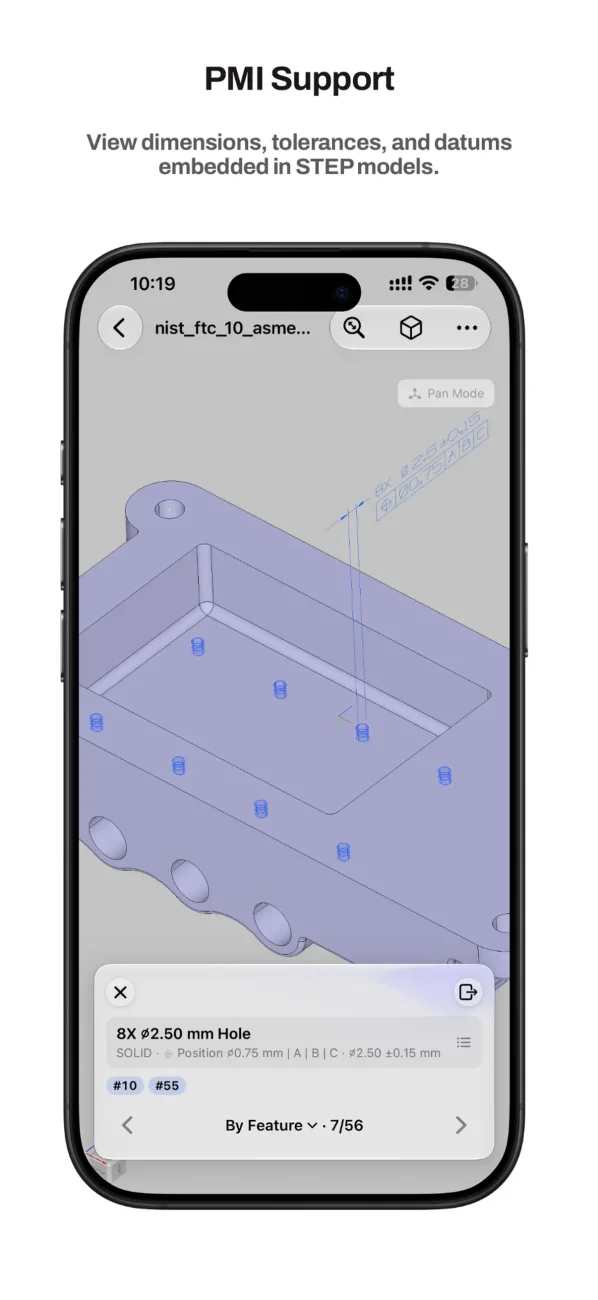
• PMI
Browse the dimensions, geometric tolerances, and datums stored in STEP files, and highlight each one on the model. Apply the file's saved views in one tap.
• Assembly Tree
Navigate the assembly structure, show, hide, or isolate parts, and inspect each component.
• Mass Properties
Check the volume, mass, and center of gravity of any part or assembly.
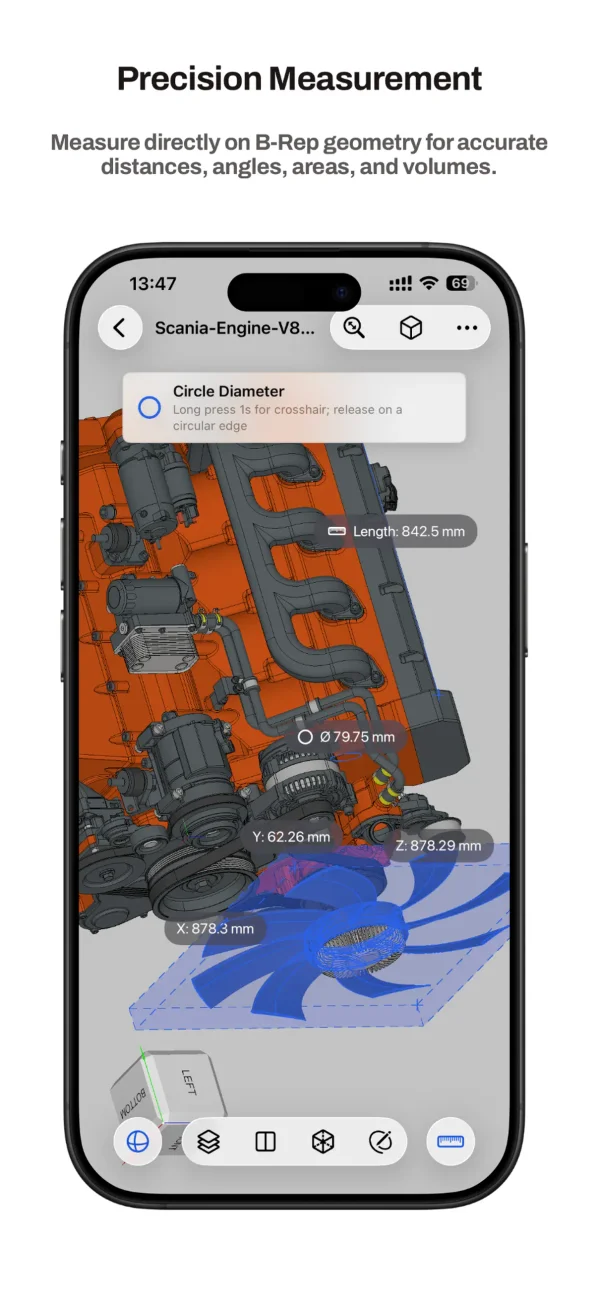
• Precise B-Rep Measurement
Measure distances, angles, areas, and volumes on exact B-Rep geometry, not on approximated meshes.
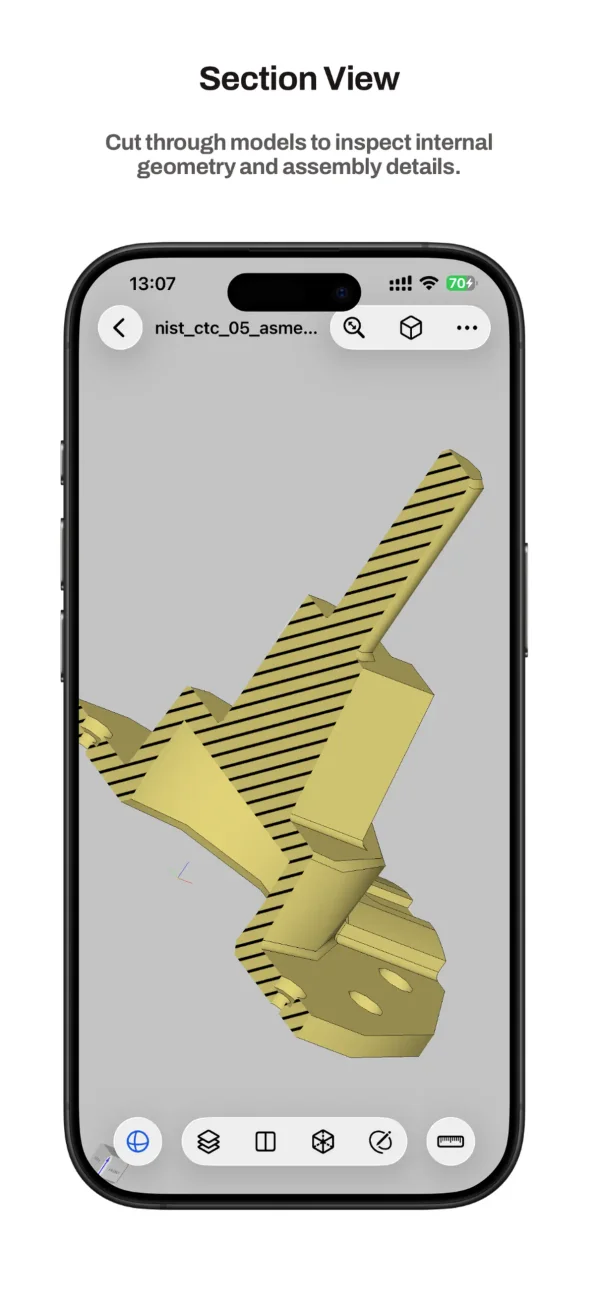
• Section View
Cut through the model to inspect internal geometry and hidden details.
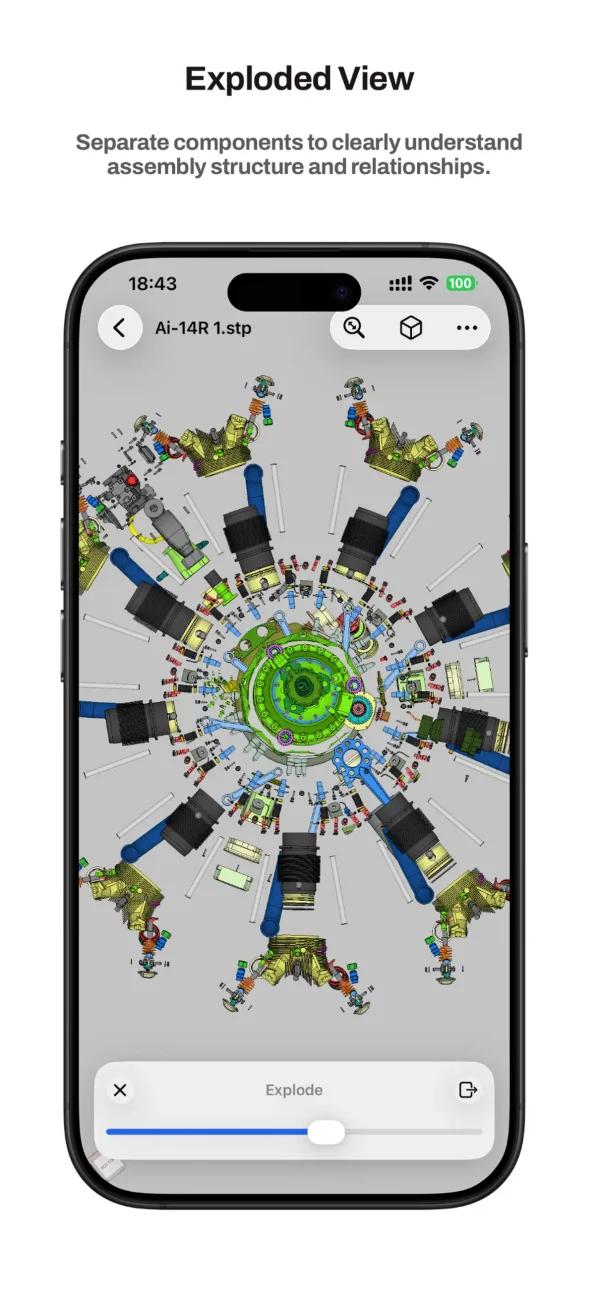
• Exploded View
Pull assemblies apart to see how components fit together.
• AR Preview
Place the model in your real surroundings at actual size, or scaled to fit a tabletop.
• Screenshot Markup
Add sketches, shapes, and notes to screenshots for review and sharing.
• Export
Export models to STEP, IGES, STL, OBJ, glTF, and VRML.
Terms of Use: https://www.apple.com/legal/internet-services/itunes/dev/stdeula/
Yang baru
Versi 3.3.0 · 20/11/2026
• New PMI view — Browse dimensions, tolerances, and datums, highlight each one on the model, and apply the file's saved views.
• AR Preview — Place models in your real surroundings at actual size or tabletop scale.
• Design refinements and stability improvements.
Privasi aplikasi
Yang dinyatakan Shenzhen Seize Times E-Commerce Co., Ltd. di App Store tentang cara aplikasi ini menangani data.
-
Data tidak dikumpulkan
Pengembang tidak mengumpulkan data apa pun dari aplikasi ini.
Praktik privasi dapat bervariasi, misalnya berdasarkan fitur yang Anda gunakan atau usia Anda.
Informasi
- Penjual
- Shenzhen Seize Times E-Commerce Co., Ltd.
- Kategori
- Kegunaan
- Versi
- 3.3.0
- Diperbarui
- 20/11/2026
- Dirilis
- 8/2/2026
- Ukuran
- 60,5 MB
- Memerlukan
- iOS 18.6 atau yang lebih baru
- Batasan usia
- 4+
- Harga
- Gratis
- Pembelian dalam aplikasi
- Ya
- Bahasa
- Inggris, Prancis, Jerman, Italia, Jepang, Korea, Portugis, Tionghoa Sederhana, Spanyol, Tionghoa Tradisional
- Hak cipta
- Copyright © 2026 C192 Studio. All rights reserved.