- Batasan usia17+
- KategoriAlat Pengembang
- PengembangRyan Cox
- BahasaInggris
- Ukuran13,5 MB
Tertaut ke halaman resmi App Store
Download.org tidak menyimpan file AiRC apa pun. Tombol ini membuka halaman aplikasi di App Store, tempat Ryan Cox menerbitkannya. Halaman terakhir diperiksa pada 20/11/2026.
Tangkapan layar

Tentang
Pengembang belum menyediakan teks ini dalam bahasa Anda.
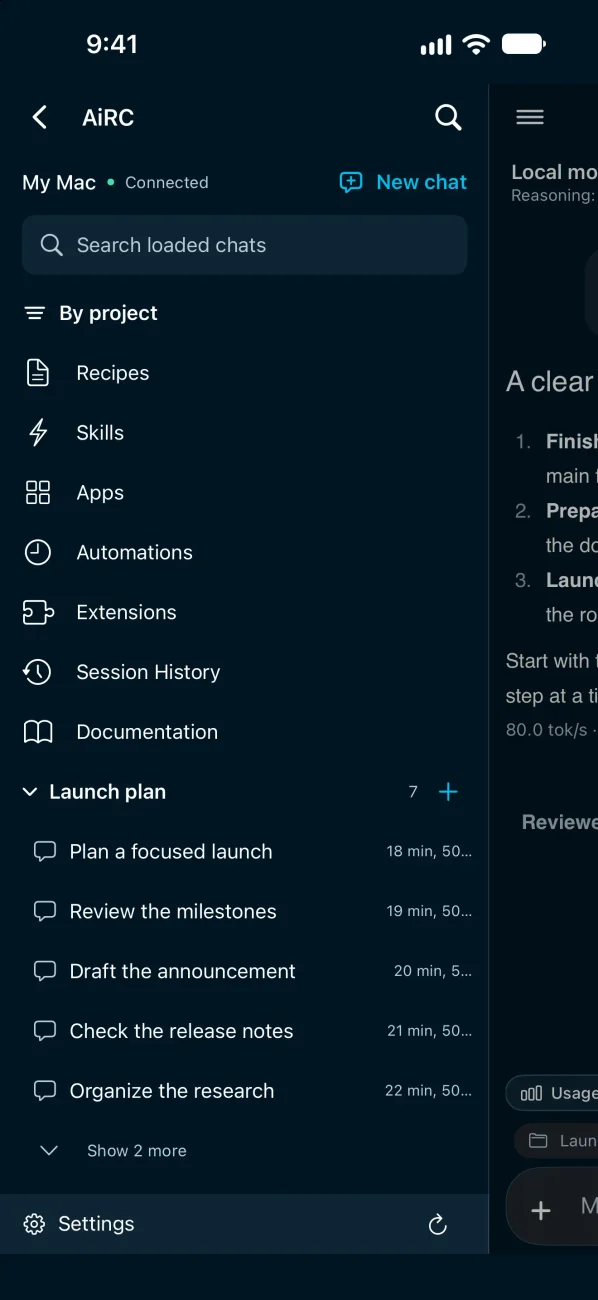
AiRC is the native iPhone and iPad remote for AiRC Orchestration on your computer. Continue the same conversations from your phone or your Mac, follow streaming replies, and keep work running on your host.
A compatible AiRC Orchestration host is required. Install the desktop app, enable companion access, and pair using its one-time QR code. Your device must be able to reach that host over your local network or a private network connection. AI-provider accounts, model availability, and any provider charges are managed on the host.
YOUR CONVERSATIONS
• Open recent messages quickly and load earlier history when you need it.
• Organize chats by project, priority, pinned items, or time.
• Start a chat without a project, or create one directly inside a project.
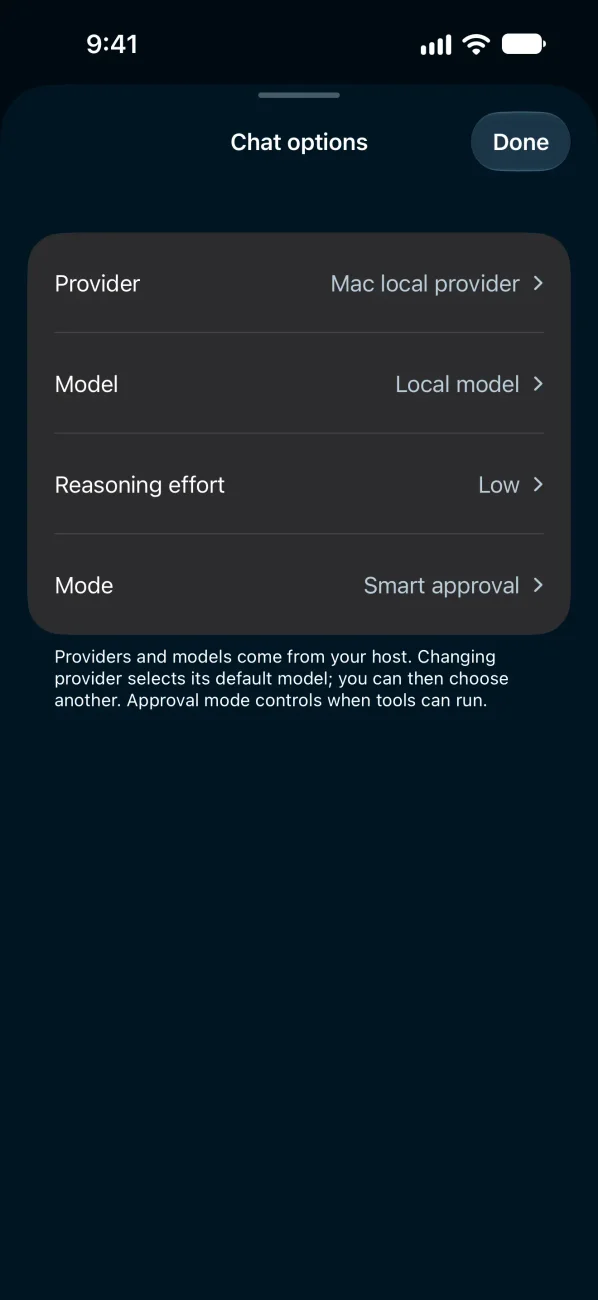
• Choose an available provider, model, and reasoning effort supplied by your host.
• Follow replies and tool progress live, review supported approval requests, and stop a run.
YOUR HOST WORKSPACE
• View goals, plans, orchestration, and individual agents.
• See token speed, context use, and cost when your host and provider supply them.
• Access host-backed Automations, Skills, Recipes, Apps, Extensions, Session History, Documentation, and Settings.
• Compact a conversation from its context controls.
• Follow supported Computer Use, in-app browser, and Playwright activity in a floating, expandable preview.
FILES THAT FIT THE CONVERSATION
• Add supported photos and documents to a message.
• Open saved images and supported documents in a native preview.
• Share or download files, with Save to Files and supported Photos destinations.
• Keep routine code and tool output collapsed until you choose to expand it.
Work executes on your paired computer. AiRC on iPhone and iPad does not run desktop tools or large language models locally. Available features depend on your host version, its configuration, and the selected provider. Locked-phone push notifications are not part of this release.
Yang baru
Versi 7.0.0 · 14/11/2026
AiRC 7 introduces the native companion for AiRC Orchestration.
• Continue the same host conversations on iPhone, iPad, and Mac with live streaming and automatic reconnect.
• Use a compact conversation interface with expandable tool activity, inline files, and native previews.
• Browse collapsible projects and five-chat previews, with priority, pinned, project, and chronological organization.
• Select your host provider, model, and reasoning effort.
• Follow goals, agents, orchestration, token speed, context use, and available cost information.
• Access the host workspace and Settings, including Automations, Skills, Recipes, Apps, and Extensions.
• Watch supported host browser activity in an expandable live preview.
This update replaces the earlier standalone interface. A compatible AiRC Orchestration computer with companion access enabled is required.
Privasi aplikasi
Yang dinyatakan Ryan Cox di App Store tentang cara aplikasi ini menangani data.
-
Data yang ditautkan dengan Anda
Dapat dikumpulkan dan ditautkan dengan identitas Anda.
- Info kontak
- Konten pengguna
- Riwayat pencarian
- Riwayat penelusuran
- Pengenal
Praktik privasi dapat bervariasi, misalnya berdasarkan fitur yang Anda gunakan atau usia Anda.
Informasi
- Penjual
- Ryan Cox
- Kategori
- Alat Pengembang
- Versi
- 7.0.0
- Diperbarui
- 14/11/2026
- Dirilis
- 15/1/2025
- Ukuran
- 13,5 MB
- Memerlukan
- iOS 16.0 atau yang lebih baru
- Batasan usia
- 17+
- Harga
- Gratis
- Bahasa
- Inggris
- Hak cipta
- © 2026 Ryan Cox
Mungkin Anda juga suka
-
 OMessage - Chat with Local AIAlat Pengembang
-
 Overhand: Knot Logic PuzzlesTeka-Teki
-
 LLLMAlat Pengembang
-
 ai.localAlat Pengembang
-
 Invoke - Local LLM ClientAlat Pengembang
-
 WriteAfy – AI WrapperAlat Pengembang
-
 Cactus ChatAlat Pengembang
-
 Local LLM ServerAlat Pengembang
-
 Reins: for Ollama & LM StudioAlat Pengembang
-
 Enchanted Developers OnlyAlat Pengembang