Anxin Learn
Secure Video study for family
Dirancang untuk iPhone, iPad, iPod touch
Gratis · Pembelian dalam aplikasi
- Batasan usia4+
- KategoriPendidikan
- BahasaInggris
- Ukuran105,4 MB
Tertaut ke halaman resmi App Store
Download.org tidak menyimpan file Anxin Learn apa pun. Tombol ini membuka halaman aplikasi di App Store, tempat menerbitkannya. Halaman terakhir diperiksa pada 11/11/2026.
Tangkapan layar


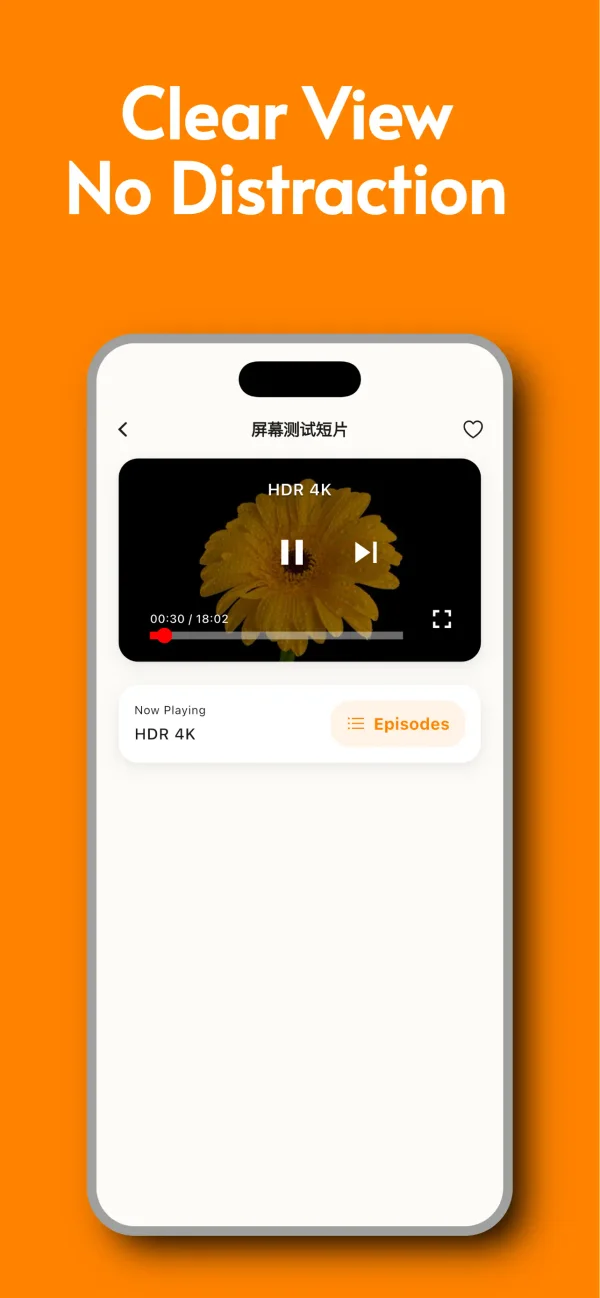
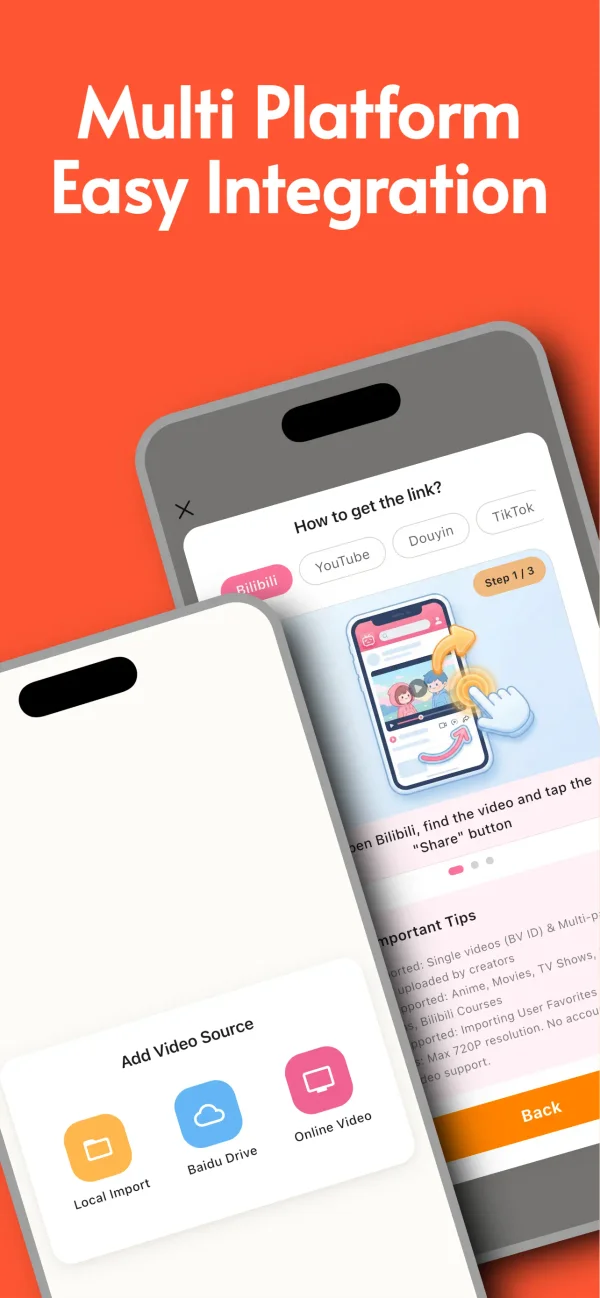
Tentang
Pengembang belum menyediakan teks ini dalam bahasa Anda.
Anxin Learn - Parent-Curated Video Learning for Kids
Turn your tablet into a dedicated learning device, not an entertainment console. Designed specifically for home education, Anxin Study cuts through the noise of algorithm rabbit holes, intrusive ads, and distracting live comments. It gives parents total control over screen time and content, providing a safe, intentional, and distraction-free viewing space for children.
KEY FEATURES
1. Zero Distractions: 0 Ads · 0 Recommendations · 0 Comments
Say goodbye to clickbait thumbnails, infinite-scroll autoplay, and commercial clutter. Children only see educational content vetted and approved directly by parents. By removing recommended feeds and comment sections, Anxin Study helps kids build sustained focus and deep learning habits.
2. Centralized Educational Hub: One-Tap Batch Import & Auto-Sync
• Full Platform Parsing: Paste playlist, collection, or creator links from Bilibili, YouTube, TED, and more. Full course series are structured automatically in seconds.
• Cloud Drive Integration: Deep 3-level folder scanning for cloud storage (such as Baidu Netdisk). Incremental sync automatically identifies and imports new episodes without re-downloading, while titles are cleaned of unwanted file tags.
• Automatic Episode Updates: When a creator or educator posts a new lecture, your child's course list updates in real time. Inactive or removed videos are flagged instantly for easy review.
3. Smart Pacing & Healthy Screen Habits
• Daily Episode Pacing: Schedule weekday releases (e.g., unlock one episode per day) to keep kids eager and establish a balanced routine instead of binge-watching.
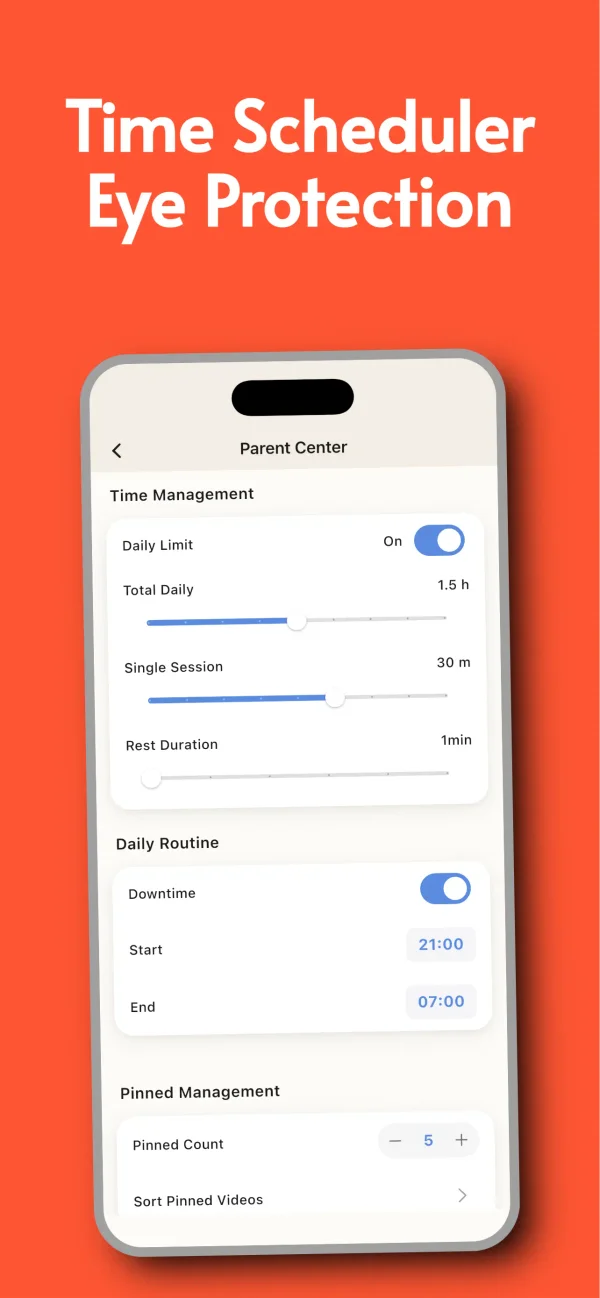
• Category-Based Screen Limits: Set custom time caps per genre. Allow up to 30 minutes for cartoons while reserving remaining screen time for science, math, or language learning.
• Weekend Specials Vault: Automatically hide feature-length documentaries or family films on weekdays, unlocking them every Saturday morning with dedicated weekend limits.
• Child-Proof Parent Gate: Advanced challenge puzzles replace simple arithmetic, preventing older kids from guessing passwords or bypassing system settings.
• Full-Screen Session Limits: When allotted time runs out, a full-screen block overlay appears, engineered to prevent bypasses like picture-in-picture mode.
• Built-In Breaks & Grace Periods: Pomodoro-style visual reminders signal break times. If a child is midway through a critical lesson, parents can easily grant a 15-minute countdown extension with one tap.
4. Multi-Child Profiles & Effortless Device Sync
• Isolated Sibling Profiles: Switch between child profiles on a single tablet instantly. Watch histories, schedules, and learning logs remain completely separate.
• Fast Proximity Sharing: Curate video packages on your phone during your commute, then beam them directly to your child’s tablet at home with near-field sync. Shareable web cards let other families preview courses in-browser without installing the app.
• Multi-Device Support: Keep parents’ phones and children’s study tablets in sync within the same household account.
5. Visualized Learning Insights & Growth Milestones
• Detailed Activity Reports: Track time invested across subjects such as STEM, language, logic, and creative arts with clear, intuitive charts.
• Milestone Badges: A positive reward system celebrates consistent effort, encouraging children to take ownership of their learning journey.
• Cloud Backup: Seamlessly restore entire video libraries and custom pacing schedules when upgrading devices.
Privacy Policy and Term of Use
https://www.aiwen.cloud/en/legal/privacy-policy
https://www.aiwen.cloud/en/legal/user-agreement
Yang baru
Versi 2.0.16 · 8/11/2026
1. Full support for Android TV installation and usage with remote control and episode selection optimizations.
2. Baidu Netdisk: added TV QR code login, fixed playback failure after screen sleep, and improved start speed.
3. Enhanced Bilibili video playback with faster episode switching and instant loading.
4. Enabled cross-device sync for multi-child profiles to avoid repetitive setup.
5. Once parent account mode is enabled, it cannot be canceled to strengthen safety controls.
Privasi aplikasi
Yang dinyatakan di App Store tentang cara aplikasi ini menangani data.
-
Data yang ditautkan dengan Anda
Dapat dikumpulkan dan ditautkan dengan identitas Anda.
- Pembelian
- Info kontak
- Pengenal
-
Data yang tidak ditautkan dengan Anda
Dapat dikumpulkan, tetapi tidak ditautkan dengan identitas Anda.
- Pengenal
- Data penggunaan
Praktik privasi dapat bervariasi, misalnya berdasarkan fitur yang Anda gunakan atau usia Anda.
Informasi
- Penjual
- 翔 钟
- Kategori
- Pendidikan
- Versi
- 2.0.16
- Diperbarui
- 8/11/2026
- Dirilis
- 16/3/2026
- Ukuran
- 105,4 MB
- Memerlukan
- iOS 13.0 atau yang lebih baru
- Batasan usia
- 4+
- Harga
- Gratis
- Pembelian dalam aplikasi
- Ya
- Bahasa
- Inggris
- Hak cipta
- © 2026 aiwen studio