Anyshelf: Comic, Book & Video
No ads. 26 formats, PDF to MKV
Dirancang untuk iPhone, iPad
Gratis · Pembelian dalam aplikasi
- Batasan usia4+
- KategoriBuku
- PengembangYuma Satoi
- BahasaInggris+ 8 lainnya
- Ukuran69,7 MB
Tertaut ke halaman resmi App Store
Download.org tidak menyimpan file Anyshelf: Comic, Book & Video apa pun. Tombol ini membuka halaman aplikasi di App Store, tempat Yuma Satoi menerbitkannya. Halaman terakhir diperiksa pada 28/11/2026.
Tangkapan layar


Tentang
Pengembang belum menyediakan teks ini dalam bahasa Anda.
Last night’s manga and anime from your server, on the train. A favorite novel you downloaded, before bed.
Anyshelf gathers your comics, novels, PDFs and videos onto one shelf and opens them right where they live. No converting, no copying, no ads. Whatever you were reading or watching is waiting under Up Next on Home.
OPEN IT WHERE IT IS
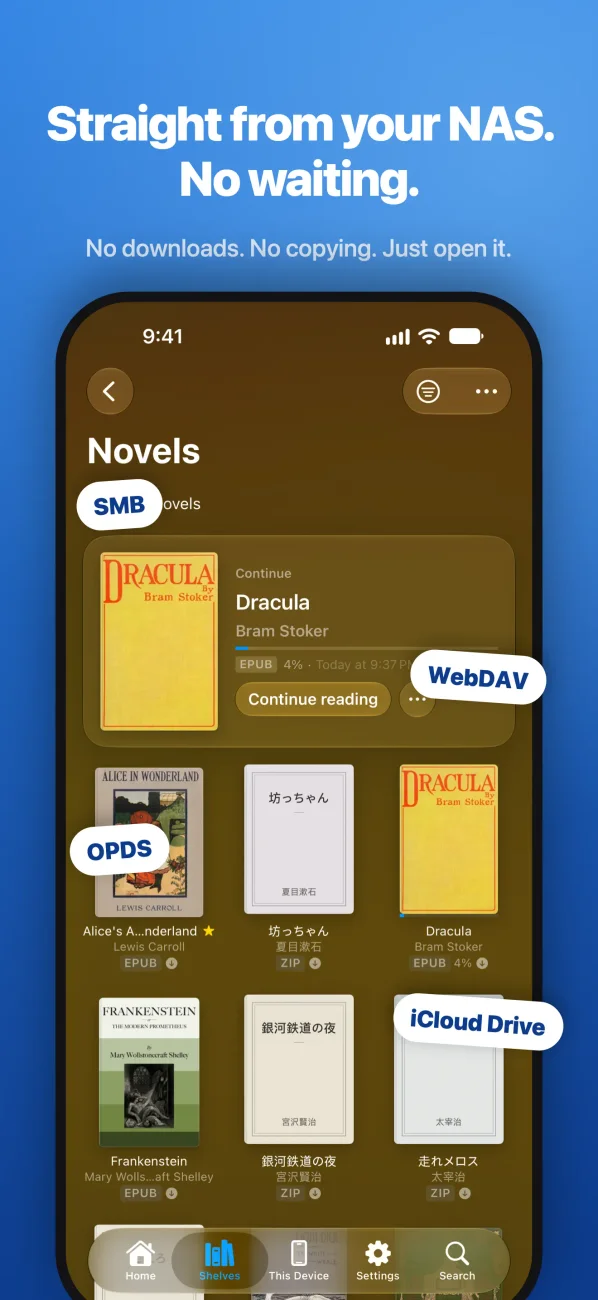
• Open books and videos on your servers (SMB, WebDAV, OPDS) and in iCloud Drive without saving them first. Servers on your network are found automatically
• Only the pages you open are fetched, so even a huge comic starts right away
• Import from Google Drive, Dropbox and more through the Files app, or add a file from a web address
• Thousands of free classics from Project Gutenberg and Aozora Bunko, built in
COMICS, LIKE PAPER
• Turn your phone sideways for a two-page spread, or choose Always spread or Always single page per book
• Page turns your way: page curl, slide, horizontal scroll, vertical scroll or instant
• Fit the whole page, the width or the height, remembered per book. Drag to read a page that runs past the screen
• Right-to-left or left-to-right, per book
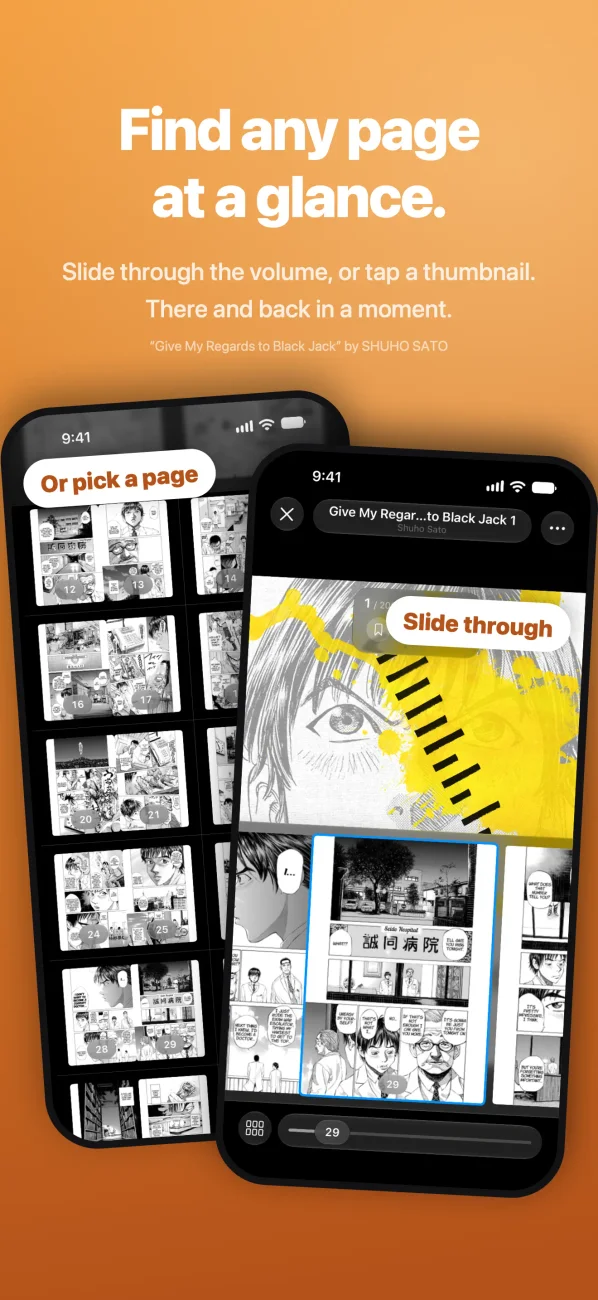
• A slider and page thumbnails take you anywhere in a volume
• Select and copy the text on a page with Live Text
PDFS WITH CONTENTS AND SEARCH
• Jump to a chapter from the table of contents, or to a page from a link in the book
• Search the text and step through the matches, even words broken across lines
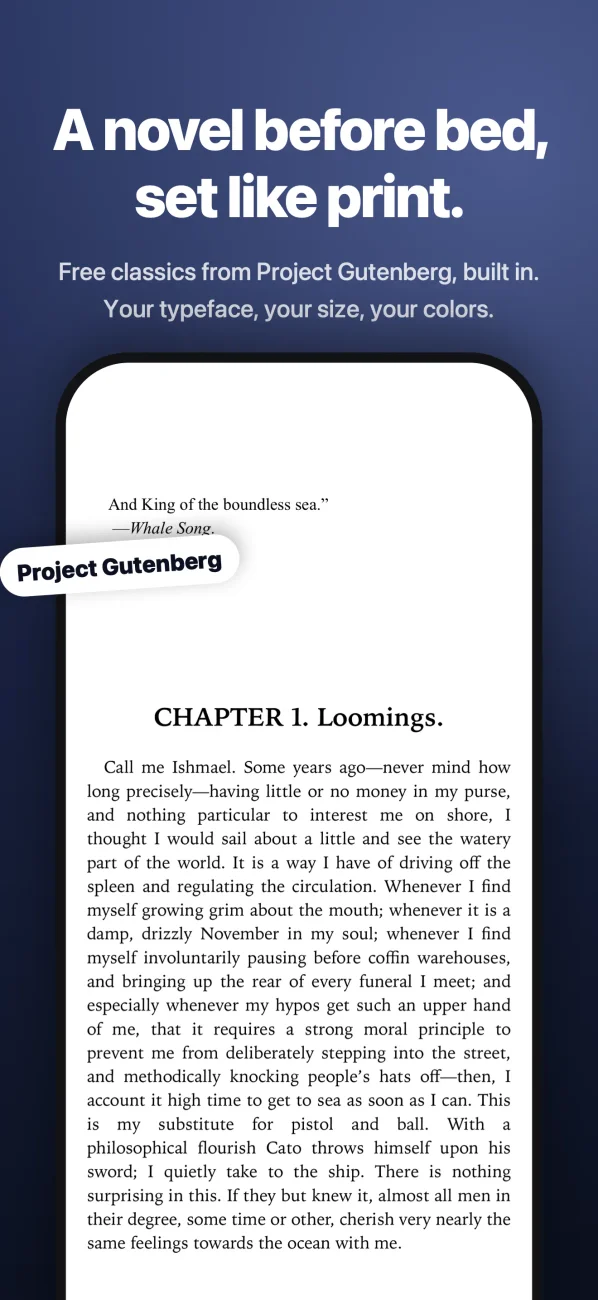
A NOVEL BEFORE BED, SET LIKE PRINT
• Vertical Japanese text with ruby and emphasis dots, set like a printed book
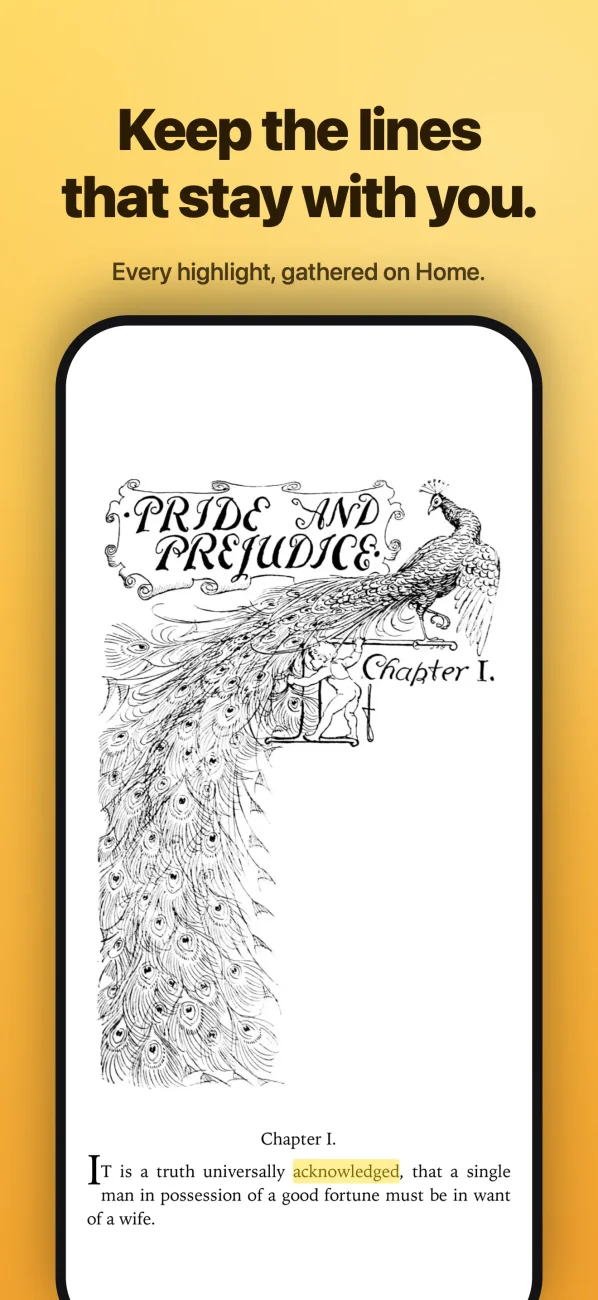
• Highlight the lines that stay with you, and see them again on Home and in a widget
• Your choice of typeface, size, spacing and background
• EPUB (reflowable and fixed layout), plain text and Markdown
VIDEOS ON THE SAME SHELF
• MP4, MOV, MKV, WebM, TS and FLV. Switch audio and subtitles as you watch, DVD and Blu-ray picture subtitles included
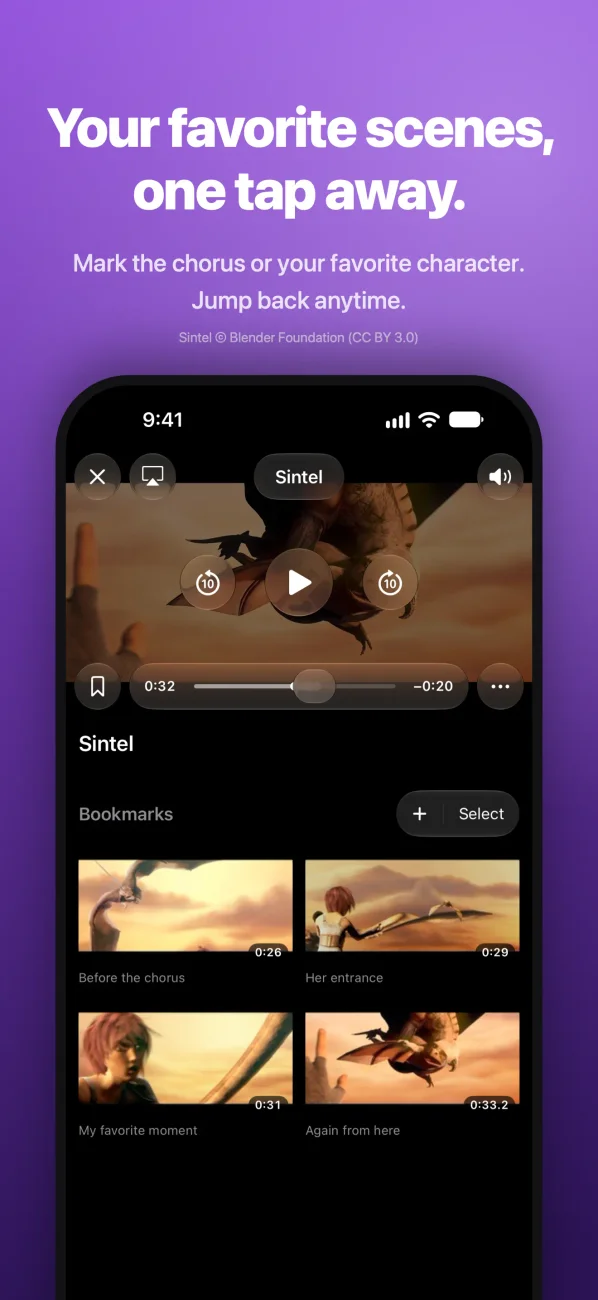
• Bookmark favorite scenes with thumbnails and notes, tuned to a tenth of a second
• Pinch to fill the screen. Picture in Picture too
MAKE A BOOK FROM PHOTOS OR SCANS
• Turn photos or camera scans into a book, then reorder or add pages
• Export it as a PDF or CBZ
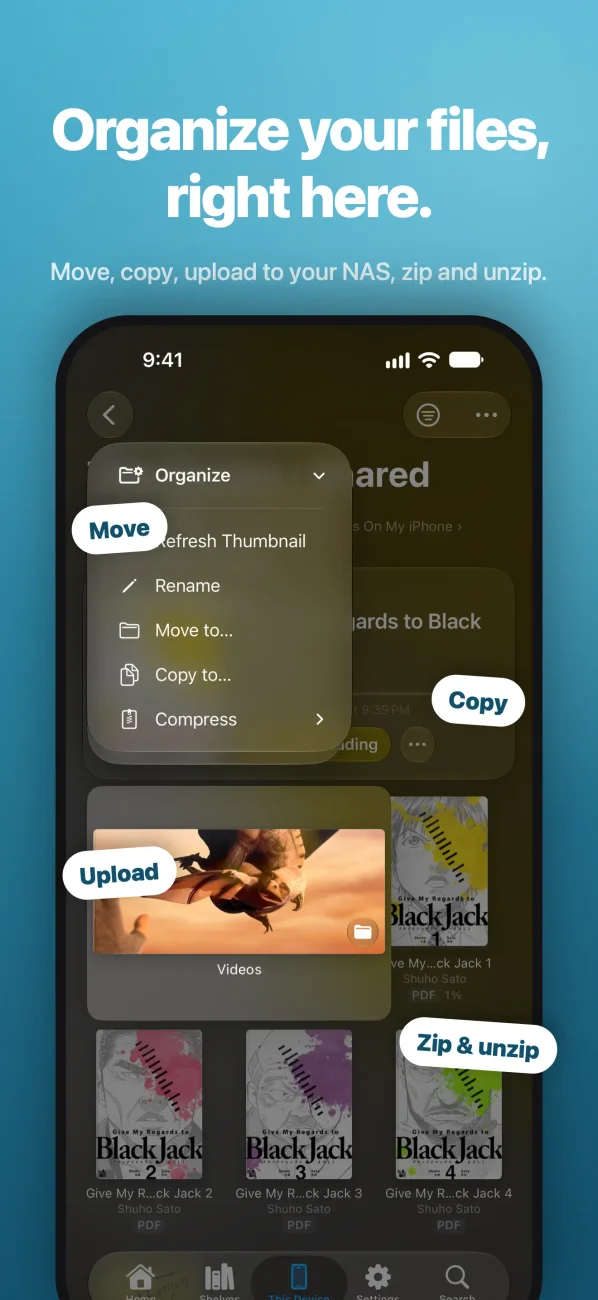
ORGANIZE YOUR FILES HERE TOO
• Move, copy, upload and download between your device, iCloud Drive and your servers, by menu or drag and drop
• Extract ZIP, RAR and 7z; pack a folder into ZIP or CBZ
• Per-server access (Read Only, Write, or Write and Delete) keeps your NAS safe
PICK UP WHERE YOU LEFT OFF, ON ANY DEVICE
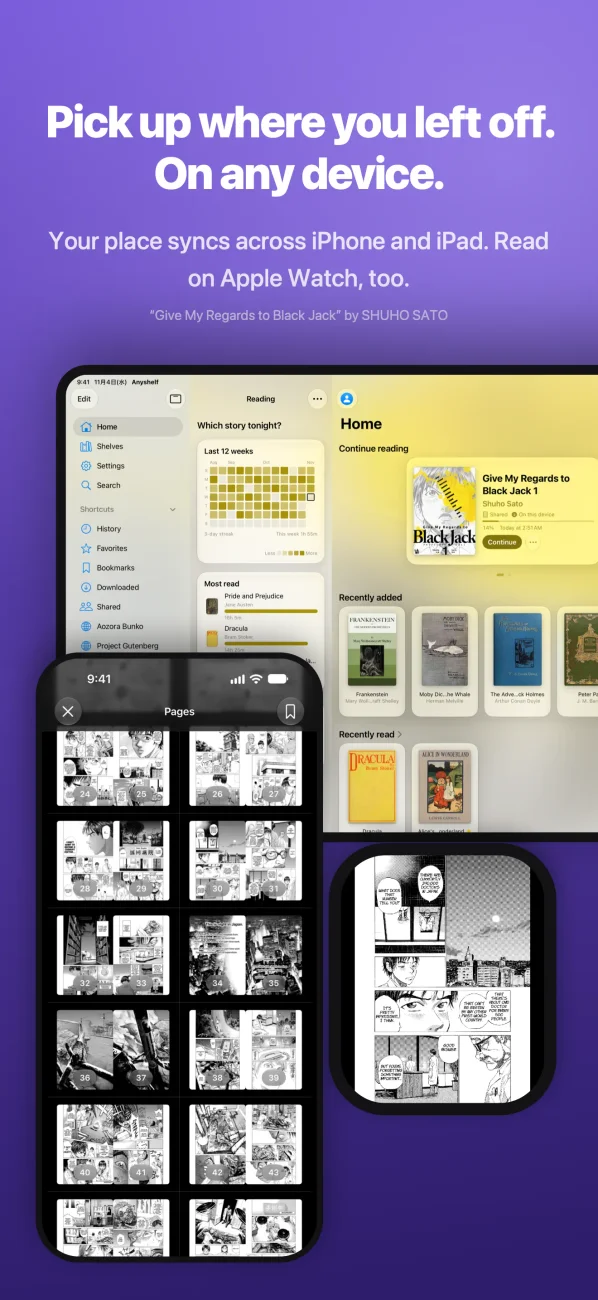
• Up Next, history, favorites and bookmarks on the Home tab
• Your place in books and videos syncs through iCloud across iPhone and iPad
• Widgets for what you’re reading, your reading record and your highlights
• Send a book to Apple Watch and read on your wrist
• Unfold iPhone Duo for a two-page spread
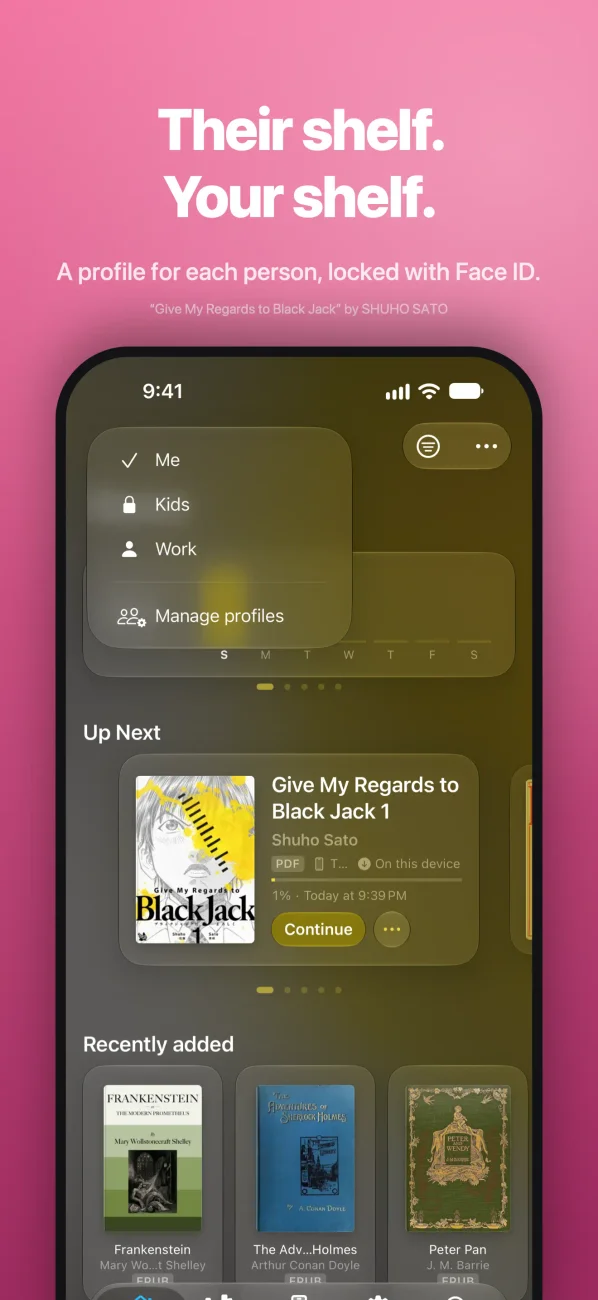
A SHELF FOR EVERYONE IN THE FAMILY
Each profile keeps its own servers, shelves, history, favorites and bookmarks.
• Lock a profile with Face ID or Touch ID
• Restricted profiles for kids, without settings or new servers
FORMATS (26)
• Comics and archives: ZIP, CBZ, RAR, CBR, 7z, CB7, TAR, CBT
• Image folders: JPEG, PNG, GIF, WebP, AVIF, HEIC
• Books: PDF, EPUB, plain text, Markdown
• Videos: MP4, M4V, MOV, MKV, WebM, TS, M2TS, FLV
FREE TO TRY
Start with a 7-day free trial of Anyshelf Pro. Without Pro you can still open one file a day — a book or a video — from every place, in every format.
Anyshelf Pro removes the daily limit and adds PDF and CBZ export with folder compression, scans of more than 10 pages, theme colors, extra profiles, custom file-name rules and Apple Watch. Choose a yearly subscription or a one-time purchase. The subscription renews automatically unless cancelled at least 24 hours before the end of the current period, and can be managed in your App Store account settings.
Terms of Use: https://www.apple.com/legal/internet-services/itunes/dev/stdeula/
Privacy Policy: https://nogism.com/anyshelf/en/privacy/
Yang baru
Versi 2.1.0 · 27/11/2026
• Page size adjustment is now remembered for each book, and with Fit width or Fit height, pages larger than the screen can be dragged to read the rest. Choose the default in Settings
• Choose Always spread or Always single page for each book, in every paging mode
• PDFs: a table of contents, links that jump to pages or open websites, and text search with a bar to step through the matches
• Live Text in comics and PDFs: select and copy the text on a page
• New Highlights widget shows a passage you highlighted, filtered by color
• Pinch a video, or use ⋯ > Display, to fill the screen
• Delete your iCloud sync data from Settings > Storage, for this profile or all of them
• Opening from your library now asks in a sheet that shows where each copy is
• Other fixes and stability improvements
Privasi aplikasi
Yang dinyatakan Yuma Satoi di App Store tentang cara aplikasi ini menangani data.
-
Data yang ditautkan dengan Anda
Dapat dikumpulkan dan ditautkan dengan identitas Anda.
- Info kontak
-
Data yang tidak ditautkan dengan Anda
Dapat dikumpulkan, tetapi tidak ditautkan dengan identitas Anda.
- Konten pengguna
- Diagnostik
Praktik privasi dapat bervariasi, misalnya berdasarkan fitur yang Anda gunakan atau usia Anda.
Informasi
- Penjual
- Yuma Satoi
- Kategori
- Buku
- Versi
- 2.1.0
- Diperbarui
- 27/11/2026
- Dirilis
- 31/10/2026
- Ukuran
- 69,7 MB
- Memerlukan
- iOS 26.0 atau yang lebih baru
- Batasan usia
- 4+
- Harga
- Gratis
- Pembelian dalam aplikasi
- Ya
- Bahasa
- Inggris, Prancis, Jerman, Jepang, Korea, Portugis, Tionghoa Sederhana, Spanyol, Tionghoa Tradisional
- Hak cipta
- © 2026 nogism
Mungkin Anda juga suka
-
 shelff – PDF Book ReaderBuku
-
 Bacaan ringan: EPUB & PDFBaca offline dan dengarkan
-
 YOMU Web小説リーダーBuku
-
 ThusRead: EPUB Reader WatchBuku
-
 tttt.. Too Tired to TypeBuku
-
 Novelco: Reading Log & TrackerBuku
-
 WristReader:Ebook & PDF ViewerBuku
-
 Versa: Baca Komik & MangaBuka CBZ, CBR, PDF, ZIP di NAS
-
 Rukomi - Comic ReaderBuku
-
 Grow books - simple book notesBuku