
App Blocker & Focus: BlockMind
Block Sites, Reels & Shorts
Dirancang untuk iPhone, iPad
Gratis · Pembelian dalam aplikasi
- Batasan usia4+
- KategoriKesehatan & Kebugaran
- PengembangKuba Poprawski
- BahasaInggris
- Ukuran114,5 MB
Tertaut ke halaman resmi App Store
Download.org tidak menyimpan file App Blocker & Focus: BlockMind apa pun. Tombol ini membuka halaman aplikasi di App Store, tempat Kuba Poprawski menerbitkannya. Halaman terakhir diperiksa pada 25/11/2026.
Tangkapan layar


Tentang
Pengembang belum menyediakan teks ini dalam bahasa Anda.
BlockMind is an app blocker and website blocker for iPhone. It is for people who lose hours to social media, games, endless scrolling and distracting websites, and who want a block that stays on when they are tempted to switch it off.
One scroll turns into an hour. One "quick check" becomes the whole night. BlockMind helps you stop that loop and rewards every focused day by growing a cozy 3D house.
HOW IT WORKS
1. Choose the apps and websites that steal your time.
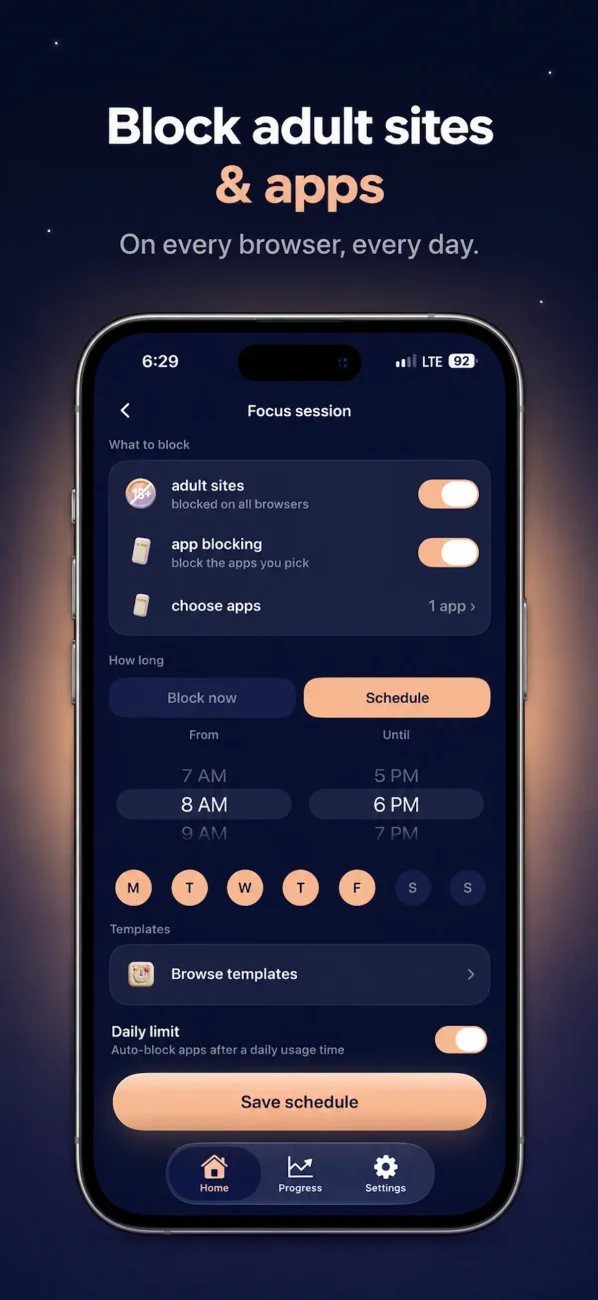
2. Block them now with Quick Block, on a schedule, or after a daily usage limit.
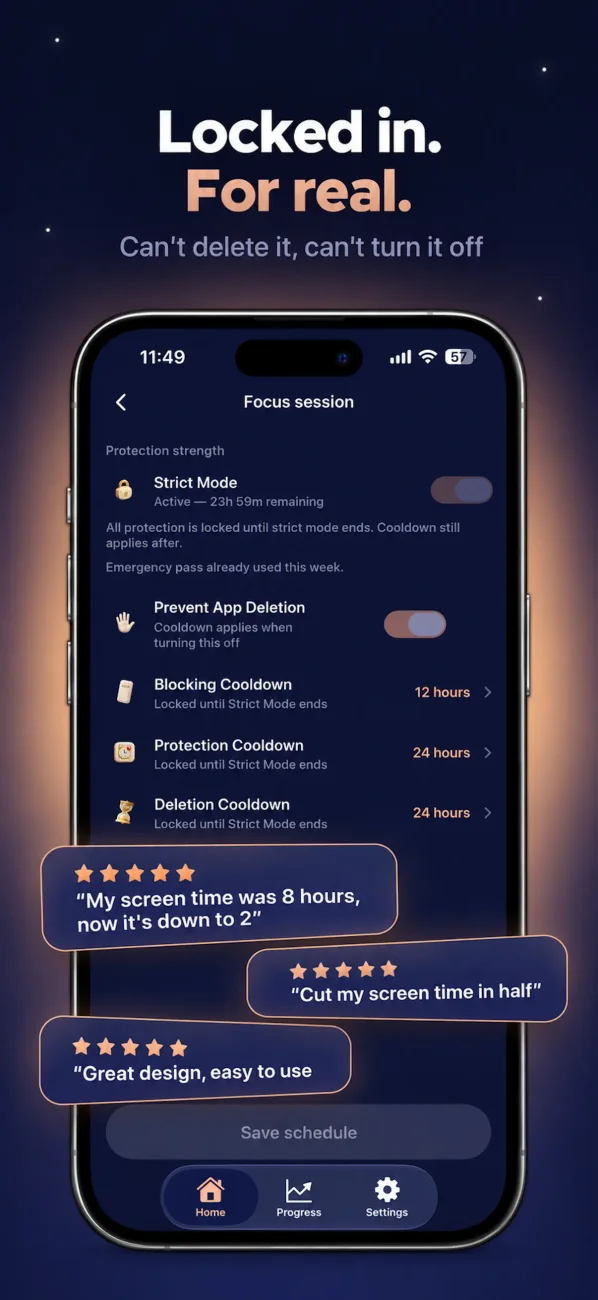
3. Add a cooldown so turning protection off takes time, from 15 minutes up to 24 hours. The urge has a chance to pass before the block does.
4. Turn on Strict Mode when you want a lock you cannot undo until the period you chose ends.
5. Stay focused and watch your streak and your house grow.
GROW YOUR HOUSE
Every focused day builds your home. Your house grows with your streak in four stages:
• Your first house at the start
• A new house at 7 days
• A bigger house at 30 days
• Your final house at 60 days
It is progress you can see, so staying on track feels like building something instead of just resisting.
FEATURES
• App blocking: block social media, games, video apps or any app you choose
• Website blocking: block distracting websites in Safari and other browsers
• Schedules: automatic blocks for work, study, sleep and focus hours
• Quick Block: instant protection when you need it right now
• Daily usage limits: block an app after you have used it for a set time
• Turn-off cooldown: a wait of 15 minutes to 24 hours before protection can be switched off
• Strict Mode: lock your protection for days or weeks
• Delete protection: stops you from removing BlockMind in a weak moment
• Streak tracking: see your progress in days, hours and minutes and hit milestones
• My Why: write your reason for change and see it when you are tempted to give up
• Relax and breathe: guided breathing plus waterfall, campfire and birdsong sounds
WHO IT IS FOR
• People who doomscroll at night and want their evenings and sleep back
• Students who need to study without their phone pulling them away
• Remote workers and creators who want deep focus hours
• People with ADHD who get lost in apps
• Anyone doing a digital or dopamine detox
• Anyone who has tried Screen Time limits and found them too easy to ignore
FAQ
What is BlockMind?
BlockMind is an iPhone app that blocks the apps and websites you choose and keeps the block on when you try to turn it off. Your focus streak grows a 3D house you can see.
How is BlockMind different from Apple Screen Time limits?
Screen Time limits can be dismissed with one tap. BlockMind adds a turn-off cooldown, Strict Mode and delete protection, so the block holds in the moments you usually give in.
What happens if I try to turn blocking off?
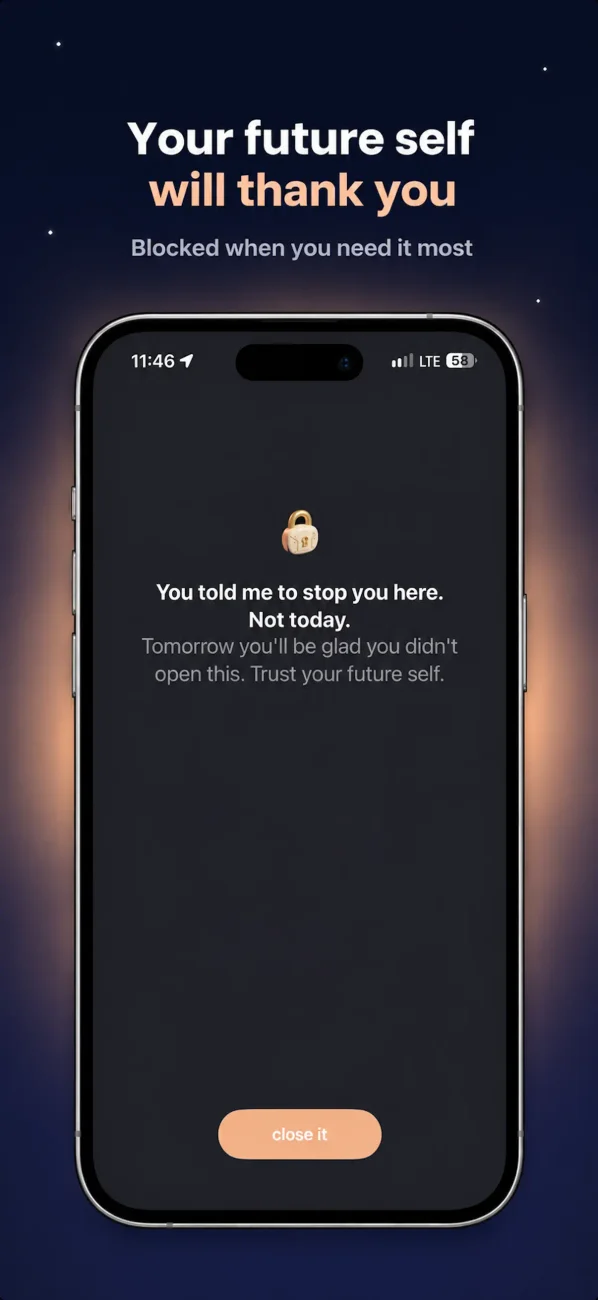
Turning protection off starts the cooldown you set, from 15 minutes to 24 hours. Your apps stay blocked until the wait ends. In Strict Mode you cannot turn the block off until the chosen period is over.
How do I unlock new houses?
Keep your streak going. You get a house at the start, a new one at 7 days, another at 30 days and your final house at 60 days.
Can I block apps only at certain times?
Yes. Set schedules for work, study or sleep, use Quick Block for instant protection, or block an app after a daily usage limit.
Do I need a subscription?
Yes. BlockMind requires an active subscription to access app protection and the full app experience.
Take back your time, your focus and your habits, one day and one house at a time.
Terms of Use: https://www.apple.com/legal/internet-services/itunes/dev/stdeula/
Privacy Policy: https://blockmindapp.com/privacy
Yang baru
Versi 1.7.5 · 24/11/2026
• Each schedule now blocks its own apps
• Run several schedules at the same time
• The Home button shows what's blocked right now
• Ready-made schedules: Morning Focus, Sleep Mode, Study Session, Weekend Detox
• Bug fixes and improvements
Privasi aplikasi
Yang dinyatakan Kuba Poprawski di App Store tentang cara aplikasi ini menangani data.
-
Data yang ditautkan dengan Anda
Dapat dikumpulkan dan ditautkan dengan identitas Anda.
- Info kontak
- Data penggunaan
Praktik privasi dapat bervariasi, misalnya berdasarkan fitur yang Anda gunakan atau usia Anda.
Informasi
- Penjual
- Kuba Poprawski
- Kategori
- Kesehatan & Kebugaran
- Versi
- 1.7.5
- Diperbarui
- 24/11/2026
- Dirilis
- 10/3/2026
- Ukuran
- 114,5 MB
- Memerlukan
- iOS 26.0 atau yang lebih baru
- Batasan usia
- 4+
- Harga
- Gratis
- Pembelian dalam aplikasi
- Ya
- Bahasa
- Inggris
- Hak cipta
- © Kuba Poprawski
Mungkin Anda juga suka
-
 Mochipo: Walk to UnlockKesehatan & Kebugaran
-
 ClearMind: Blokir Situs DewasaPemblokir konten dewasa
-
 EndScroll: Screen Time BlockerKesehatan & Kebugaran
-
 StepLimit: Walk to UnlockKesehatan & Kebugaran
-
 Toll: Habit Photos Unlock AppsKesehatan & Kebugaran
-
 Block It! - Block Apps & FocusKesehatan & Kebugaran
-
 Pushbuddy: Pushup App BlockerSquat untuk Detox Digital
-
 AXIOM: NNN, Quit Lust & PMOKesehatan & Kebugaran
-
 TimeBack: Screen Time BlockerKesehatan & Kebugaran
-
 MyAidKit – Medicine CabinetKesehatan & Kebugaran