- Batasan usia4+
- KategoriGaya Hidup
- PengembangKolmogorov Andrey
- BahasaInggris+ 1 lainnya
- Ukuran2,5 MB
Tertaut ke halaman resmi App Store
Download.org tidak menyimpan file AquaTag apa pun. Tombol ini membuka halaman aplikasi di App Store, tempat Kolmogorov Andrey menerbitkannya. Halaman terakhir diperiksa pada 18/11/2026.
Tangkapan layar



Tentang
Pengembang belum menyediakan teks ini dalam bahasa Anda.
Tap your iPhone to a plant pot. The watering is logged. That is the entire workflow.
AquaTag turns ordinary NFC stickers into watering shortcuts. Stick a tag on each pot, scan once to assign a plant, then every later tap records a watering — no typing, no menus, no opening the app first.
HOW IT WORKS
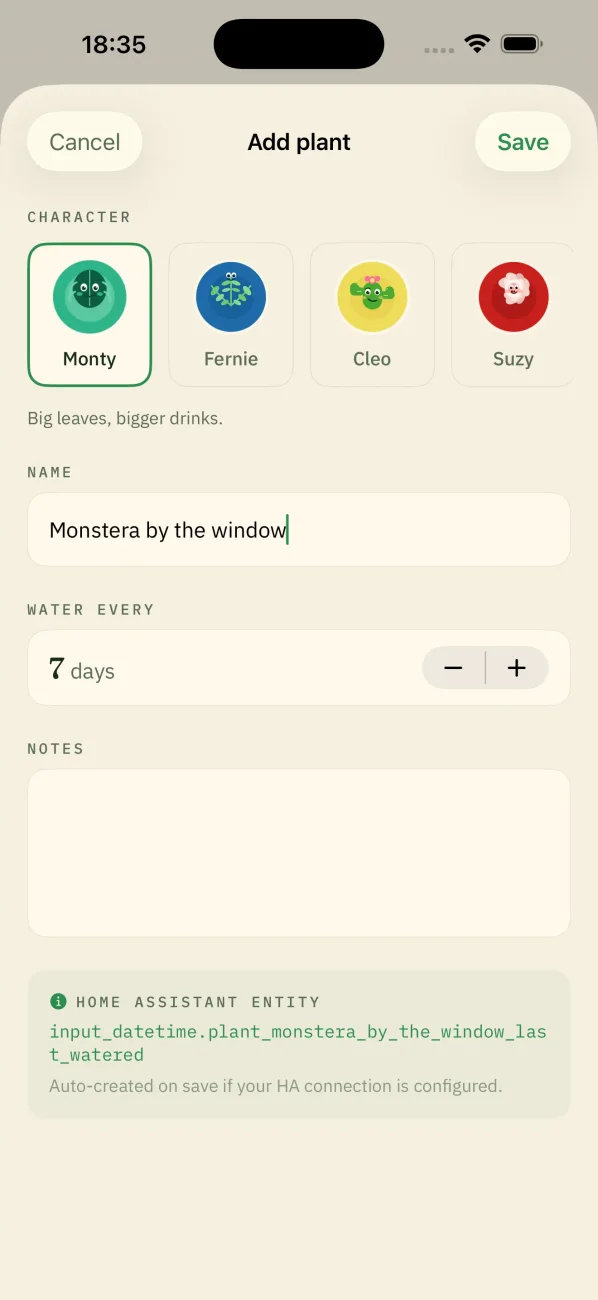
1. Add a plant in the app. AquaTag generates a unique ID.
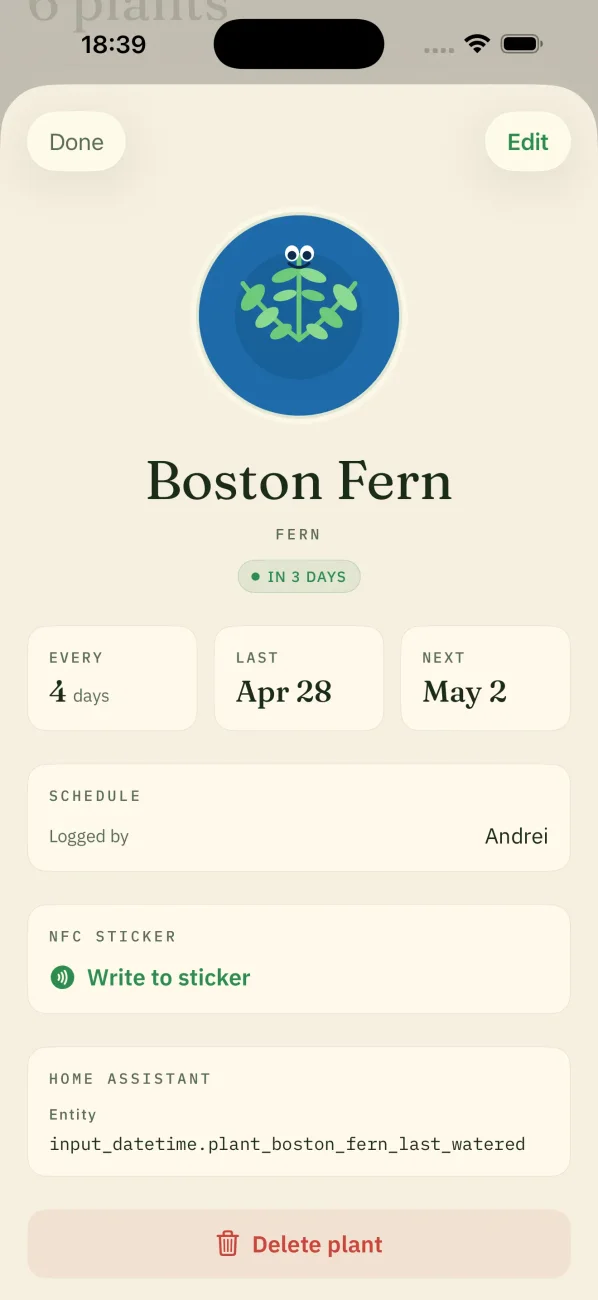
2. Hold a blank NFC sticker to your iPhone and write the ID.
3. Stick the tag on the pot. From now on, tap to water.
For iPhones without NFC, or anyone who would rather skip the tags, AquaTag also has a regular tap-to-water button on every plant card. NFC is the shortcut, not a requirement.
FEATURES
• Six hand-illustrated plant characters — Monty, Fernie, Cleo, Suzy, Ollie, and Pip — each with a recommended watering rhythm.
• Visual schedule shows which plants are due, overdue, or freshly watered.
• Six-week history with a heatmap of waterings per day and weekly stats per plant.
• Local notifications remind you when a plant is overdue.
• Available in English and German throughout.
HOME ASSISTANT (OPTIONAL)
If you run Home Assistant via Nabu Casa, AquaTag can sync each watering as an aquatag_plant_watered event and update an input_datetime helper per plant. Use it to trigger automations, dashboards, or any workflow you have already built. Setup is two fields: your Nabu Casa URL and a long-lived access token.
PRIVACY
AquaTag stores everything on your device. No analytics, no third-party SDKs, no cloud account. Your Home Assistant token lives in the iOS Keychain and is only sent to your own server. Full policy at aquatag.app/privacy.
OFFLINE-FIRST
Watering is recorded the instant you tap, even without a connection. If Home Assistant sync fails, the event waits in a queue and retries automatically when the network comes back.
REQUIREMENTS
• iPhone with NFC reading (iPhone 7 or newer).
• iOS 17 or later.
• NFC stickers that support NDEF (NTAG213/215/216 work well).
• Optional: a Nabu Casa subscription for Home Assistant sync.
Questions? aquatag.app/support
Privacy policy: aquatag.app/privacy
Yang baru
Versi 1.1.1 · 6/11/2026
Watering reminders now actually arrive.
If you never saw a reminder from AquaTag, here's why: the app never asked for notification permission, so every reminder was scheduled and then silently dropped. It now asks the first time it has something to remind you about.
Also in this update:
• Reminders follow your edits — change a plant's watering interval or your reminder time, and existing reminders move with them.
• Plants that are already overdue now get reminded, instead of staying silent.
• "Last watered 1 day ago" no longer reads "1 days ago".
• Switching reminders off now cancels the ones already queued.
Privasi aplikasi
Yang dinyatakan Kolmogorov Andrey di App Store tentang cara aplikasi ini menangani data.
-
Data tidak dikumpulkan
Pengembang tidak mengumpulkan data apa pun dari aplikasi ini.
Praktik privasi dapat bervariasi, misalnya berdasarkan fitur yang Anda gunakan atau usia Anda.
Informasi
- Penjual
- Kolmogorov Andrey
- Kategori
- Gaya Hidup
- Versi
- 1.1.1
- Diperbarui
- 6/11/2026
- Dirilis
- 5/5/2026
- Ukuran
- 2,5 MB
- Memerlukan
- iOS 17.0 atau yang lebih baru
- Batasan usia
- 4+
- Harga
- Gratis
- Bahasa
- Inggris, Jerman
- Hak cipta
- © 2026 Andrei Kolmogorov
Mungkin Anda juga suka
-
 PotallyGaya Hidup
-
 Mid Atlantic Community ChurchGaya Hidup
-
 TextTeddyGaya Hidup
-
 Age Counter • Ulang TahunUsia, pengingat, dan zodiak
-
 Yarnly: Crochet Row CounterGaya Hidup
-
 VAMED VitalityClub appGaya Hidup
-
 GARDENIZE Plant Care GardeningGaya Hidup
-
 Cupidly: Rizz AI KeyboardGaya Hidup
-
 AeroGardenGaya Hidup
-
 La ListeGaya Hidup